AI Use Cases
A2E AI Features & Use Cases: What You Can Actually Create With the Platform
Explore A2E AI features, from image-to-video and talking avatars to voice cloning, lip sync, face swaps, and AI content creation.
Share
A2E AI combines image-to-video, talking avatars, voice cloning, lip sync, image generation, and other AI tools in one platform. It is useful for short-form content and creative experiments, but inconsistent results and limited editing control may require additional tools.
A2E AI brings several image, video, avatar, and voice-generation tools into one platform. Instead of switching between separate services, users can create animated images, talking presenters, voice-led videos, and other AI-powered visuals from a single workspace.
But the useful question is not how many features A2E has. It is what each feature can realistically help you create and where you may still need another tool. AIChief will answer all of these questions.
What Can You Create With A2E AI?
A2E AI is mainly designed for short-form visual content. Its features cover several connected workflows:
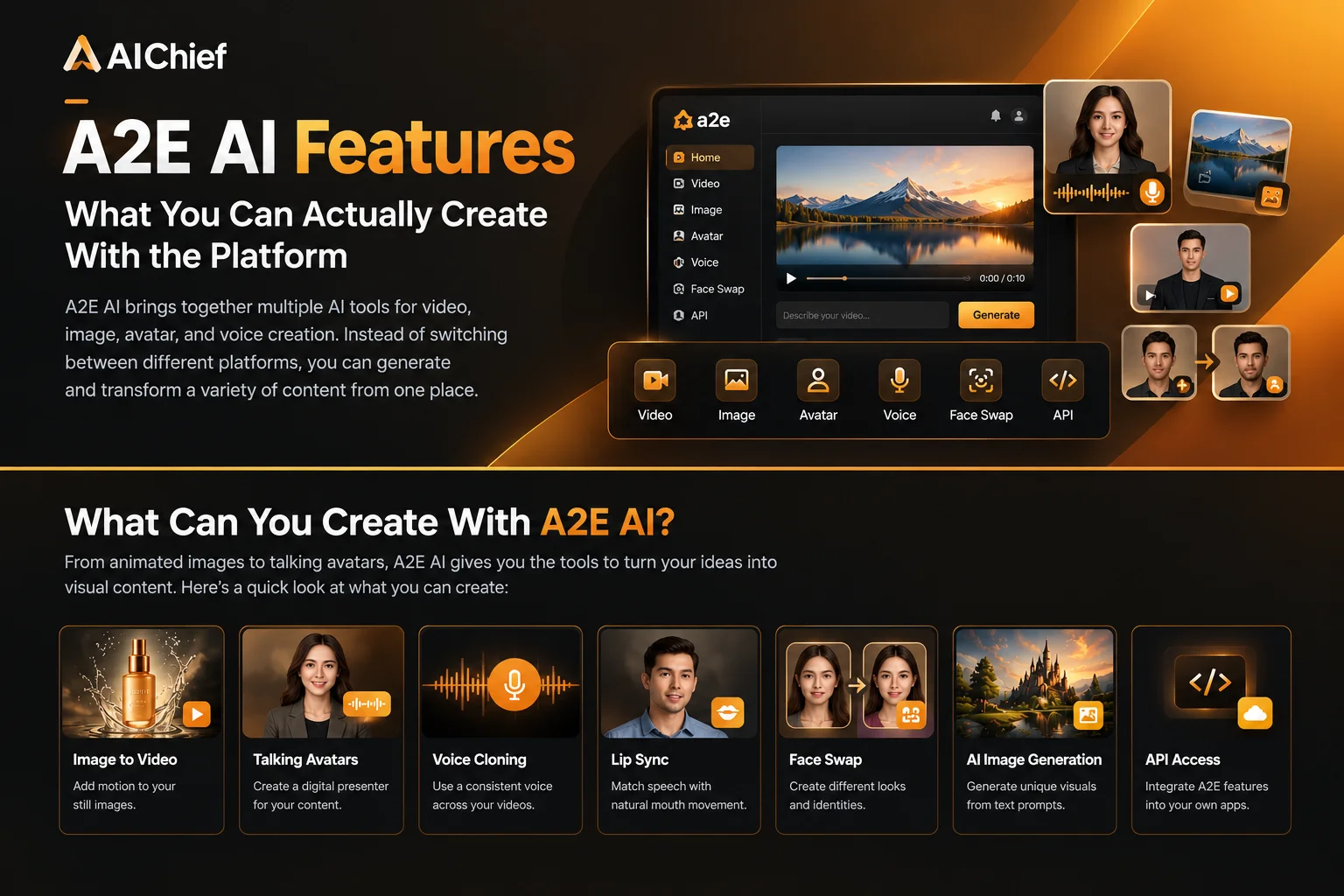
- Generate videos from text prompts
- Animate existing images
- Create talking photos and digital avatars
- Synchronize speech with facial movement
- Clone voices for narration
- Swap faces or heads in images and videos
- Create AI-generated images
- Automate generation through an API
The platform is particularly relevant for creators, marketers, ecommerce teams, educators, and developers working on avatar-led or automated content workflows. Independent coverage of A2E also highlights its focus on image-to-video generation, talking avatars, multilingual lip sync, voice cloning, face and head swapping, and API access.
A2E AI Image-to-Video
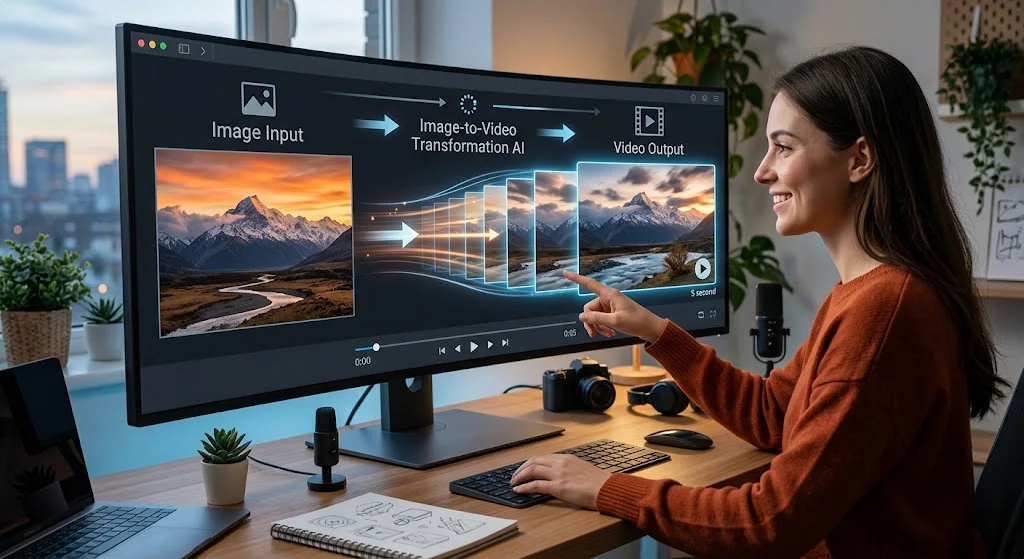
Image-to-video is useful when you already have a visual but want to make it more engaging.
For example, a marketer could animate a product image, a creator could add movement to artwork, or a business could turn a portrait into a short social media clip.
The workflow is relatively simple:
- Upload an image
- Describe the movement or camera effect
- Generate the video
- Review the result and adjust the prompt if needed
This feature works best with clear images that have one obvious subject. Complicated backgrounds, crowded scenes, unusual poses, and low-quality images can make the result less predictable.
A2E’s image-to-video tools are reported to support selected output modes up to 4K, although the available resolution and controls may depend on the chosen model or plan.
Best for: product visuals, animated portraits, artwork, short promotional clips, and social media content.
Main limitation: it creates a clip, not a complete finished video. You may still need another editor for captions, music, branding, resizing, or multiple scenes.
A2E can turn a still image into a short animated clip, which makes this feature useful for creators who want to add motion to product images, illustrations, or social media visuals. If you're comparing different approaches to this type of content, our guide to AI video generators covers other tools built specifically for generating and animating video.
A2E AI Talking Photos and Avatars
Talking photos and avatars are designed for users who want a person or character to speak without recording a traditional video.
You can use this type of content for:
- Product introductions
- Educational explainers
- Course videos
- Social media presenters
- Internal training
- Faceless content
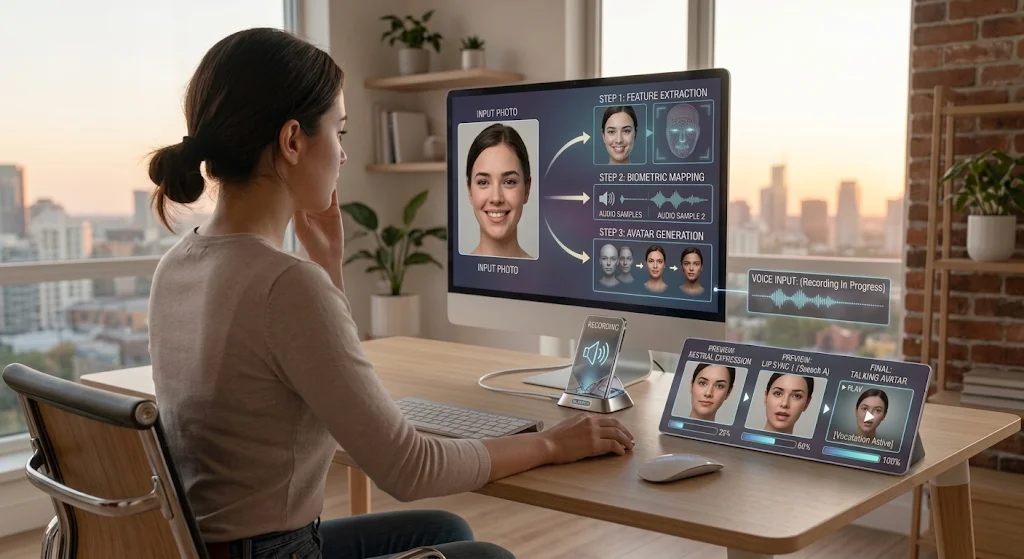
The quality of the final video depends on the source image, voice, script, and facial animation. A clear, front-facing portrait usually gives the system a better starting point than a side profile or heavily edited image.
A2E’s talking-avatar workflow supports typed scripts or audio input, while its lip-sync tools are promoted for multilingual presenter videos. Independent coverage reports support for more than 50 languages.
Best for: short presenter videos and simple speaking-avatar content.
Main limitation: facial movement may still look unnatural in longer clips, complicated expressions, or fast speech.
Talking avatars are useful when you want a digital presenter without recording yourself on camera. A2E can animate a character or photo and synchronize it with generated or uploaded audio. This puts it in the same general category as AI avatar generators, although the workflow and level of control can differ between platforms.
A2E AI Voice Cloning and Lip Sync
Voice cloning allows users to create a reusable digital voice from an audio sample. That voice can then be used with narration, talking avatars, or localized video content.
This can help when a creator or business needs to produce:
- Repeated video introductions
- Product narration
- Educational content
- Multilingual versions
- Voice-led social videos
- Presenter content without recording every script
Lip sync adds another layer by matching spoken audio with the mouth movement of a face or avatar.
The important distinction is that voice quality and lip-sync quality are separate. A voice may sound convincing while the facial movement still looks artificial, or the mouth may move correctly while the voice lacks natural emotion.
Users should only clone voices they own or have permission to use, especially when the content will be published commercially.
Voice cloning becomes particularly useful when you're producing several videos and want to maintain a consistent voice across them. Instead of recording every script manually, creators can generate the narration and then synchronize it with an avatar or character. If voice generation is the main thing you're looking for, comparing AI voice generator tools can help you find platforms with different voice libraries and controls.
A2E AI Face and Head Swap
A2E also includes face- and head-swapping tools that can place a different identity onto an existing image or video subject.
These tools may be useful for:
- Character concepts
- Creative campaigns
- Personalized visuals
- Entertainment content
- Fashion or appearance mockups
- Experimental social media posts
The results depend heavily on lighting, facial angle, image quality, pose, and how much of the face is visible. A close match between the source and target images usually produces a more believable result.
This feature is best treated as a creative editing tool rather than a guarantee of realistic identity replacement. Users should also obtain permission before using another person’s face in public or commercial content.
A2E AI for Product and Marketing Content
A2E’s features can be combined into a simple marketing workflow.
For example:
- Create or upload a product image
- Animate the image into a short clip
- Add a talking avatar or voiceover
- Generate versions for different audiences
- Edit the final video for social platforms or advertisements
This can reduce the need for a camera shoot when the goal is a quick product demonstration or promotional concept.
However, businesses should check the final output carefully. AI-generated product visuals may change packaging, logos, text, colors, or small product details. For ecommerce and advertising, those inaccuracies can be more serious than a minor visual mistake.
For marketers, the bigger advantage is being able to turn one product image or campaign concept into several types of content. A product photo could become a short promotional video, an avatar could explain the offer, and a cloned voice could provide narration. That makes A2E worth considering alongside other AI marketing tools designed to speed up content production.
A2E AI API and Automation
A2E provides API access for developers who want to add AI media generation to their own products or workflows.
The API is more relevant when a team wants to:
- Generate videos automatically
- Add talking avatars to an application
- Build voice or lip-sync workflows
- Create media at scale
- Connect AI generation to an internal dashboard
- Automate repetitive content production
This makes A2E different from a tool used only for one-off creative experiments. Developers can potentially build a repeatable workflow around its generation features, although they still need to review API documentation, usage limits, pricing, and output reliability before integrating it into a production system.
What Are the Main Limitations of A2E AI?
A2E’s broad feature set does not mean every workflow will produce a finished asset immediately.
The main limitations to consider are:
- Generated results may vary between attempts
- Some features may require repeated generations
- Short clips may need editing elsewhere
- Credit usage can increase when revisions are necessary
- Facial movement and identity consistency may not always be reliable
- Product images may contain visual inaccuracies
- Advanced users may need more precise editing controls
- Commercial users must review voice, likeness, and export rights
A2E is therefore more useful as a generation and transformation platform than as a complete replacement for professional video-editing software. AIChief has already performed a complete test on A2E and our expert team has crafted a detailed review on A2E, which you could visit and evaluate if it’s worthy to spend time on.
Which A2E AI Features Are Most Useful?
The most useful feature depends on the content you want to create:
- Image-to-video: best for animating existing visuals
- Talking avatars: best for presenter-style content
- Voice cloning: best for reusable narration
- Lip sync: best for matching speech to a digital face
- Face and head swap: best for creative visual transformations
- AI image generation: best for creating starting visuals
- API access: best for automated or developer-led workflows
Final Takeaway
A2E AI is most useful for users who want to combine image, video, avatar, and voice generation in one platform. Its strongest use cases are short-form content, animated images, presenter videos, product visuals, multilingual content, and automated media workflows.
It is less suitable for users who need advanced editing control, perfectly consistent characters, or production-ready results without reviewing and refining the output.
If A2E is unable to fulfill your requirement then don’t worry AIChief also covers A2E AI alternatives list for you from where you could check both free and paid alternatives.
FAQs

Editorial Staff
The Editorial Staff at AIChief is a team of Professional Content writers with extensive experience in the field of AI and Marketing. AIChief was Founded in 2025, AIChief has quickly grown to become the largest free AI resource hub in the industry. Stay connected with them on Facebook, Instagram and X for the latest updates.