

AI Tutorial
Validate Any Business Idea with One Perplexity Prompt
Learn how to validate any business idea using a single Perplexity Deep Research prompt. Generate market research, SWOT, and a clear go/no-go verdict fast.
Share
In this guide, you’ll learn how to use a single Perplexity Deep Research prompt to stress test any business idea and turn it into a structured presentation. It covers market research, a SWOT analysis, key risks, and a final verdict. The real advantage is reuse, build the prompt once, run it on every idea, and get to faster go/no-go decisions.
Who This Is For
- Founders with a backlog of unvalidated ideas
- Consultants or operators who need a quick viability check
- Anyone who wants a clearer go/no-go decision before building
What You’ll Build
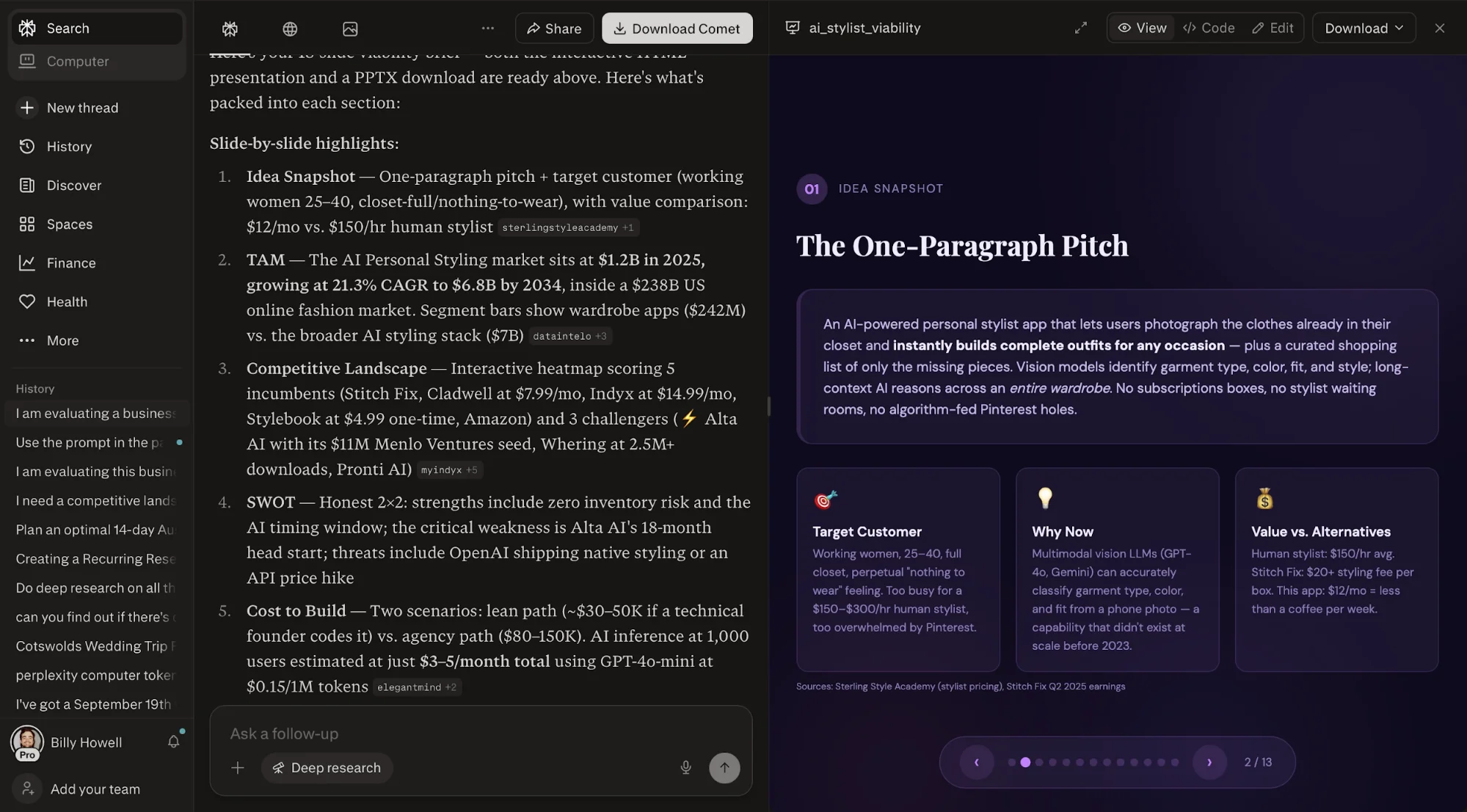
One reusable Deep Research prompt that converts a rough idea into a 10-slide presentation. The output includes TAM, competitors and pricing, SWOT, v1 build cost, tooling, team requirements, GTM wedge, top risks, 30/60/90 milestones, and a final green/yellow/red verdict.
What You Need
- A Perplexity account (free plan includes 5 Deep Research runs per day)
- One business idea written as a short paragraph
- A defined customer and price point
- A place to save your prompt
Step 1: Define the Idea So It Can Be Tested
Before opening Perplexity, define your idea in one paragraph. Keep it specific, identify the customer, the problem, the offer, and why it works now.
Use this format:
- Idea: An AI-powered [product] that helps [target customer] achieve [job to be done] for [price]. It [key behavior 1], [key behavior 2], and [key behavior 3]. It serves [customer] who can’t afford [expensive alternative] but want more than [cheap alternative]. It’s possible now because [key unlock].
The price point is important, it keeps the analysis grounded.
Step 2: Run the Full Validation in One Prompt
Open Perplexity and switch to Deep Research (free plan allows 5 runs per day). Paste your idea and request the full validation deck in one prompt:
- I am evaluating this business idea: [paste idea].
Build a 10-slide presentation that visually SWOTs it and evaluates if it’s worth pursuing. Cover: TAM, competitors and pricing, SWOT matrix, v1 build cost, tooling, founding team, GTM strategy for first 100 customers, top 3 risks, 30/60/90 milestones, and a one-paragraph verdict with a green/yellow/red signal. Cite sources from the last 12 months.
Regular search won’t produce structured outputs like this, Deep Research will.
Step 3: Let the Model Do the Heavy Lifting
Run the prompt and give it 5–6 minutes.
Perplexity will:
- Research the topic
- Structure the output
- Generate the presentation
If multiple versions appear, open the cleaner one first.
Start with:
- The verdict slide
- The SWOT slide
These tell you quickly whether the idea is worth pursuing or not.
If the output feels weak, refine your input paragraph and rerun. The quality depends heavily on the clarity of the idea.
Step 4: Turn It Into a Repeatable System
Once you get a solid result, save the prompt.
Reuse it for every idea:
- Keep the structure
- Swap only the idea paragraph
This gives you a fast, repeatable validation process.
For better organization:
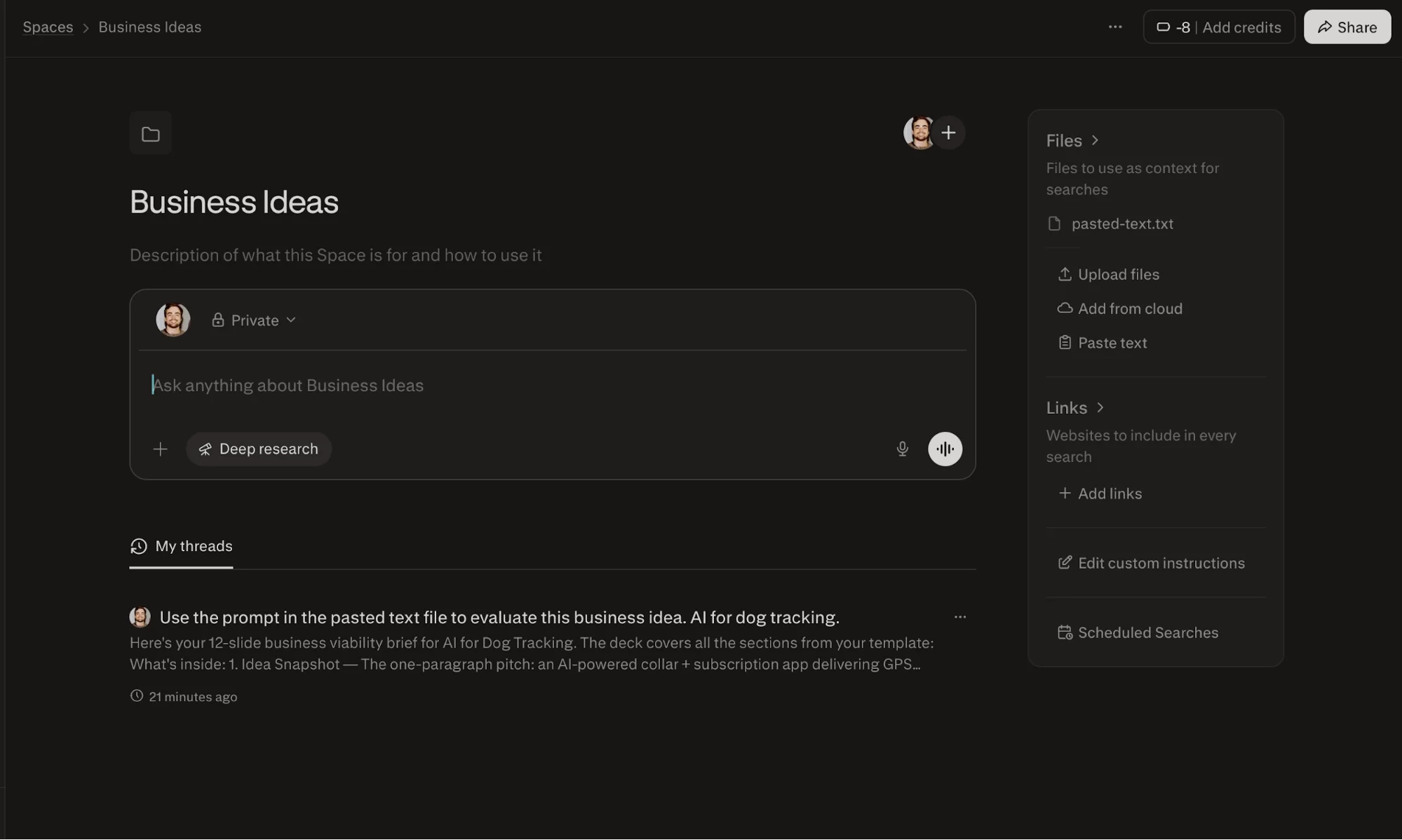
- Store it in a dedicated Space
- Use it as your default instruction
- Run it regularly against new ideas
The goal is speed; validation should take minutes, not weeks.
Going Further
Once the base prompt works, create variations:
- A shorter version for pitching to co-founders
- A comparison version for evaluating multiple ideas
- A 90-day MVP version for promising ideas
- A dedicated Perplexity Space to store and reuse prompts
- A weekly run to process your idea backlog

Editorial Staff
The Editorial Staff at AIChief is a team of Professional Content writers with extensive experience in the field of AI and Marketing. AIChief was Founded in 2025, AIChief has quickly grown to become the largest free AI resource hub in the industry. Stay connected with them on Facebook, Instagram and X for the latest updates.



