

AI Tutorial
Build Competitive Intelligence Reports Using Claude
Discover how to use Claude’s web search and research tools to evaluate competitors, uncover market opportunities, and build interactive dashboards for decision-making.
Share
Discover how to leverage Claude’s web search and deep research features to evaluate competitors and create interactive executive dashboards that highlight market trends and business opportunities.
Best suited for:
- Sales teams handling competitive opportunities
- Product leaders evaluating market positioning
- Marketing teams shaping competitive campaigns
- Executives driving strategic planning
STEP 1: Configure Claude for In-Depth Research
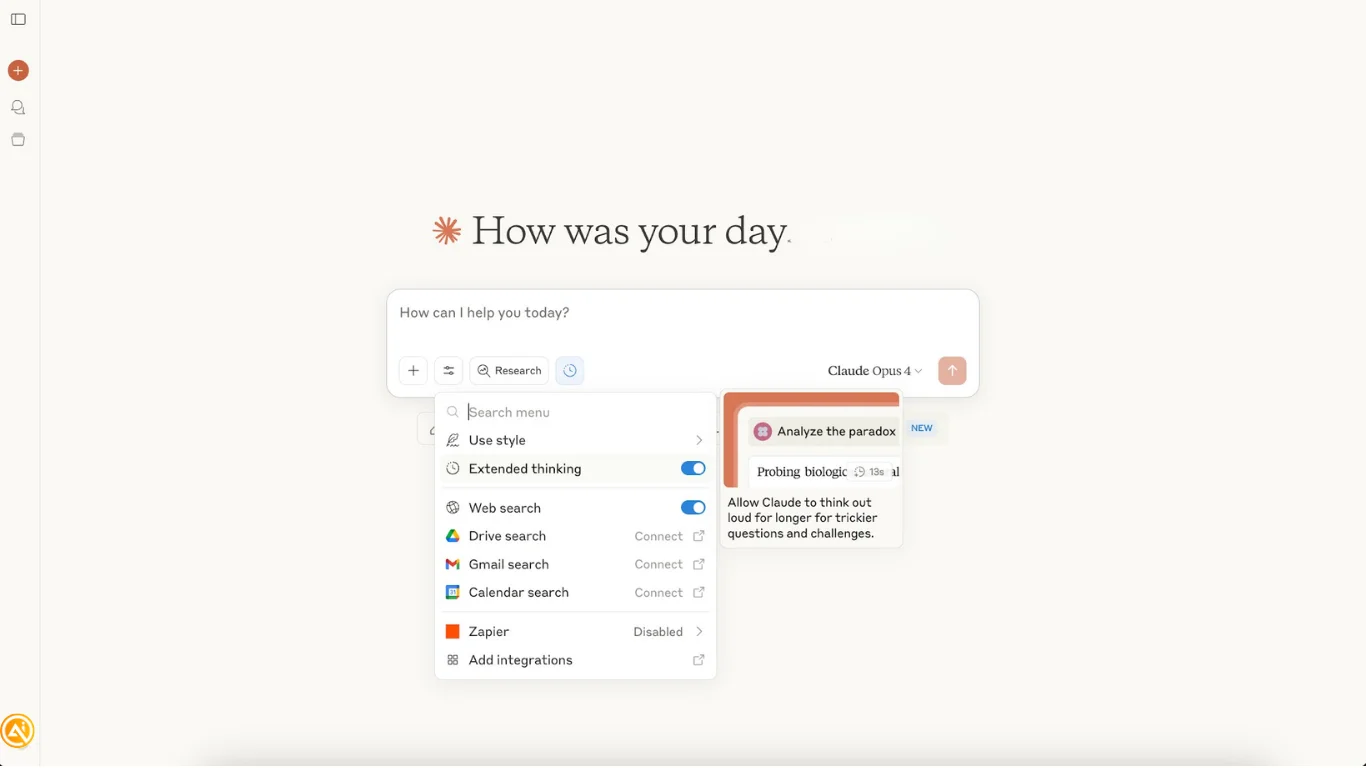
Begin by opening Claude and choosing Claude Opus 4 from the model selector. This unlocks Claude’s most advanced search and analytical functionality.
Next, click the Search and Tools icon (magnifying glass) and turn on Extended Thinking to enable deeper, more structured analysis for complex competitive research.
After Extended Thinking is activated, Claude is ready to support detailed competitive intelligence workflows with stronger analytical reasoning.
STEP 2: Map Out the Competitive Landscape
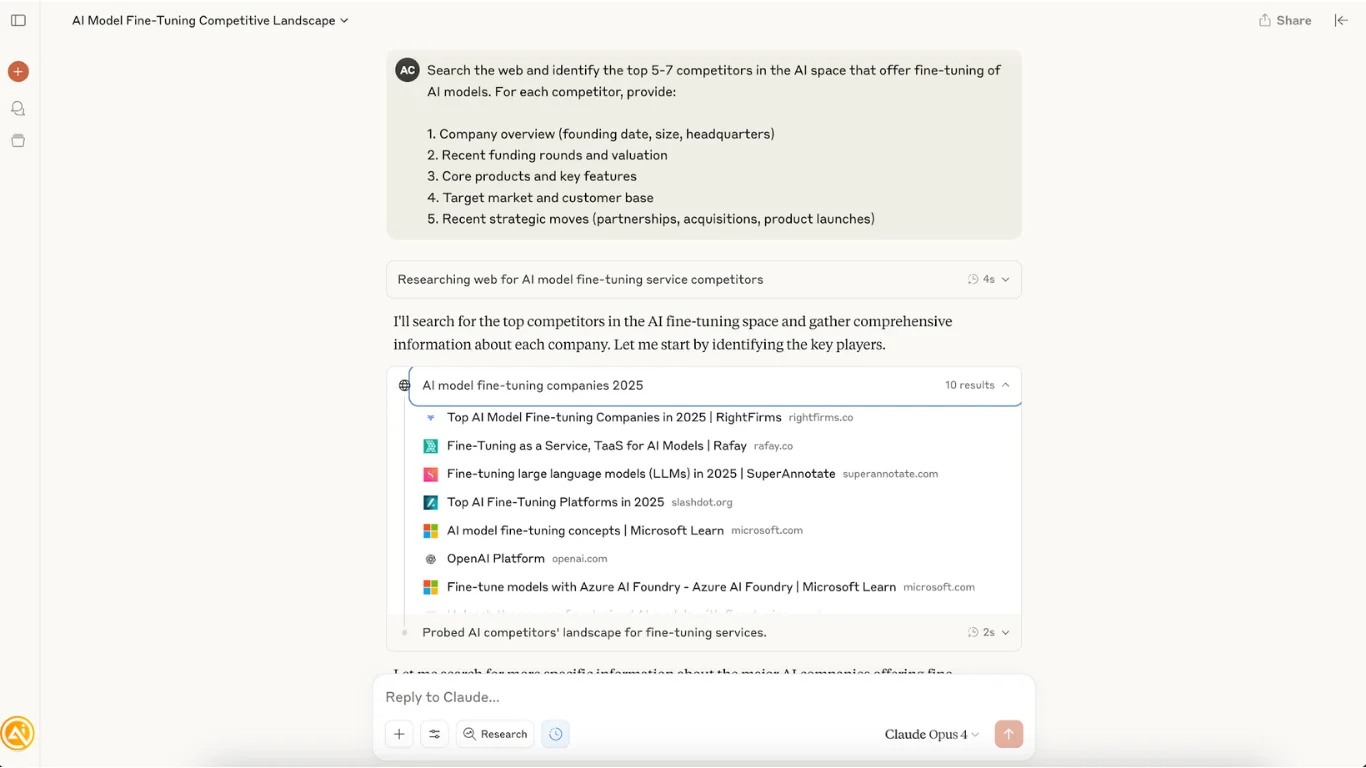
Start by running a broad competitor discovery search with this prompt:
"Search the web and identify the top 5-7 competitors in the [YOUR INDUSTRY] space that offer [YOUR PRODUCT CATEGORY]. For each competitor, provide:
- Company overview (founding date, size, headquarters)
- Recent funding rounds and valuation
- Core products and key features
- Target market and customer base
- Recent strategic moves (partnerships, acquisitions, product launches)"
Claude will automatically gather information from across the web and generate a detailed snapshot of your competitive landscape in minutes, including citations from reliable sources.
STEP 3: Perform Detailed Competitive Research
Once your competitor list is established, ask Claude to expand the analysis with this prompt:
"Conduct comprehensive competitive research on the companies identified in the previous analysis. I need a detailed strategic assessment covering:
Financial Analysis:
- Revenue estimates and growth trajectories
- Funding history and investor backing
- Market valuation and financial health
Product Strategy:
- Feature comparison matrix across all competitors
- Pricing strategies and business models
- Product roadmap insights and recent launches
Market Position:
- Brand positioning and messaging analysis
- Customer segments and market share
- Competitive advantages and differentiators
Strategic Intelligence:
- Recent partnerships and strategic alliances
- Acquisition activity and expansion plans
- Leadership changes and key hires
- Weaknesses and market gaps
Please synthesize this into actionable insights with specific recommendations for competitive positioning."
Claude’s research mode will perform a multi-source investigation and deliver a detailed competitive intelligence report that would normally take analysts several days to compile.
STEP 4: Build an Interactive Executive Dashboard
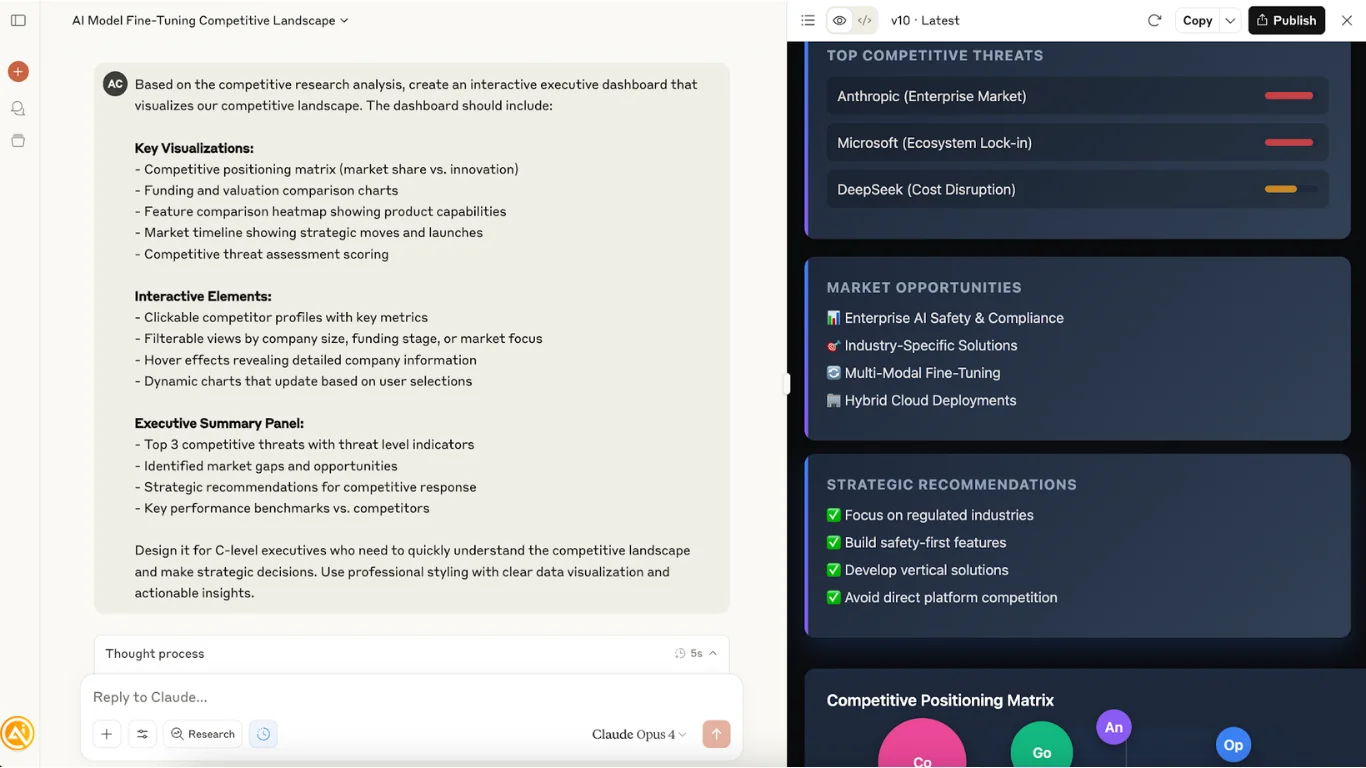
After the research phase is complete, prompt Claude to create a visual dashboard:
"Based on the competitive research analysis, create an interactive executive dashboard that visualizes our competitive landscape. The dashboard should include:
Key Visualizations:
- Competitive positioning matrix (market share vs. innovation)
- Funding and valuation comparison charts
- Feature comparison heatmap showing product capabilities
- Market timeline showing strategic moves and launches
- Competitive threat assessment scoring
Interactive Elements:
- Clickable competitor profiles with key metrics
- Filterable views by company size, funding stage, or market focus
- Hover effects revealing detailed company information
- Dynamic charts that update based on user selections
Executive Summary Panel:
- Top 3 competitive threats with threat level indicators
- Identified market gaps and opportunities
- Strategic recommendations for competitive response
- Key performance benchmarks vs. competitors
Design it for C-level executives who need to quickly understand the competitive landscape and make strategic decisions. Use professional styling with clear data visualization and actionable insights."
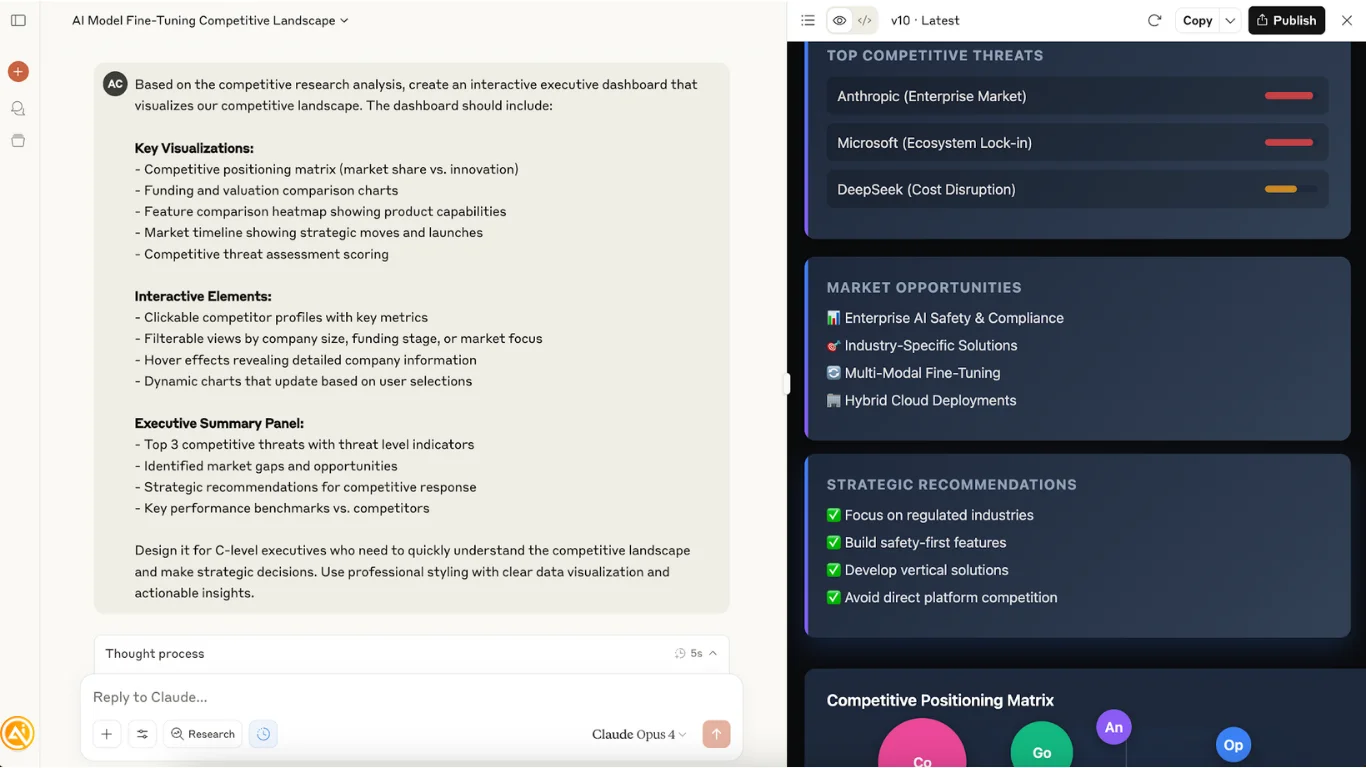
Claude will generate a polished interactive HTML dashboard complete with professional charts, hover interactions, and executive-focused insights.
Pro Tip
Claude Opus 4’s research capabilities are exceptionally advanced, enabling multi-source competitive analysis comparable to the output of professional market research teams.

Editorial Staff
The Editorial Staff at AIChief is a team of Professional Content writers with extensive experience in the field of AI and Marketing. AIChief was Founded in 2025, AIChief has quickly grown to become the largest free AI resource hub in the industry. Stay connected with them on Facebook, Instagram and X for the latest updates.



