

AI Tutorial
Using Nano Banana Pro for Visual Stories and Lead Magnets
Learn how to use Nano Banana Pro in Gemini to generate precise visuals, storyboards, and high-converting lead magnets.
Share
You’ll learn how to use Nano Banana Pro to generate accurate visuals, structured stories, and effective lead magnets.
Who It’s For
- Visual learners need clear infographics
- Creators building storyboards, comics, or manga layouts
- Founders and marketers creating lead magnets
- Educators explaining complex topics visually
Step 1: Access Nano Banana Pro
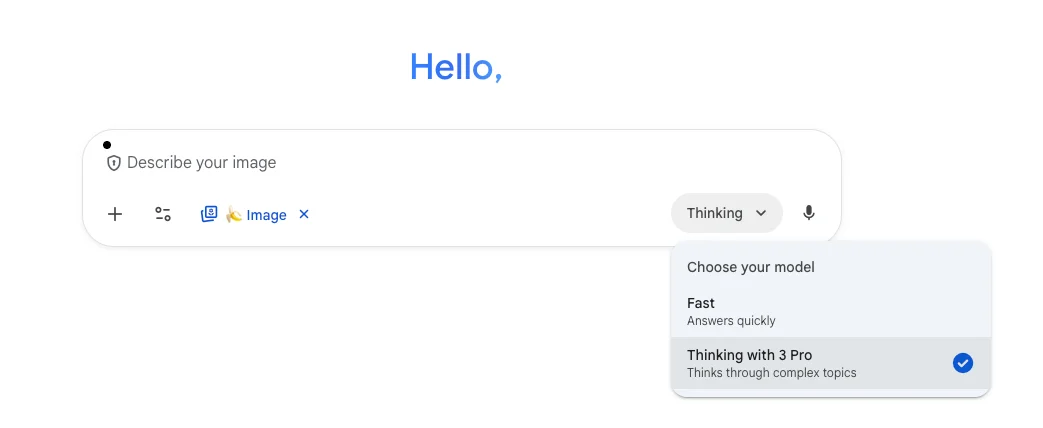
Open the Gemini app (web or mobile).
In the prompt area:
- Go to Tools
- Select Create images
- Switch to Thinking mode
- Ensure Thinking with 3 Pro is enabled
Earlier models were strong creatively but weak with precision. Nano Banana Pro improves accuracy, especially for structured visuals and readable text.
Step 2: Choose Your Use Case
Decide what type of output you want. Here are three effective options:
Use Case 1: Visual Breakdown for Learning
Example prompt:
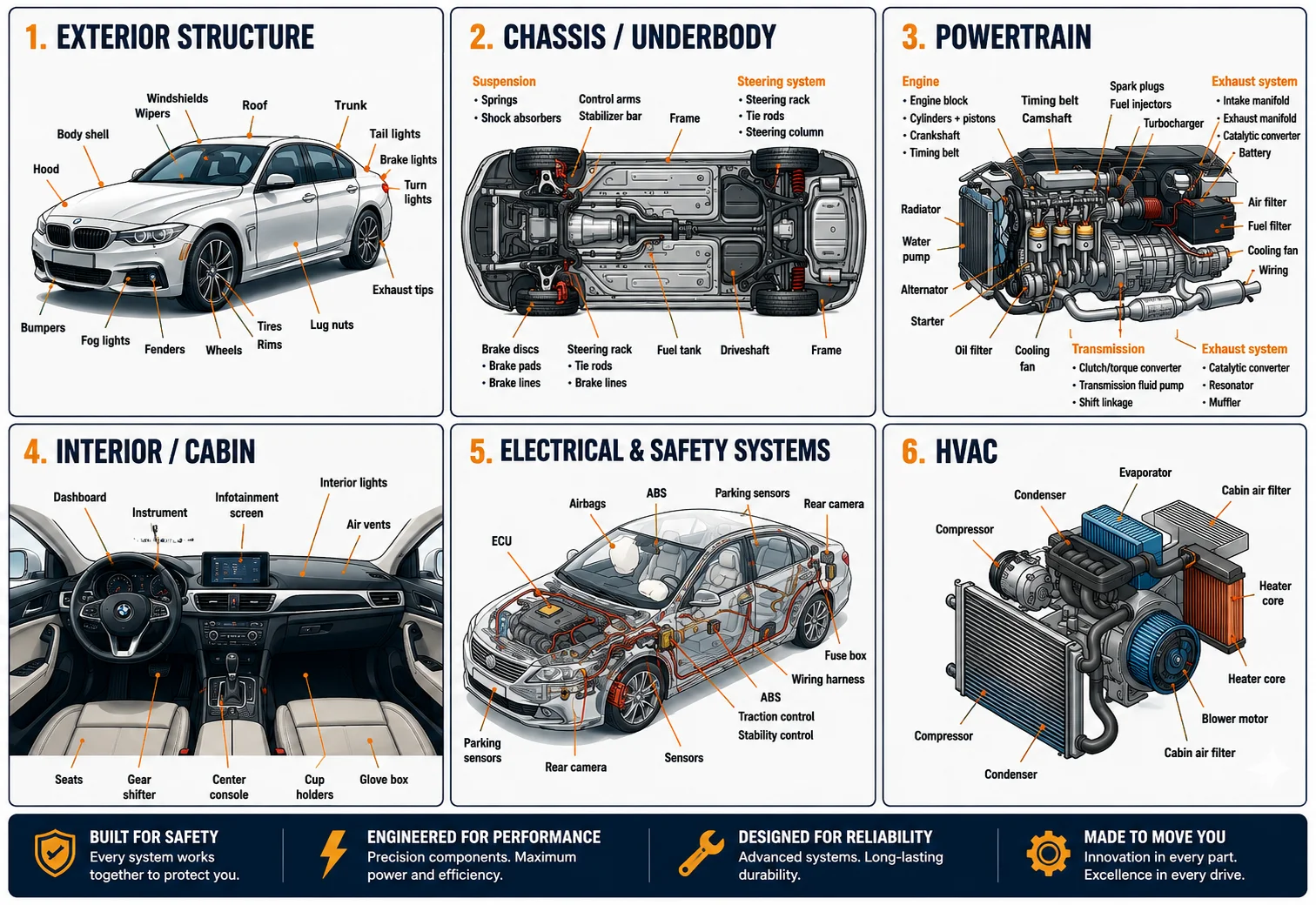
“Create a detailed visual anatomy of a car with labeled parts grouped by system (exterior, engine, electrical, HVAC, safety, interior).”
You can first generate a parts list using another AI tool, then include it in your prompt.
Result:
A structured infographic with clearly labeled sections and accurate formatting.
Use Case 2: Storyboard or Manga Layout
Example prompt:
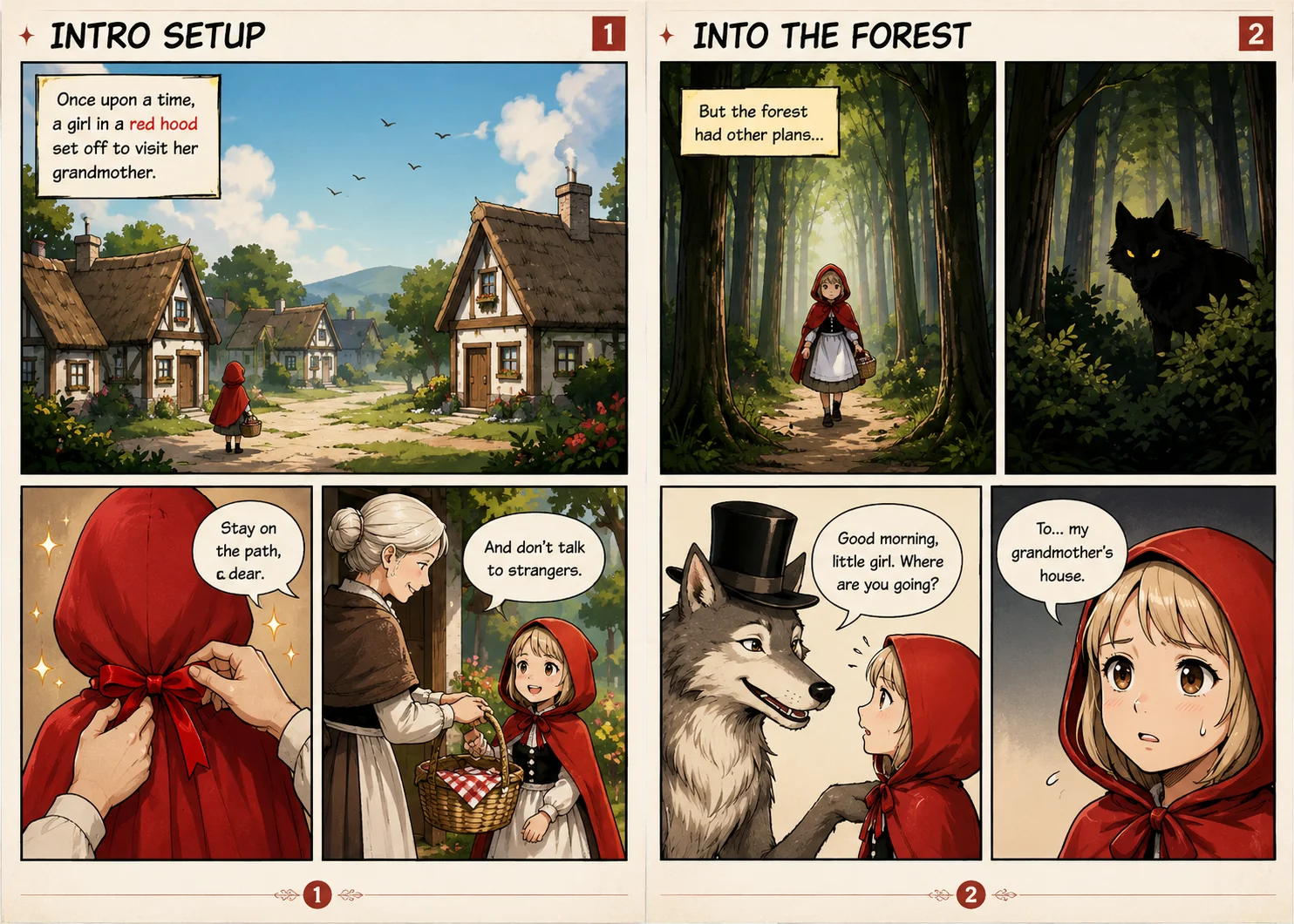
“You are a professional storyteller and visual artist. Create a manga-style storyboard for Little Red Riding Hood.”
Include structured instructions for panels and scenes.
Result:
A storyboard with aligned visuals and text that follows your instructions closely.
Use Case 3: Business Visuals and Lead Magnets
Example prompt:
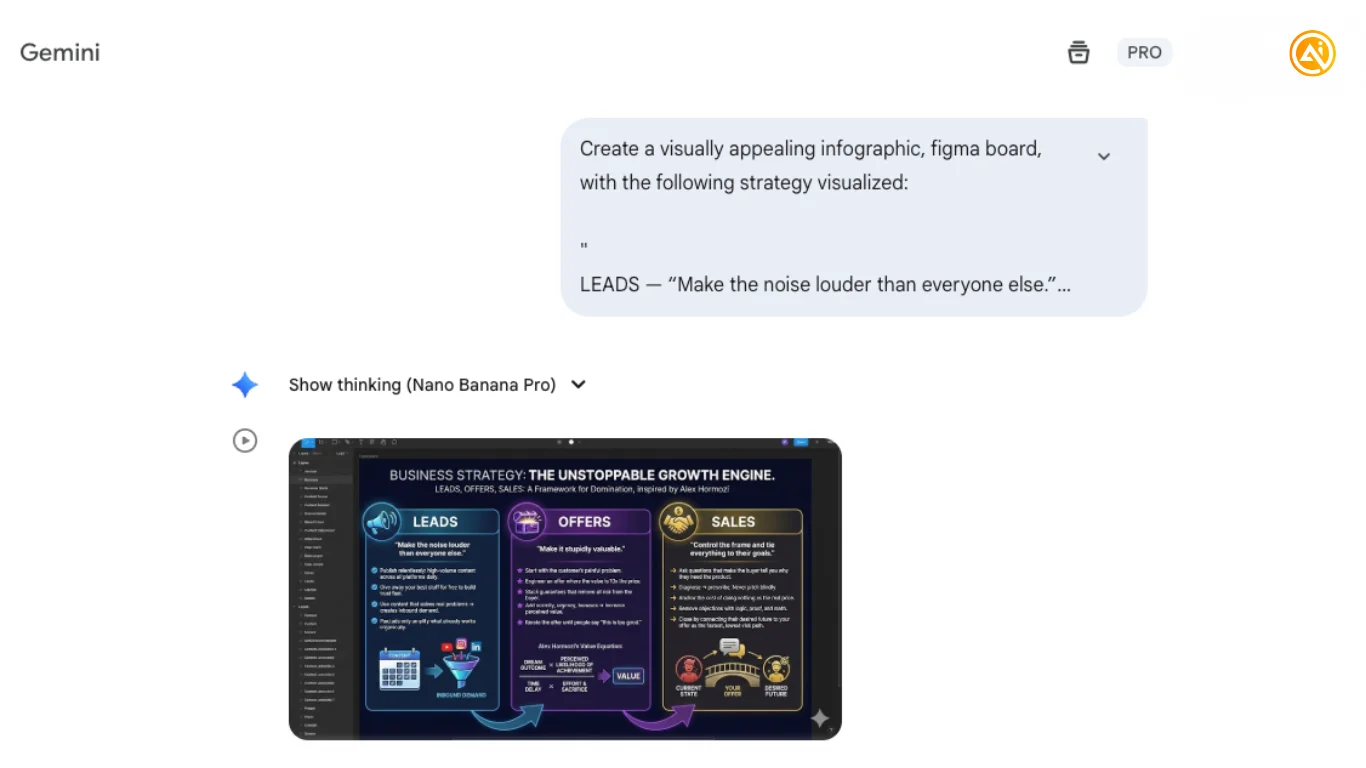
“Create a clean visual canvas (like a Figma board) explaining a lead generation strategy with sections for leads, offers, and sales.”
Result:
A polished one-page visual that can be used for marketing, presentations, or downloads.
Step 3: Review and Export
Check the generated output and refine if needed.
Download and share your image once finalized.
The key advantage is improved text clarity and layout accuracy compared to earlier models.
Pro Tip
Provide slightly more detail than you think is necessary. Clear instructions help the model produce more precise and usable visuals.
Going Further
- Use Nano Banana Pro alongside tools like ChatGPT or Claude to first generate structured content, then convert it into visuals
- Turn your outputs into downloadable PDFs or slide decks for lead magnets
- Repurpose visuals into social media posts, email content, or website assets
- Experiment with multiple variations of the same prompt to refine layout and clarity
- Combine outputs with design tools (e.g., Figma) for final polish and branding consistency

Emily Newton
Emily Newton is an experienced Editor-in-Chief who has spent the last decade sharing her insights on science and technology advances through platforms like IoT for All and DZone. She is deeply interested in showcasing how connected technologies and smart ecosystems transform modern businesses. When she isn’t writing, Emily enjoys walking local trails, playing video games, or curling up with a good book.



