

AI Tutorial
Use AI Heatmaps to Improve Website Conversions
Use Google Stitch and AI heatmaps to analyze user attention and improve your website design. Optimize layouts, reduce distractions, and increase clicks.
Share
Most websites fail to guide user attention. Visitors land on your page but focus on the wrong elements. This leads to low click rates and missed conversions.
You can fix this by using Google Stitch to simulate user attention. It generates predictive heatmaps that show where people are likely to look first.
This helps you adjust layout, spacing, and calls to action based on real attention patterns.
What you need
- Access to Google Stitch
- A screenshot of your website
- Google AI Studio
Who this workflow helps
- Website owners with low conversions
- Designers improving landing pages
- Teams optimizing user experience
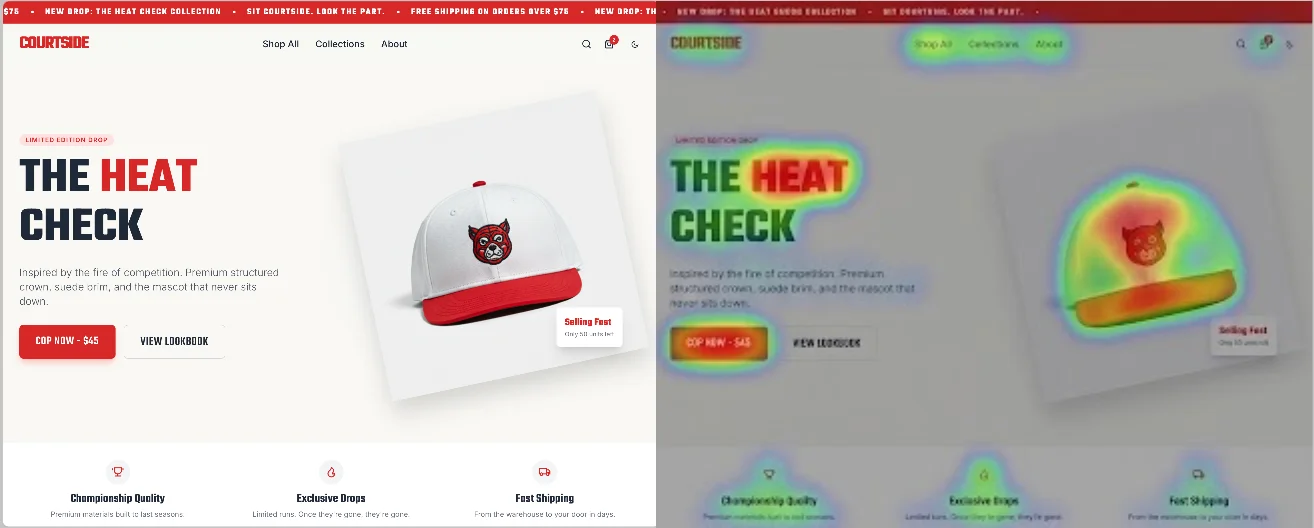
What this workflow does
You upload a screenshot of your page and generate a visual heatmap. This overlay highlights high attention areas and weak zones.
You then use these insights to redesign your layout and focus attention on your main action.
Step 1. Open Google Stitch
Sign in to Google Stitch and explore the interface.
You will find options to generate layouts, edit designs, and create variations. You can also switch between desktop, mobile, and tablet views.
Step 2. Capture your page
Take a screenshot of your landing page.
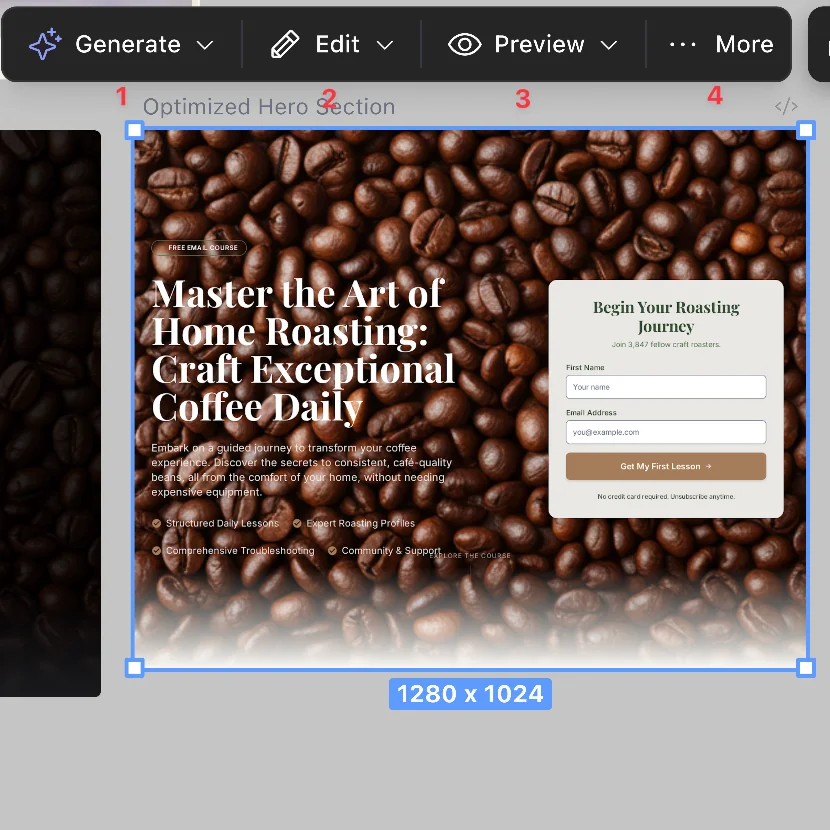
Focus on the top section where users land first. This area has the biggest impact on clicks.
For a full page analysis, export the entire page as an image.
Step 3. Generate a heatmap
Open Google AI Studio and upload your screenshot.
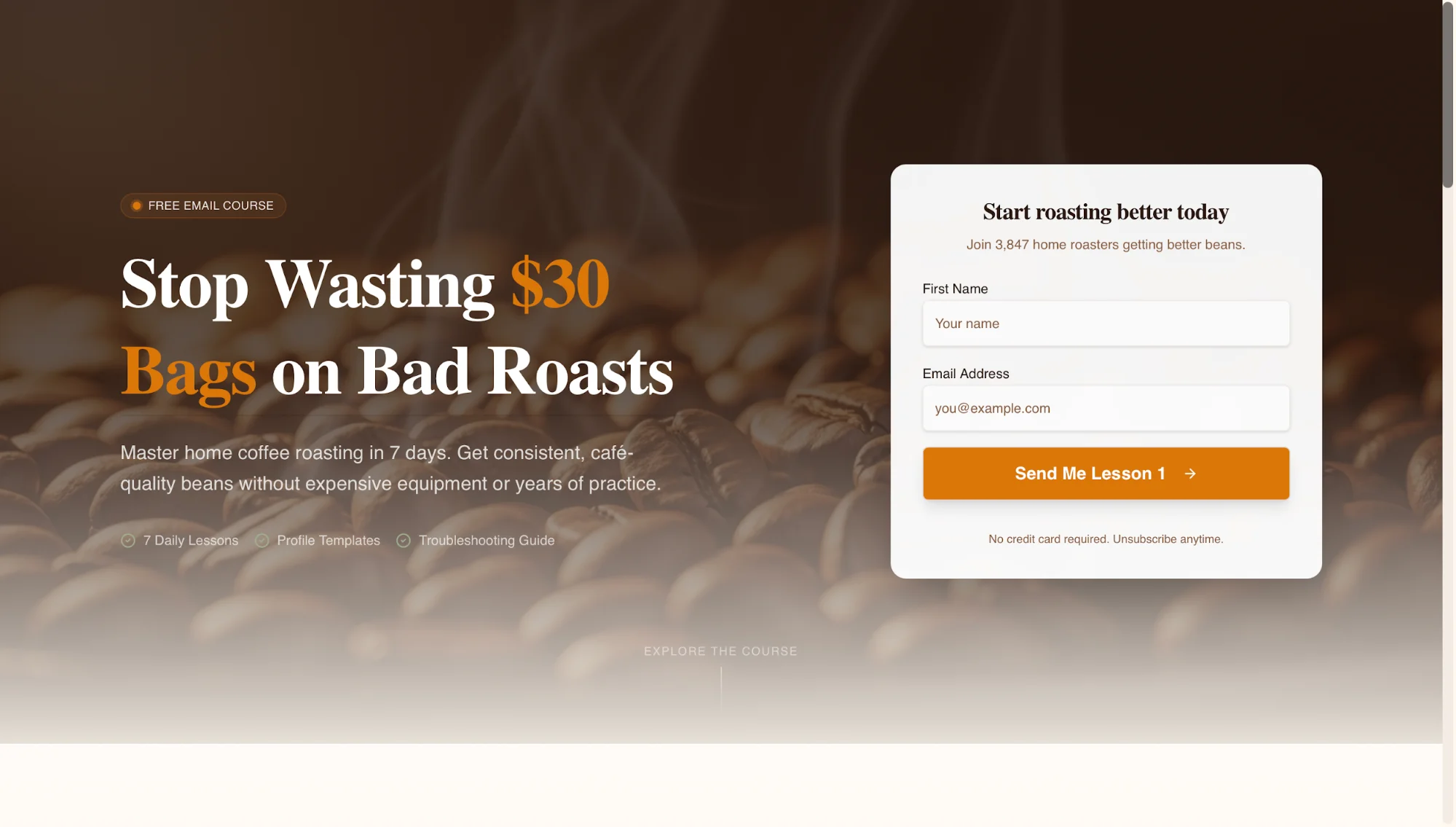
Use a prompt like this:
Create a predictive attention heatmap for this landing page. Highlight areas with strong visual focus and identify elements that distract from the main call to action.
Download the generated heatmap image once it is ready.
Step 4. Redesign using insights
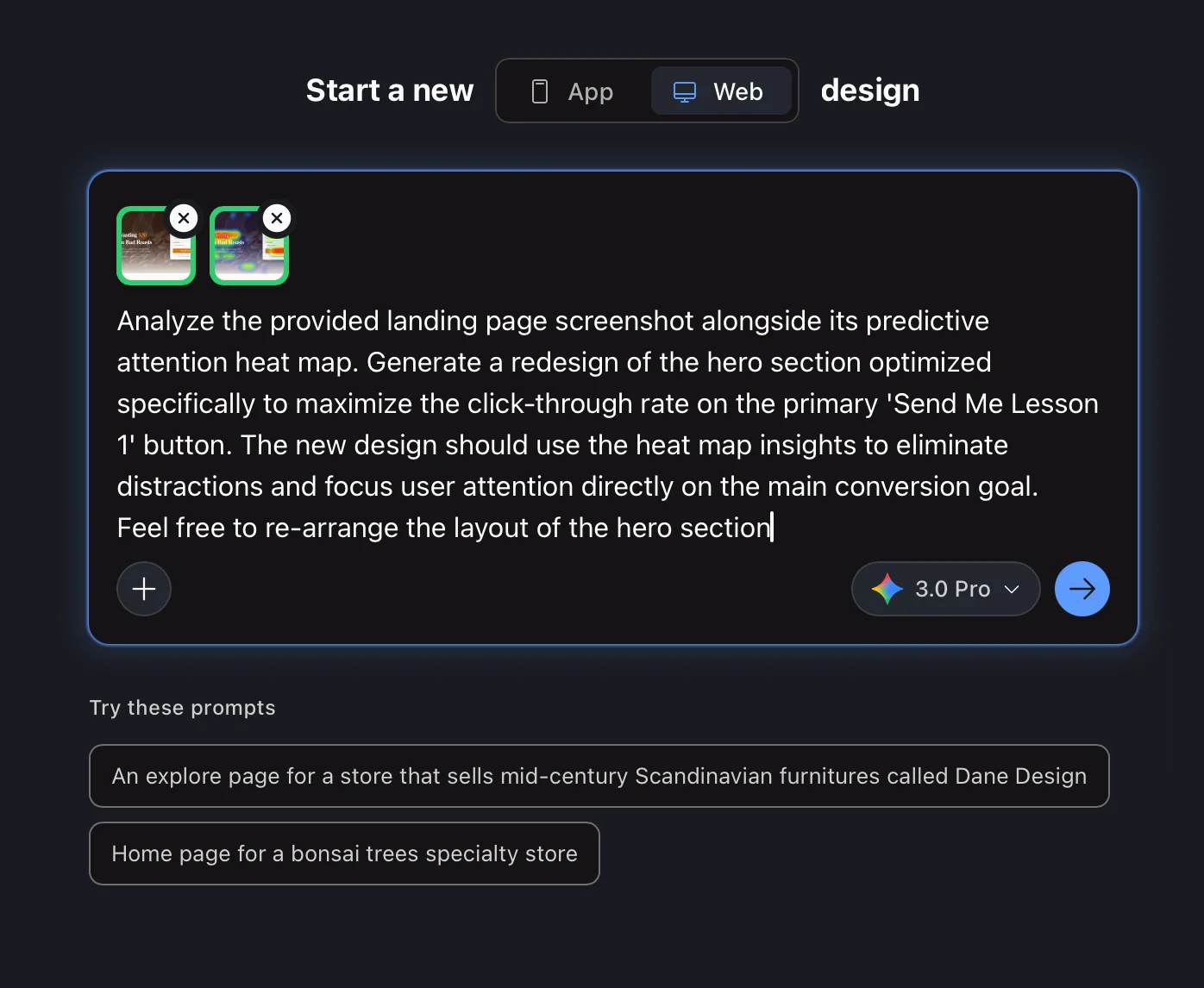
Return to Google Stitch and start a new design session.
Upload both your original screenshot and the heatmap.
Use a prompt like:
Analyze this landing page and its heatmap. Redesign the hero section to increase clicks on the main call to action. Reduce distractions and guide attention toward the primary goal.
Stitch will generate an updated version of your layout based on attention patterns.
Step 5. Review and refine
Compare your original and updated designs.
Look for changes in:
- Button size and placement
- Text alignment and width
- Visual hierarchy
Small adjustments often lead to better results. Shifting focus toward your main action can improve performance.
In many cases, reducing secondary elements increases clarity and improves click rates.
Improve your workflow
- Test multiple design variations inside Stitch
- Focus on one goal per section
- Keep layouts simple and direct
You can export your updated design and pass it to a coding assistant to implement the changes.
Result
You stop guessing what users see first. You design based on attention patterns. Your pages guide users toward action and improve conversion performance.

Editorial Staff
The Editorial Staff at AIChief is a team of Professional Content writers with extensive experience in the field of AI and Marketing. AIChief was Founded in 2025, AIChief has quickly grown to become the largest free AI resource hub in the industry. Stay connected with them on Facebook, Instagram and X for the latest updates.



