

AI Tutorial
Turn Your Twitter Bookmarks Into a Useful AI Research System
Learn how to turn saved Twitter bookmarks into a structured research system using Perplexity, automated scoring, and Google Sheets.
Share
In this tutorial, you’ll set up a workflow in Perplexity that reviews saved articles, evaluates their value, and logs the results into a Google Sheet. While OpenClaw is used as an example, the same setup works for any topic or tool you’re tracking.
Who This Is For
- Anyone with a backlog of saved articles they never revisit
- Freelancers and consultants managing multiple tools or clients
- Founders and operators following fast-moving trends
What You’ll Create
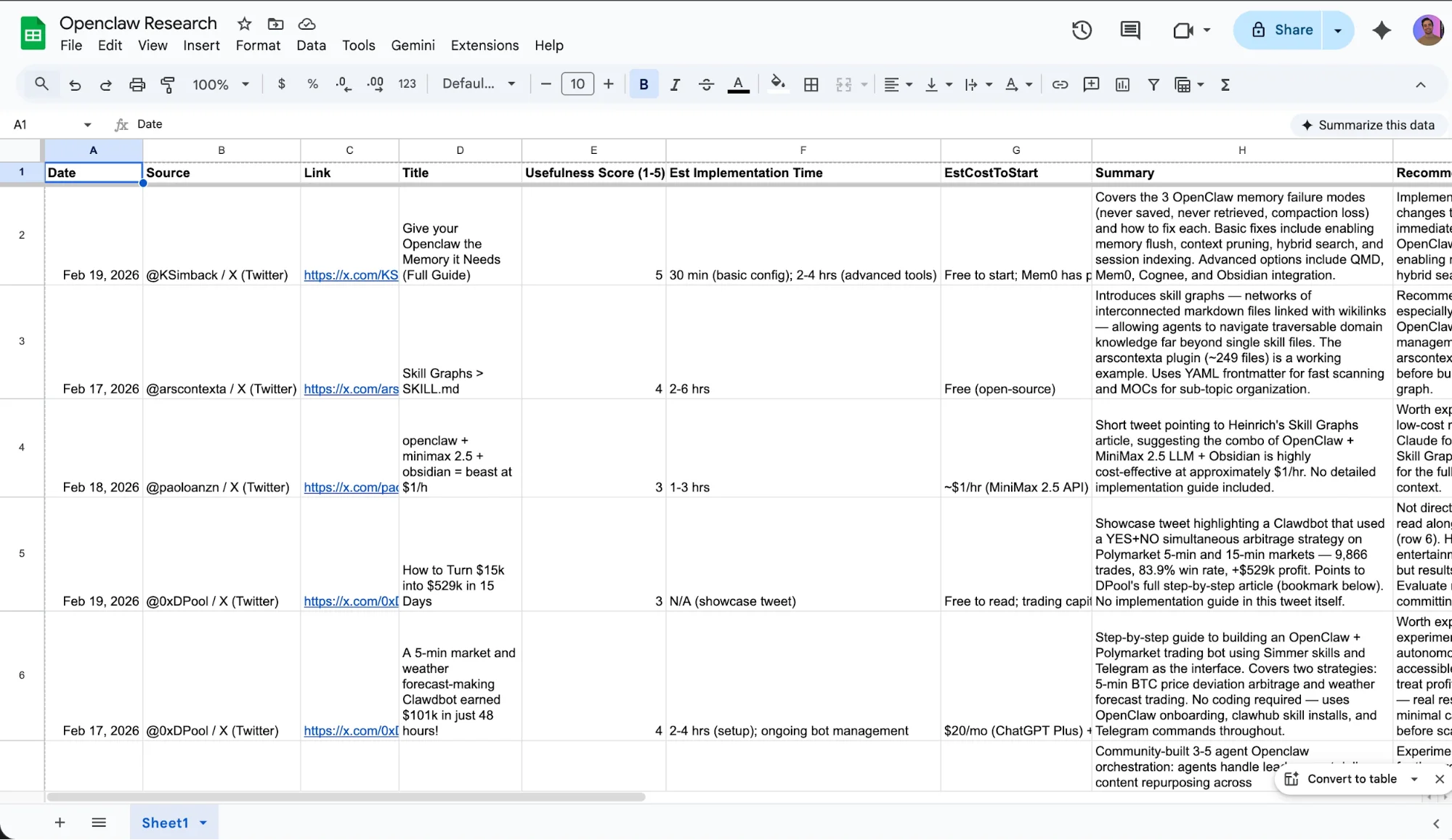
A research pipeline built on three components: a Perplexity Space with custom instructions, a scheduled task that gathers new content automatically, and a Google Sheet that stores and scores each finding with details like usefulness, time to implement, and cost.
What You Need
- Perplexity account (Comet browser is free; Pro/Max needed for scheduling)
- A blank Google Sheet
- Comet browser installed
Step 1: Create Your Research Space
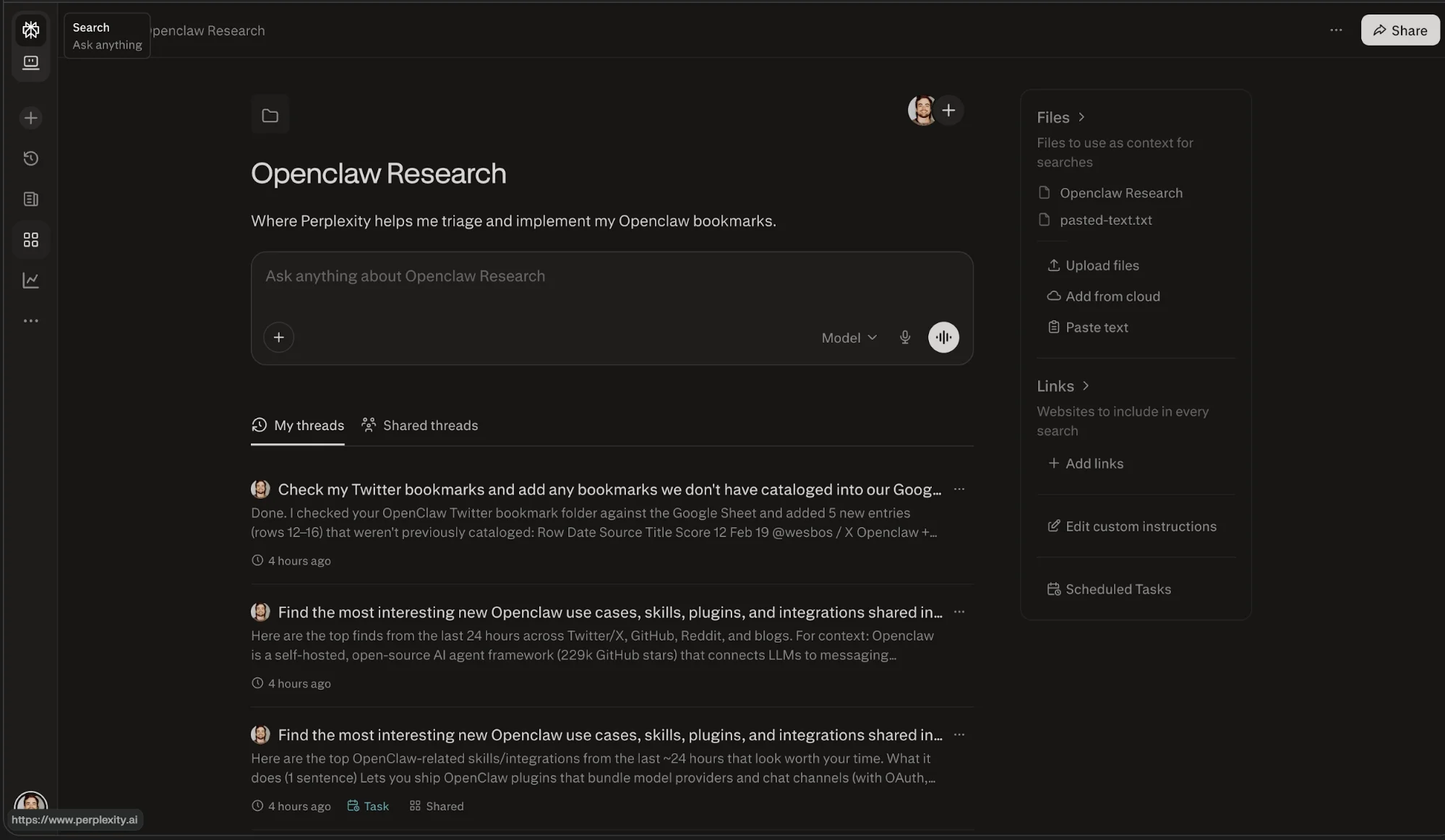
Open Comet and navigate to Spaces, then New Space. Name it based on your topic, such as “OpenClaw Research.” In the custom instructions, define the AI’s role:
Your job is to review Twitter threads, articles, and GitHub updates about OpenClaw. Rank each finding by usefulness, estimate implementation time and cost, and recommend whether I should use it. Log everything into my connected Google Sheet.
Next, connect your Google Sheet via Google Drive. This allows Perplexity to update it continuously.
Tip: Let Perplexity generate the column structure automatically. It will create consistent fields like Date, Source, Description, Usefulness Score, Implementation Time, Cost Estimate, and Recommendation.
Step 2: Set Up a Daily Task
Go to Scheduled Tasks and create a new one set to run daily. Use this prompt:
Find the most relevant new OpenClaw use cases, features, plugins, and integrations from the past 24 hours. Search Twitter, GitHub, Reddit, and blogs.
For each result, include:
- What it does
- Its level of traction
- Whether it’s stable or experimental
- Who benefits from it
- Your recommendation
Add all findings to my Google Sheet. Ensure Web and Social sources are enabled. You can also include Gmail for newsletter-based insights. Each day, the system runs automatically and logs new findings into your sheet.
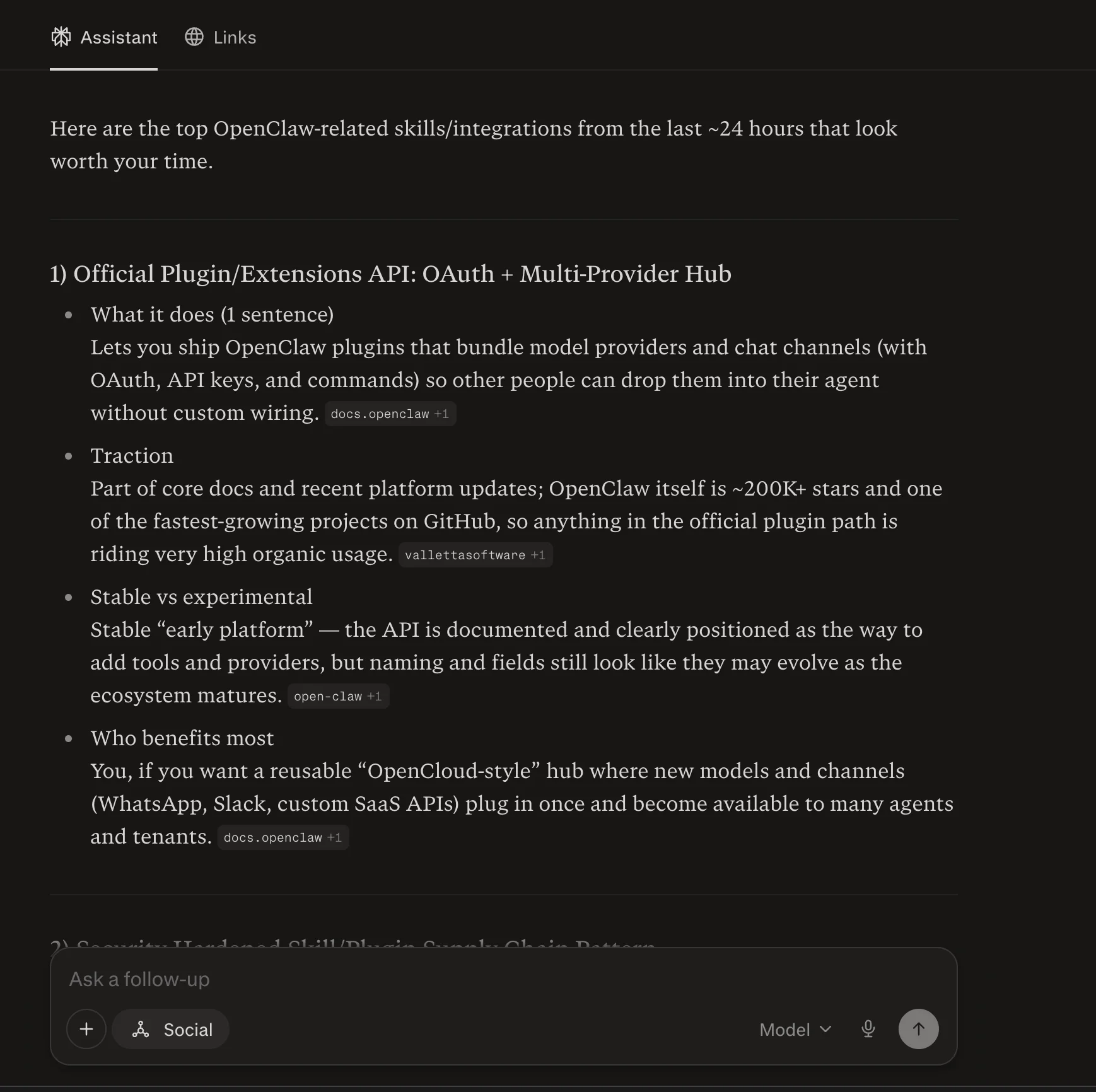
Tip: Enable Control Browser when viewing results so Perplexity can directly update your sheet.
Step 3: Use the Bookmark Workflow
This step makes the system practical. While browsing Twitter, save useful content into a dedicated bookmarks folder related to your topic.
When ready, open that folder in Comet and use this prompt: Check my Twitter bookmarks and add any entries not already listed to my Google Sheet.
Perplexity will scan your bookmarks, compare them with existing entries, and log new items with scores and recommendations.

This approach works better than full automation because you control the inputs. Instead of reviewing random content, the AI processes only what you’ve already identified as valuable.
Tip: Add a “User Usefulness Score” column to your sheet and rate items yourself. This helps refine your judgment and avoids relying solely on AI recommendations.
Take It Further
Expand your data sources by including Gmail for newsletters. Duplicate the system for other tools or topics by creating new Spaces and Sheets. Experiment with automating bookmark scans, though manual triggering is currently more reliable.

Editorial Staff
The Editorial Staff at AIChief is a team of Professional Content writers with extensive experience in the field of AI and Marketing. AIChief was Founded in 2025, AIChief has quickly grown to become the largest free AI resource hub in the industry. Stay connected with them on Facebook, Instagram and X for the latest updates.



