

AI Tutorial
Turn Product Photos Into Video Ads Automatically (With ElevenLabs Flows)
Turn product images into automated video ads using ElevenLabs Flows. Build once, reuse forever, and scale your ad creation.
Share
Most AI ad workflows are messy. You generate an image in one tool, animate it in another, add voice somewhere else, and stitch everything together manually.
This guide shows a cleaner approach.
You’ll learn how to use ElevenLabs Flows to turn a few product photos into a complete video ad, inside a single canvas. Build it once, and every new ad becomes a quick swap instead of a full rebuild.
Who This Workflow Is Built For
- E-commerce founders who want ads featuring their real products, not AI-generated substitutes
- Marketers producing paid social creatives who are tired of juggling multiple tools
- Agencies and creators who need a repeatable system across clients and product lines
What You’ll End Up With
A reusable ad-generation system that:
- Takes 1–3 product images
- Places them into a styled scene
- Animates the result
- Outputs a finished video ad (with optional audio)
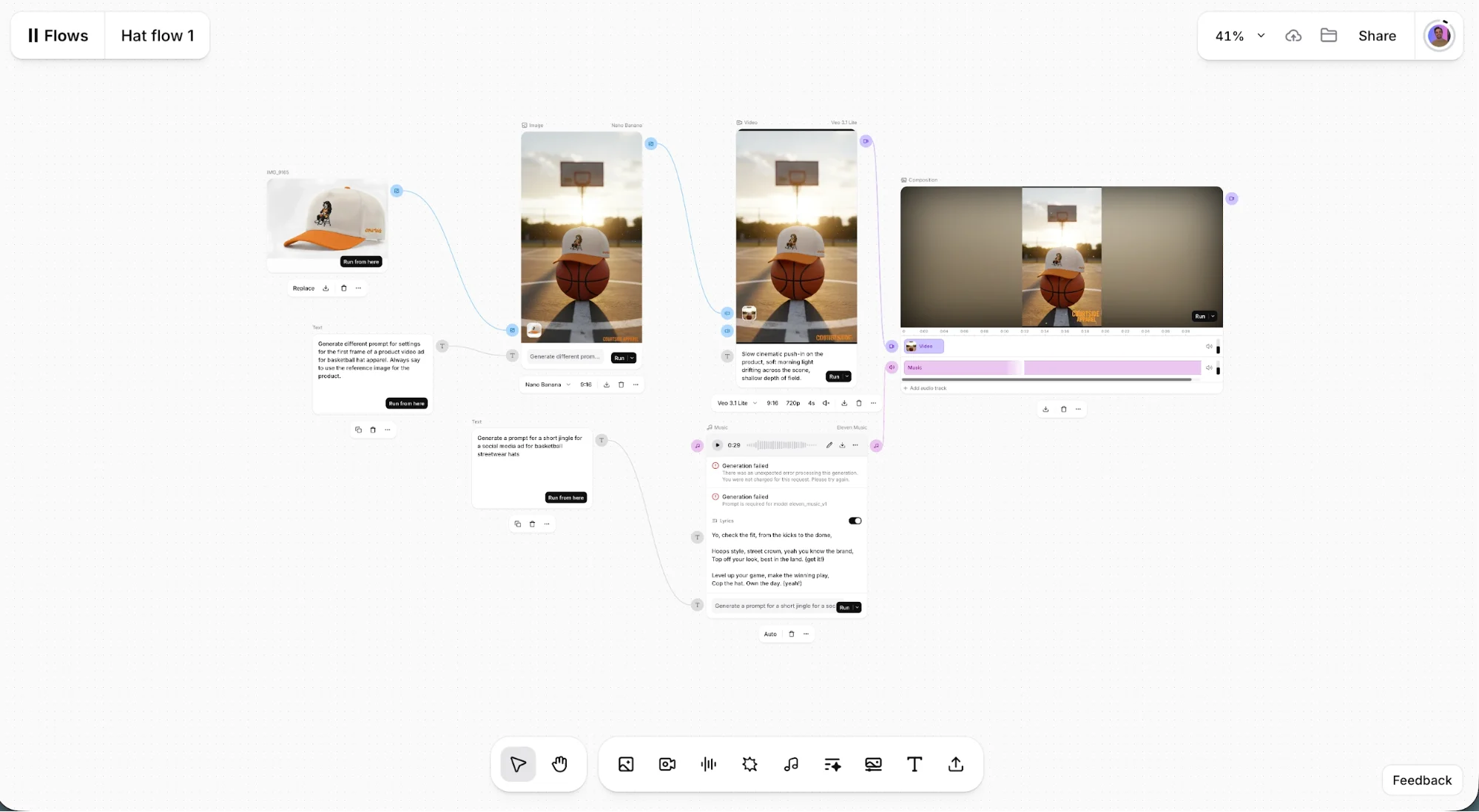
Once set up, you can duplicate the workflow and generate new ads in minutes.
What You Need Before Starting
- An ElevenLabs plan with Flows enabled
- 1–3 clean product images (different angles recommended)
- A simple idea for the scene (studio, lifestyle, cinematic, etc.)
Step 1: Build a Reusable Ad Template (Not a One-Off)
Open ElevenLabs and go to:
ElevenCreative, then go to Flows, and then + New Flow
Name your canvas something reusable like:
“[Product Name] Ad Template”
This matters more than it seems. You’re not creating one ad, you’re building a system you’ll reuse.
Step 2: Lock in Your Product Using Reference Images
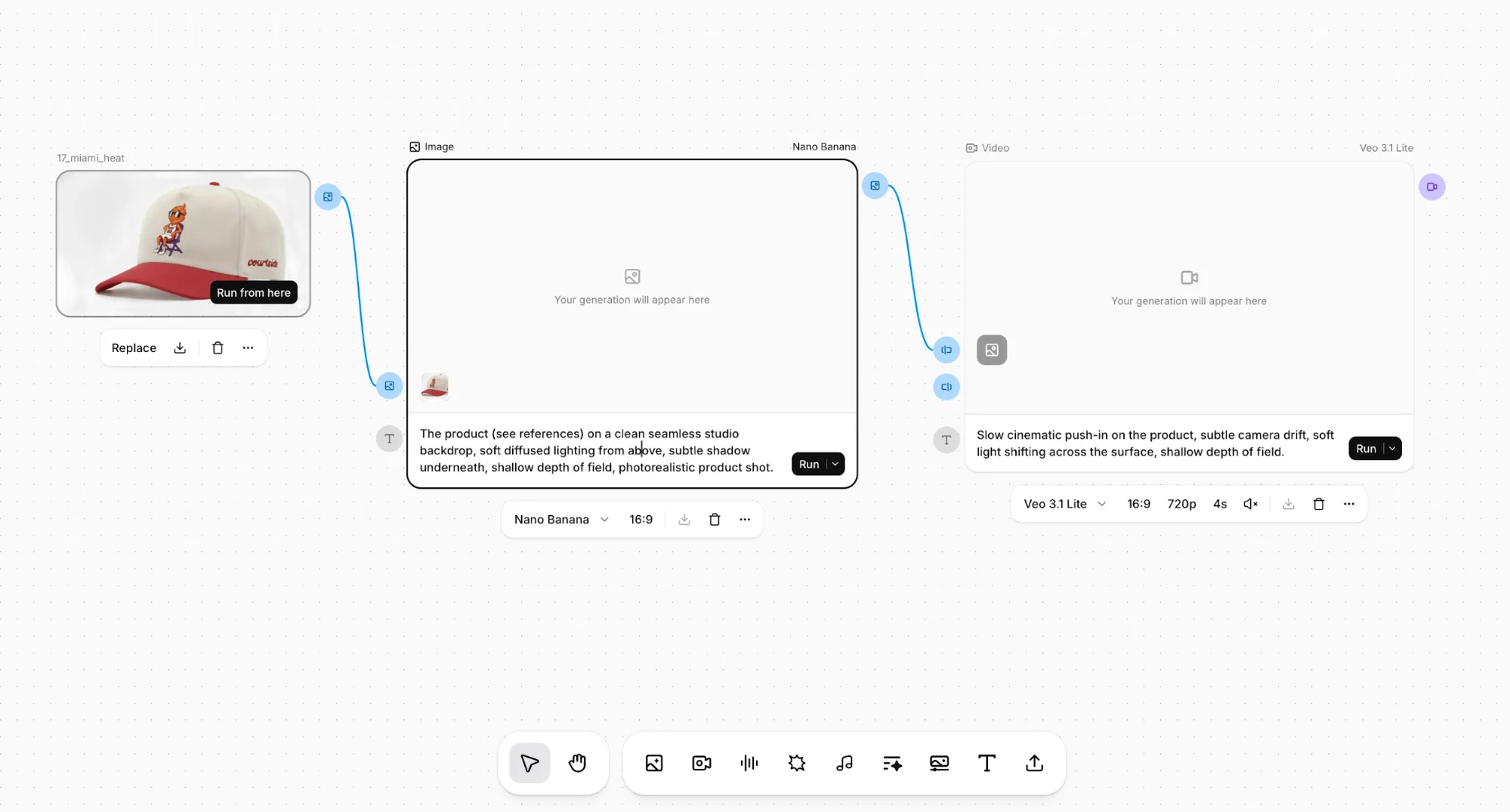
Add an Image Generation node.
- Upload your product photos as references
- Use multiple angles to improve consistency
Now here’s the key shift most people miss:
Do NOT describe your product in the prompt
Instead, describe only the environment.
Example:
Clean studio backdrop, soft diffused lighting, subtle shadow beneath the product, shallow depth of field, photorealistic style.
Run the node and iterate until the scene looks right.
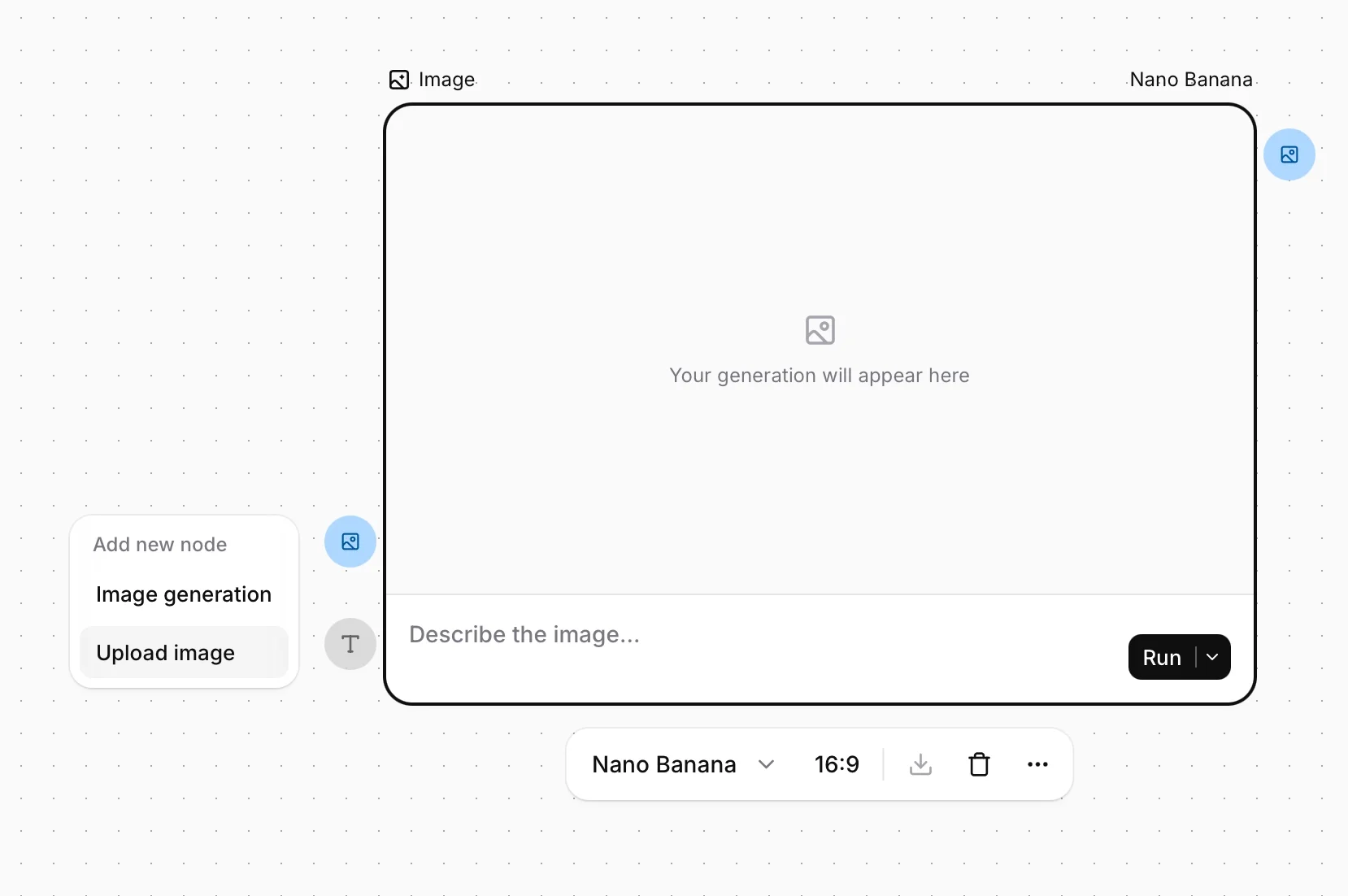
Why this works:
The reference images handle product accuracy. The prompt controls the world around it. That separation is what keeps your product consistent across variations.
Step 3: Turn the Image Into Motion
Add a Video Generation node and connect it to the image output.
Now describe the movement:
- Slow cinematic push-in, slight camera drift, soft lighting transitions across the surface, shallow depth of field.
Run the node.
Because the starting frame already contains your product, it carries through naturally into the animation; there is no need to re-describe it.
Quick tip:
Use AI-generated prompt variations inside the node to test different motion styles quickly.
Step 4: Refine Output Without Rebuilding Everything
This is where Flows becomes powerful.
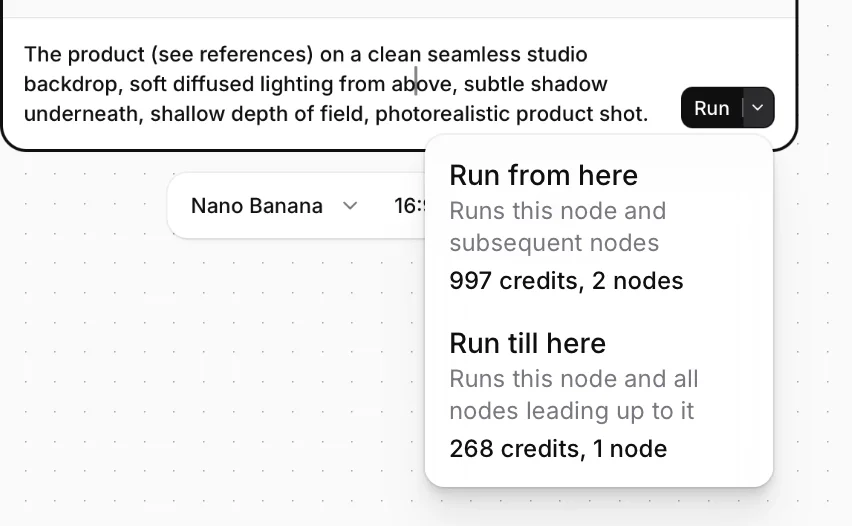
Each node lets you:
- Switch between different models
- Re-run only that step
- Compare outputs instantly
Try:
- Different image models for better product rendering
- Different video models for smoother motion
Once you’re happy:
- Export the video
- Duplicate the entire Flow
- Swap product images and scene prompts
Now your next ad is 80% done before you even start.
Step 5: Add Voice or Music (Optional, But Powerful)
To complete the ad:
- Add a Text-to-Speech node for voiceover
- Add a Music node for background audio
- Combine them using a Mix Audio node
Everything stays inside the same canvas, no exporting, editing, or stitching required.
What Makes This Workflow Different
Most AI workflows are linear and fragmented.
This one is:
- Modular (each step runs independently)
- Reusable (build once, clone forever)
- Integrated (everything in one place)
Instead of creating ads manually every time, you’re building a system that generates ads for you.
How to Scale This Further
Once you have one working Flow, expand it into a library:
- 15-second product ads
- 30-second explainers
- UGC-style variations
- Seasonal or campaign-specific templates
Each Flow becomes a reusable asset you can apply across products, brands, or clients.
Final Takeaway
The real advantage of ElevenLabs Flows isn’t just generating content, it’s eliminating repetition. You:
- Stop rebuilding ads from scratch
- Keep your product visually consistent
- Cut production time dramatically
Build the system once. After that, you’re just swapping inputs.

Editorial Staff
The Editorial Staff at AIChief is a team of Professional Content writers with extensive experience in the field of AI and Marketing. AIChief was Founded in 2025, AIChief has quickly grown to become the largest free AI resource hub in the industry. Stay connected with them on Facebook, Instagram and X for the latest updates.



