

AI Tutorial
Turn Claude Code into a Specialized Tool with Skills
Learn how to upgrade Claude Code by installing and using skills from a marketplace to streamline workflows and expand capabilities.
Share
This tutorial shows how to extend Claude Code’s capabilities using a skills marketplace. You can quickly browse and install these skills directly from your CLI.
Who This Helps
- Developers building websites with Claude Code
- Users handling multiple file types like PDFs, DOCX, and spreadsheets
- Anyone looking to reduce the time spent creating custom sub-agents
What You’ll Create
A customized Claude Code setup with installed skills for handling various tasks and workflows.
Getting Started
- Claude Pro plan or higher
- Claude Code installed locally
- Git (optional)
Step 1: Add the Skills Marketplace
Open your terminal, type claude, and press enter.
Run the following command:
/plugin marketplace add anthropics/skills
Step 2: Install Useful Skills
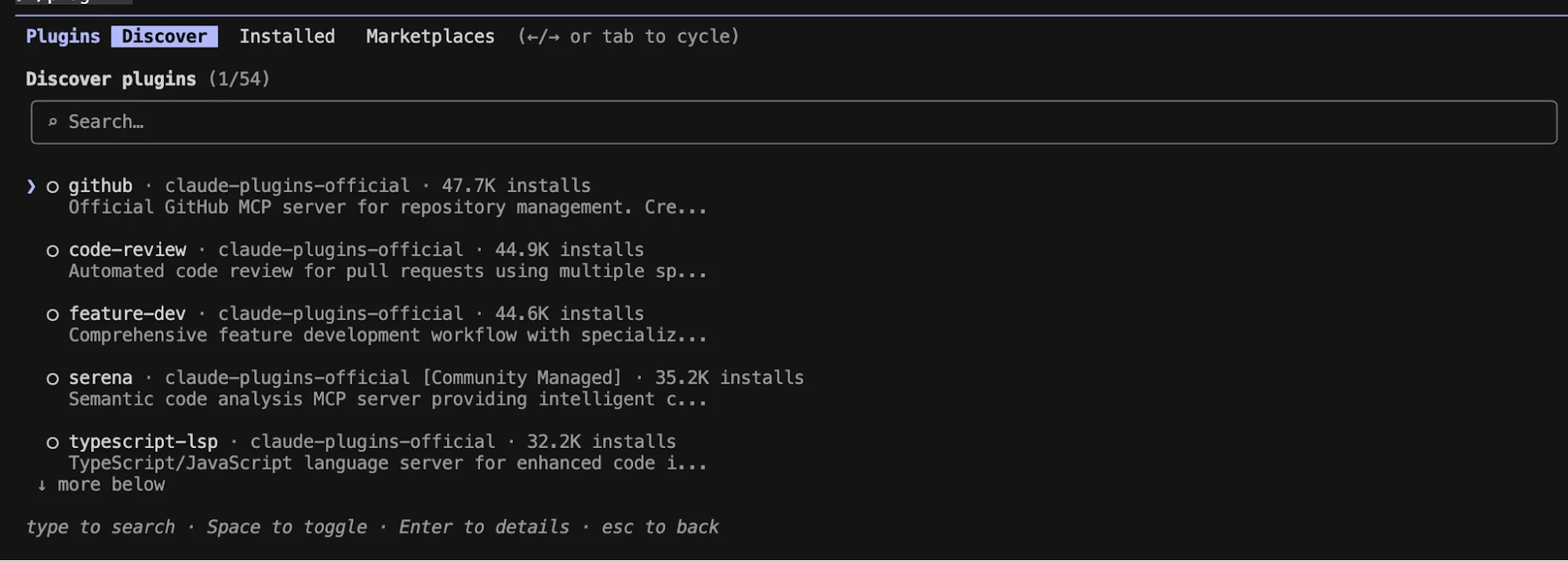
Type /plugins and press enter.
Use the tab key to navigate menus. Press tab twice to access the Marketplace.
Select claude-plugins-official, then choose “Browse plugins.”
Install recommended tools such as:
- context7
- frontend-design
Also, add anthropic-agent-skills as a marketplace and install document-skills.
Step 3: Prepare Your Project Context
Create a new folder and open it in your code editor.
Add context files, such as a markdown document with a project plan or a CSV file with data.
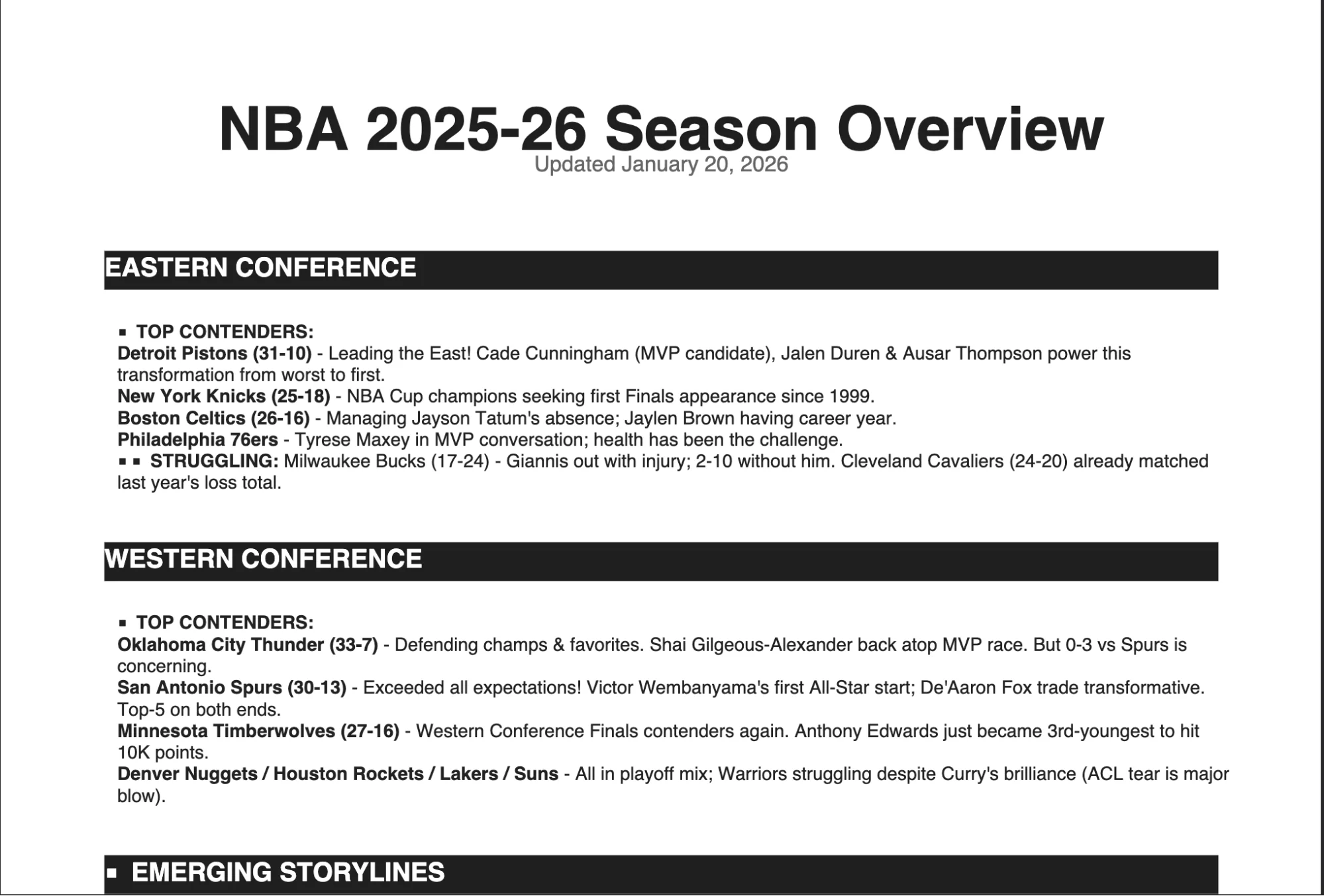
For example, you might include a markdown file containing stats and updates about the current NBA season.
Step 4: Initialize and Generate Output
Run git init in your terminal (optional).
Then run:
claude /init
This creates a Claude.md file that Claude updates as it works.
Next, instruct Claude to generate a PDF explaining the markdown file you added. Specify that it should use the PDF document tool.
Step 5: Build a Frontend with Skills
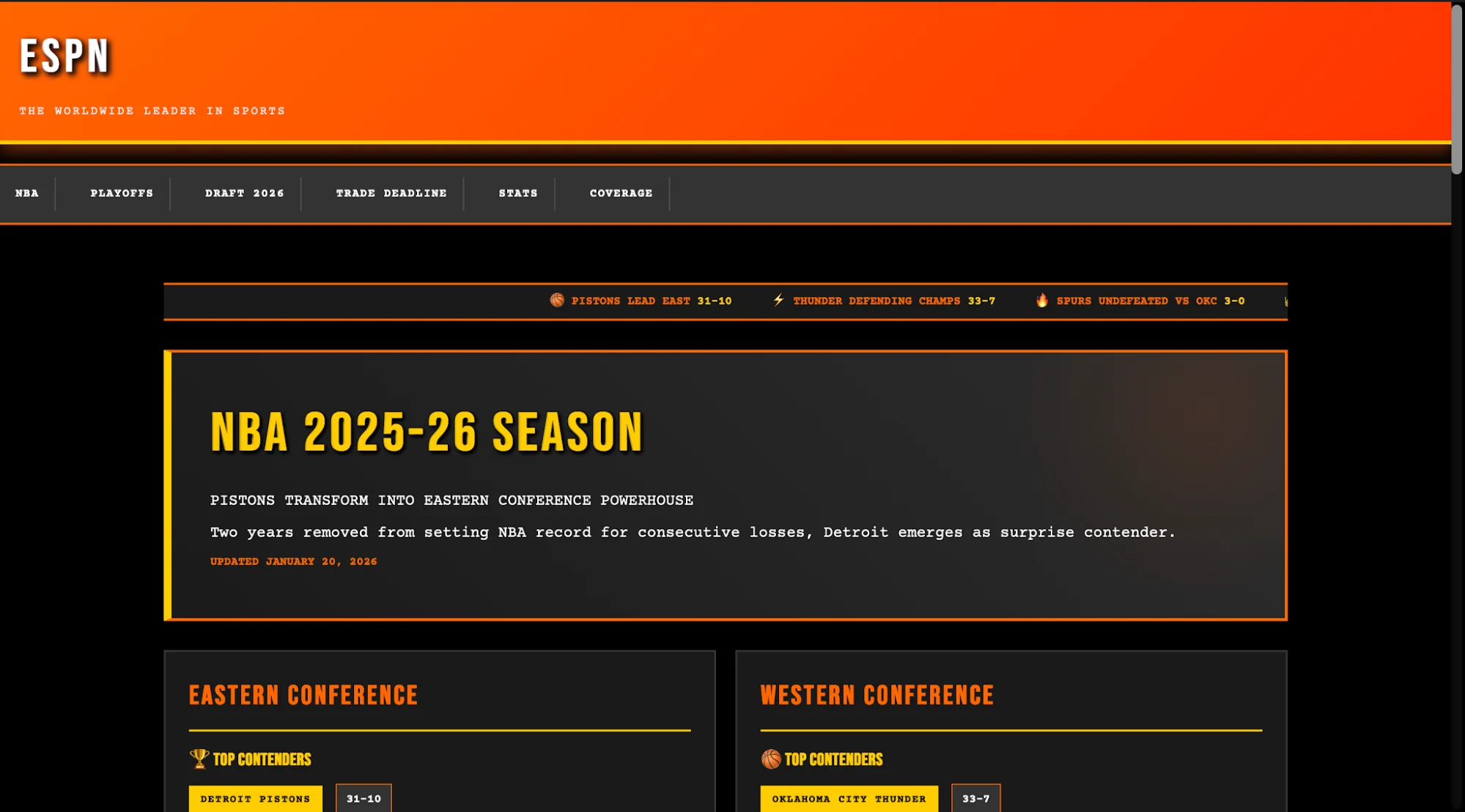
Use the frontend-design tool to create a simple landing page based on your markdown content.
This tool helps produce more polished designs compared to basic outputs.
For example, you could request a themed layout such as an early 2000s-style sports website.
Going Further
You can install additional marketing and operations tools using:
/plugin marketplace add alirezarezvani/claude-skills
The site skills.sh is useful for exploring what each skill does and how it works.

Emily Newton
Emily Newton is an experienced Editor-in-Chief who has spent the last decade sharing her insights on science and technology advances through platforms like IoT for All and DZone. She is deeply interested in showcasing how connected technologies and smart ecosystems transform modern businesses. When she isn’t writing, Emily enjoys walking local trails, playing video games, or curling up with a good book.



