

AI Tutorial
Turn Any Scene into an Isometric View with Nano Banana
Learn how to transform any image into an isometric view using Nano Banana in Gemini for creative visuals, design mockups, and unique perspectives.
Share
This guide explains how to use Nano Banana within Gemini to recreate environments in isometric view, offering a fresh perspective for visuals and design.
Best Suited for:
- Content creators exploring new visual styles
- Designers testing alternative layouts
- Marketers building engaging visuals
- Interior design enthusiasts experimenting with spaces
Step 1: Open Nano Banana in Gemini
Go to Gemini.
Enable the Tools section and locate Create Images (marked with the Nano Banana icon). This is where you’ll generate and edit visuals.
Step 2: Upload an image and write your prompt
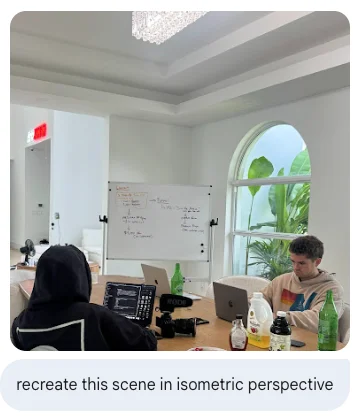
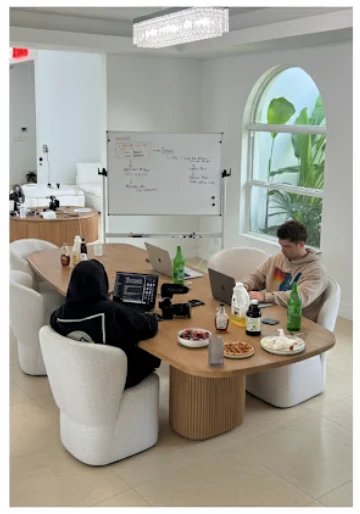
Upload any image you want to transform.
Then use a simple prompt like:
“Recreate this image in isometric view.”
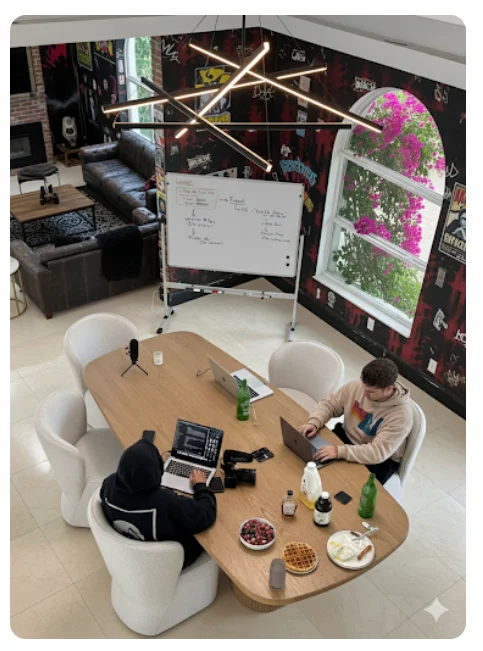
The model will quickly generate a new version of your scene from an isometric angle, revealing details that may not be visible in the original image.
Step 3: Refine and enhance the scene
You can continue improving the image by adding more instructions:
- Expand the room size
- Replace furniture or decor
- Change the style (e.g., minimalist, punk-inspired)
One key advantage of Nano Banana is that it modifies specific elements without fully regenerating the entire image, keeping most details consistent.
Step 4: Modify elements beyond the original scene
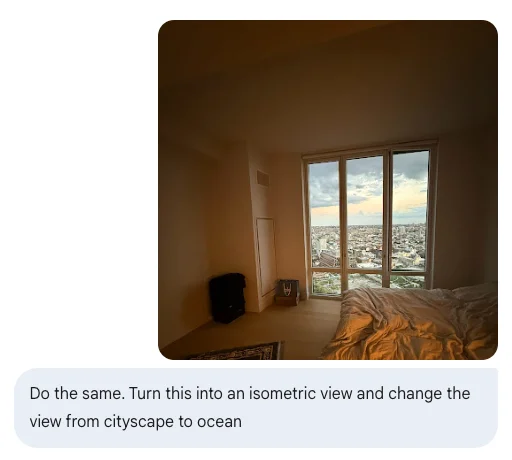
You can also adjust elements outside the initial image:
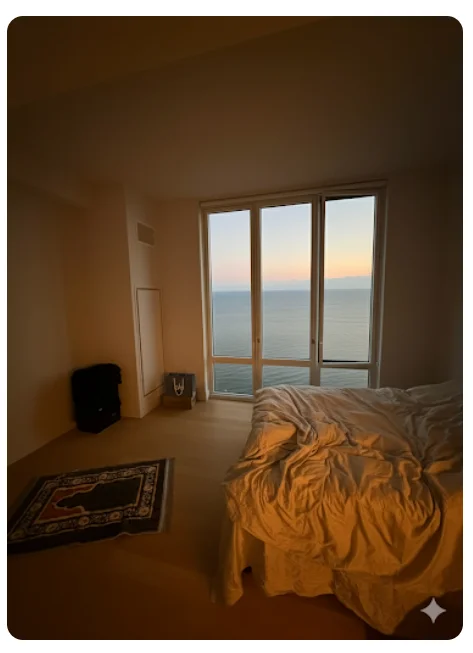
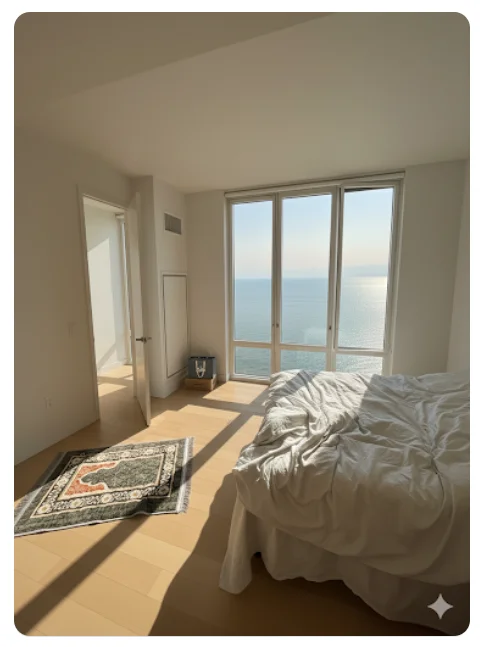
Change the view outside windows (e.g., cityscape to ocean)
Add new features like sunlight or doors
These edits can make the scene feel like a completely new environment, useful for visualization or design planning.
Step 5: Convert your image into a video
After finalizing your image, you can turn it into a video using tools like VEO within Gemini.
Upload your edited image and use a prompt such as:
“Make this room lively by adding two dogs running through the space.”
The output adds motion and sound, creating a more dynamic result, though minor imperfections may still appear.
Pro Tip
This workflow works well for both content creation and interior design mockups. It allows you to experiment with changes while preserving the core structure of your image.

Editorial Staff
The Editorial Staff at AIChief is a team of Professional Content writers with extensive experience in the field of AI and Marketing. AIChief was Founded in 2025, AIChief has quickly grown to become the largest free AI resource hub in the industry. Stay connected with them on Facebook, Instagram and X for the latest updates.



