

AI Tutorial
Streamline Performance Reviews and 30/60/90 Plans from Raw Notes
Learn how to automate performance reviews and 30/60/90 improvement plans using ChatGPT, Google Drive, and AI workflows for faster employee evaluation management.
Share
This workflow demonstrates how to simplify performance reviews and employee improvement plans by connecting ChatGPT to a knowledge base and using Agent Mode to organize and update review documents automatically.
Best Suited For:
- Managers keep informal notes across multiple projects
- HR teams looking for consistent review formatting
- Team leads managing expanding teams
- Operations teams standardizing review processes company-wide
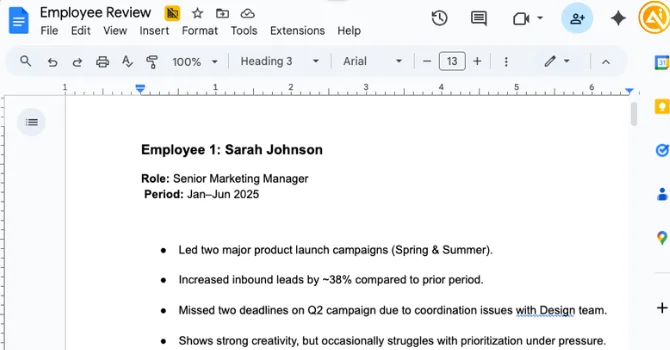
STEP 1: Organize Your Employee Notes Database
Start by centralizing employee feedback and review information in a single Google Doc.
Create a document titled something like “Employee Review” and include sections for each employee containing:
- Employee name
- Role
- Manager feedback and notes
- KPIs and project summaries
- Peer feedback highlights
The notes do not need to be perfectly structured. AI can organize and refine unstructured information effectively.
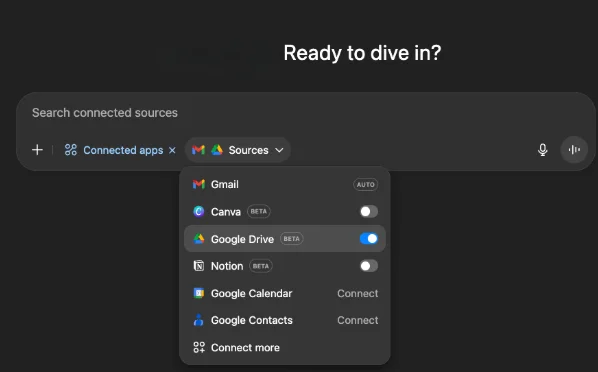
Connect Google Drive to ChatGPT
Inside ChatGPT:
- Click the “+” button
- Open “Connected Apps”
- Enable Google Drive access
Without Drive access enabled, ChatGPT will not be able to locate or update the document correctly.
STEP 2: Add Templates for Reviews and PIPs
This workflow uses one system prompt along with two structured templates.
System Prompt
Example system instruction:
“Analyze my Google Drive and open the Google Doc titled ‘Employee Review’. Review the employee notes and populate the Performance Review and 30/60/90 Performance Improvement Plan templates for each employee.”
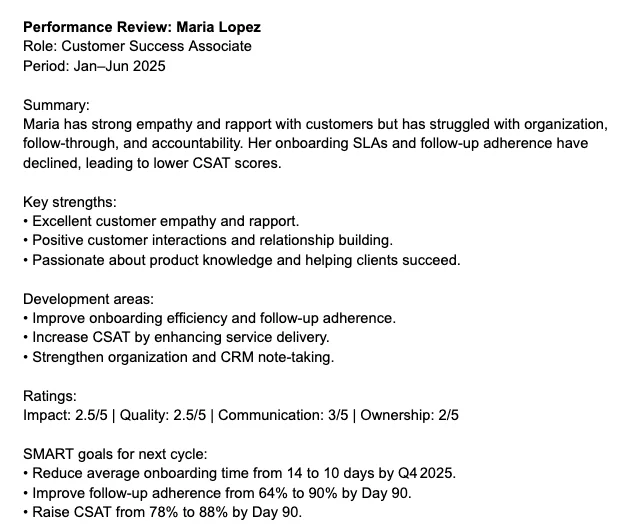
Template A — Performance Review
Example structure:
“Write a professional employee performance review.
Employee: [Name]
Role: [Role]
Period: [Dates]
Manager Notes: [Insert notes]
KPIs/Projects: [Insert list]
Peer Feedback: [Insert highlights]
Format with:
- Summary
- Key Strengths
- Development Areas
- KPI Ratings
- SMART Goals for the next review cycle”
Using consistent formatting makes HR approvals and review calibration much easier.
Template B — 30/60/90 Performance Improvement Plan
Example structure:
“Write a structured 30/60/90-day performance improvement plan.
Employee: [Name]
Role: [Role]
Manager Notes/KPIs/Peer Feedback: [Insert relevant details]
Format with:
- Objectives for 30, 60, and 90 days
- Success metrics and supporting evidence
- Risks and dependencies
- Coaching and resources
- Weekly or biweekly check-in schedule”
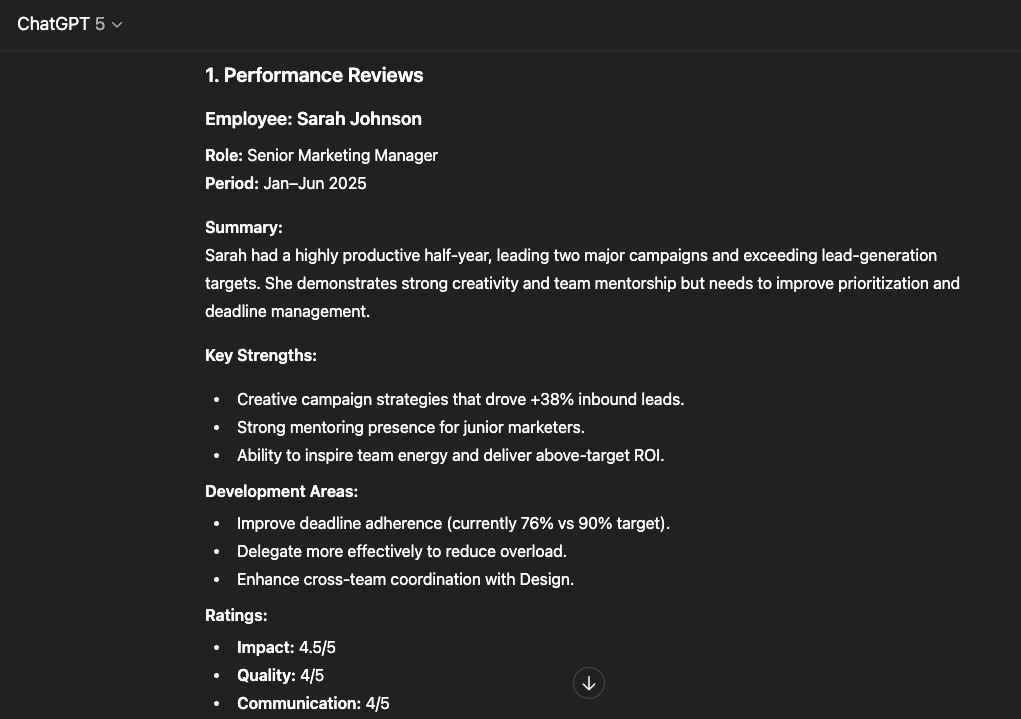
STEP 3: Generate and Update the Reviews Automatically
Run the Workflow Prompt
After connecting Google Drive, submit the system prompt together with both templates in a single message.
The workflow should:
- Locate the “Employee Review” document
- Analyze employee information
- Generate structured reviews and 30/60/90 PIPs
- Include SMART goals and measurable outcomes
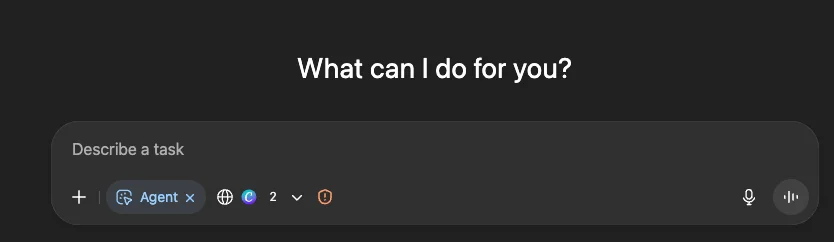
Use Agent Mode for Automatic Document Updates
Enable Agent Mode so ChatGPT can directly update the Google Doc automatically.
Example instruction:
“Update the ‘Employee Review’ Google Doc with the completed performance reviews and 30/60/90 plans for all employees.”
Common Issues to Watch For
- Permissions: The agent may require edit access before updating the document
- Formatting issues: Occasionally formatting can become inconsistent, especially with bullet points or headings
Using clear heading structures like H2 for employee names and H3 for sections usually resolves formatting problems.
Review the Final Output
Check that each employee section includes:
- Performance summary
- Key strengths and development areas
- KPI ratings
- SMART goals
- 30/60/90 plan with milestones and check-ins
Adding a small check-in schedule table can also improve clarity for ongoing follow-ups.
STEP 4: Share Reviews and Automate Future Runs
Distribute the Final Reviews
Once finalized, the reviews can either:
- Remain inside the shared Google Doc with restricted access
- Be exported as PDFs for formal distribution
Schedule the Workflow Automatically
The workflow can also be scheduled to run automatically every month.
Example scheduling prompt:
“Run on the third Saturday of each month at 9:00 AM Toronto time, update the ‘Employee Review’ document using my latest notes, and regenerate performance reviews and 30/60/90 plans.”
Desktop notifications can also be enabled to receive completion alerts.
Pro Tip
This workflow performs best when all employee notes are stored in one centralized document. Agent Mode may be slower than manual copy-pasting, but it significantly reduces the chance of missing recurring review cycles or forgetting monthly updates.

Editorial Staff
The Editorial Staff at AIChief is a team of Professional Content writers with extensive experience in the field of AI and Marketing. AIChief was Founded in 2025, AIChief has quickly grown to become the largest free AI resource hub in the industry. Stay connected with them on Facebook, Instagram and X for the latest updates.



