

AI Tutorial
Speed Up Sora Video Creation with a Simple Automation
Learn how to automate Sora video generation using Make.com, Google Sheets, and OpenAI for fast, scalable content creation.
Share
In this guide, you’ll learn how to automate large-scale Sora video generation using a streamlined setup.
Who It’s For
- Creators looking to quickly test and refine video ideas
- Marketers producing ad content
- Content creators generating B-roll footage
What You’ll Create
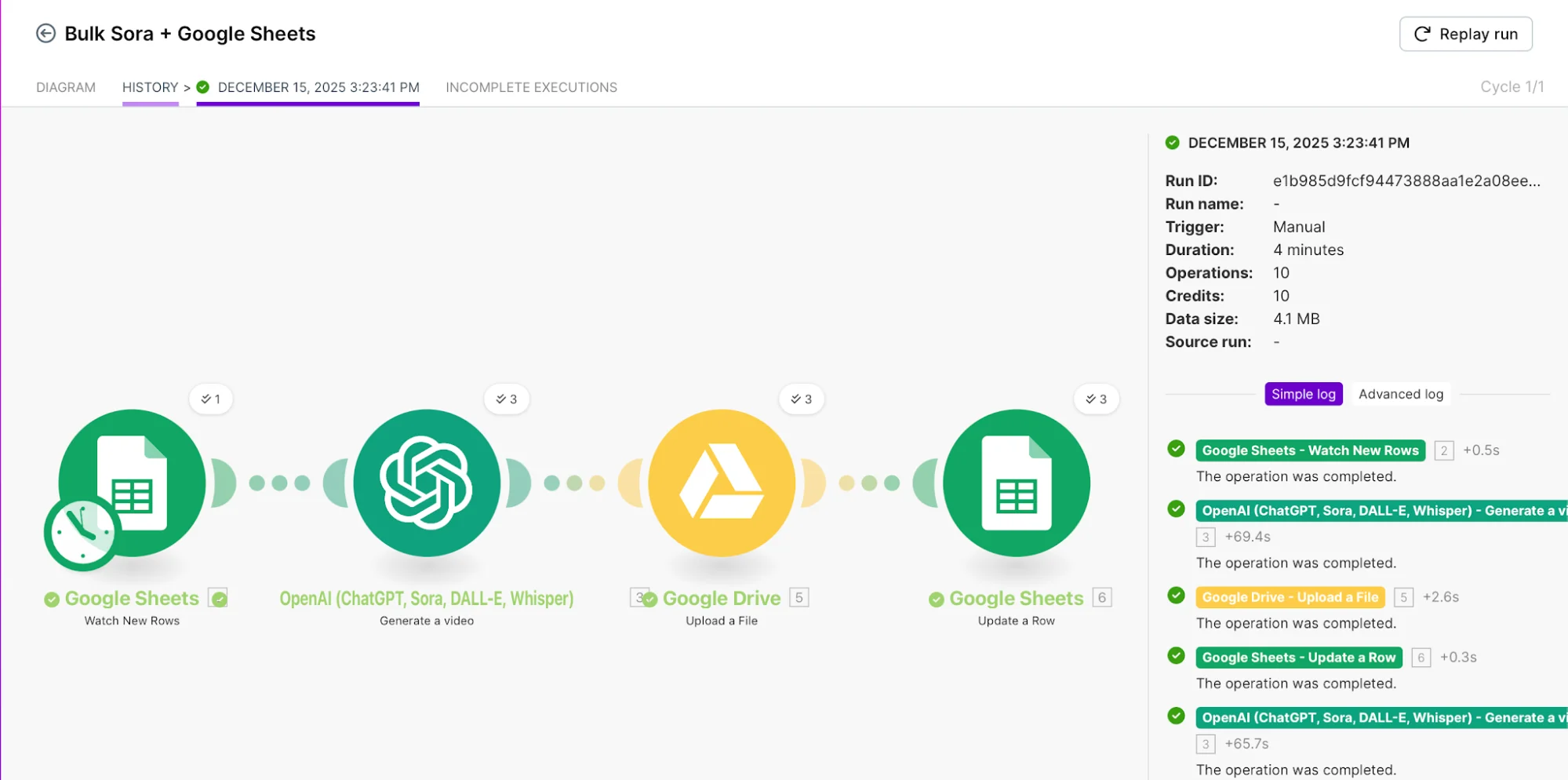
An automated system that generates and stores videos from prompts
Requirements
- Make.com account (free trial works)
- OpenAI account with billing enabled
- Verified OpenAI organization access
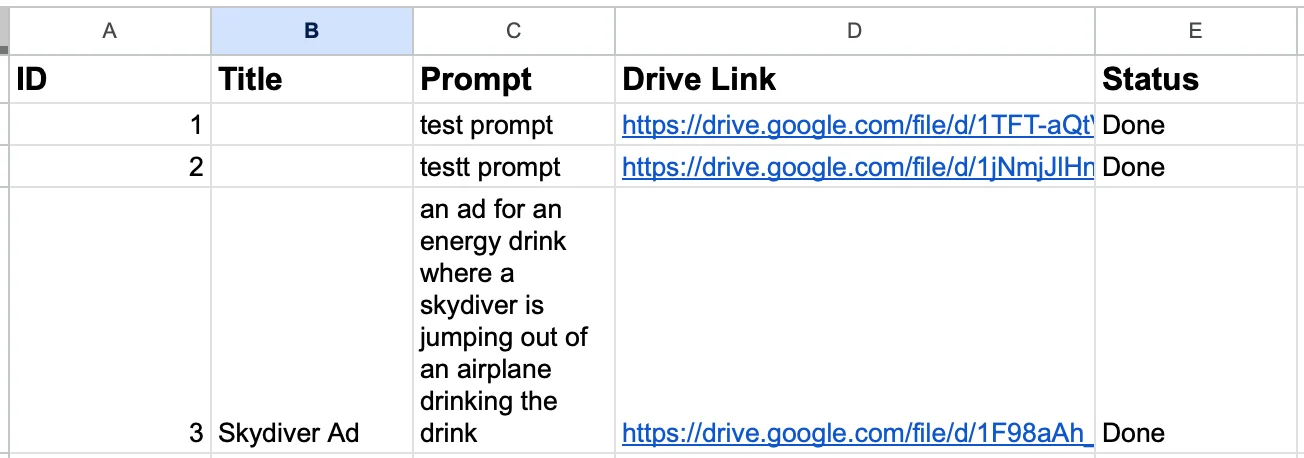
Step 1: Prepare Your Spreadsheet
Duplicate a Google Sheets template to store prompts and outputs.
Step 2: Set Up the Automation Scenario
Log into Make.com and create a new scenario.
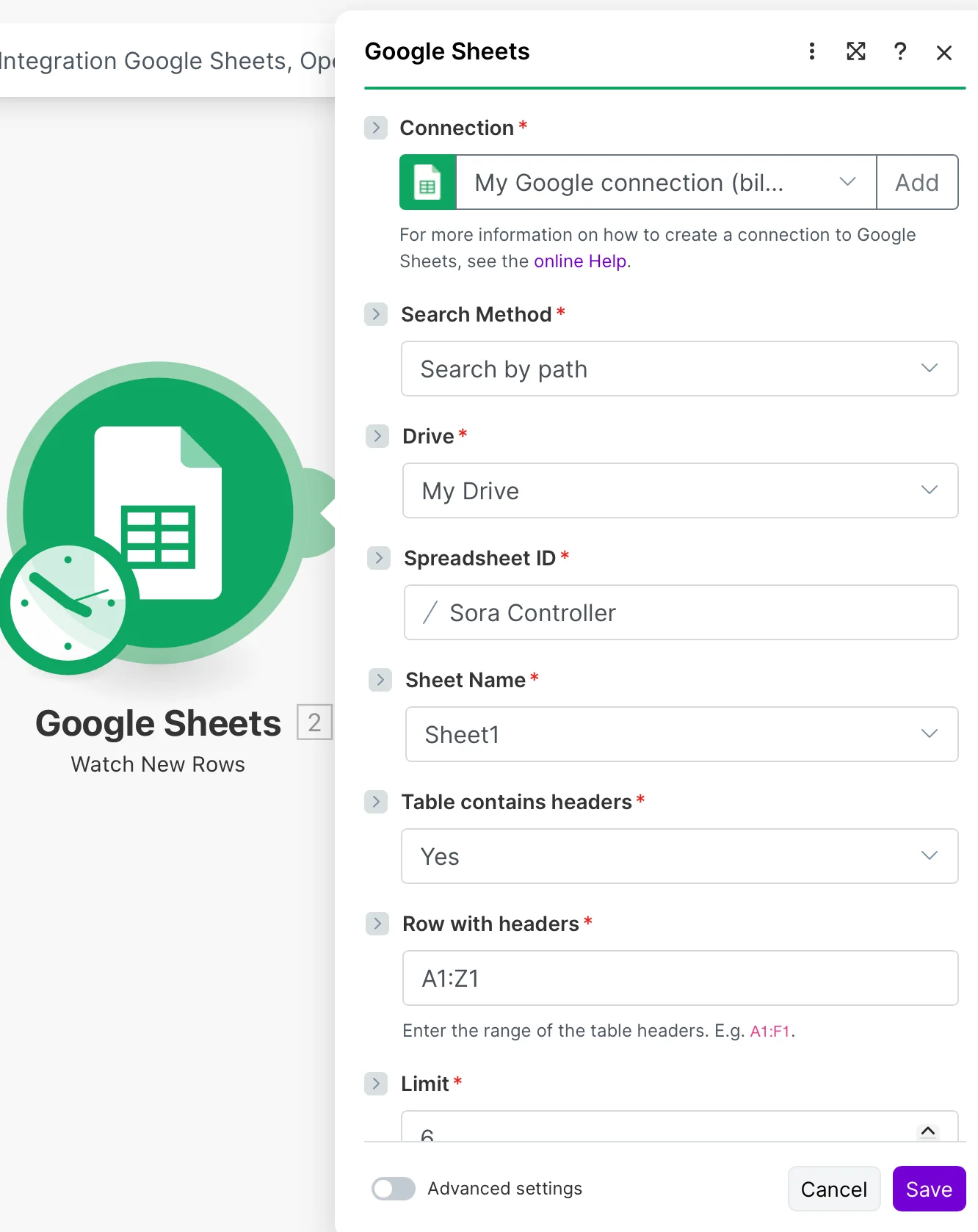
Add a Google Sheets “Watch Rows” trigger and connect your account.
Select the sheet created in Step 1.
Step 3: Connect Sora
Add an OpenAI Sora module.
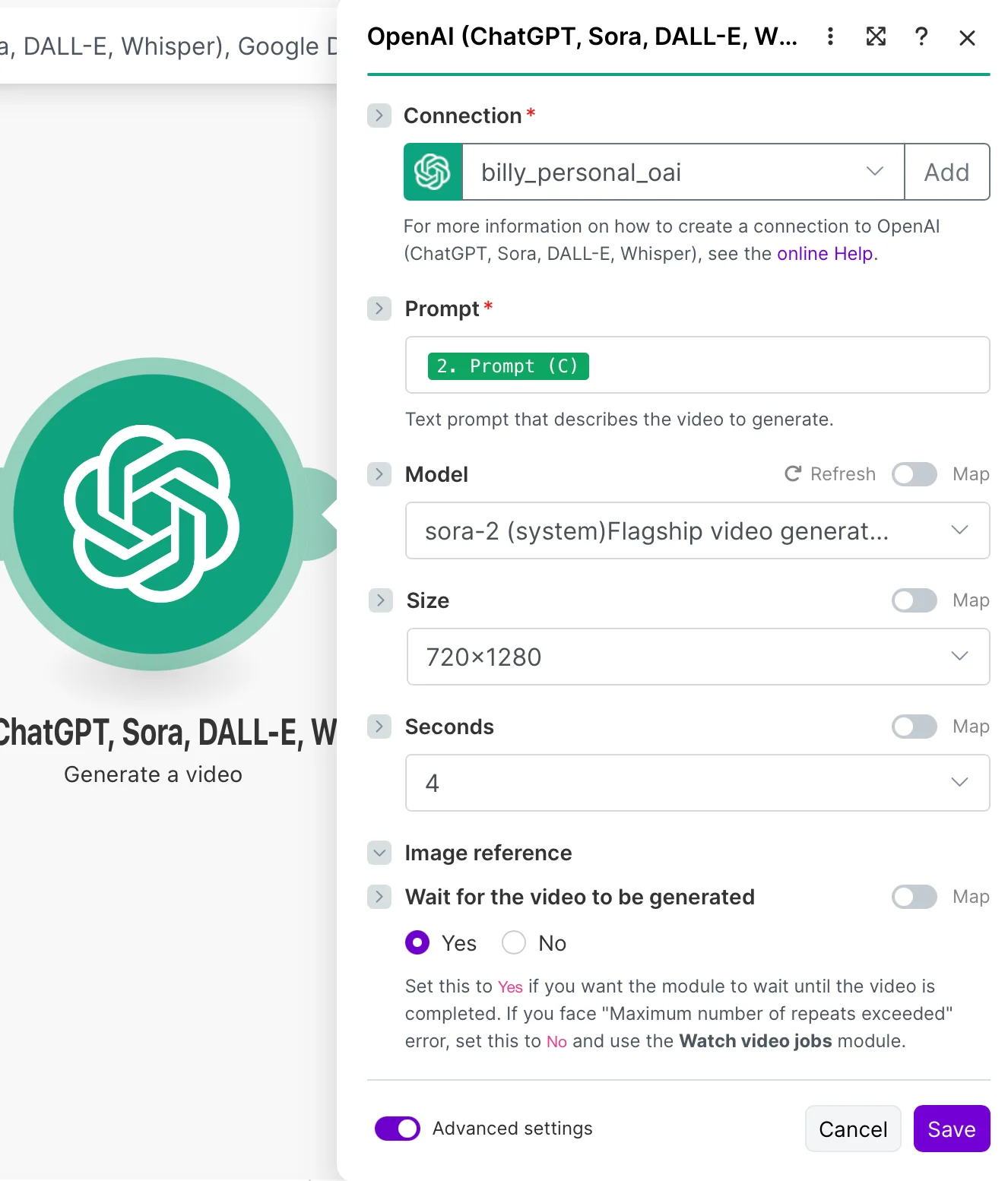
Generate an API key and ensure your organization is verified.
Attach the key within Make.com.
Step 4: Store Output in Google Drive
Create a folder in Google Drive for your videos.
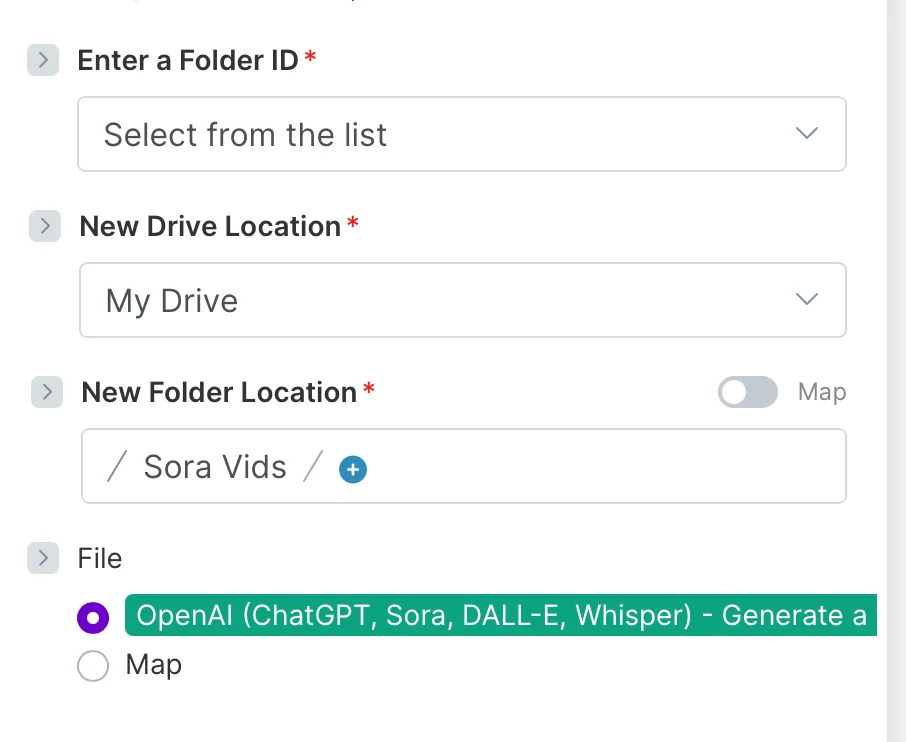
Add a Google Drive “Upload a File” module and point it to your folder.
Save your setup.
Step 5: Update Your Sheet
Add a Google Sheets “Update Row” module.
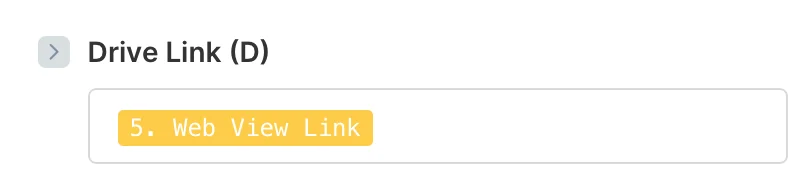
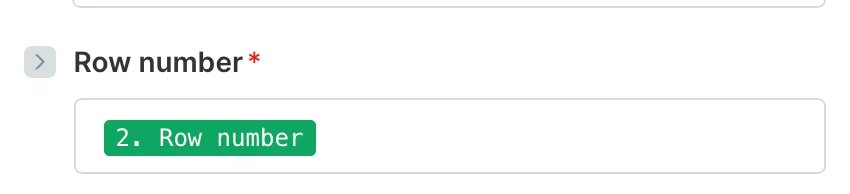
Configure it to insert the Google Drive “Web View link” into your sheet.
Step 6: Run the Workflow
Enter a prompt in your sheet and ensure each row has an ID.
Trigger the scenario manually or wait for the scheduled run.
Within minutes, your sheet will update with a link to the generated video.
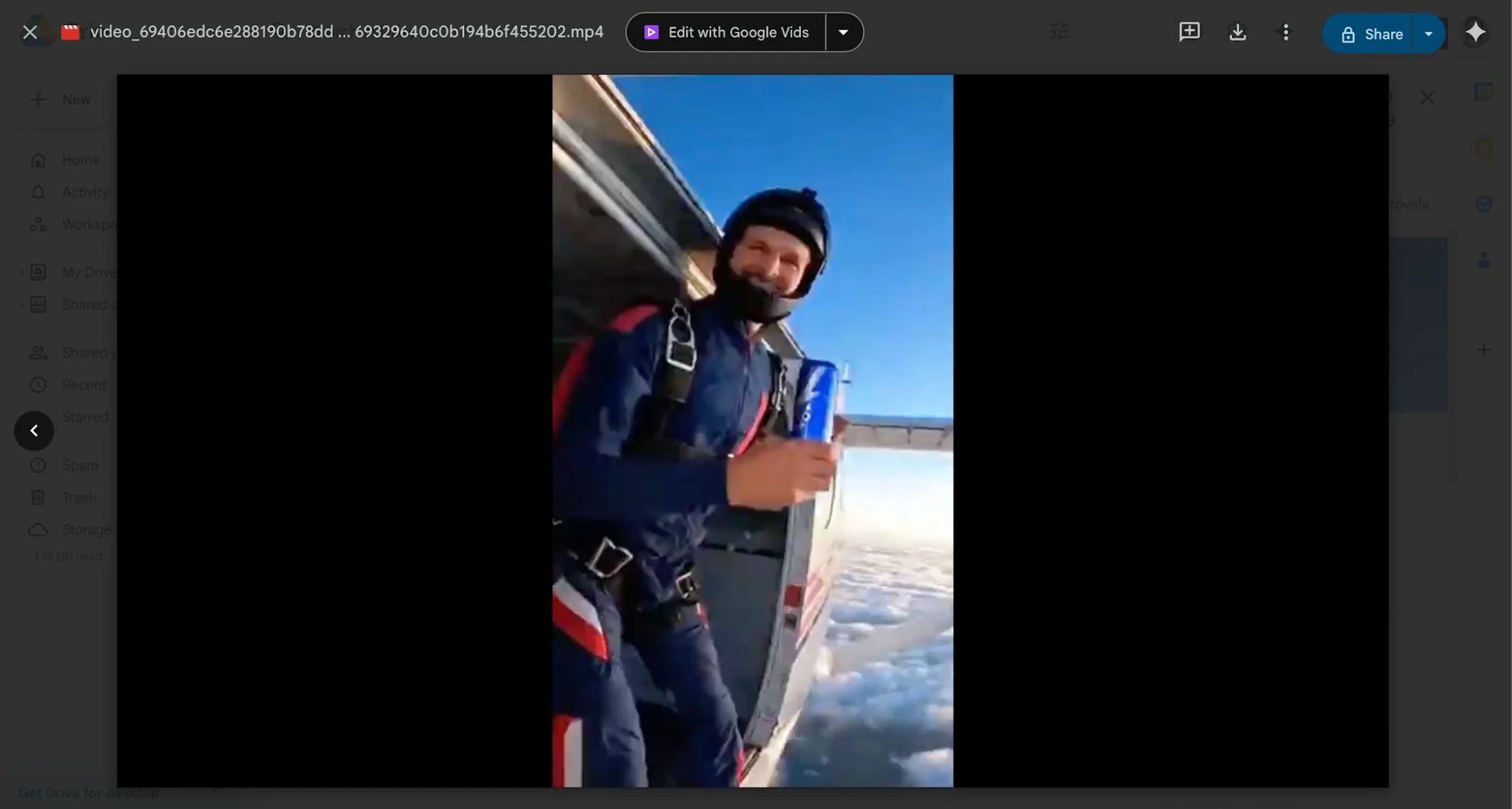
Going Further
To trigger instantly instead of waiting:
- Create a new scenario using Google Sheets “Watch Changes.”
- Copy the webhook URL
- Install the Make.com add-on in Google Sheets
- Paste the webhook into settings
Now, each new row automatically triggers video generation in real time.

Emily Newton
Emily Newton is an experienced Editor-in-Chief who has spent the last decade sharing her insights on science and technology advances through platforms like IoT for All and DZone. She is deeply interested in showcasing how connected technologies and smart ecosystems transform modern businesses. When she isn’t writing, Emily enjoys walking local trails, playing video games, or curling up with a good book.



