

AI Tutorial
Ship Code Faster with Claude Code Web
Learn how to use Claude Code Web to analyze repositories, build features in parallel, and deploy updates directly from your browser.
Share
This guide explains how to use Claude Code Web to review your repository, develop features in parallel sessions, and push updates efficiently.
Who This Is For
- Solo developers refactoring codebases safely
- Small teams working across multiple branches
- Project leads are reducing tool-switching during development
- Founders validating ideas quickly
STEP 1: Connect Your Repository
Sign in with your Claude Pro or Max account and open Claude Code Web.
Connect your GitHub account via OAuth and grant access.
Enable “Trusted Network Access” to allow secure interaction with your repository.
Then select the project you want to work on.
STEP 2: Analyze Your Codebase
Once your repository is loaded, ask Claude to review it.
Example Prompt:
“Analyze this codebase. Provide a full overview of architecture, tech stack, and components. Assess code quality and suggest five feature ideas and key improvements.”
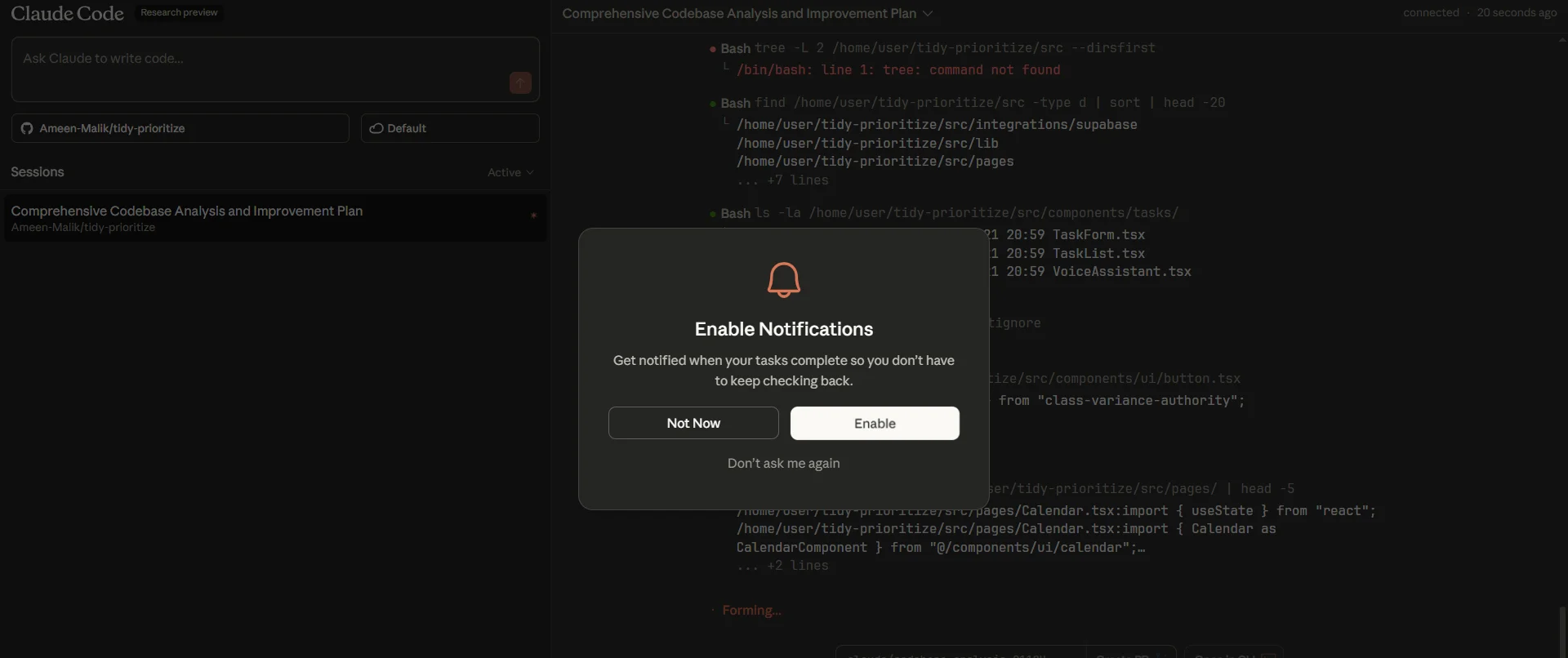
Enable notifications to get alerted when the report is ready.
Claude will generate a structured breakdown of your project, including architecture insights, issues, and feature opportunities.
STEP 3: Build Features in Parallel
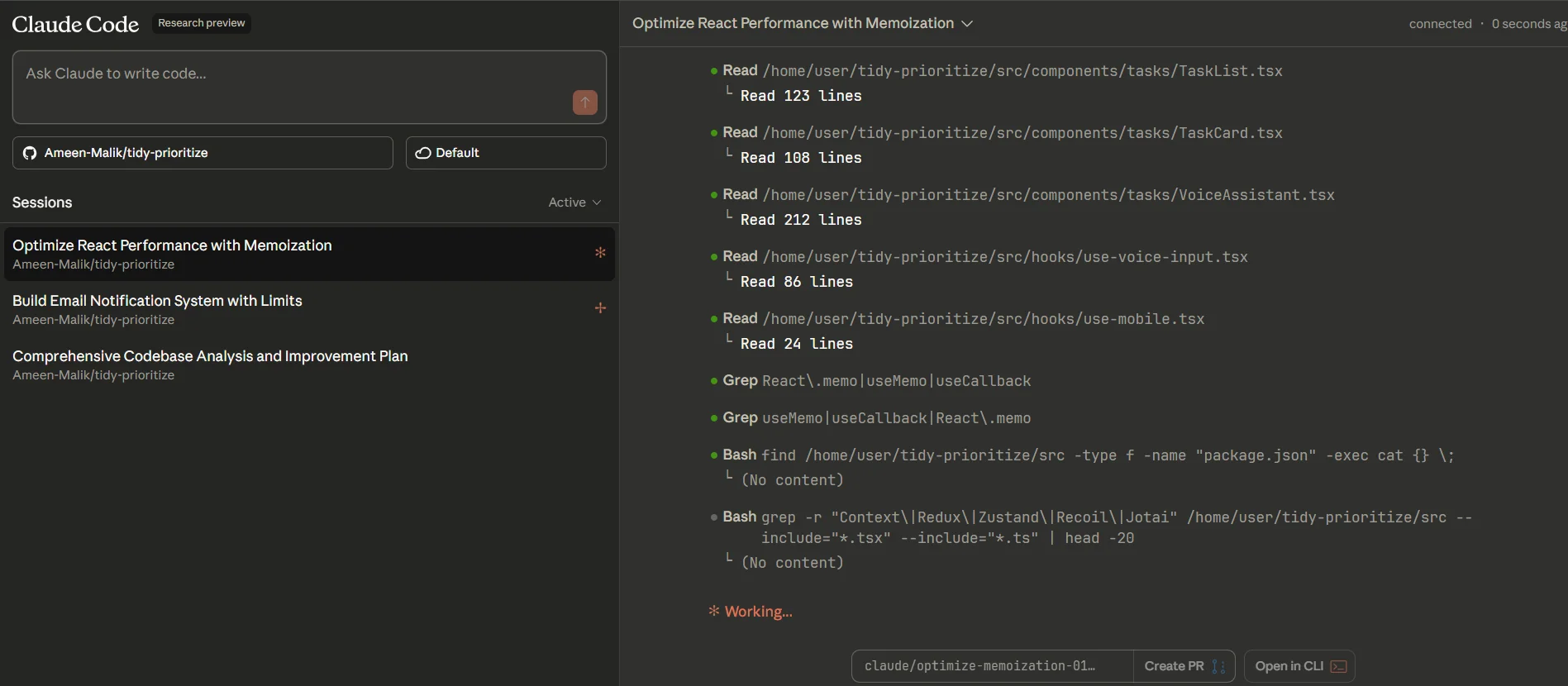
Start multiple sessions to work on different features simultaneously.
Example Prompts:
“Add profile editing functionality with validation. Commit to a feature branch.”
“Build an email notification system with templates and rate limiting. Commit to a separate branch.”
Each session runs independently, allowing parallel development.
Note: Keep tasks isolated to avoid merge conflicts.
Monitor progress as Claude updates code and commits changes automatically.
STEP 4: Review and Create Pull Requests
Once features are complete, request a code review.
Example Prompt:
“Review this feature for code quality, best practices, security issues, and test coverage. Apply necessary improvements.”
Claude refines the code and prepares it for submission.
Click “Create PR” in the interface to generate a pull request with structured diffs and descriptions.
Finalize it on GitHub and merge once approved.
Pro Tip
Use the “Open in CLI” option to connect your local environment to the session. This allows you to continue development with full IDE control while keeping Claude in the workflow.

Editorial Staff
The Editorial Staff at AIChief is a team of Professional Content writers with extensive experience in the field of AI and Marketing. AIChief was Founded in 2025, AIChief has quickly grown to become the largest free AI resource hub in the industry. Stay connected with them on Facebook, Instagram and X for the latest updates.



