

AI Tutorial
Save Time on Social Media with Perplexity Comet
Learn how to use Perplexity Comet to summarize threads, analyze videos, draft posts, and reduce time spent scrolling through social media content.
Share
Perplexity Comet is built to reduce time wasted on social media by helping users summarize long threads, extract insights from videos, and automate parts of their content workflow. It can analyze content directly inside the browser and assist with drafting posts, replies, and summaries in real time.
Best Suited For:
- Content creators maintaining consistent publishing schedules
- Social media managers handling multiple platforms
- Professionals following industry trends efficiently
- Anyone looking to reduce time spent scrolling through threads and videos

STEP 1: Download and Access Perplexity Comet
To begin, get access to Perplexity Comet, an AI-powered browser experience designed to summarize and interact with online content.
Users with access codes can redeem them and download Comet for Mac or Windows.
Once installed, Comet functions like a standard browser but includes a built-in AI assistant capable of analyzing the content displayed on the page directly, without requiring copy-and-paste workflows.
STEP 2: Define What You Want Comet to Do
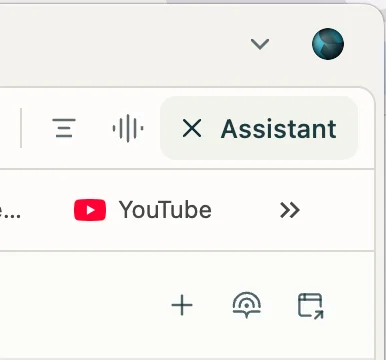
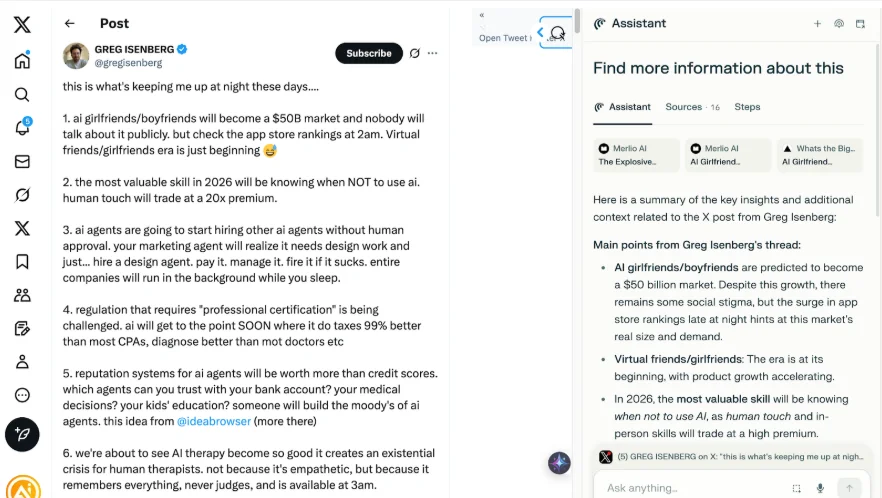
When browsing platforms like Twitter/X, open the Assistant panel located in the top-right corner.
From there, Comet can:
- Summarize long threads
- Explain unfamiliar concepts or technical terms
- Draft posts and replies automatically
For example, instead of manually reading a long Twitter/X thread, Comet can generate a structured summary in seconds.
It can also explain concepts such as “SaaS flipping” or other technical terminology directly within the workflow.
In another example, Comet was prompted with:
“Write a motivational post that says ‘Today is going to be a great day, let’s get after it.’”
The AI drafted the content, opened the Twitter/X compose box, and prepared the post for publishing automatically.
STEP 3: Submit the Prompt and Review the Results
After entering a request, click the send button to let Comet process the task.
- Depending on the request, Comet may:
- Generate concise summaries from social content
- Draft posts or replies
Prepare publishing actions while still asking for final approval
The confirmation step before publishing helps maintain control over what gets posted publicly.
STEP 4: Use Comet Beyond Social Media
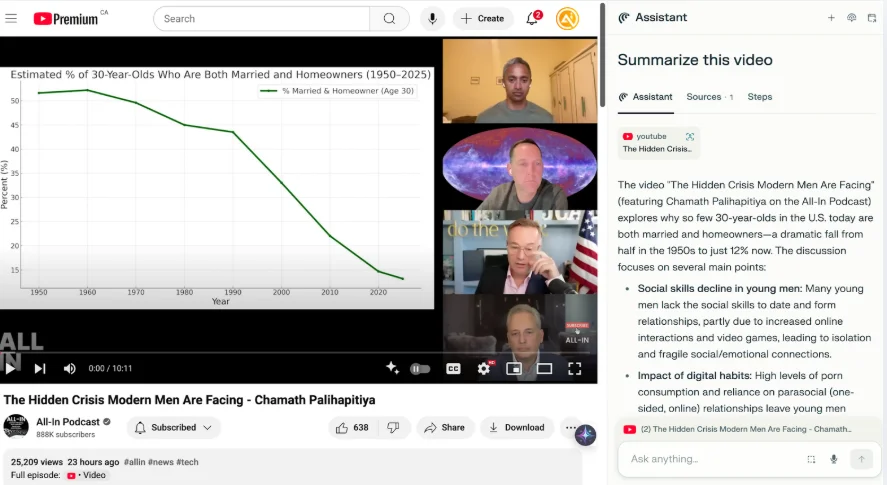
While Twitter/X workflows are useful, Comet can also significantly improve productivity on platforms like YouTube.
Instead of watching lengthy podcasts or interviews, Comet can summarize entire videos and extract:
- Key arguments and takeaways
- Important names and references
- Actionable insights and concepts
It can also simplify technical discussions into more beginner-friendly explanations, making long-form content easier to absorb quickly.
Pro Tip
Use Perplexity Comet as a full social media co-pilot rather than just a summarization tool. It works especially well for staying active on Twitter/X, extracting insights from thought leadership content, and converting long-form videos into quick, actionable summaries.

Editorial Staff
The Editorial Staff at AIChief is a team of Professional Content writers with extensive experience in the field of AI and Marketing. AIChief was Founded in 2025, AIChief has quickly grown to become the largest free AI resource hub in the industry. Stay connected with them on Facebook, Instagram and X for the latest updates.



