

AI Tutorial
Run AI on Your Phone for Free with Google Gemma
Discover how to run Google’s Gemma AI models locally on iPhone or Android. Private, offline AI with no API or subscription needed.
Share
In this guide, you’ll learn how to download and run Google’s Gemma AI model directly on your phone, completely free. Once set up, it works offline with no account, no subscription, and no usage limits.
Who This Is For
- Travelers who need AI access on planes or in areas with limited connectivity
- Privacy-focused users who prefer not to send prompts to cloud services
- Anyone exploring local AI and looking for a simple way to get started
What You’ll Build
By the end, you’ll have a fully functional AI chat powered by Google’s Gemma 4 model running directly on your phone. It uses your device’s hardware, requires no API keys, and runs entirely offline after installation.
Requirements
- An iPhone (iOS 17 or later) or Android device (Android 12 or later)
- Internet access for the initial model download
Step 1: Install the App
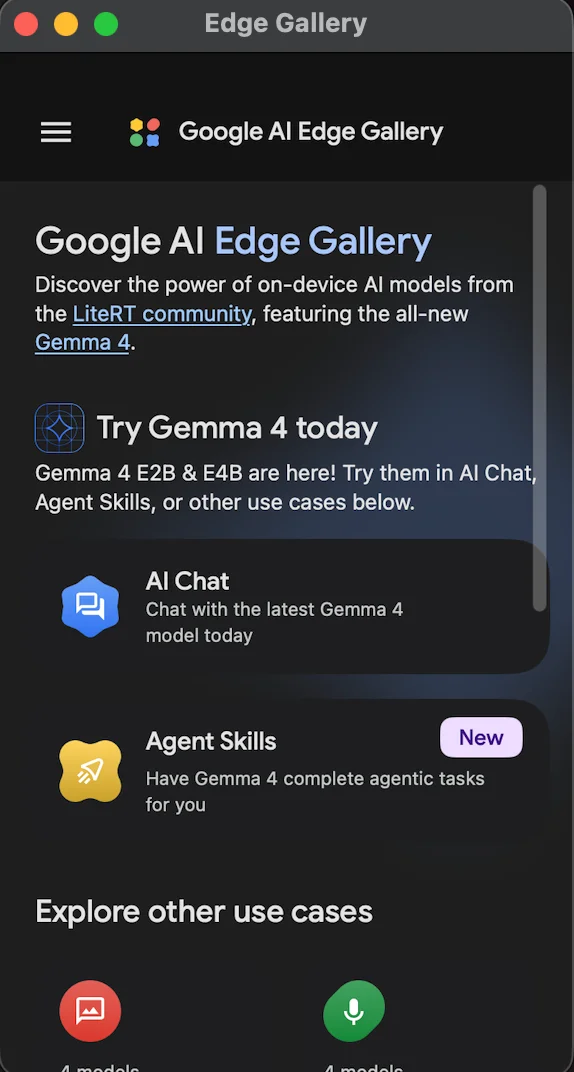
Go to the App Store or Google Play Store and search for Google AI Edge Gallery. Download and install the app.
It’s completely free and doesn’t require you to create an account or sign in.
Step 2: Download a Model
Open the app and navigate to AI Chat. You’ll see a selection of available models.
- Choose the recommended option (for example, Gemma 4 E2B, around 2.5 GB)
- Tap to download and wait for the installation to complete
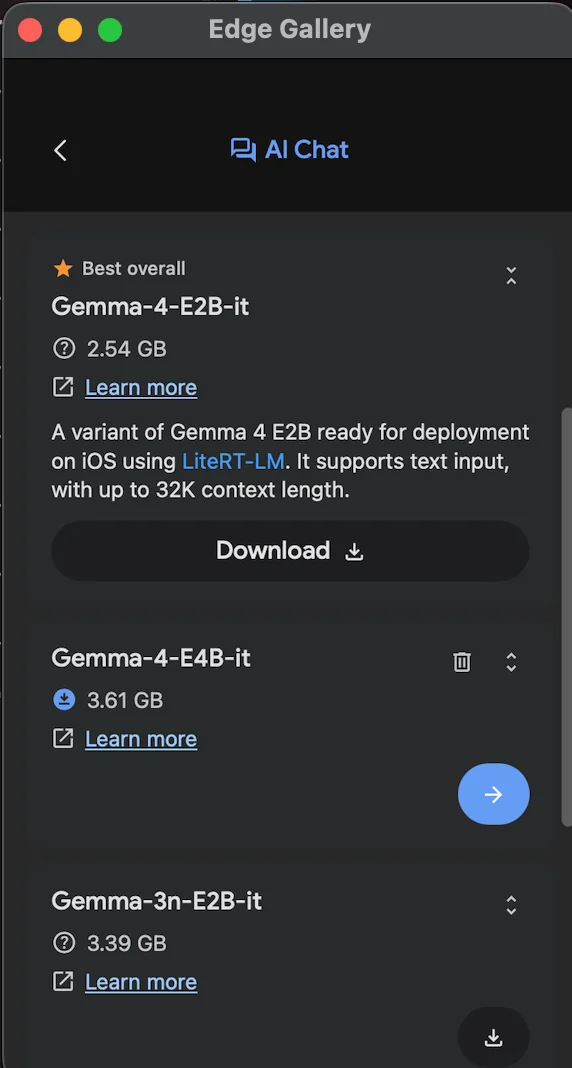
If you want better performance, you can select a larger model. If storage is limited, smaller models (around 0.5 GB) are also available.
Once downloaded, the model is stored locally on your phone, no further internet connection is required.
Step 3: Enable Thinking Mode and Start Chatting
Before sending your first message:
- Open the settings menu (top-right corner)
- Enable Thinking Mode
This feature allows you to view the model’s step-by-step reasoning before it produces a final answer, similar to advanced cloud-based AI, but running locally.
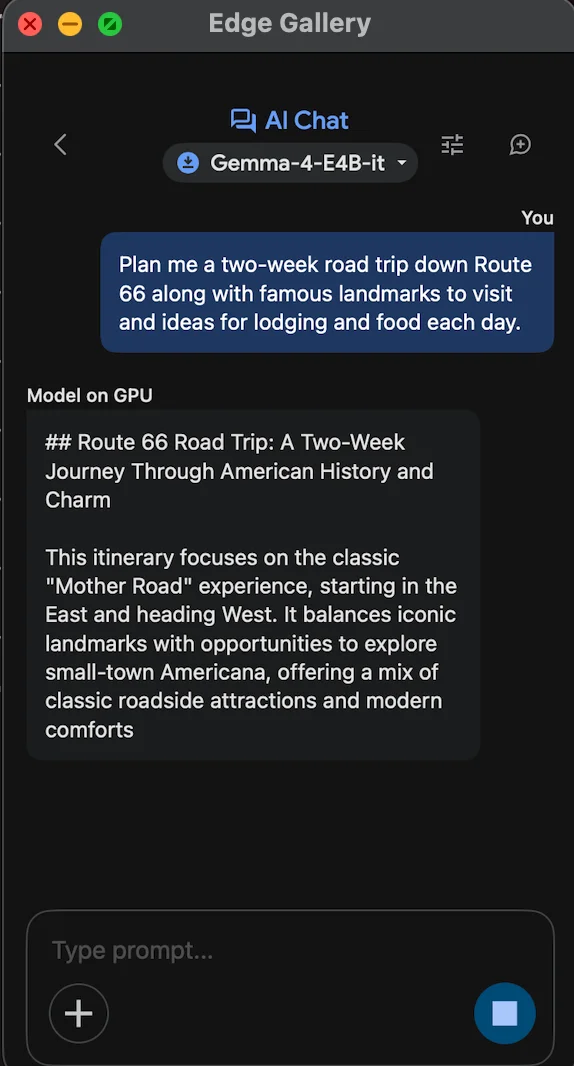
You’ll also find additional settings such as:
- Token limits
- Temperature (controls creativity)
Since everything runs on your device, you can experiment freely without worrying about cost.
Now you can start chatting. For example, you might ask it to plan a detailed trip, generate ideas, or summarize content; it handles a wide range of tasks.
Pro tip: Turn on airplane mode and try again. The model will still respond, confirming it runs entirely offline.
Important Limitation
This app is primarily designed for developers testing Google’s models.
Because of that:
- Chat history is not saved
- Conversations are lost when the app is closed
- There’s no way to resume previous chats
Think of it as a temporary workspace for quick queries rather than a long-term knowledge tool.
Going Further
Beyond basic chat, the app includes additional capabilities you can explore:
- Audio transcription
- Image recognition
- Interactive tools and mini-apps
You can also enable Agent Skills, which give the model extra functionality, such as:
- Generating passwords
- Creating QR codes
- Fetching information from sources like Wikipedia
- Using interactive maps
All of these features run locally and continue to work offline.
Final Takeaway
Running AI models directly on your phone is no longer complicated or expensive. With Google’s Gemma and the AI Edge Gallery app, you can:
- Use AI anywhere, even without internet
- Keep your data private
- Avoid subscriptions and API costs
This setup is a simple but powerful introduction to local AI, and a glimpse of how more everyday AI tasks will move onto personal devices in the near future.

Editorial Staff
The Editorial Staff at AIChief is a team of Professional Content writers with extensive experience in the field of AI and Marketing. AIChief was Founded in 2025, AIChief has quickly grown to become the largest free AI resource hub in the industry. Stay connected with them on Facebook, Instagram and X for the latest updates.



