

AI Tutorial
Produce Professional Audio for Your Business with Stable Audio 2.5
Learn how to generate high-quality, enterprise-ready music and soundscapes using Stable Audio 2.5 for marketing, branding, and content.
Share
In this guide, you’ll learn how to generate business-ready sounds for marketing and content using Stable Audio 2.5. It’s a generative AI tool that creates music and soundscapes, letting you skip hiring composers or searching royalty-free libraries. You can generate usable tracks through Replicate for around $0.20 each.
Best Suited For:
- Content creators who need royalty-free background audio
- Marketers looking for launch music or branded sound design
- Small business owners wanting affordable ad audio
- Experimenters exploring AI-generated music

Step 1: Access Stable Audio 2.5
Start by visiting Replicate, a platform that hosts models from Stability AI and others. Search for “Stable Audio 2.5” or locate it through Stability AI’s model directory.
Cost per track: About $0.20 (requires adding a small balance to your account)
Generation time: Typically under 10 seconds for up to 190 seconds of audio
Step 2: Define your sound and adjust settings
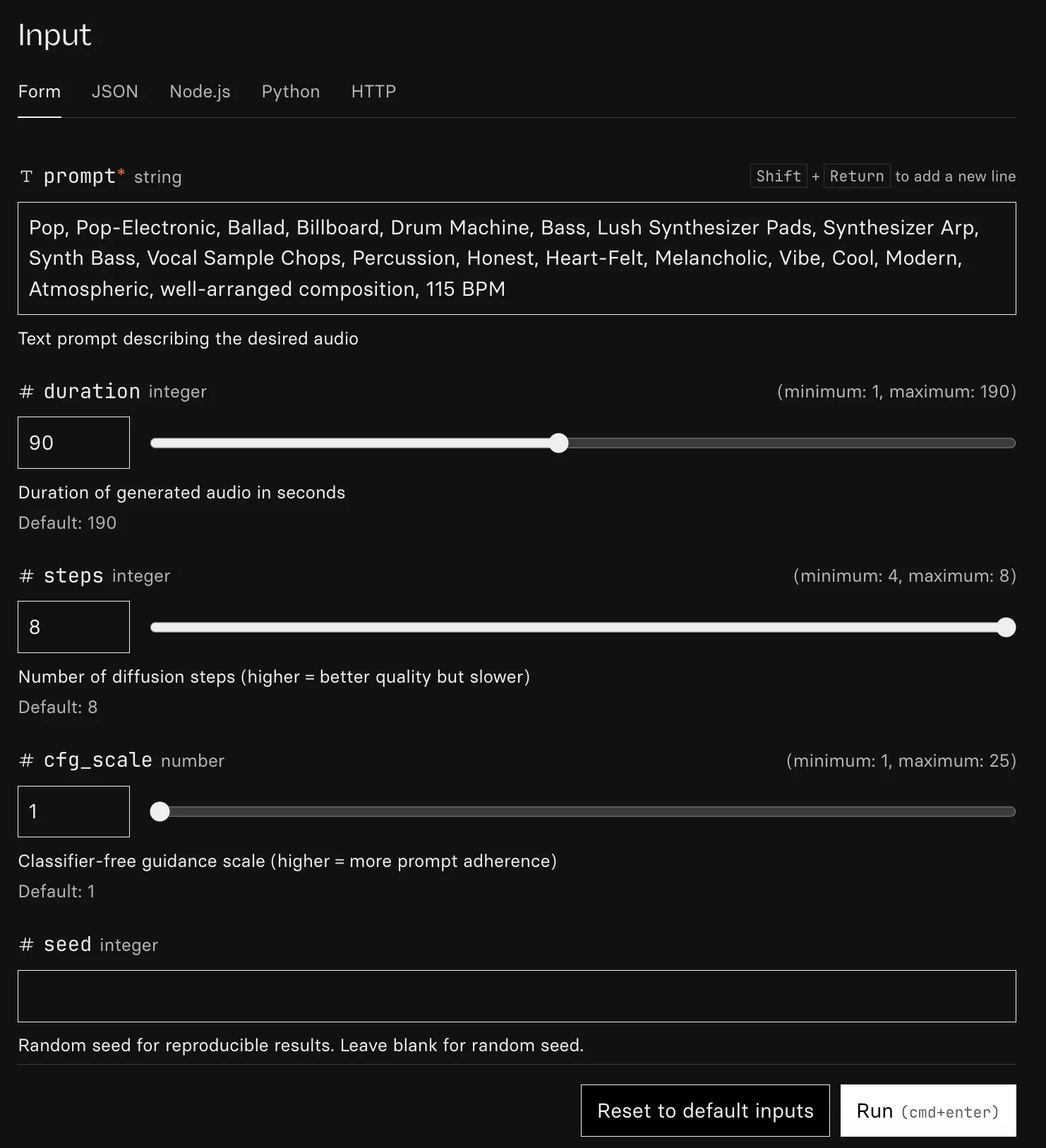
Inside the Stable Audio interface, you’ll find fields for prompts and controls.
Preset controls:
- Genre: Select styles like pop, hip-hop, orchestral, or lo-fi
- Tempo (BPM): Set pacing (e.g., 90 BPM for hip-hop, 128 BPM for EDM)
- Duration: Defaults to 90 seconds, longer than many alternatives
- Steps: Higher values improve quality; lower values speed up results
- Guidance: Higher values follow your prompt closely; lower values allow more variation
Custom prompts:
Write detailed descriptions such as “atmospheric electronic pop with crisp percussion and layered synth textures.”
Be clear about mood, instruments, and tone. In testing, vague prompts led to inconsistent audio, while detailed prompts produced cleaner and more usable tracks.
Step 3: Generate your track
After entering your settings, click Run.
The platform will create your audio within seconds
You can preview, share, or download the generated result
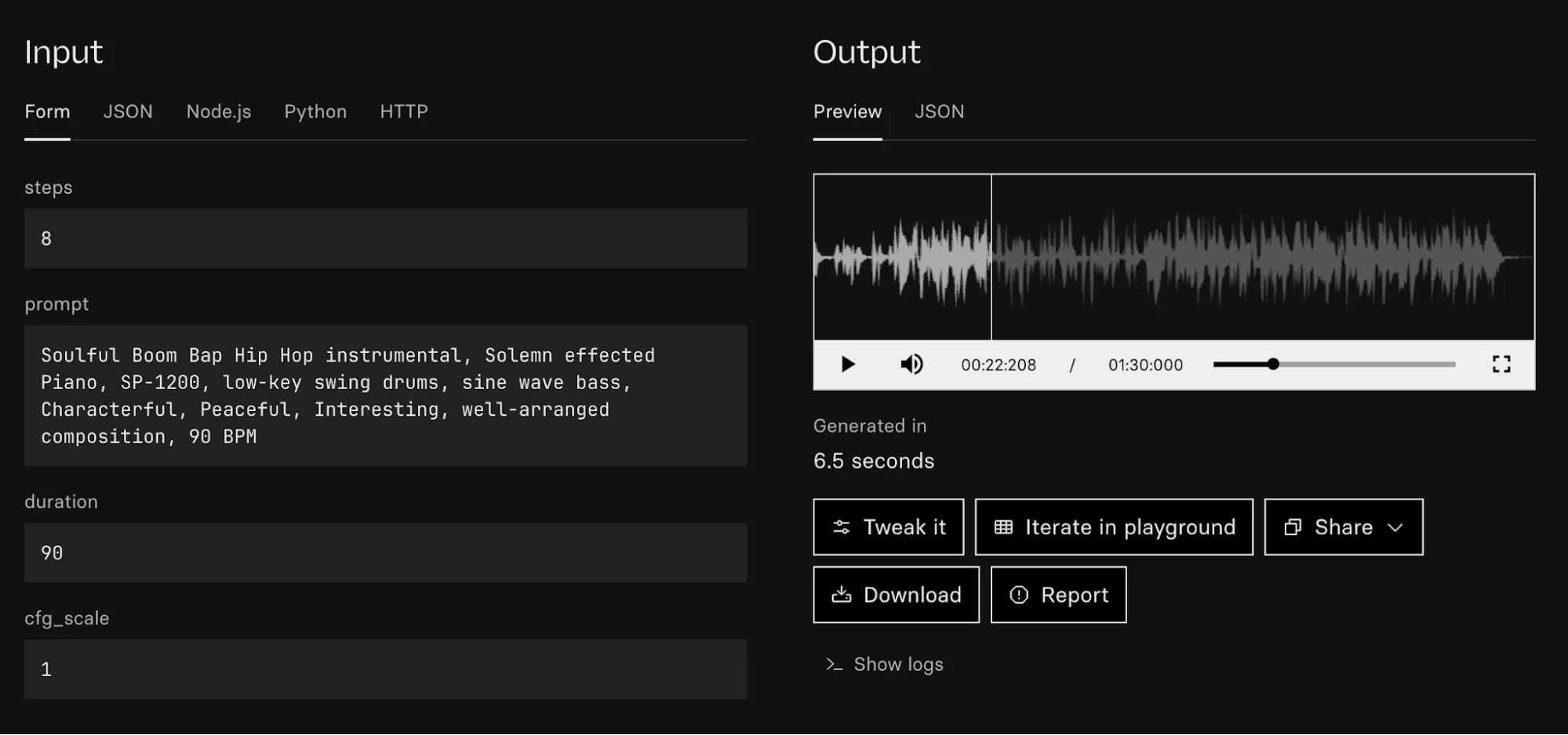
Note: Initial outputs may sound unstructured. Refining your prompt significantly improves quality. The tool is still evolving, but strong results are possible with iteration.
Step 4: Download and improve
Once signed in, download your generated track. You can use it across marketing, content, or personal projects without copyright concerns.
Pro Tip
If you like a concept but want a different style, use ChatGPT to rewrite your prompt for genres like rap, orchestral, or lo-fi punk. Combining tools this way can lead to much better outputs.

Editorial Staff
The Editorial Staff at AIChief is a team of Professional Content writers with extensive experience in the field of AI and Marketing. AIChief was Founded in 2025, AIChief has quickly grown to become the largest free AI resource hub in the industry. Stay connected with them on Facebook, Instagram and X for the latest updates.



