

AI Tutorial
Prepare for Meetings Faster with Automated Research Using Perplexity
Use Perplexity for automated pre-meeting research. Instantly generate detailed pre-call briefs on any person or company by connecting to Perplexity.
Share
In this guide, you'll learn how to generate instant pre-call briefs for any upcoming meeting by connecting Perplexity to your Google Calendar. These briefs will include recent news, conversation starters, and smart questions to ask, so you can stop scrambling 10 minutes before every meeting and be prepared, confident, and professional.
Who is This Useful For?
- Anyone with a lot of introductory calls on their calendar
- People without a call prep routine
- Anyone who wants to try out Perplexity to streamline their research and call preparation
What You Will Build
By following this guide, you’ll create an automated workflow that:
- Connects Perplexity to your Google Calendar
- Automatically generates personalized pre-call research briefs
- Includes key insights like recent news, background information on your contacts, and smart questions to ask during the call
What You Need to Get Started
- Perplexity account (free version works)
- Gmail and Google Calendar integration enabled with Perplexity
Step 1: The Setup
- Log in to Perplexity.ai.
- In the bottom-left corner of the screen, click on Account → Connectors.
- Enable Gmail with Google Calendar integration.
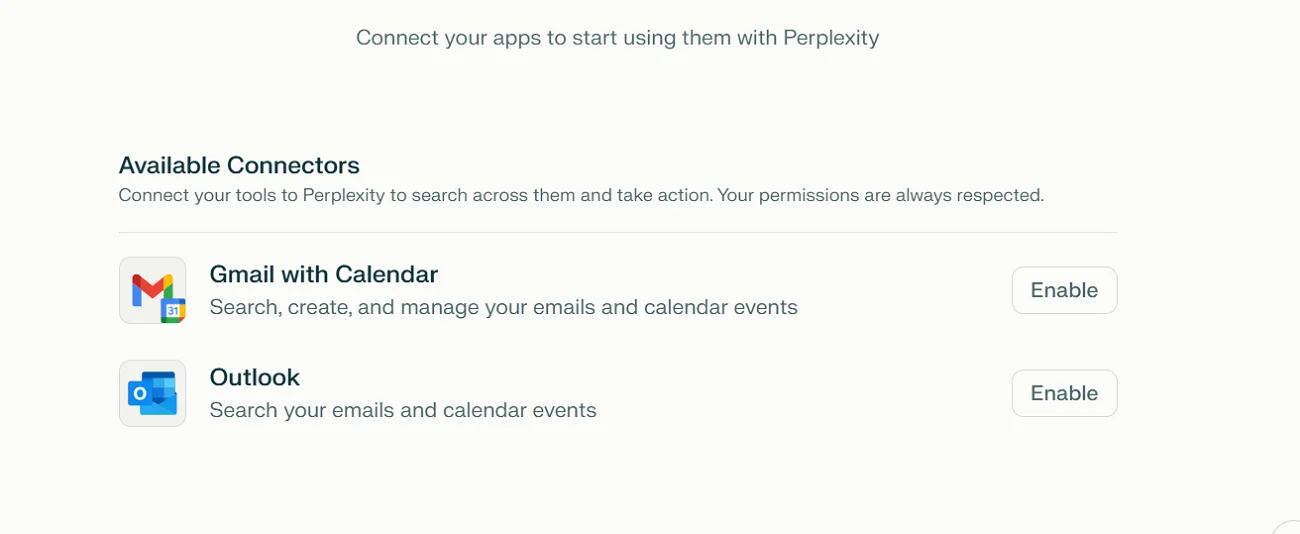
This allows Perplexity to access your calendar and automatically prepare research for your upcoming meetings.
Step 2: Create a Dummy Event
To test this workflow, create a dummy calendar event:
- Open Google Calendar.
- Create an upcoming call and use a real or fictional person’s name in the title.
- Add the person's work email as a guest to the event.
- You can pick any public figure (e.g., a CEO) for this step.
- When you save the event, click “Don’t send invite” to avoid sending an actual invitation.
Step 3: Run Your First Research
- Go back to Perplexity.
- Paste this prompt into the input field:
“It is [current time + today’s date]. Look at my Google Calendar and prep a pre-call memo in the following format:
What the company does (one sentence)
Recent news or funding in the last 6 months
Key things to know about this person (background, interests, posts)
Personal icebreakers that are public and won't make the person feel creeped out if I know it
2-3 smart questions I could ask them.”
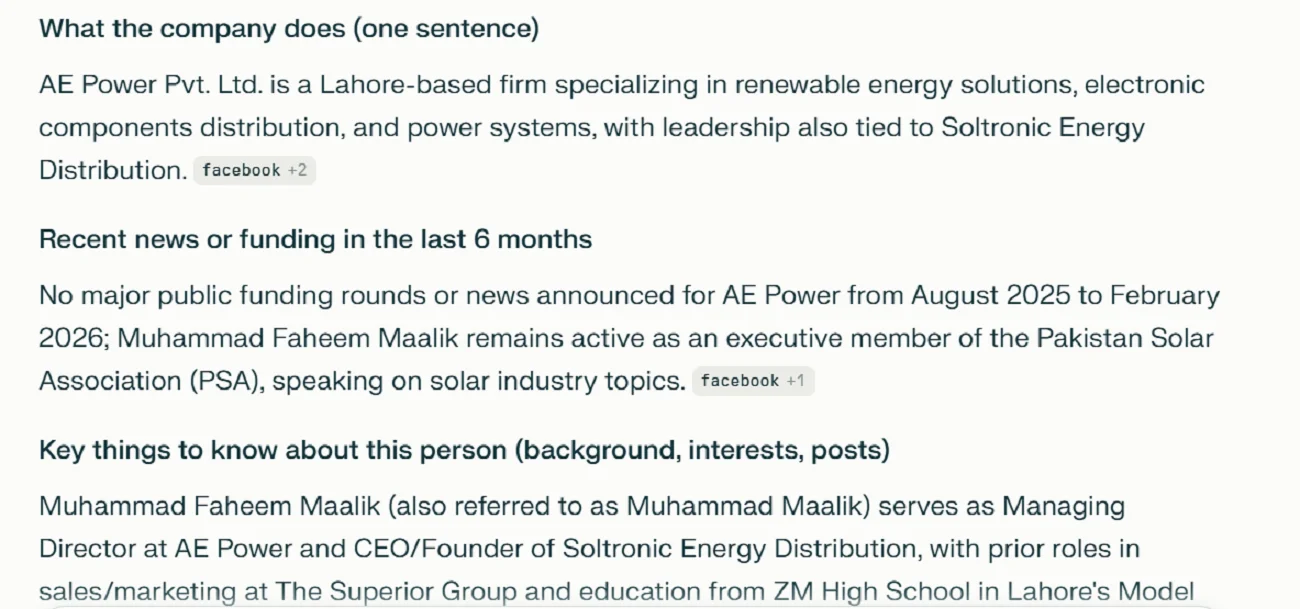
Perplexity will scan the meeting details and generate a comprehensive report, which could look like the example below.
💡 Pro Tip:
To refine your research prompt further, ask Perplexity to interview you. Tell it you want it to write a better prompt by asking you 3–5 questions on your role and key outcomes for these calls. This can help improve the depth and relevance of the research.
Going Further:
Once you’ve got the basic setup, take it a step further by creating a custom “Call Prep” space in Perplexity:
- Click “Spaces” on the left side of your Perplexity dashboard.
- Create a new “Call Prep” space.
- Paste in these custom instructions:
“You will write short call prep memos for me based on my upcoming calls on my calendar and save them as PDFs. Here's what you need to cover:
What the company does (one sentence)
Recent news or funding in the last 6 months
Key things to know about this person (background, interests, posts)
2-3 smart questions I could ask them
Provide 3 links to scan about the company and the person (be concise)
bullet points on the biggest recent news stories or social posts for both the person and the company
3–5 bullet points of personal, easily accessible information about the person (e.g., hobbies, interests, sports teams, side projects) that could serve as icebreakers”
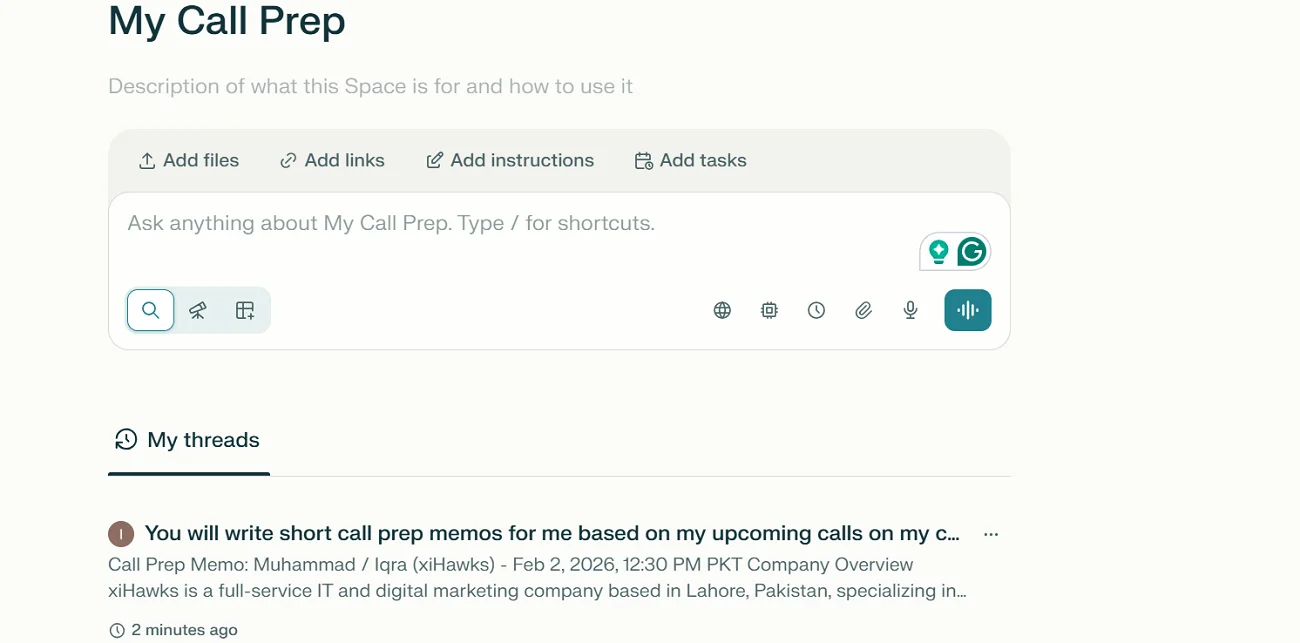
Now, whenever you have an upcoming meeting, simply navigate to your “Call Prep” space and say:
“Prep for my next call”. Perplexity will automatically generate a detailed, actionable brief for you to review before the meeting.
Additional Resources
Here are some aditional Resources for Automating Pre-Meeting Research
- Perplexity AI Documentation
Learn how Perplexity works with Google Calendar and how to set up custom prompts for different types of calls.
Perplexity Documentation - Prompt Design for Effective Research
Master how to design prompts that yield the best results for meeting preparation and research.
Perplexity Prompt Design - Google Calendar API Overview
Explore how to integrate and automate Google Calendar events into workflows for research, reminders, and more.
Google Calendar API - Sales Call Prep Guide
A guide on how to leverage AI to prep for sales calls with more specific customer insights and smarter conversation starters.
Sales Call Prep Guide - Personalized AI Research for Meetings (YouTube)
Walkthrough videos on how to use AI tools like Perplexity to prepare for meetings effectively.
AI Research for Meetings - Notion Workflow Templates for Research
Set up research and note-taking systems in Notion to organize and track meeting prep with ease.
Notion Templates

Emily Newton
Emily Newton is an experienced Editor-in-Chief who has spent the last decade sharing her insights on science and technology advances through platforms like IoT for All and DZone. She is deeply interested in showcasing how connected technologies and smart ecosystems transform modern businesses. When she isn’t writing, Emily enjoys walking local trails, playing video games, or curling up with a good book.



