

AI Tutorial
Master Any Topic Using NotebookLM Podcasts
Discover how to turn any subject into a personalized podcast using Google NotebookLM for faster, audio-based learning.
Share
This tutorial shows how to generate a podcast on any topic using NotebookLM. If you prefer learning through audio, this method can help you process the constant flow of information more efficiently.
Who This Helps
- Entrepreneurs keeping up with industry updates
- Newsletter readers catching up on missed editions
- Anyone looking for a structured way to learn new topics
What You’ll Create
A NotebookLM notebook (project) with customized learning outputs based on your sources and prompts.
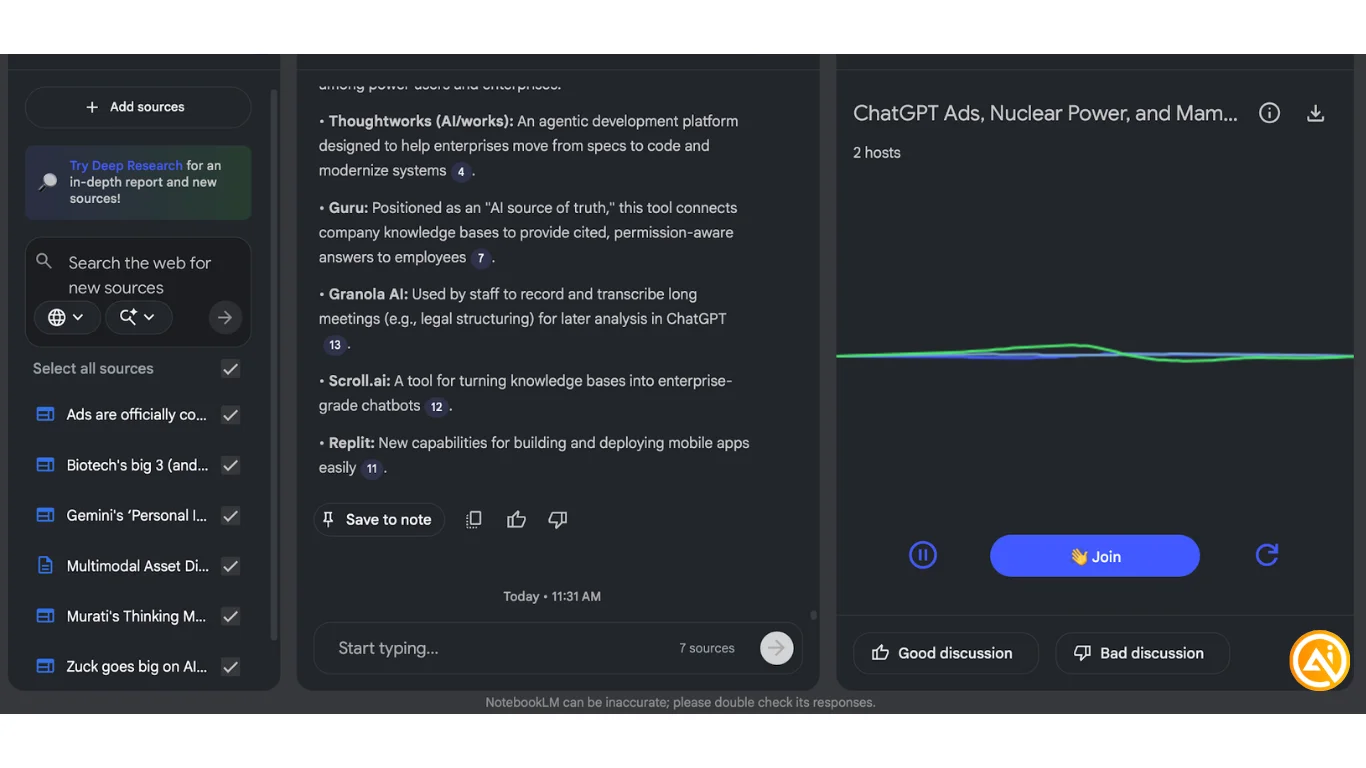
Getting Started
- A Gmail or Google Workspace account
- Google AI Plus ($20/month) for increased limits on sources and generations
Step 1: Choose a Topic and Sources
Select a topic you want to explore. For this example, wikiroulette.co was used to randomly find a subject, but any website, topic, or file works. Start with at least 2–3 sources.
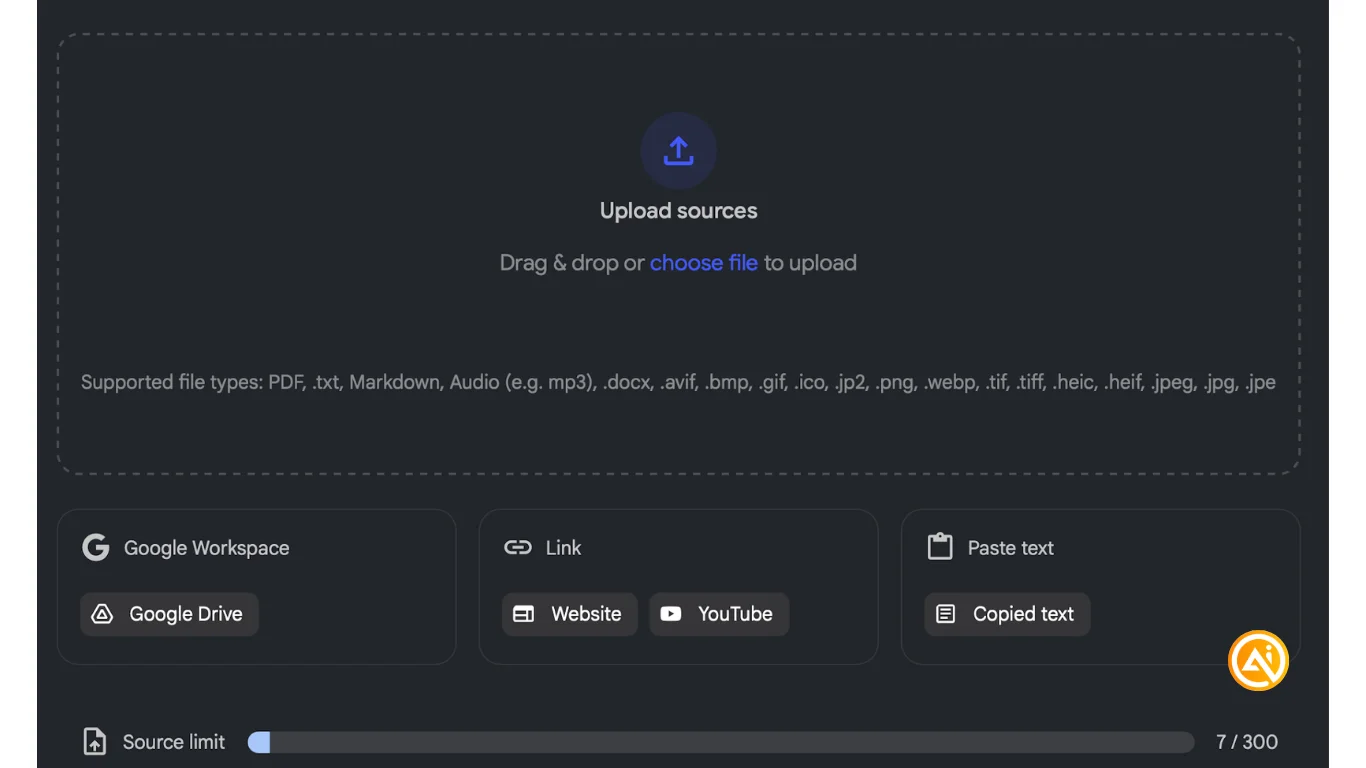
You can also upload documents directly from Google Drive.
YouTube videos can be added as sources and will be processed by NotebookLM.
Some example use cases:
- Earnings call transcripts for stock research
- Summarizing YouTube tutorials from your watchlist
- Exploring coding documentation
- Reviewing last month’s client deliverables from Google Drive
Step 2: Create Your Notebook
Go to notebooklm.google.com and create a new notebook. Add your links and documents as sources.
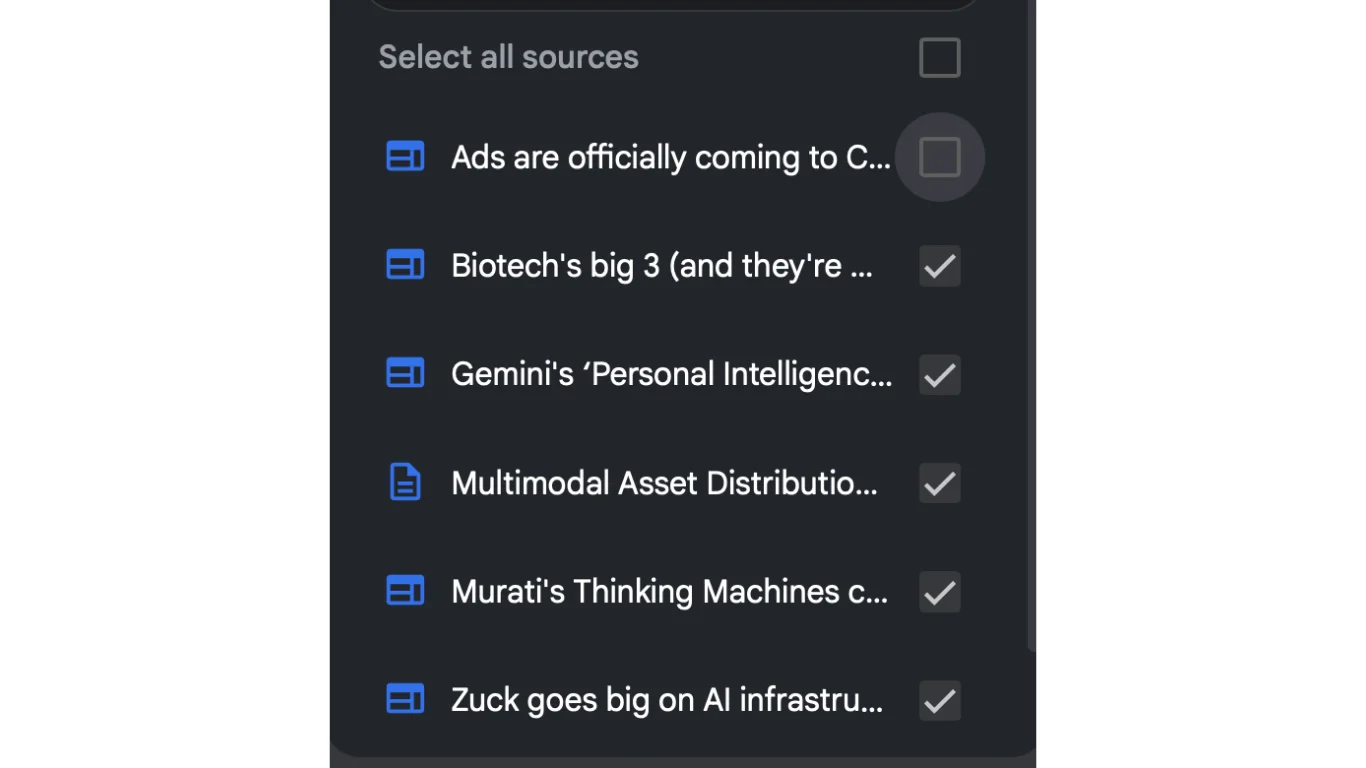
You can manage what the AI uses by selecting or deselecting sources from the left panel.
Step 3: Generate Audio and Learning Outputs
Click Audio Overview on the right under “Studio.” Generation may take 5–10 minutes.
You can also create:
- Flashcards
- Slide decks
- Videos (podcast with slides)
- Quizzes
- Mind maps
- Reports (briefing docs are especially useful)
- Infographics
- Data tables
Step 4: Listen and Export Your Podcast
Once the podcast is ready, click the three-dot menu to download it and transfer the MP3 to your phone. You can also play it directly in your browser or use the NotebookLM mobile app.
Use the “Interactive” option to ask questions and engage with the podcast hosts.
Going Further
To catch up on newsletters like the Rundown AI, paste links to each issue as sources and generate a podcast.
You can also focus on a single newsletter and prompt NotebookLM to analyze the companies and news mentioned, then create a dedicated podcast using the Audio Overview feature.

Emily Newton
Emily Newton is an experienced Editor-in-Chief who has spent the last decade sharing her insights on science and technology advances through platforms like IoT for All and DZone. She is deeply interested in showcasing how connected technologies and smart ecosystems transform modern businesses. When she isn’t writing, Emily enjoys walking local trails, playing video games, or curling up with a good book.



