

AI Tutorial
Learn Skills Using ChatGPT Study & Learn Mode
Discover how to use ChatGPT’s Study and Learn mode for step-by-step guidance, personalized tutoring, and a deeper understanding of any subject.
Share
This guide shows how to use ChatGPT’s Study and Learn mode to get structured, tutor-style assistance that breaks problems into steps and adjusts to your progress.
Who This Is For
- Students seeking step-by-step help solving problems
- Self-learners starting from the basics
- Professionals preparing for exams or interviews
- Language learners looking for interactive practice
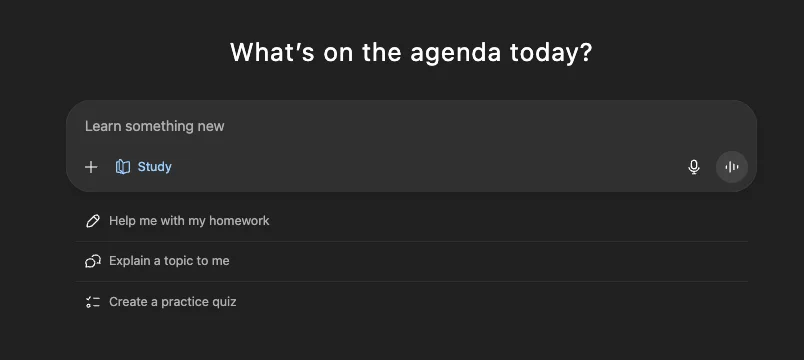
What Is Study & Learn Mode?
Unlike standard ChatGPT responses that provide direct answers or full explanations immediately, Study and Learn mode acts more like a tutor. It guides you toward the solution by prompting you to think critically and work through steps on your own.
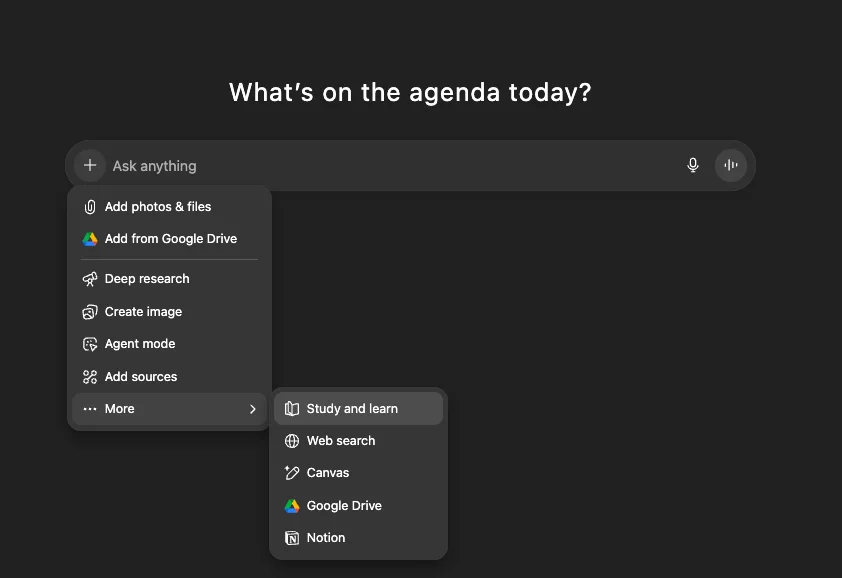
STEP 1: Enable Study & Learn Mode
Open ChatGPT and go to the chat input area.
Click the “+” icon, select “More,” and choose “Study and Learn” to activate it.
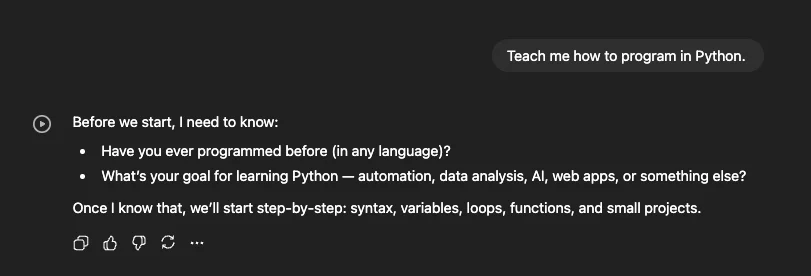
STEP 2: Set Your Learning Objective
Once activated, describe what you want to learn.
Example:
“Teach me how to program in Python.”
Submit your request to begin.
In comparison:
- Regular mode provides a full plan and begins teaching immediately
- Study and Learn mode first asks about your background and goals, then builds a tailored path
STEP 3: Follow Guided Learning Steps
After submitting your prompt, the AI will ask follow-up questions to understand your level.
It then breaks the topic into structured steps and guides you through solving problems.
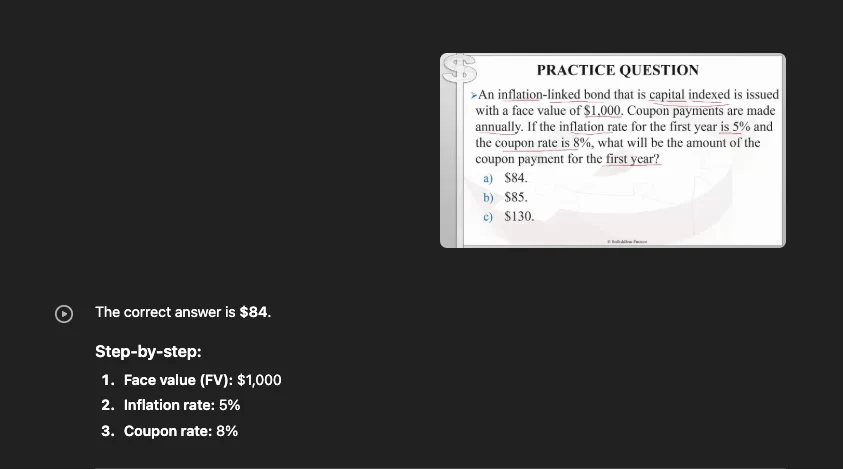
For example, consider a finance question:
“A capital-indexed inflation-linked bond has a face value of $1,000, annual coupons, year-1 inflation of 5%, and a coupon rate of 8%. What is the year-1 coupon?”
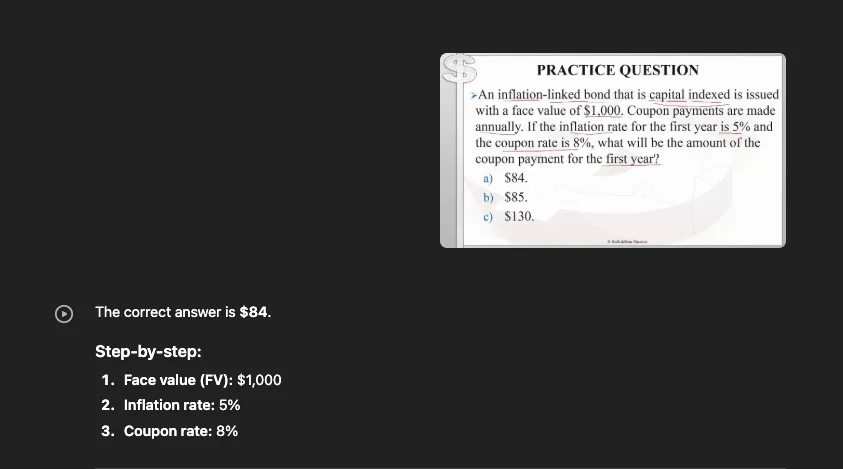
In regular mode, you would receive the answer directly.
In Study and Learn mode, the AI guides you through the reasoning process instead.
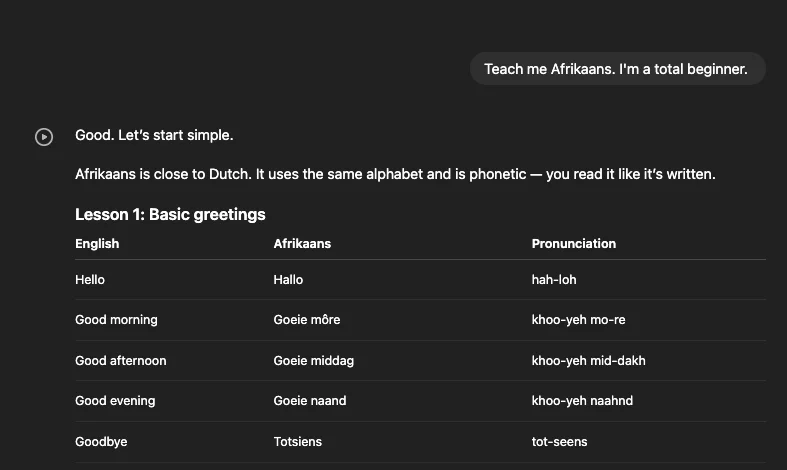
You can also apply this to language learning:
“Teach me Afrikaans. I’m a beginner.”
Note: Speaking practice may require enabling advanced voice features.
STEP 4: Choose Between Study Mode and Regular Mode
Use Study and Learn mode when you want a deeper understanding or step-by-step problem-solving. While it takes more time, it reinforces learning by avoiding immediate answers.
Pro Tip
For quick summaries or quizzes, tools like NotebookLM can help. For guided learning and coaching, the Study and Learn mode offers a more interactive, tutor-like experience.

Emily Newton
Emily Newton is an experienced Editor-in-Chief who has spent the last decade sharing her insights on science and technology advances through platforms like IoT for All and DZone. She is deeply interested in showcasing how connected technologies and smart ecosystems transform modern businesses. When she isn’t writing, Emily enjoys walking local trails, playing video games, or curling up with a good book.



