

AI Tutorial
Improve your searches with Perplexity’s Focus mode
Learn how to use Perplexity’s Focus feature to narrow your search sources, improve result relevance, and find more targeted information faster.
Share
Perplexity’s Focus feature helps refine your searches by limiting sources, giving you more precise and relevant results.
Who can benefit from this?
- Researchers and students looking for academic references
- Writers and professionals creating focused content
- Tech users and analysts seeking reliable data
- Everyday users exploring online conversations
STEP 1: Open Perplexity
Go to Perplexity and sign in to your account, or create a free one. After logging in, you’ll land on the main dashboard.
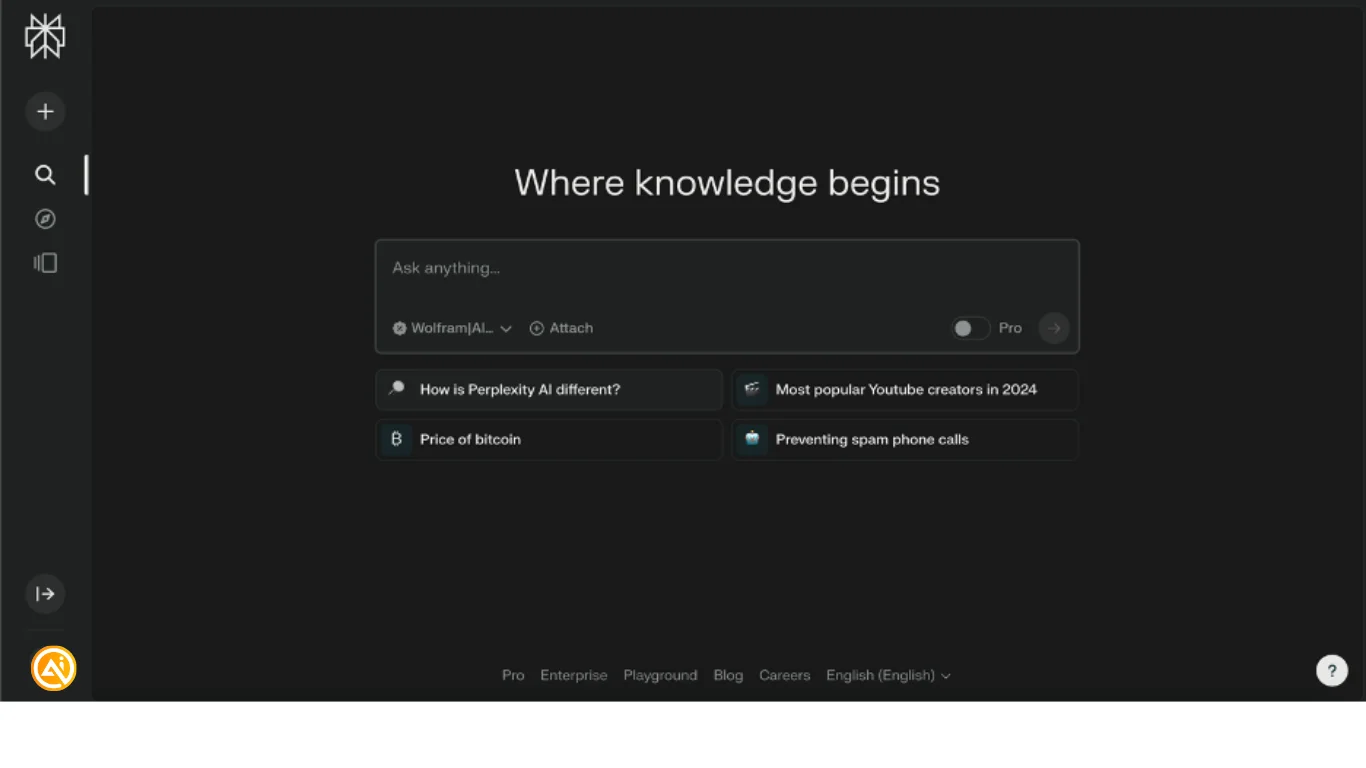
Note: You can also use Perplexity without creating an account.
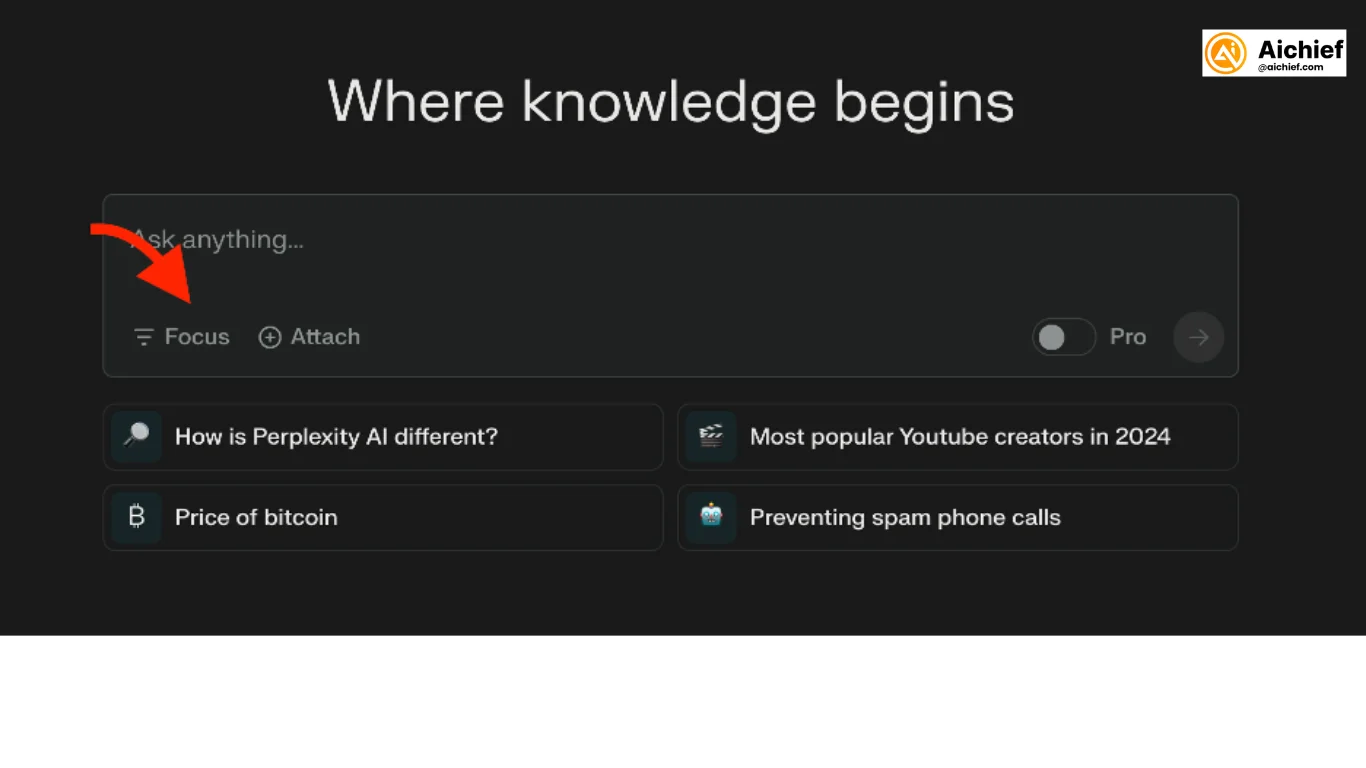
STEP 2: Find the Focus option
On the dashboard, the search bar appears front and center. Beneath it, you’ll see an option called “Focus.” This tool lets you narrow your search range so your results better match your query.
STEP 3: Explore Focus categories
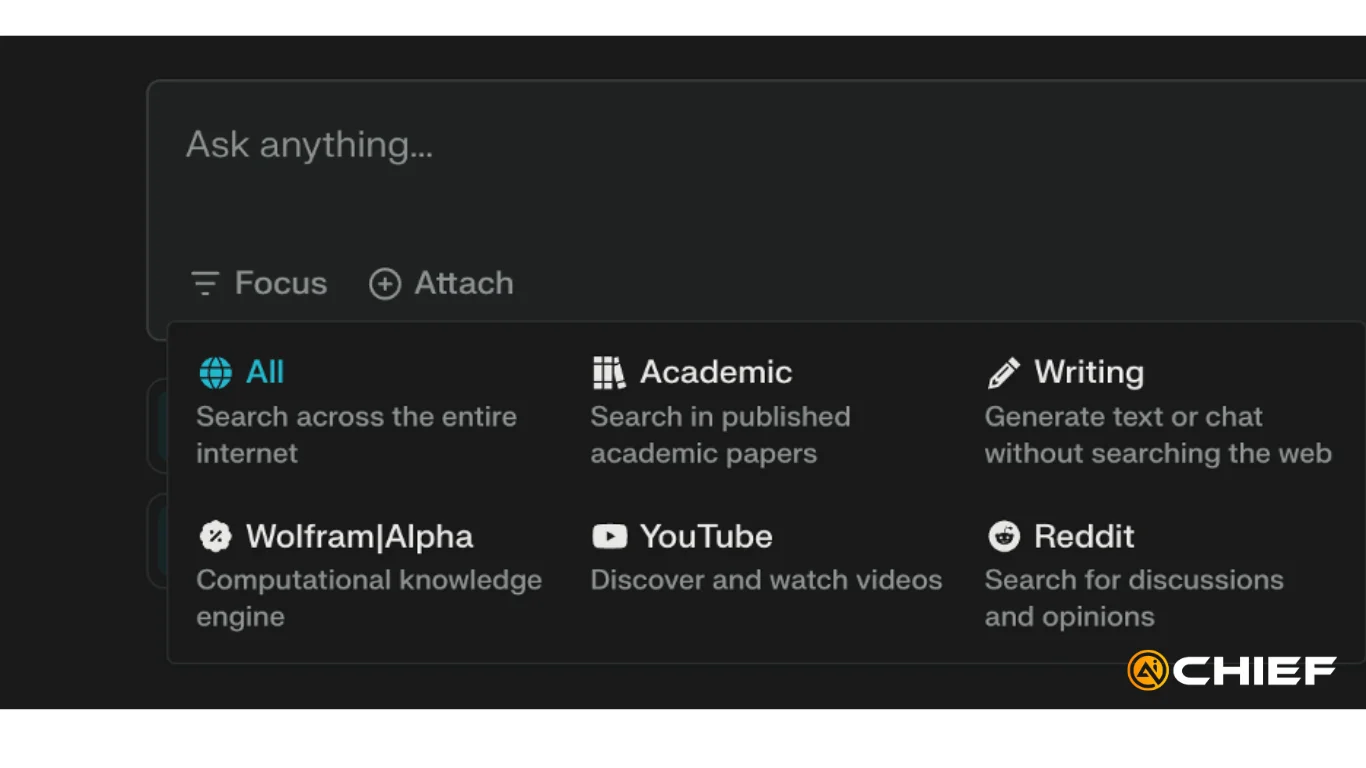
Click “Focus” to view the available search modes, such as:
- All: Searches the broader web for wide-ranging results.
- Academic: Looks through published research papers, ideal for scholarly work.
- Writing: Helps generate text or chat without running a web search.
- Wolfram|Alpha: Uses a computational knowledge engine for calculations and data-based answers.
- YouTube: Finds videos related to your search topic.
- Reddit: Searches Reddit discussions and opinions for community perspectives.
Select the category that fits your goal. For academic research, choose “Academic” to focus results on scholarly articles and papers.
STEP 4: Run your search
Once you’ve selected a Focus category, type your query into the search bar.
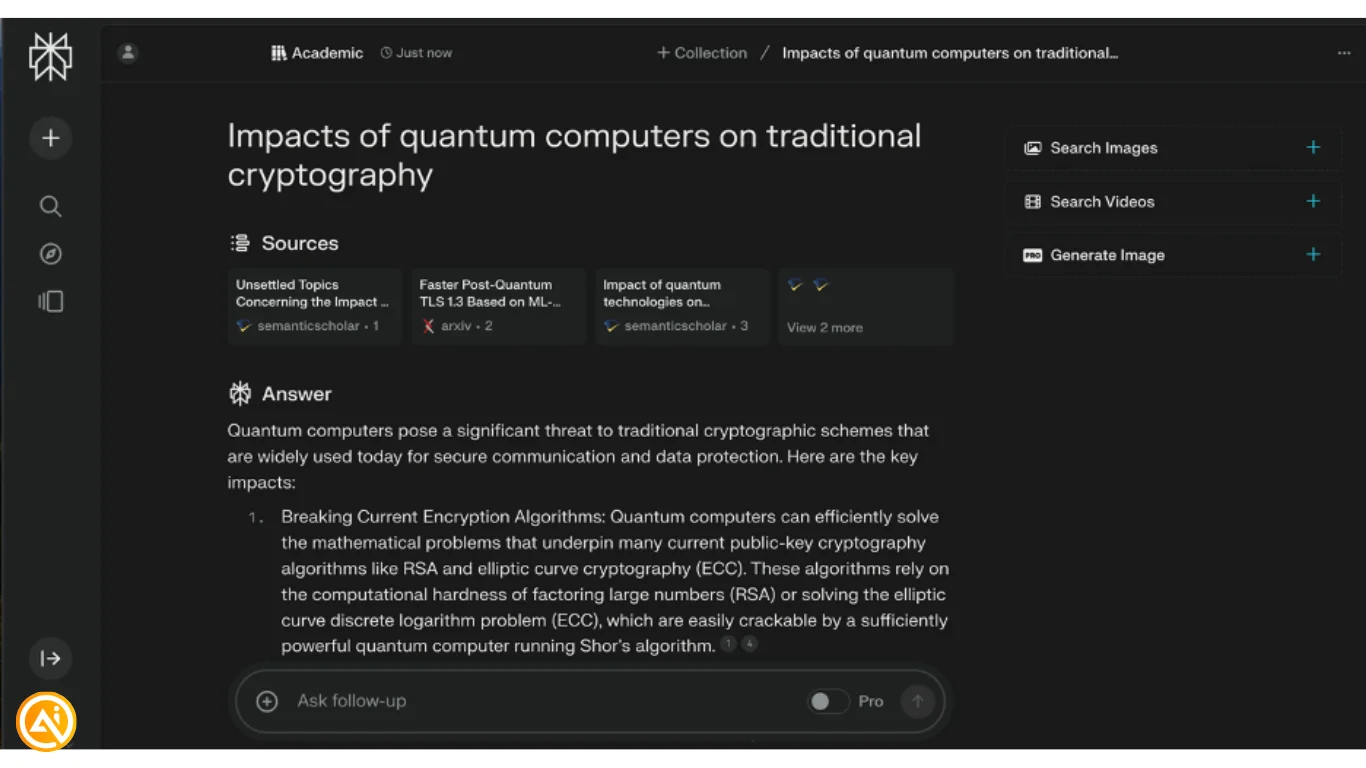
For example, with Academic, you could search:
“Impacts of quantum computers on traditional cryptography”
Or with Wolfram|Alpha, you could ask:
“Derivative of (x+1)^2”
Your results will be filtered based on the Focus category you selected, helping you find more relevant information faster.

Editorial Staff
The Editorial Staff at AIChief is a team of Professional Content writers with extensive experience in the field of AI and Marketing. AIChief was Founded in 2025, AIChief has quickly grown to become the largest free AI resource hub in the industry. Stay connected with them on Facebook, Instagram and X for the latest updates.



