

AI Tutorial
Improve Claude Code Accuracy with Context7 MCP
Connect Context7 with Claude Code to fetch live API documentation. Write accurate code, reduce errors, and build faster with up to date references.
Share
Working with new libraries or APIs often leads to errors. You deal with outdated examples or missing details. This slows development and creates extra fixes.
You can address this by connecting Claude Code to Context7 MCP. This setup lets Claude pull current documentation and use it during code generation.
What you need
- Claude Pro plan with Claude Code access
- An IDE such as Cursor or similar
- A public API or library with documentation
- Context7 account and API key
Who this setup helps
- Developers working with external APIs
- Engineers learning new frameworks
- Anyone using recently released libraries
What this setup does
Claude Code accesses live documentation through Context7. Instead of relying on past training, it pulls current references when generating code.
This improves accuracy in setup steps, API usage, and configuration.
Step 1. Prepare your project
- Create a new project folder and open it in your IDE.
- Open one terminal and start Claude Code.
- Open a second terminal. You will use it to install Context7.
Step 2. Set up Context7 access
- Create an account with Context7 and find the Claude Code integration option.
- Copy the remote installation script. Insert your API key into the script.
- Keep your API key private and avoid storing it in public files.
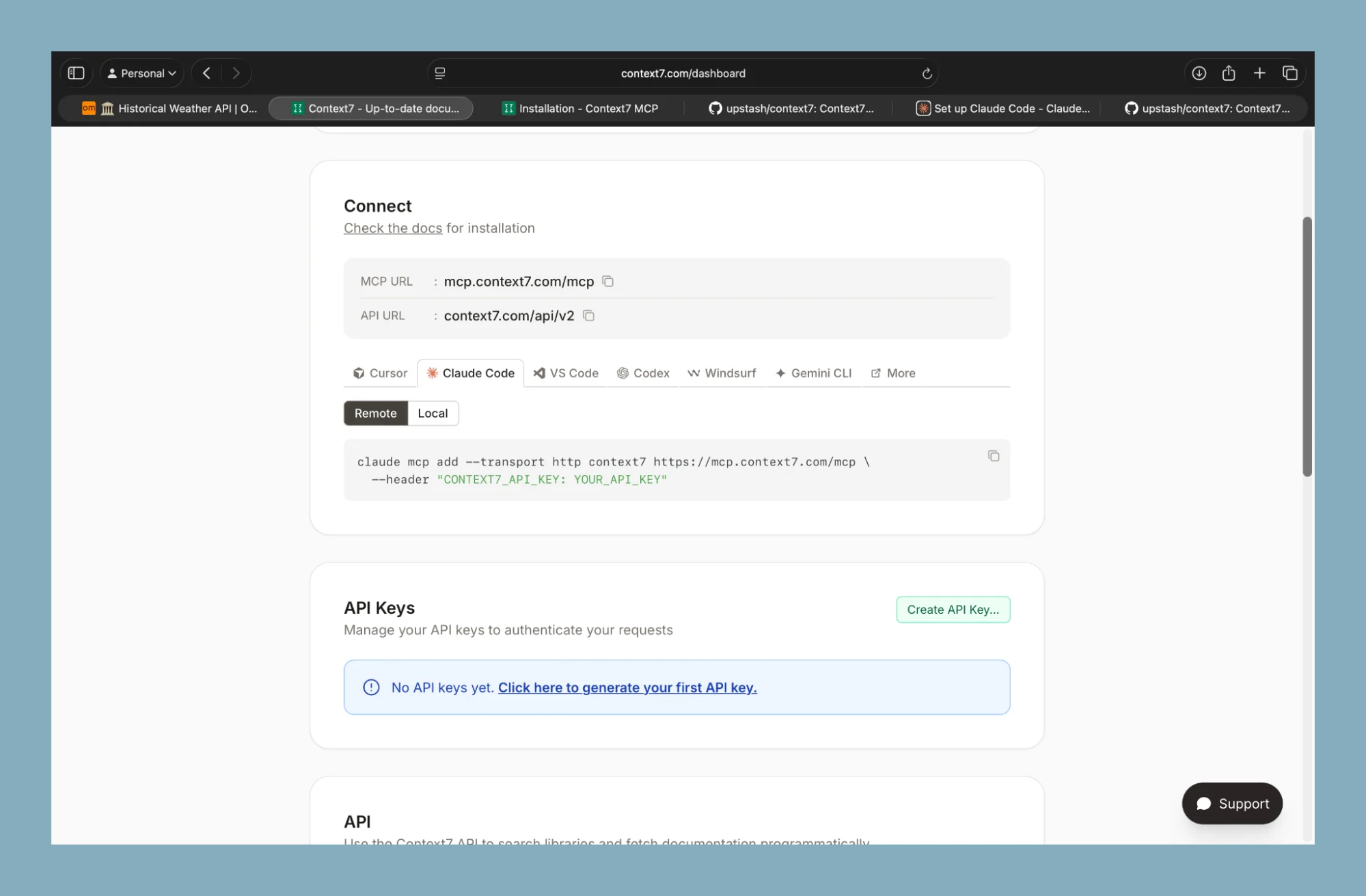
Here’s Context7’s full installation guide if you need it.
Step 3. Install and verify
- Run the installation script in your main terminal.
- After it completes, check available integrations using the command to list MCP tools.
- If Context7 appears, the connection is active.
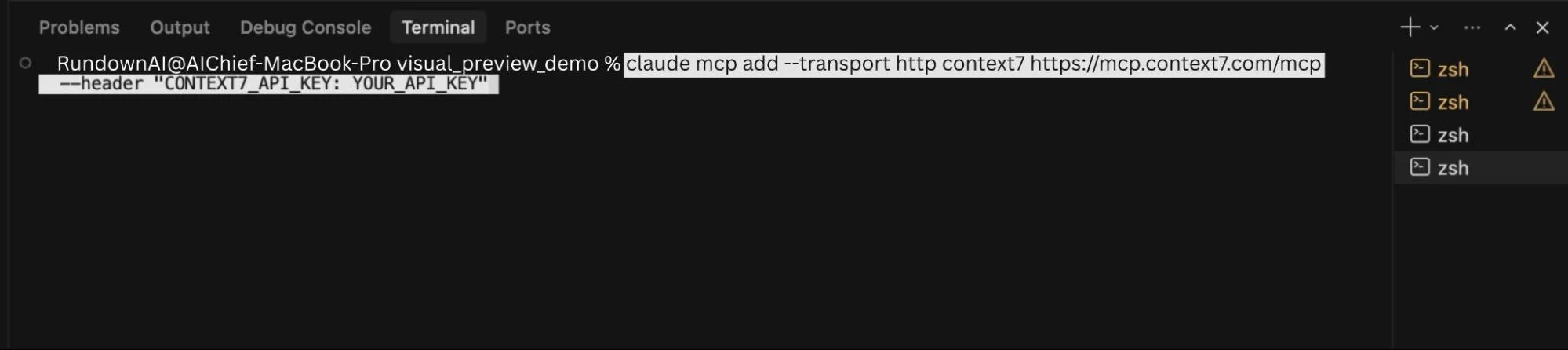
Step 4. Define usage rules
Create a file named Claude.md in your project.
Add clear instructions so Claude always uses Context7 for:

- Documentation lookup
- Setup steps
- API references
You can also include links to official docs and specify required versions.
This keeps outputs consistent and reduces incorrect assumptions.
Step 5. Test Context7 with a real example
Now test if Context7 works inside Claude Code.
Send a clear planning request in your terminal. Use a simple project that depends on an API.
Example:
I want to build a simple web app that generates random Pokémon teams using an API. Add options to filter by type or generation. Create a short plan in markdown using official documentation.
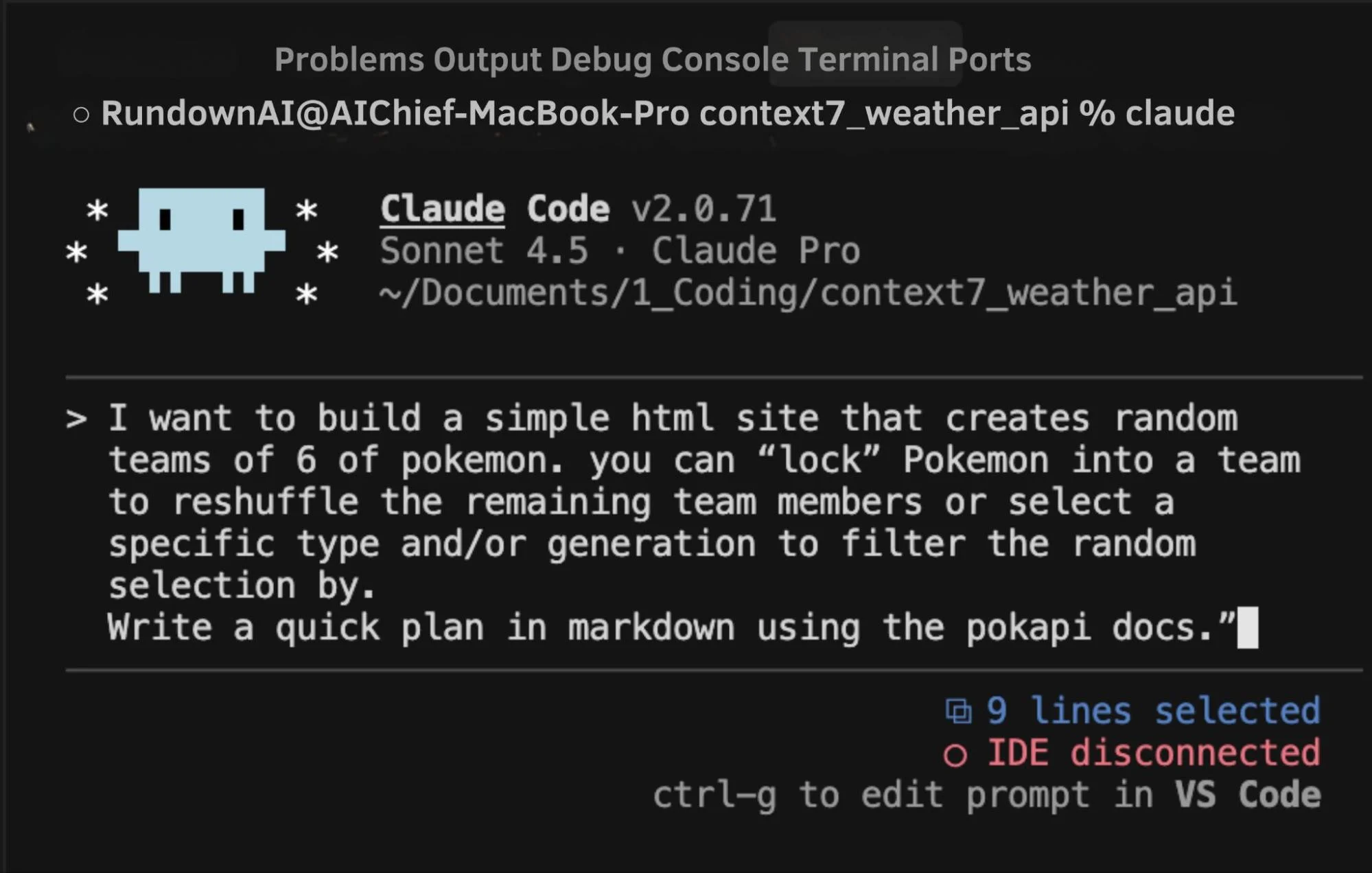
Press Enter and approve tool access when prompted. After approval, Claude will start pulling documentation through Context7.
You can allow it to always use Context7 so it does not ask again.
Open your Context7 dashboard and confirm that requests were made. This shows the connection is working.
Step 6. Generate the first version
Once the plan looks correct, ask Claude to build the first version of the app.
It will follow the documentation it retrieved and generate working code.
You can open the project and test it immediately.
If you want to understand how Claude made decisions, view its internal reasoning inside the terminal.
Improve your workflow
- Use real APIs when testing, not mock data
- Keep refining your Claude.md rules
- Check documentation sources if outputs feel off
Result
You move from trial and error to guided development. Claude works with current documentation and produces usable code in fewer attempts.

Editorial Staff
The Editorial Staff at AIChief is a team of Professional Content writers with extensive experience in the field of AI and Marketing. AIChief was Founded in 2025, AIChief has quickly grown to become the largest free AI resource hub in the industry. Stay connected with them on Facebook, Instagram and X for the latest updates.



