

AI Tutorial
How to Turn an Investment Memo Into a Professional Slide Deck Using Manus
Learn how to turn an investment memo into a professional slide deck using Manus. Create polished presentations in minutes with minimal effort.
Share
This guide explains how to use Manus to convert an investment memo into a clean, presentation-ready slide deck. By simply uploading a PDF, you can generate a structured deck that’s ready to present or share, with minimal manual effort.
Who This Is For
- Venture capital analysts and associates are preparing presentations from investment memos
- Founders who need to quickly turn written material into pitch decks
- Consultants and operations teams who regularly convert reports into presentations
What You’ll Create
A complete slide deck generated from your memo, including sections like market analysis, competition, traction metrics, and team overview. In testing, even brand elements like color schemes were automatically reflected in the final output.

What You Need
- A Manus account (free trial available, then paid plan)
- A structured document saved as a PDF
- A Google account (optional, for exporting to Google Slides)
Step 1: Prepare Your Document
Start with a document that has clearly defined sections. Investment memos work especially well because they follow a predictable structure, typically including:
- Market overview
- Team background
- Business evaluation
- Growth metrics
- SWOT analysis
- Investment rationale
Any document with labeled sections can work, including reports or internal briefs.
The more structured your content is, the better Manus can map it into slides. It relies heavily on headings to determine layout.
Tip:
There’s no need to clean or reformat your file beforehand. Manus can process the PDF directly without requiring copy-pasting or manual extraction.
Step 2: Create a New Task in Manus
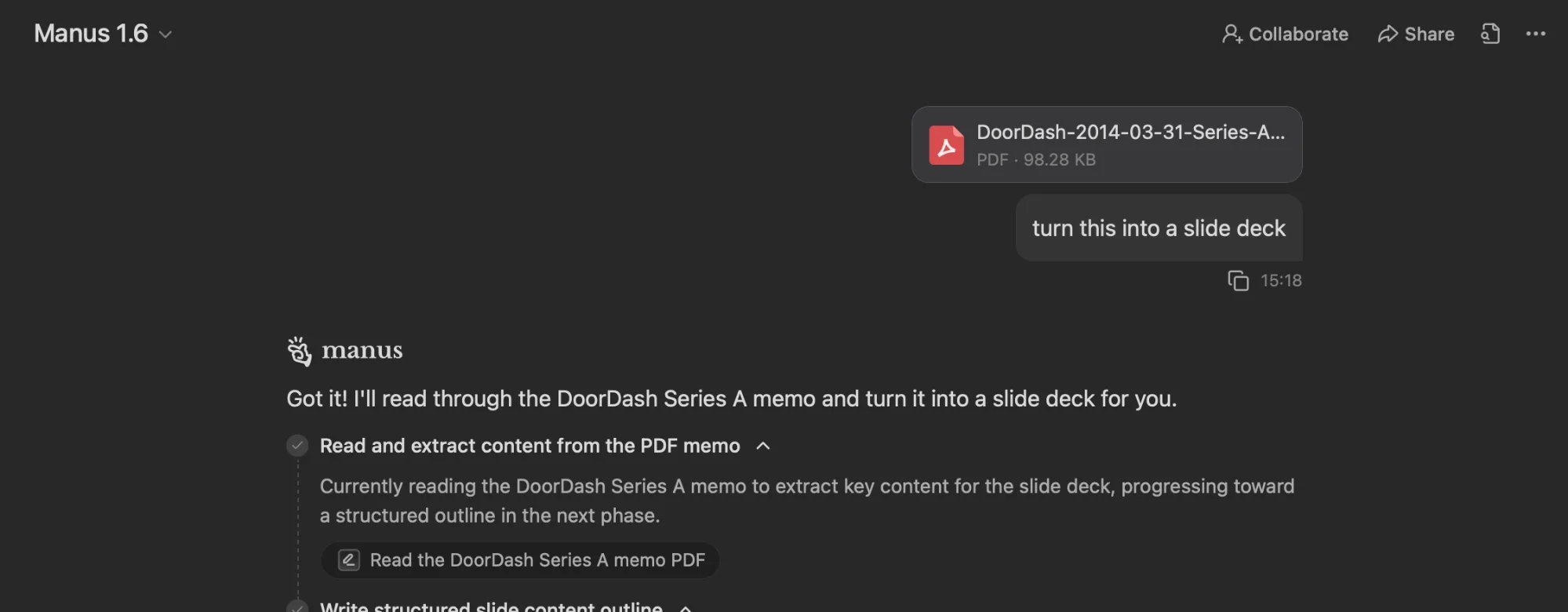
Log into Manus and start a new task.
- Select the option to create a slide presentation
- Upload your PDF
- Enter a simple prompt such as:
Turn this document into a slide deck.
That’s all you need. Manus will interpret the content and build the presentation automatically.
Since the process runs in the cloud, you can leave it running and return once it’s complete. It typically takes a few minutes.
Tip:
While you can monitor progress in real time, it’s not necessary, the system handles everything independently.
Step 3: Review and Refine the Output
In most cases, Manus produces a usable first version without much intervention. It organizes slides based on document sections and extracts key data points.
You can:
- Edit slides directly within Manus
- Present the deck immediately if needed
- Request adjustments through chat
For example, you might ask:
- Increase contrast for readability
- Add a summary slide for key risks
- Adjust layout or visual style
Tip:
If the design doesn’t match your expectations, simply describe the changes you want. Manus can update the entire deck in one pass.
Step 4: Export Your Presentation
Once you’re satisfied with the result, you can export the deck in several formats:
- PPTX for editing in PowerPoint
- PDF for sharing
- Google Slides (by connecting your account)
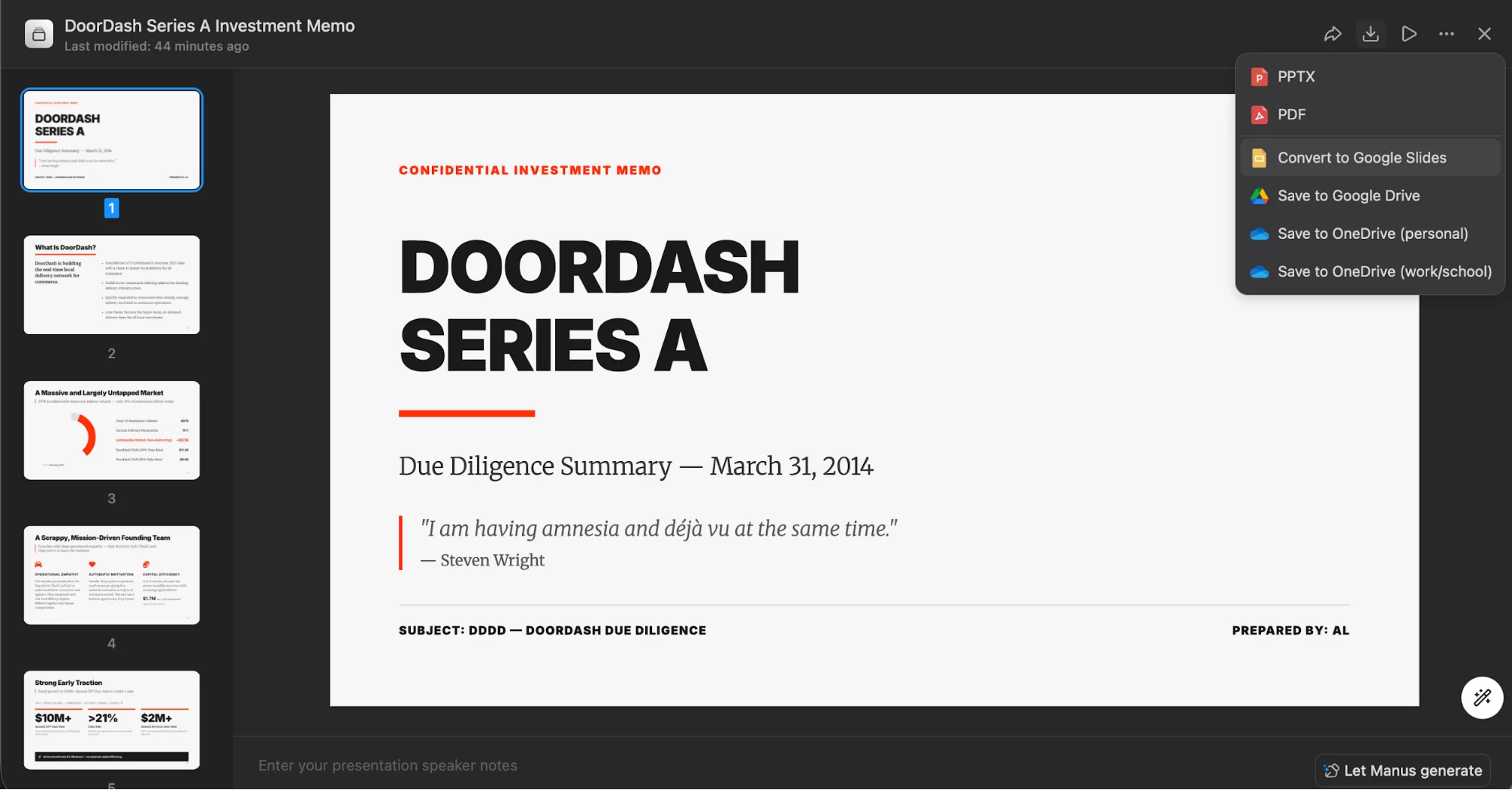
Exporting to Google Slides is especially useful, as it preserves formatting and places the file directly into your Drive, ready for collaboration or presentation.
Advanced Tips
To get even better results:
- Upload an existing branded presentation alongside your memo to match styling
- Use this workflow with other structured documents like quarterly reports or board updates
- Focus on documents with consistent formatting; these produce the best outputs
Final Thoughts
This workflow eliminates the need to manually convert documents into presentations. By leveraging structured content, Manus can generate a polished slide deck in minutes, allowing you to focus on refining the message rather than building slides from scratch.

Editorial Staff
The Editorial Staff at AIChief is a team of Professional Content writers with extensive experience in the field of AI and Marketing. AIChief was Founded in 2025, AIChief has quickly grown to become the largest free AI resource hub in the industry. Stay connected with them on Facebook, Instagram and X for the latest updates.



