

AI Tutorial
How to Produce a TV Commercial Using AI
Learn how to generate a professional TV commercial using AI tools like Higgsfield and Gemini, from script to final video.
Share
In this tutorial, you’ll learn how to generate a high-quality commercial using AI. The same workflow can be applied to ads for YouTube, Facebook, or other platforms. The process takes about 20 minutes and requires low-cost tools.
Who This Is For
- Small business owners want professional ads without hiring a production team
- Marketers and creators are testing ad concepts quickly and affordably
- AI enthusiasts exploring modern video generation workflows
What You’ll Create
A short AI-generated commercial composed of two scenes, complete with visuals, transitions, and optional audio enhancements.
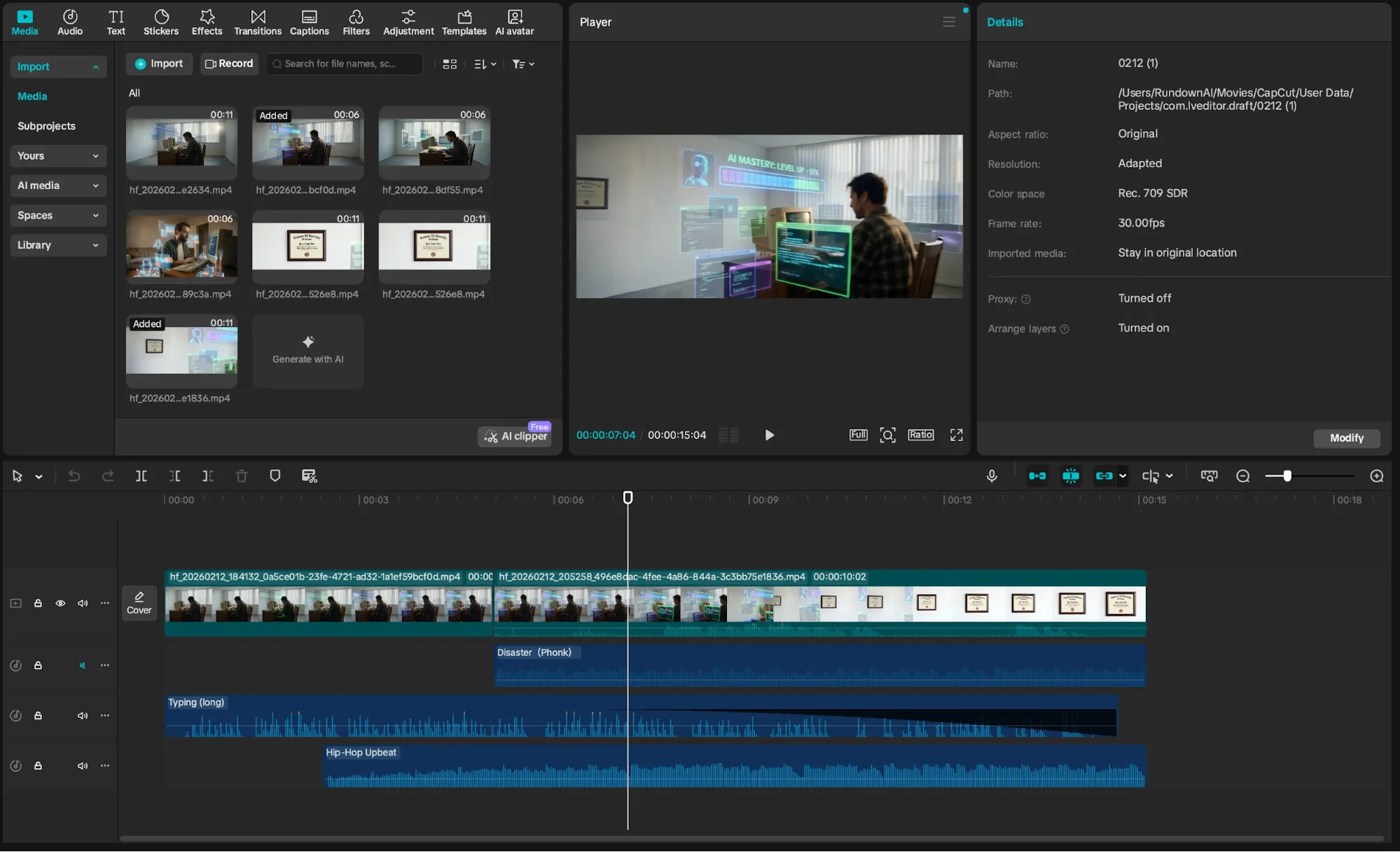
What You Need to Start
- Higgsfield AI basic plan ($9+)
- CapCut desktop app (free)
- A clear commercial concept
Step 1: Generate a Script and Prompts
Go to Gemini and describe your idea. Ask for a 20-second script with exactly two scenes.
Review and refine the script. Include details for voiceover, sound effects, or music if needed.
Next, request prompts for the start and end frames of each scene. Ask Gemini to use photography and film terminology for consistency.
Pro tip: Use terms like anamorphic lens, macro lens, 14mm wide angle, hero shot, or dutch angle to guide visuals.
Step 2: Create Scene Images
Log in to Higgsfield and go to Image > Create Image, then select Nano Banana Pro.
Set:
- Quality: 4K
- Variations: 4
- Aspect ratio: 21:9

This cinematic ratio helps match film-style visuals.
Step 3: Generate Key Frames
Paste your scene 1 start frame prompt and generate images. Save your preferred version.
Repeat for:
- Scene 1 end frame
- Scene 2 start frame
- Scene 2 end frame
You should end up with four images. Download them.
Pro tip: Include your start frame image with the end frame prompt to maintain visual consistency.
Step 4: Turn Images Into Video
In Higgsfield, go to Video > Create Video and select the latest Kling model (Kling 3.0).
Upload your start and end frames.
Paste the corresponding scene script from Gemini into the prompt field, adjust clip duration, and generate.
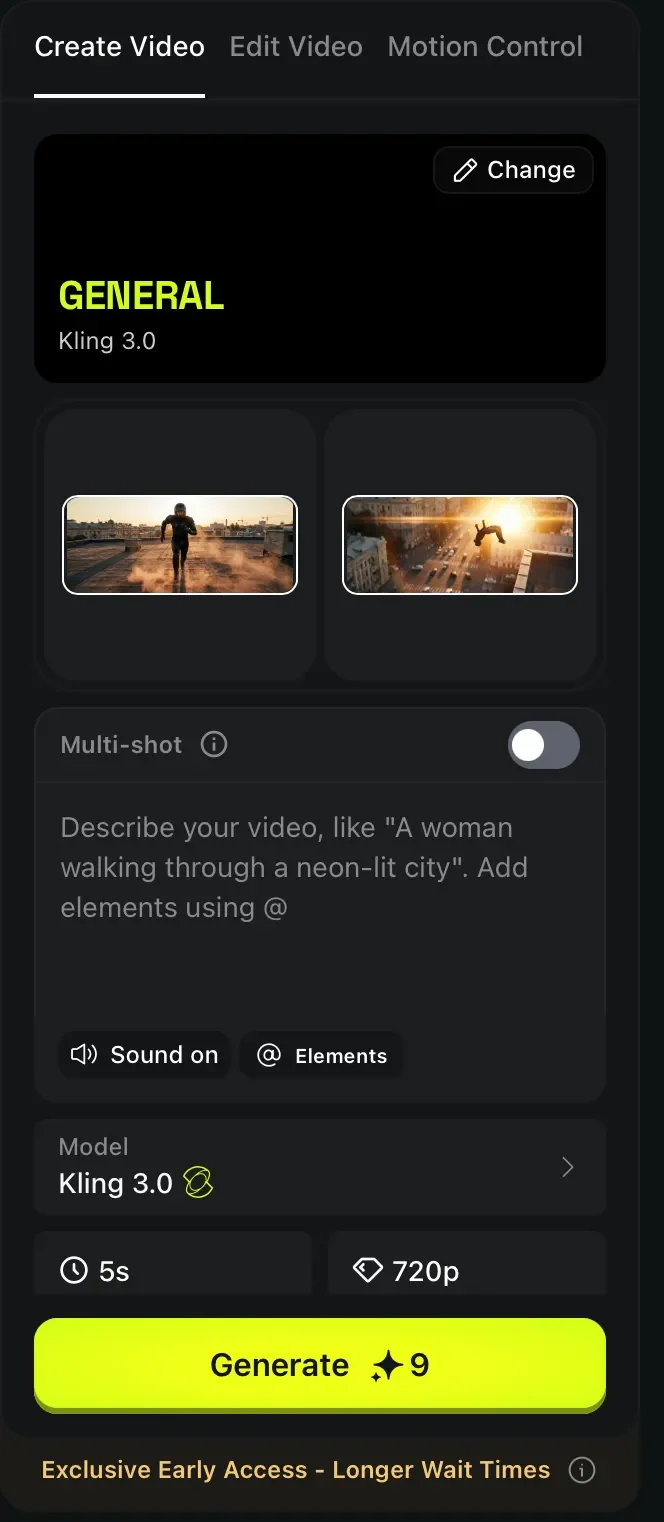
Repeat for the second scene.
Step 5: Combine and Finalize
Download both clips from your Higgsfield library.
Merge them using CapCut, or use tools like FFmpeg via terminal for automated editing.
Take It Further
For a more polished result, improve the audio layer.
Mute the generated clips and use CapCut to add sound effects and music.
You can also enhance audio with:
- Suno AI for music
- ElevenLabs for voiceovers
This approach produces fully AI-generated commercials that look and sound professionally made.

Editorial Staff
The Editorial Staff at AIChief is a team of Professional Content writers with extensive experience in the field of AI and Marketing. AIChief was Founded in 2025, AIChief has quickly grown to become the largest free AI resource hub in the industry. Stay connected with them on Facebook, Instagram and X for the latest updates.



