

AI Tutorial
How to Improve Your Website Faster Using Replit’s Tasks Feature
Learn how to use Replit Tasks to make parallel improvements to your app without breaking existing features. A safer workflow for faster development.
Share
This guide shows how to use Replit’s Tasks feature to make improvements to your website or app without risking your existing functionality. Instead of stacking changes on top of each other, you’ll work in parallel, test safely, and merge only what works.
Quick Overview
You’ll create separate task environments inside Replit that act like mini-agents. Each one focuses on a specific improvement. Once complete, you review the results and selectively merge the best changes into your main project.
Who This Is For
- Developers who find Git workflows complicated and want a simpler alternative
- Builders who get stuck in “doom loops” while coding and need cleaner iteration cycles
- Founders, freelancers, and operators improving apps incrementally without breaking things
What You’ll Build
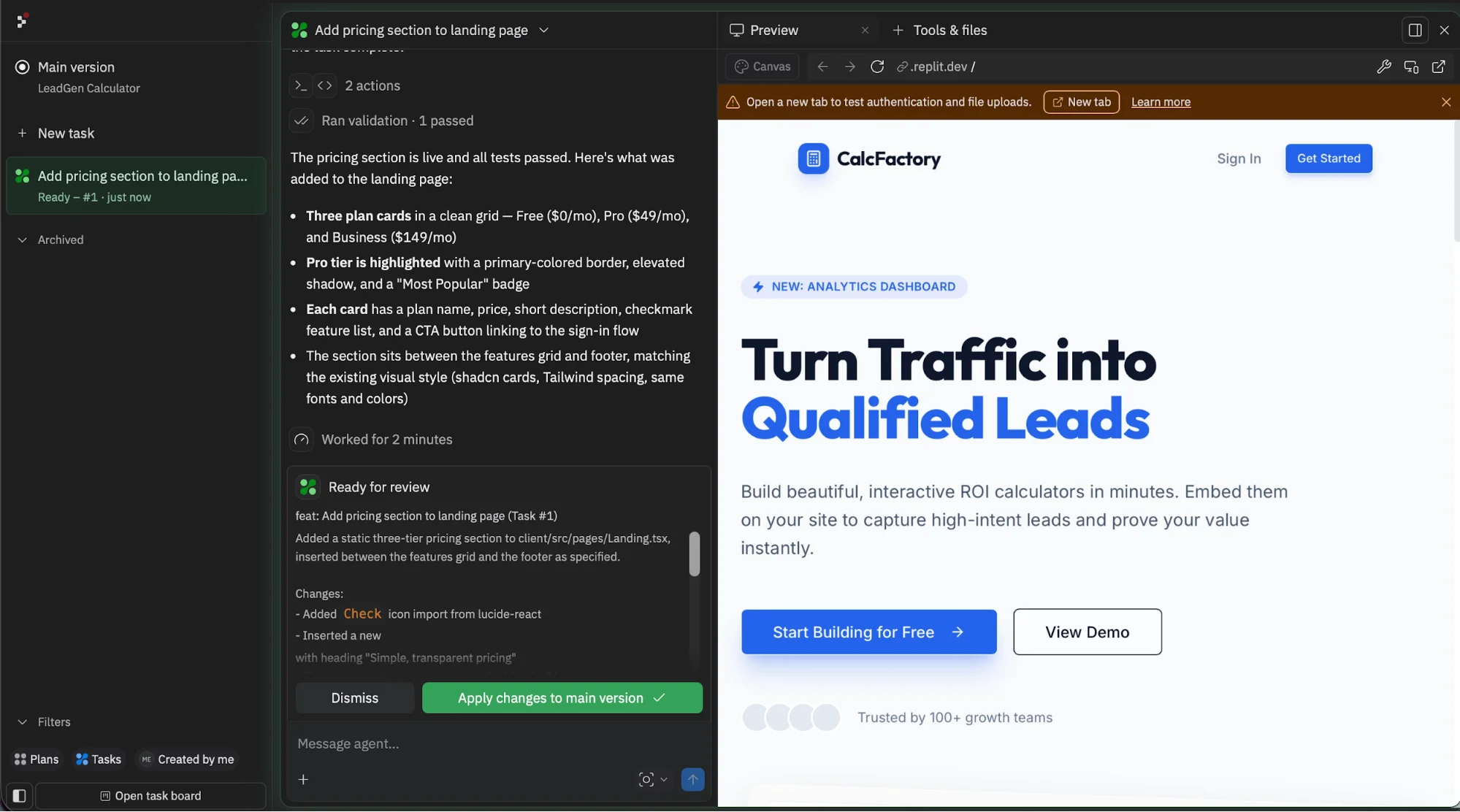
- Parallel task agents working on isolated improvements
- A safer workflow for testing changes without affecting your main app
- A system for reviewing and merging only the best updates
What You Need
- A Replit account
- Access to Replit Tasks (currently available on paid plans)
- An existing app or a clear project idea
Step 1: Start With Plan Mode
Go to Replit and either:
- Start a new project by describing your app idea, or
- Open an existing project
Before making changes, switch to Plan mode and review what Replit generates.
The plan outlines:
- What tasks need to be completed
- What parts of the app should remain untouched
- What success looks like for each improvement
Tip: Take time to actually read the plan. It often provides a clear roadmap and prevents unnecessary changes later on.
Step 2: Create Your First Task
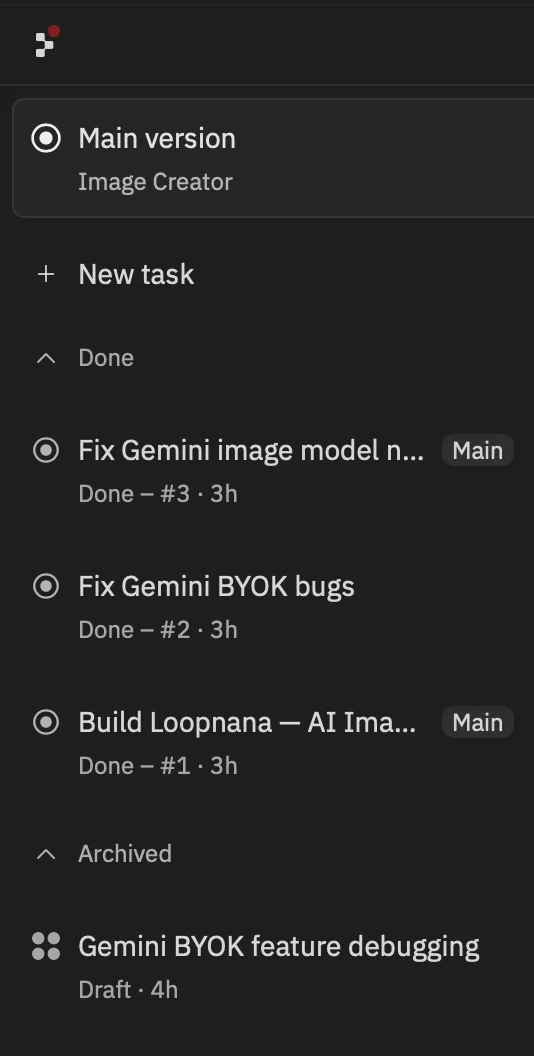
Inside your project, open the sidebar and create a new task.
Each task should focus on one specific improvement.
Example Prompt
Make this dashboard fully mobile responsive.
If necessary, create separate mobile components instead of forcing the current layout to fit.
That last instruction is important, it allows Replit to redesign components when needed instead of forcing a poor mobile experience.
Step 3: Run Multiple Tasks in Parallel
While your first task is processing, start another one.
For example:
- Improve the landing page design
- Refine navigation
- Fix a specific bug
This is where Tasks really shines. Instead of mixing everything into one workflow, each improvement runs independently.
Tip: Keep tasks focused. Broad instructions lead to messy results, while narrow tasks produce cleaner, more usable outputs.
Step 4: Review Each Task Individually
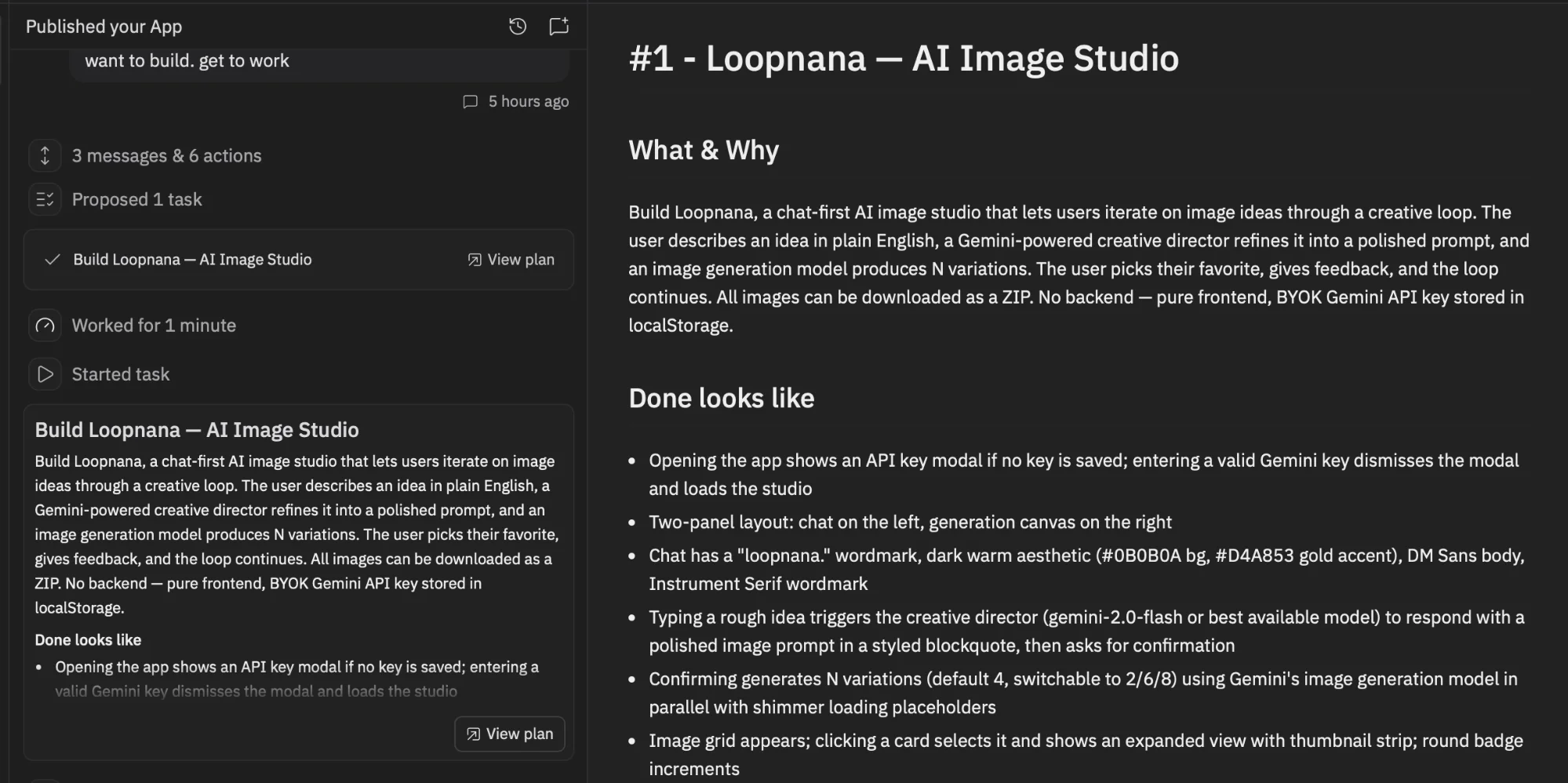
Once tasks begin running, each one generates its own plan and preview environment.
Think of them as separate workspaces:
- They don’t interfere with your main app
- You can inspect results safely
- Each task completes independently
When a task is finished, open its preview and evaluate the results.
You’ll often find:
- Some tasks deliver strong improvements immediately
- Others may need refinement or clearer instructions
Step 5: Merge Only What Works
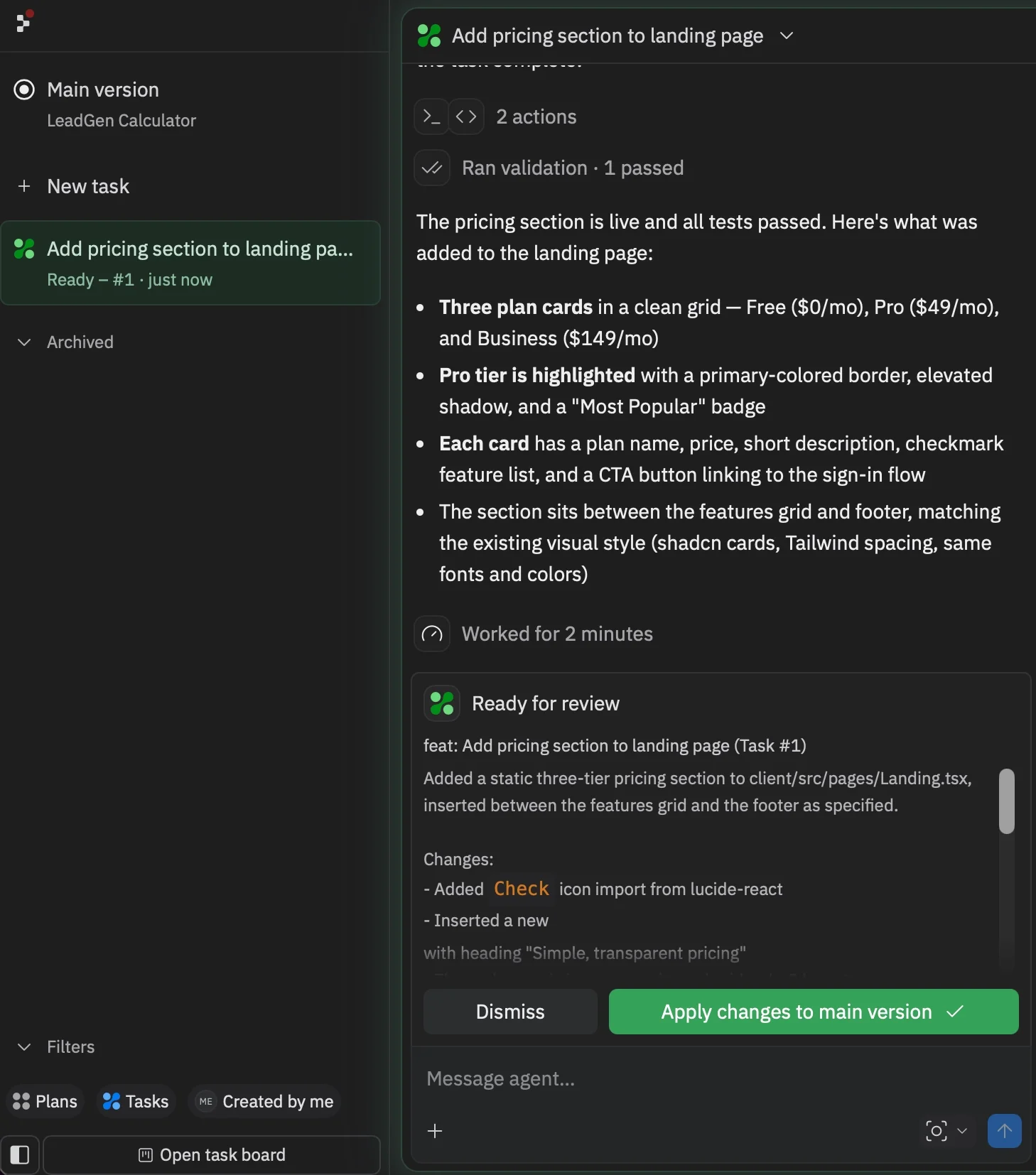
When you find a task that delivers good results, apply those changes to your main project.
This step is critical:
- You’re not forced to accept every change
- You only merge improvements that meet your standards
- Your core app remains stable throughout the process
This selective approach is what makes the workflow reliable and low-risk.
Understanding Plan Differences
At the time of testing, Tasks were available under the Core plan. However, access may shift to higher-tier plans depending on updates.
If the feature is available in your account, it’s worth experimenting with now.
Advanced Workflow
To get even more out of this feature:
- Start by asking your main agent to generate a full improvement plan
- Break that plan into smaller, focused tasks
- Run those tasks in parallel
Good Use Cases for Tasks
- Mobile responsiveness
- UI and design updates
- Bug fixes
- Onboarding improvements
- Landing page optimization
This approach helps you avoid messy, overlapping changes and instead make steady, structured progress.
Final Thoughts
Replit Tasks introduces a cleaner way to improve applications. By separating work into independent units, you reduce risk, avoid confusion, and move faster without breaking what already works.
Instead of juggling changes in one place, you build, test, and merge improvements with confidence.

Editorial Staff
The Editorial Staff at AIChief is a team of Professional Content writers with extensive experience in the field of AI and Marketing. AIChief was Founded in 2025, AIChief has quickly grown to become the largest free AI resource hub in the industry. Stay connected with them on Facebook, Instagram and X for the latest updates.



