

AI Tutorial
How to Create a 15-Page Travel Plan in 20 Minutes Using Perplexity Computer
Learn how to generate a detailed travel itinerary with flights, hotels, and daily plans in under 20 minutes using Perplexity Computer. Step-by-step guide included.
Share
This tutorial walks you through using Perplexity Computer to generate a complete travel plan in a single run. You’ll be able to organize flights, accommodations, daily activities, and references without juggling multiple tabs or sources.
Who Can Benefit From This
- Travelers who want to avoid switching between dozens of tabs while planning a trip
- Professionals, assistants, or founders who need a quick itinerary draft for business travel
- Perplexity Pro users are curious about the value of the Computer feature
What You’ll End Up With
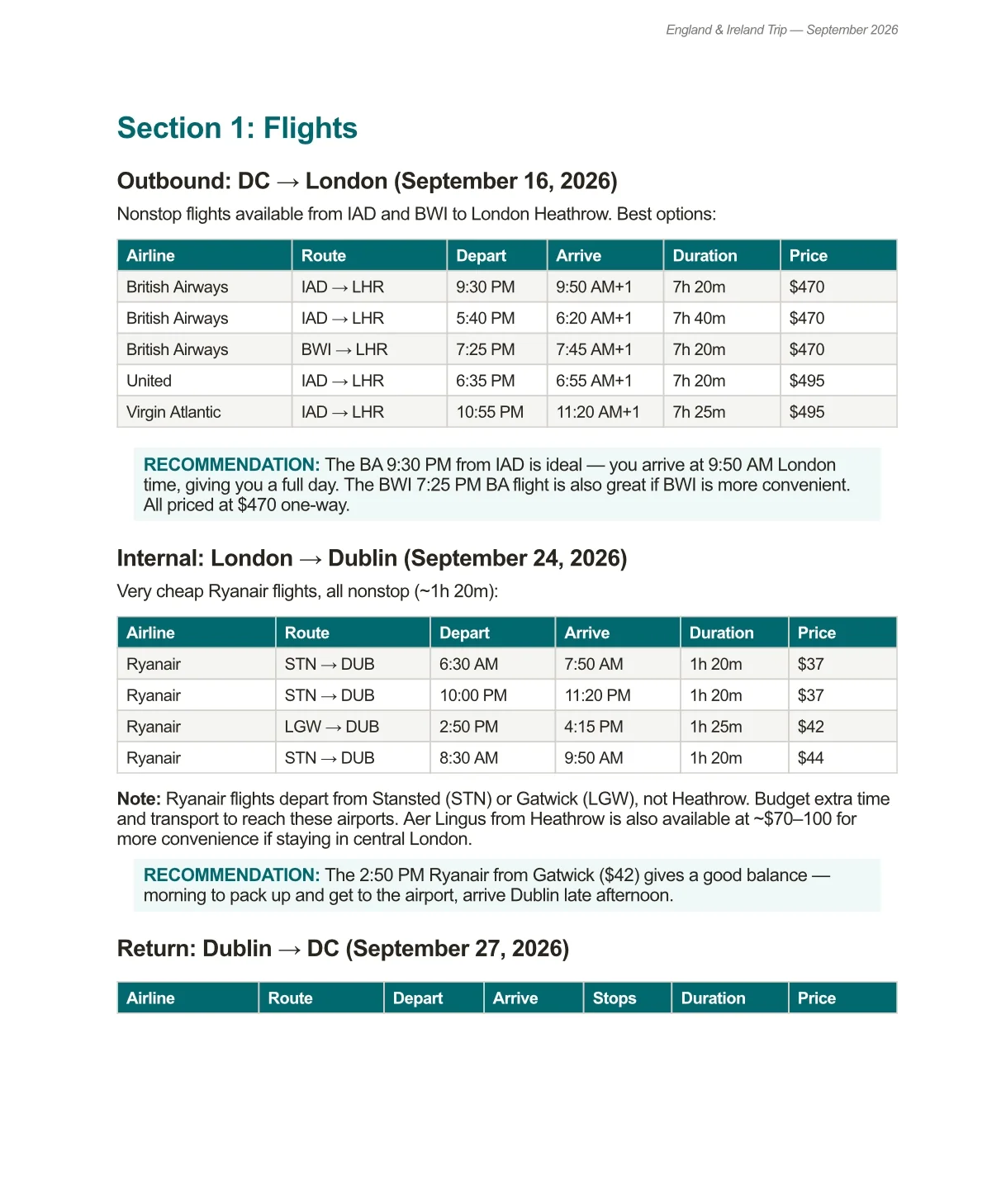
A polished, travel-agent-style PDF that includes:
- Flight recommendations with pricing
- A detailed day-by-day schedule
- Hotel or accommodation suggestions
- Transportation between locations
- Source links for reference
Requirements Before You Start
An active Perplexity Pro subscription
Access to the Perplexity Computer feature
Note:
Check your available credits beforehand. Some users received bonus credits (such as 4,000) to test the feature, which may have expiration dates. New subscribers may also receive credits upon joining.
Step 1: Enable Perplexity Computer
Open Perplexity through your browser or app and locate the option to activate “Computer” mode.

Step 2: Write a Clear Travel Brief
To get the best results, structure your request like you’re giving instructions to a professional travel planner rather than chatting casually.
Example Prompt
Plan a travel itinerary for [DESTINATION] for [DATES or DURATION]
Details:
- Departure location: [AIRPORT]
- Budget: [range or limit]
- Travel style: [relaxed, fast-paced, food-focused, outdoors, etc.]
- Priorities: [2–4 must-do activities or preferences]
Expected Output:
- Top-flight options with estimated costs
- A daily itinerary presented in a table
- 2–3 accommodation suggestions with explanations
- Source links at the end
Frame the request as if you’re asking for a real, bookable plan.
Tip:
Add specific preferences such as:
- Direct flights only
- Preferred airline
- Minimal hotel changes
The more detailed your input, the better the output.
Step 3: Let the System Generate Your Plan
Once submitted, allow Perplexity Computer time to process the request. Based on testing, it typically takes around 15–20 minutes to produce a full itinerary.
A multi-day international trip may consume several hundred credits, depending on complexity.
Cost-saving tip:
If available, switch to a lower-cost orchestrator option before running the task to reduce credit usage.
Step 4: Compare With Standard Tools
While waiting, try running the same request using regular Perplexity search or another AI tool. This helps highlight the difference in depth and structure.
In most cases, the multi-agent approach in Computer mode produces more cohesive and detailed plans.
Step 5: Download Your Itinerary
Once complete, download the generated PDF immediately. Occasionally, files may not load properly if accessed later.
Bonus Tip:
Ask for a simplified one-page summary so you can quickly review your trip at a glance.
Advanced Ideas
Perplexity Computer isn’t limited to text outputs; it can also generate interactive tools.
Try asking it to:
- Build a dynamic travel calendar
- Create a simple website to adjust your itinerary
- Visualize your schedule for easier planning

Editorial Staff
The Editorial Staff at AIChief is a team of Professional Content writers with extensive experience in the field of AI and Marketing. AIChief was Founded in 2025, AIChief has quickly grown to become the largest free AI resource hub in the industry. Stay connected with them on Facebook, Instagram and X for the latest updates.



