

AI Tutorial
How to Build Repeatable ChatGPT Workflows Using Codex
Discover how to create repeatable workflows in ChatGPT using Codex. Build reusable “skills” and streamline your tasks without coding.
Share
This guide explains how to create consistent, repeatable workflows, similar to “skills”, using your ChatGPT subscription. Since native skill creation isn’t available directly in ChatGPT, this method uses the Codex desktop app as a practical workaround.
Who This Guide Is For
- ChatGPT users who want repeatable processes without relying on custom GPTs
- Anyone with a ChatGPT Plus (or higher) subscription
- Beginners interested in Codex but unsure where to start
What You’ll Create
A dedicated “skills workspace” where you can:
- Store reusable workflows
- Run structured prompts on demand
- Build a collection of repeatable processes
You’ll also create your first reusable workflow that can be triggered with a simple command.
What You Need Before Starting
- A ChatGPT Plus (or higher) subscription
- A Windows or macOS device
- One recurring task you’d like to standardize
Step 1: Use Codex as Your Workflow Hub
If you frequently repeat the same tasks in ChatGPT, you’ve probably noticed there’s no built-in way to save them as reusable processes.
To solve this, install the Codex desktop application and use it as your workspace for building structured workflows. It allows you to organize and reuse them efficiently.
Good to know:
You don’t need programming experience to benefit from this. If you already have a paid ChatGPT plan, access to Codex is typically included.
Step 2: Create a Dedicated Workspace
Launch the Codex app and start a new project (shortcut: CMD + O).
Create or select a folder and name it something like “skills-playground.”
Keeping everything in one place makes it easier to manage and reuse your workflows.
Step 3: Define Your First Workflow
Inside your project, open a new thread and describe the workflow you want to build.
Example Request
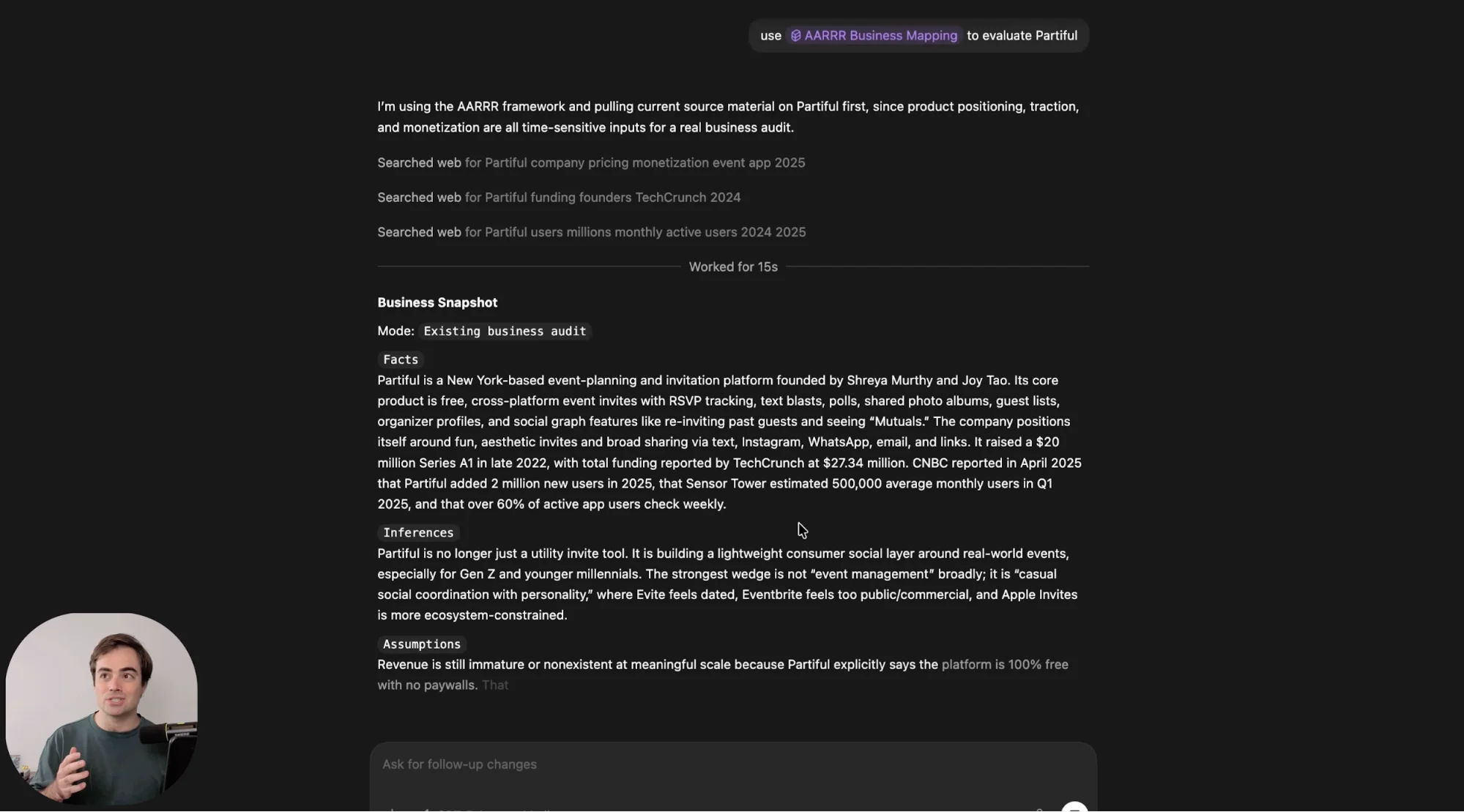
Create a workflow that uses the AARR framework to evaluate startups or business ideas.
To initiate the process properly, type:
"/skill creator"
This ensures Codex follows the correct workflow-building process. You can also decide whether the workflow should be available globally or limited to the current project.
Tip:
Using established frameworks like AARR or ICE makes your workflows more structured and reliable.
Step 4: Activate and Access Your Workflow
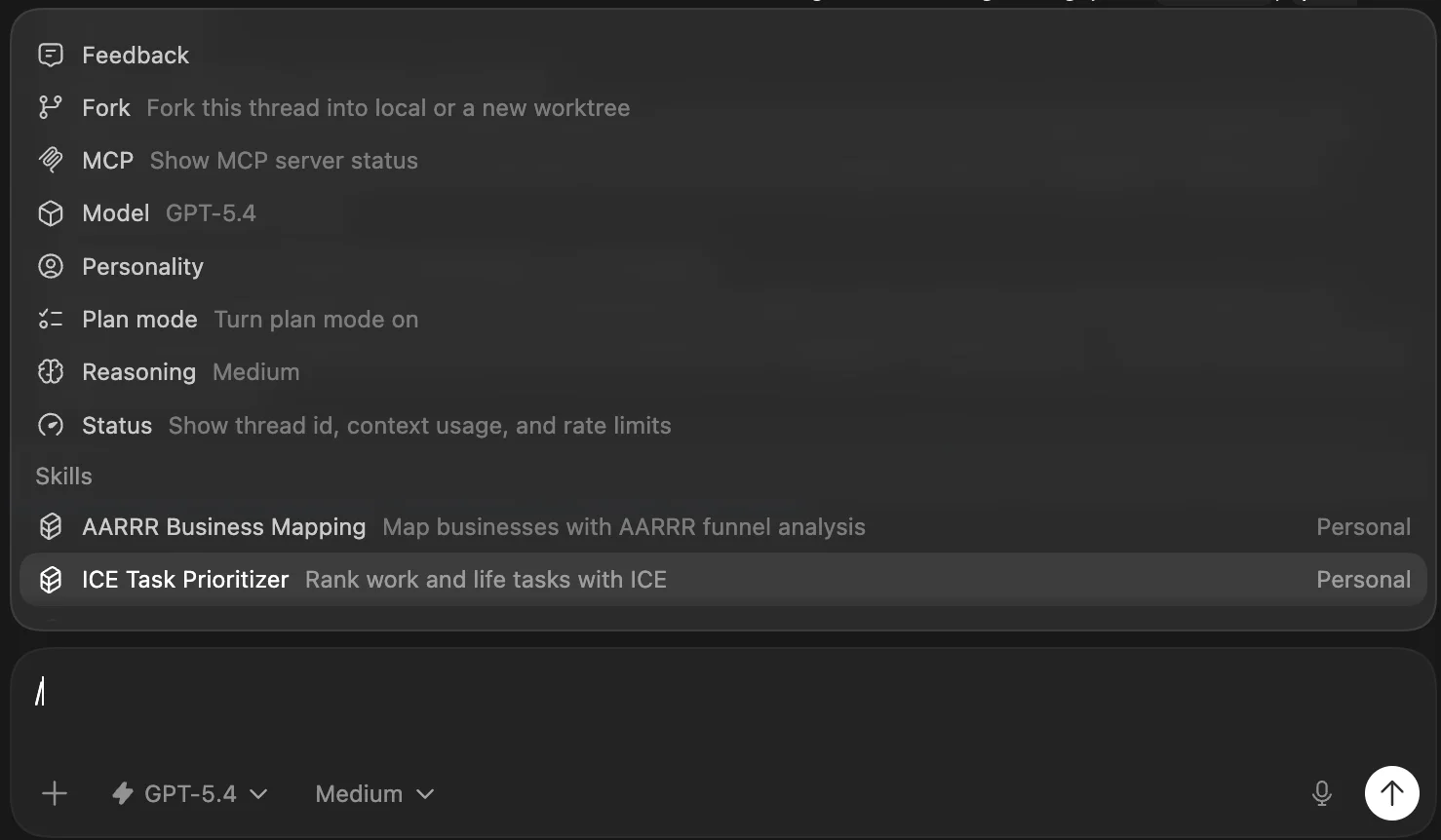
If your newly created workflow doesn’t show up right away when you type /, don’t worry.
Simply restart the app (CMD + Q, then reopen it). After that, your workflow should appear in the command list or when you type its name.
Wrap-Up
You now have a simple way to create and run your own reusable workflows, without writing any code. This approach turns repetitive ChatGPT tasks into consistent, repeatable processes you can trigger anytime.
Next Steps
Once you’ve built your first workflow, expand from there:
- Create multiple workflows for different tasks
- Organize them into folders by project or category
- Focus on automating repetitive research, analysis, or planning tasks
You don’t need complex automation to see value. Even small, repeatable workflows can save significant time over the long run.

Editorial Staff
The Editorial Staff at AIChief is a team of Professional Content writers with extensive experience in the field of AI and Marketing. AIChief was Founded in 2025, AIChief has quickly grown to become the largest free AI resource hub in the industry. Stay connected with them on Facebook, Instagram and X for the latest updates.



