

AI Tutorial
How to Build an AI-Powered Case Study Generator Using Claude
Learn how to turn project files into high-quality case studies using Claude. Build a reusable system that improves with every use.
Share
This guide explains how to use Claude to convert past project materials into detailed, persuasive case studies. By setting up a dedicated Claude Project, you can create a system that improves over time, meaning each new case study becomes stronger than the last.
Who This Is For
- Agency owners and account managers who finish projects with useful data but never turn it into marketing assets
- Freelancers and consultants who know case studies are valuable but rarely have time to write them
- Marketing and sales teams that need consistent client success stories without relying entirely on copywriters
What You’ll Build
You’ll create a Claude Project named “Case Study Generator” that includes:
- Predefined structure and writing guidelines
- Example case studies for reference
- A repeatable process for generating new outputs
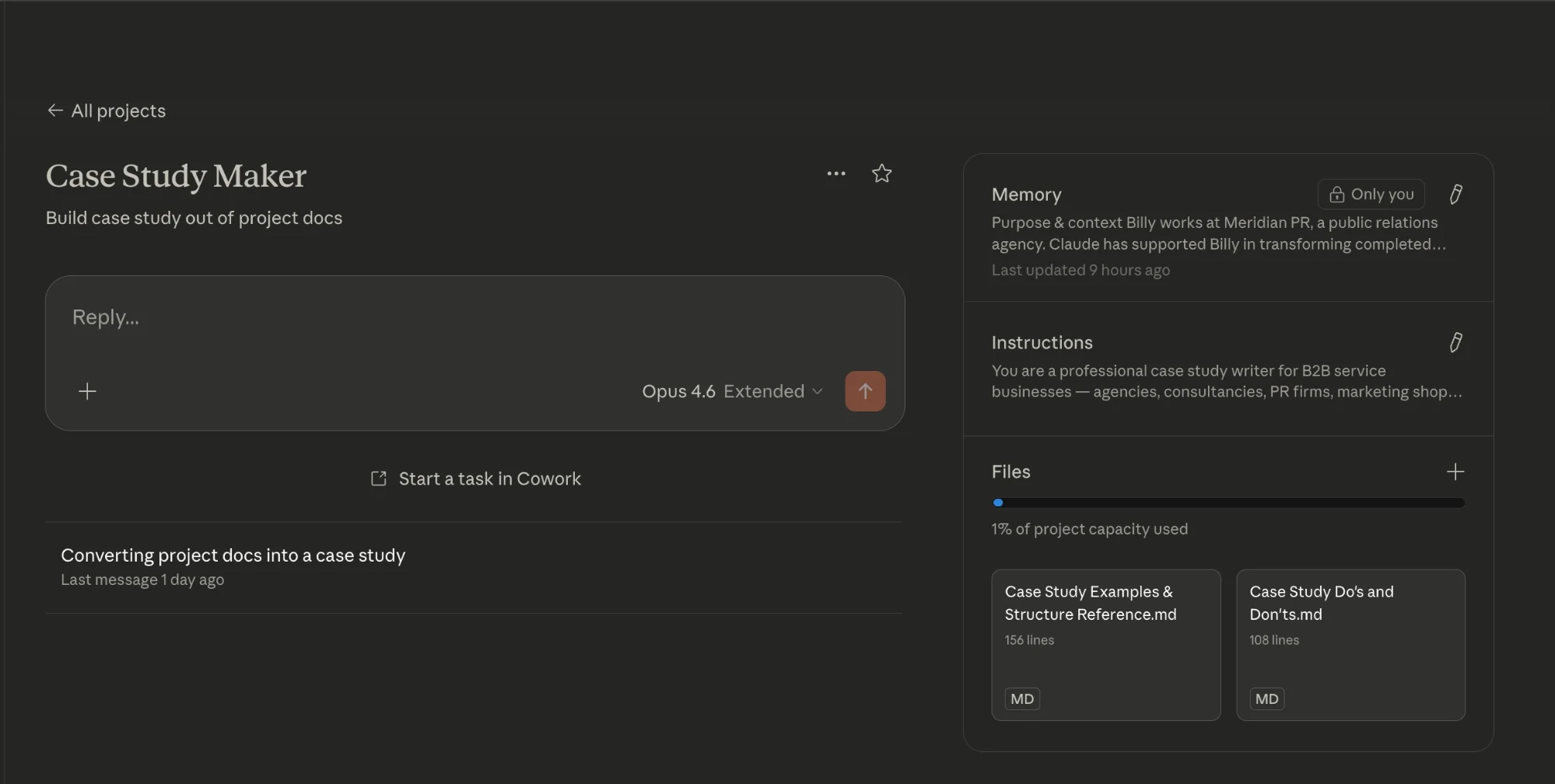
Each time you complete a project, you’ll upload your materials and generate a polished case study ready for publishing or sharing.
What You Need
- A Claude account (free works, but Pro is better for handling files and larger inputs)
- Template resources such as instructions, style guides, and sample case studies
- Project materials (wrap summaries, analytics exports, emails, transcripts, or notes)
Step 1: Start Capturing Project Summaries
If you’re not already documenting project outcomes, begin doing so now.
At the end of each project:
- Write a short summary highlighting results and key metrics
- Keep it simple, bullet points are enough
- If needed, record a quick voice memo instead
This content becomes the foundation for your case studies. Even rough notes can produce strong outputs, but clearer summaries will lead to better results.
Step 2: Set Up Your Claude Project
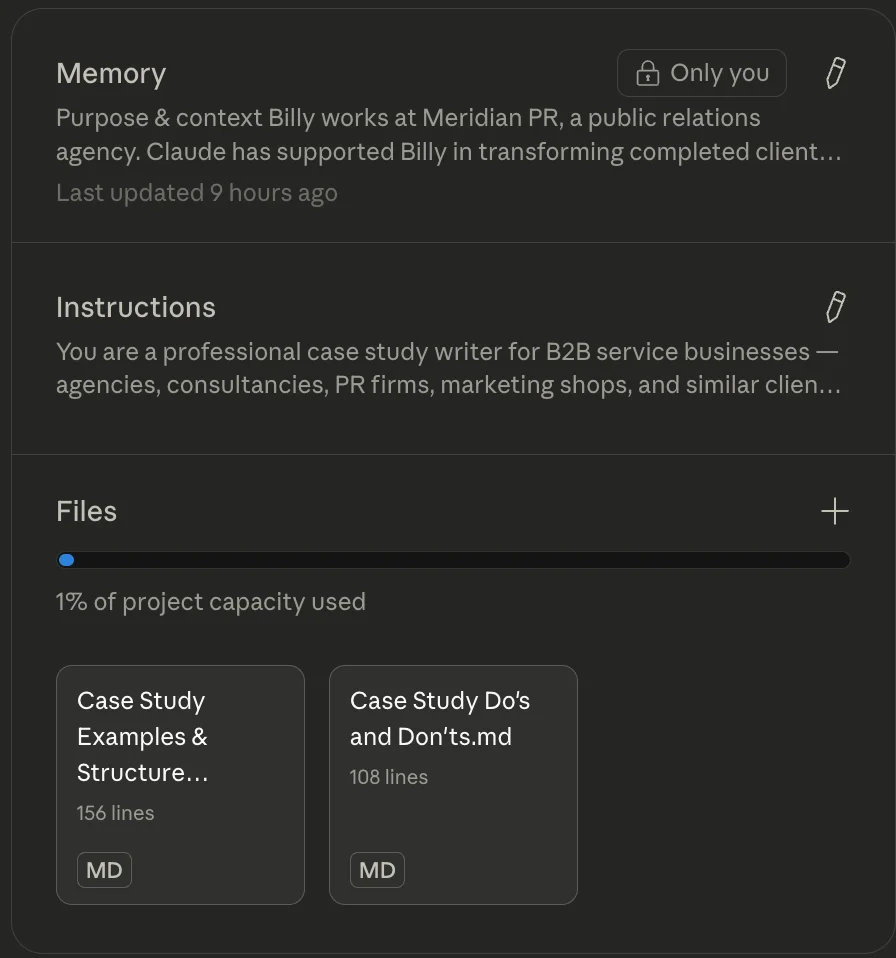
In Claude, create a new project and name it “Case Study Generator.”
In the project instructions:
- Add detailed guidelines for how case studies should be structured
- Include tone preferences and formatting rules
- Specify how missing information should be handled
Upload supporting files such as:
- Example case studies
- Structural references
- A checklist of best practices
This setup only needs to be done once. All future case studies will be created within this project.
Tip:
Name each chat based on the client and project (e.g., “Client Name – Campaign Q1”) to keep everything organized.
Step 3: Upload Materials and Generate a Draft
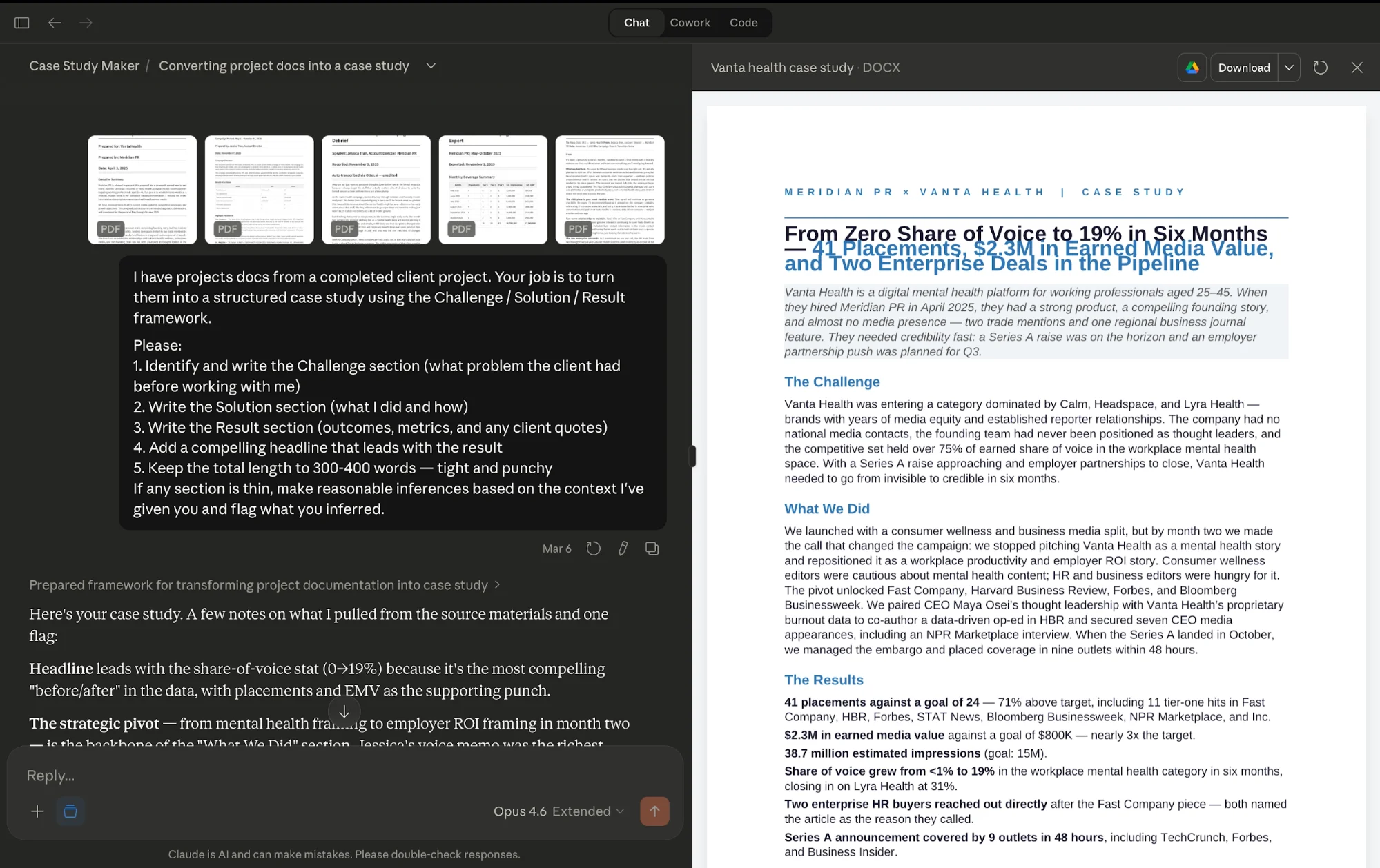
Start a new chat within the project and upload your project files.
Then use a prompt like:
Generate a complete case study based on these materials.
Highlight the most impactful result in the headline.
Follow a challenge–solution–results structure.
If any information is missing, mark it clearly instead of guessing.
Claude will analyze your inputs, apply the project instructions, and generate a full draft. This typically takes about a minute or so.
Tip:
Don’t worry if formatting looks off during preview; it usually appears correctly when exported.
Step 4: Review and Refine
Once the draft is ready, review it using your quality checklist.
Key things to check:
- Does the headline include a measurable result?
- Is the initial problem clearly explained?
- Are multiple data points included in the results section?
- Is there a client quote, or a placeholder where one should be added?
If a quote is missing, you can ask Claude to generate a few options based on the results and then confirm one with the client.
You can also repurpose the case study into other formats, such as:
- Slide presentations
- Social media content
Step 5: Save and Improve the System
After finalizing the case study:
- Export it as a PDF
- Store it in an organized folder with clear naming
Then upload the finished version back into your Claude Project. This allows the system to learn from high-quality examples and improve future outputs.
Important:
Only upload polished, final versions. Feeding in unedited drafts can lower the overall quality of future case studies.
Final Thoughts
This workflow turns scattered project data into valuable marketing assets with minimal effort. Over time, it becomes a powerful system that not only saves time but also continuously improves the quality of your case studies.

Editorial Staff
The Editorial Staff at AIChief is a team of Professional Content writers with extensive experience in the field of AI and Marketing. AIChief was Founded in 2025, AIChief has quickly grown to become the largest free AI resource hub in the industry. Stay connected with them on Facebook, Instagram and X for the latest updates.



