

AI Tutorial
Get Higher-Quality AI Outputs with a Multiple Choice Approach
Learn a simple multiple-choice prompting strategy to get better AI outputs while reducing token usage and improving clarity.
Share
This tutorial introduces a practical technique for generating better AI outputs at lower cost. It also covers key concepts like tokens and context windows.
Who This Helps
- Marketers and designers are creating large volumes of images
- Users looking to improve their prompting skills
- Anyone frustrated with long, unproductive AI conversations
Getting Started
- Access to any chat-based AI or image generator
- For this example: Nano Banana Pro in AI Studio and NotebookLM
Step 1: Understand Tokens and Context
AI processes text in units called tokens. As a rough estimate, one token equals about four characters. A 40-character prompt uses around 10 tokens, plus additional tokens for the response.
Input tokens represent what you send to the AI, while output tokens cover what the AI generates. Output is often more expensive depending on the model.
Context refers to the accumulated tokens the AI uses to track your conversation. More context increases processing load and cost.
The goal is to reduce unnecessary context, which improves output quality and lowers token usage.
Step 2: Define Goal, Task, and Next Steps
Choose a task for the AI. In this example, AI Studio is used to generate logo ideas.
Break your request into three parts:
- Goal: Create a logo for a student-run moving company, “Uni Movers”
- Task: Ask 5–10 multiple-choice questions to gather context about the brand
- Next Steps: Generate four distinct logo concepts
Step 3: Write the Prompt
Combine your goal, task, and next steps into a natural instruction. Example:
“Your job is to create a logo for my student-run moving company, ‘Uni Movers.’ Ask me 5–10 multiple-choice questions about my brand and vision to build context. The goal is to produce four distinct logo concepts.”
Send this prompt to your AI.
Step 4: Answer Using Multiple Choice
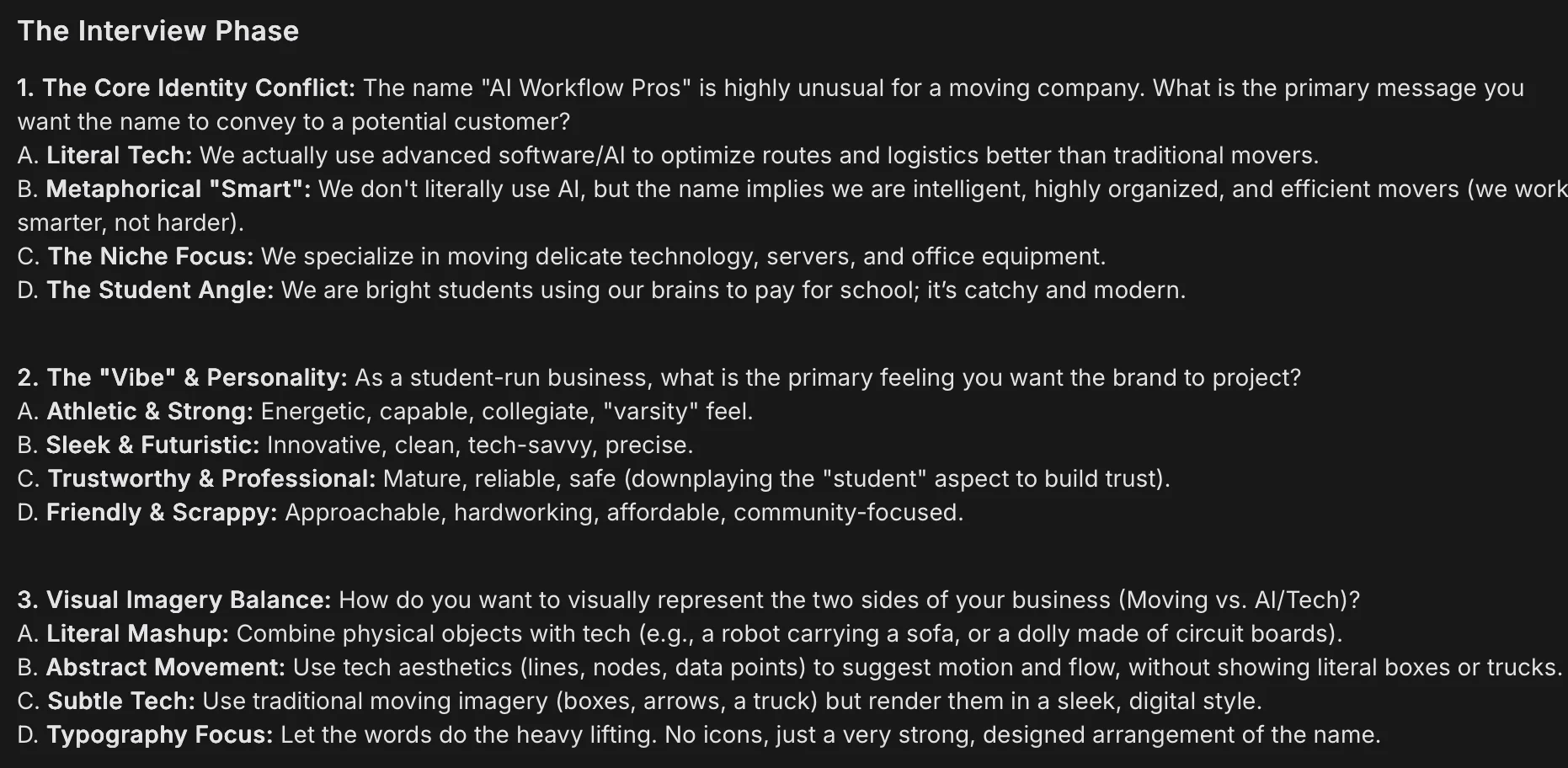
The AI will return a set of multiple-choice questions. Respond by listing your answers, for example: “A, B, A, C…”
This format reduces ambiguity and ensures the AI interprets your input clearly.
Step 5: Generate and Refine Outputs
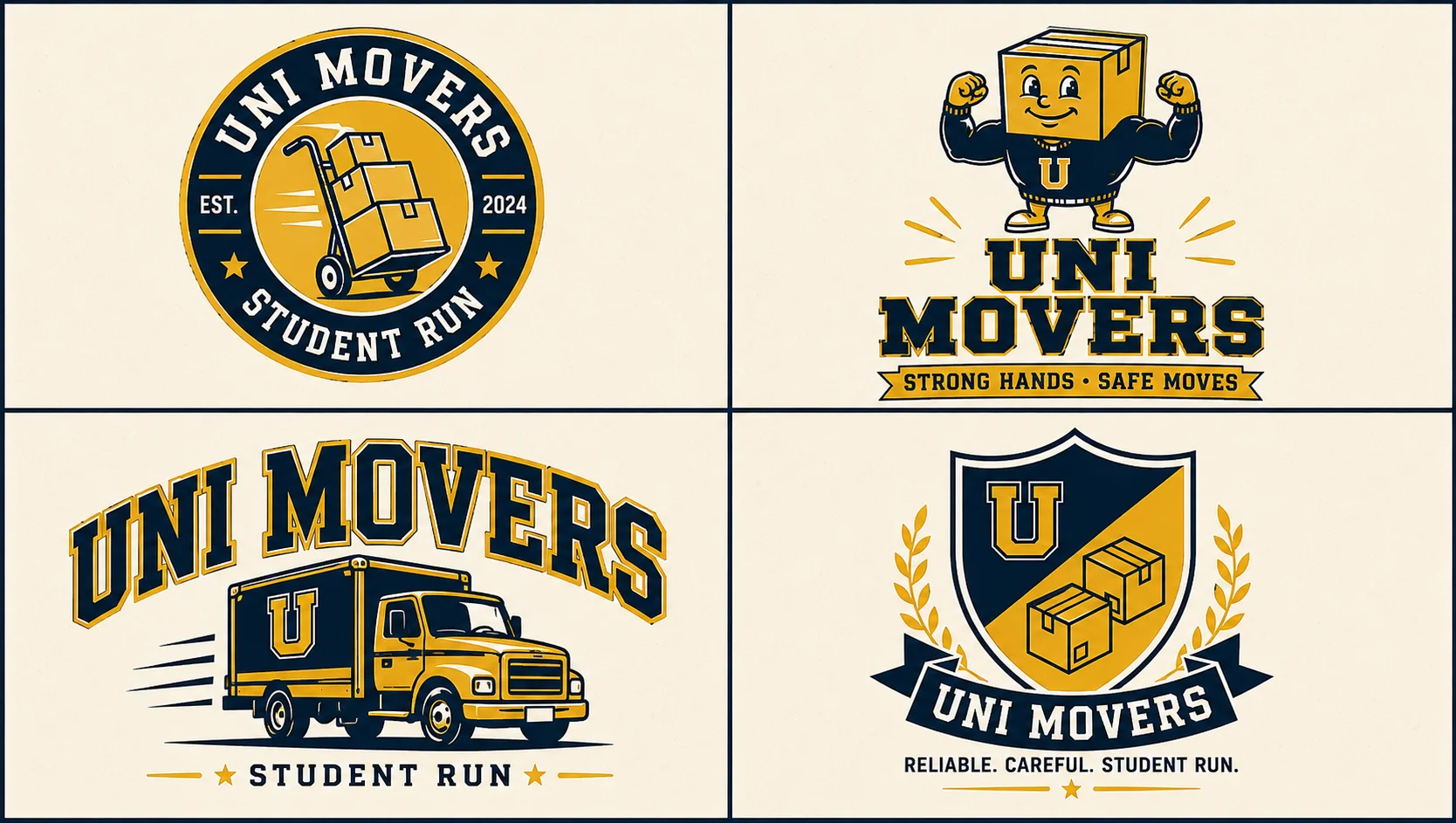
The AI should produce four logo concepts. To save tokens, you can prompt:
“Generate a 4x4 grid with each logo concept in a separate cell.”
Then request individual versions of the concepts you prefer.
Going Further
For more complex tasks like email campaigns or blog outlines, move each concept into a new chat for refinement.
If the interview method works well, you can reuse it by asking the AI to convert the context into system instructions in markdown format.

Emily Newton
Emily Newton is an experienced Editor-in-Chief who has spent the last decade sharing her insights on science and technology advances through platforms like IoT for All and DZone. She is deeply interested in showcasing how connected technologies and smart ecosystems transform modern businesses. When she isn’t writing, Emily enjoys walking local trails, playing video games, or curling up with a good book.



