

AI Tutorial
Find Better Deals with ChatGPT Shopping Research
Learn how to use ChatGPT’s Shopping Research feature to compare prices, discover top deals, and save time without browsing multiple sites.
Share
This guide explains how to use ChatGPT’s Shopping Research feature to quickly compare products, identify the best deals, and streamline your buying process.
Who This Is For
- Everyday shoppers looking to save time and money
- Deal seekers wanting a centralized experience
- Tech buyers comparing features and pricing
- Businesses aiming to improve product visibility
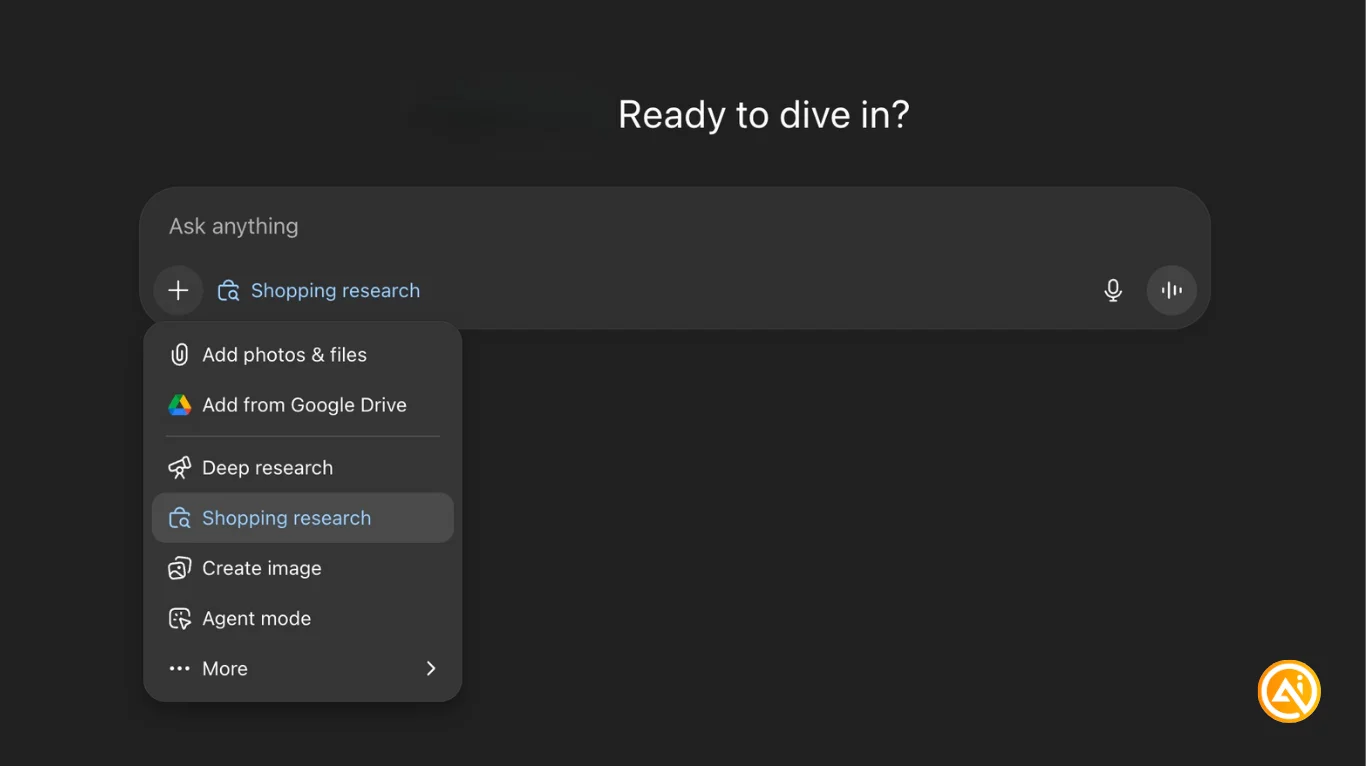
STEP 1: Enable Shopping Research
Open ChatGPT and access the main interface. Click the “+” icon and select Shopping Research to activate the feature.
Once enabled, you can begin searching for products right away.
STEP 2: Describe what you want
Enter a clear request for the product you’re looking for. Example:
“I’m looking for a new laptop. Find the best Black Friday deals and compare options across sites.”
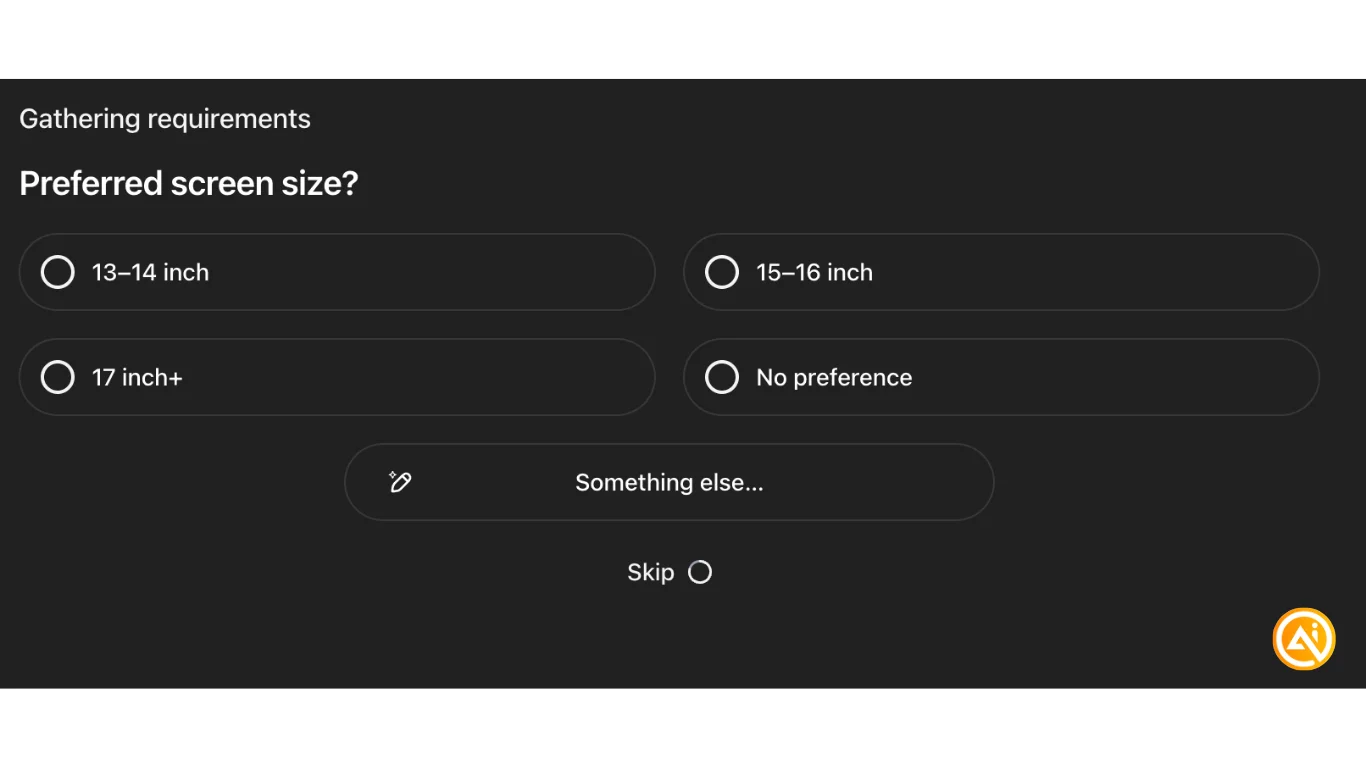
ChatGPT may ask follow-up questions such as:
- Budget range
- Operating system
- Primary use
- Preferred size
You can respond or skip; this helps refine results. ChatGPT will then present options and allow you to rate or dismiss them to improve recommendations.
STEP 3: Review recommended options
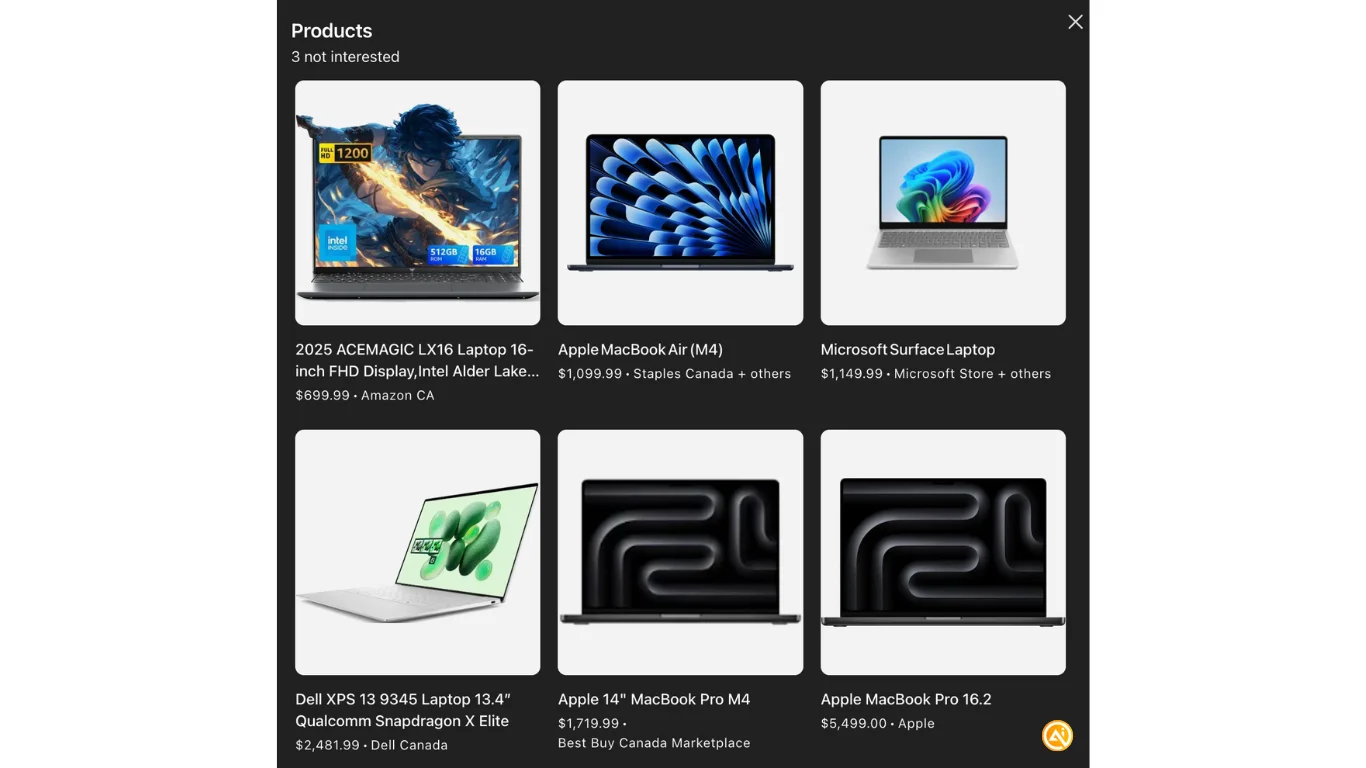
After completing its research, ChatGPT provides:
- Top recommended deal
- Price comparisons across retailers
- Key trade-offs and alternatives
- Direct links to listings
You can explore any option in detail or move forward with a purchase. The side-by-side comparison eliminates the need to manually check multiple sites.
STEP 4: Complete your purchase
Select your preferred product and follow the link to the retailer (e.g., Best Buy) to finalize checkout.
Pro Tip: Shopping workflows may soon include direct checkout through platforms like Stripe or PayPal. Businesses should consider optimizing for AI-driven discovery to increase visibility in tools like ChatGPT.

Emily Newton
Emily Newton is an experienced Editor-in-Chief who has spent the last decade sharing her insights on science and technology advances through platforms like IoT for All and DZone. She is deeply interested in showcasing how connected technologies and smart ecosystems transform modern businesses. When she isn’t writing, Emily enjoys walking local trails, playing video games, or curling up with a good book.



