

AI Tutorial
Exploring the Highs and Lows of Gemini in Gmail
Learn how to use Gemini in Gmail, what features are available now, and the key advantages and drawbacks of Google’s early rollout.
Share
This guide covers how to access Gemini features in Gmail, what’s live today, and the biggest strengths and limitations seen so far.
Who Will Benefit
- Gmail users managing high email volume
- Anyone interested in querying their inbox
- Google Workspace or Google AI Pro subscribers
Requirements
- A Google Workspace account (work email), or
- A personal Google account with a Google AI Pro subscription ($20)
Step 1: Enable Smart Features
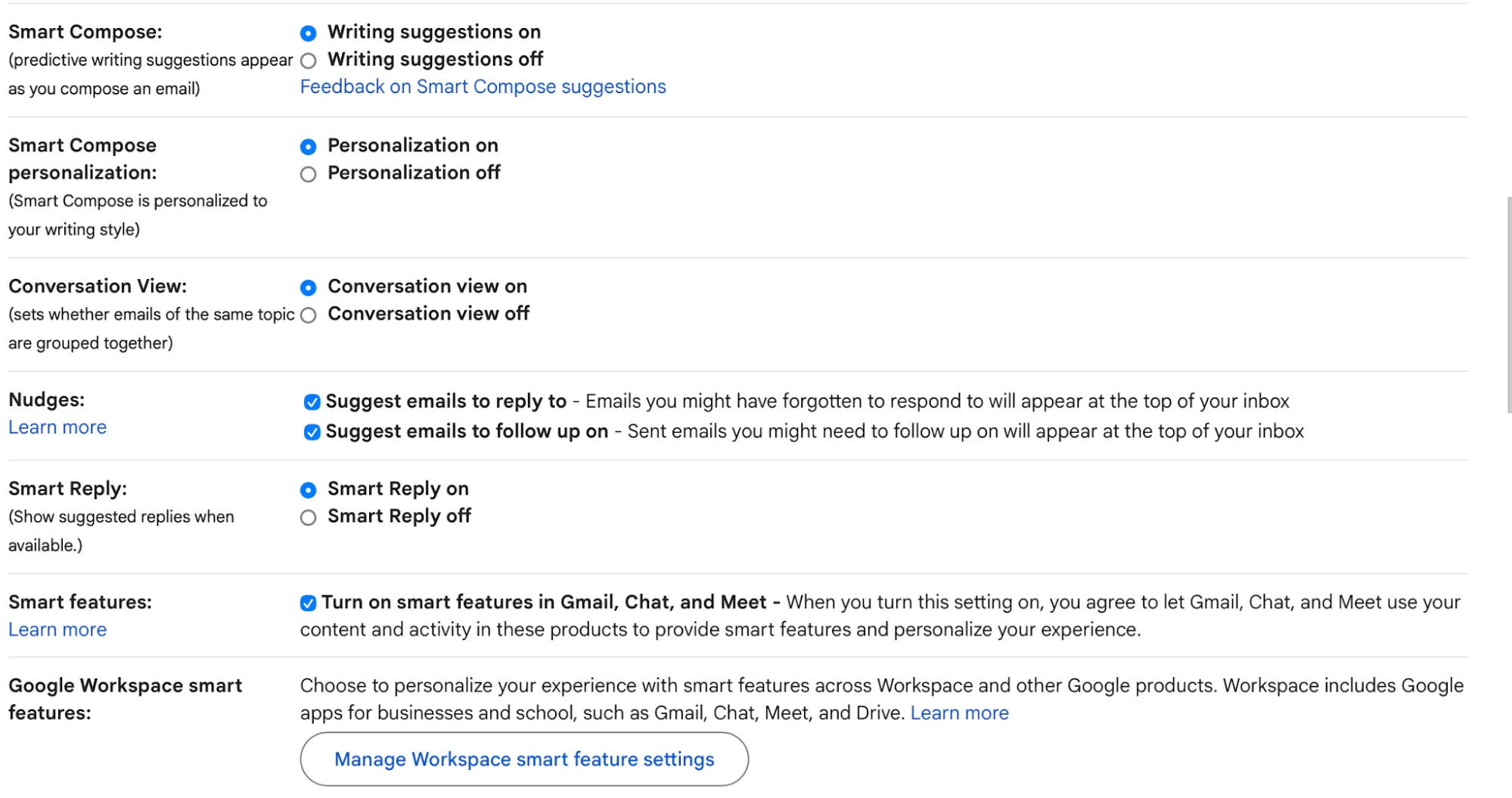
Go to gmail.com, open Settings in the top-right corner, and confirm that all “smart features” are turned on.
Step 2: Interact with Your Inbox
Return to your inbox and click the “Ask Gemini” button beside the settings icon. You can ask questions such as:
- “Which hotel did I stay at in [city] last summer?”
- “What emails mention [topic]?”
You can also use “@” to reference specific Google Drive files, though access is read-only.
Step 3: Search Using Natural Language
Google demonstrated a feature where typing a question into the search bar surfaces relevant emails along with an AI-generated summary. While this is reportedly available for Google AI Pro users, it does not appear to be widely active yet.
If you’re considering upgrading, it may be worth waiting until Gemini integration is fully rolled out.
Step 4: Use “Help Me Write”
While composing an email, press Option + H (Mac) or Alt + H (Windows), or click “Help me write.” Enter a prompt, and Gemini will generate a response based on the email thread.

After generating a reply, you can:
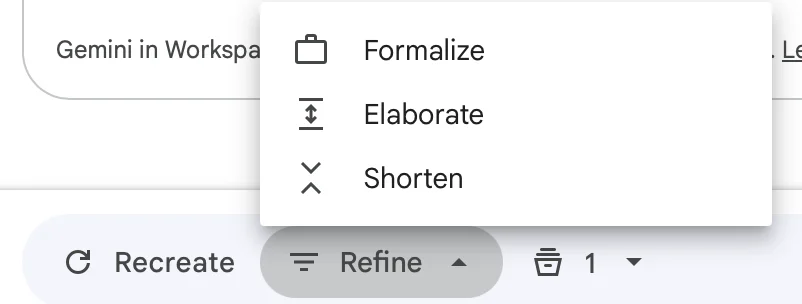
- Select “Recreate” for a new version
- Choose “Refine” to adjust tone or length
This feature performs quickly and delivers accurate results.
Next Steps
You may also notice the “help me schedule” option in the draft window. Gemini reviews the conversation, checks your calendar, and suggests suitable meeting times.

Emily Newton
Emily Newton is an experienced Editor-in-Chief who has spent the last decade sharing her insights on science and technology advances through platforms like IoT for All and DZone. She is deeply interested in showcasing how connected technologies and smart ecosystems transform modern businesses. When she isn’t writing, Emily enjoys walking local trails, playing video games, or curling up with a good book.



