

AI Tutorial
Do Market Research Faster with Gemini 2.5 Computer Use
Learn how to quickly automate competitor research using Gemini 2.5. Use a computer to browse websites, collect data, and organize results.
Share
This guide shows how to use Gemini 2.5 Computer Use to handle research tasks for you. It can open websites, collect information, and organize everything into a simple report.
Who This Is For
- People checking competitor pricing manually
- Marketers tracking data across different platforms
- Teams building lead lists
- Founders doing research on their own
Step 1: Install Python
You need Python to run this tool.
On Mac:
Open Terminal and install Python using Homebrew, then check the version to confirm it’s installed.
On Windows:
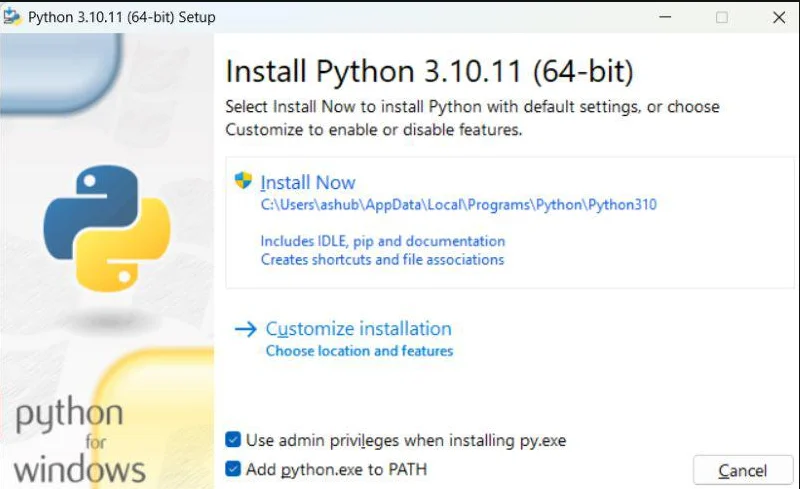
Download Python from the Python website, install it, and make sure to check the option that adds it to your system path. Then, verify the installation in Command Prompt.
If you see a version number, you’re good to go.
Step 2: Set Up the Tool
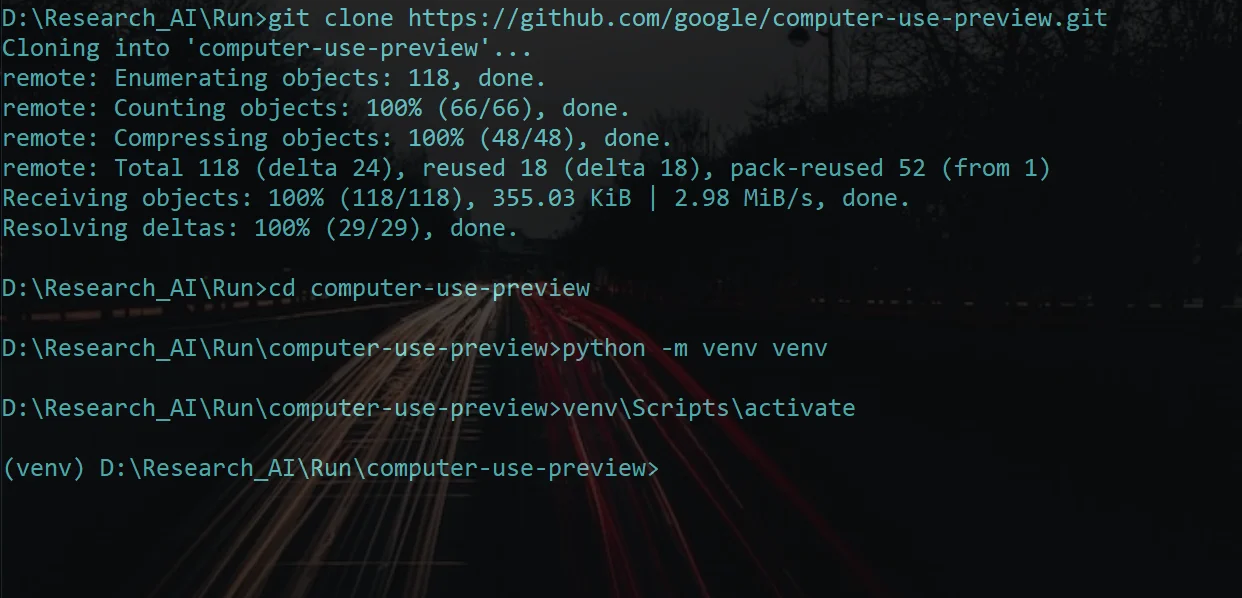
Download the Computer Use project from GitHub to your computer.
Create a virtual environment and activate it.
Then install all the required dependencies and browser tools needed for the system to run properly.
Step 3: Add Your API Key
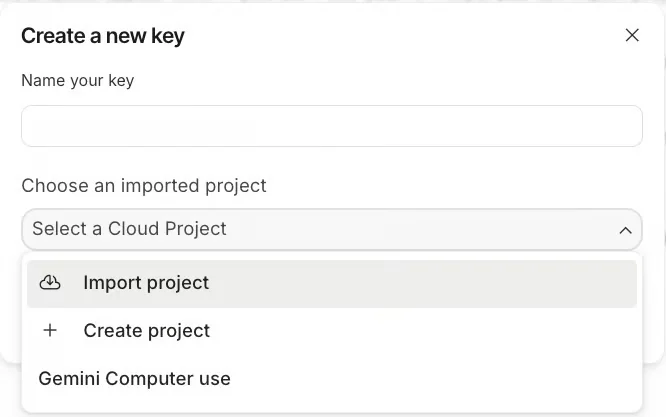
Go to Google AI Studio and create an API key.
After generating the key, add it to your system as an environment variable so the tool can connect to Gemini.
Step 4: Run Your Research Task
Start the tool and give it a clear task.
For example, you can ask it to research tools like Asana, Trello, and Monday.com, find their main features and pricing, and save the results.
The system will open a browser, visit websites, and collect the information automatically.
When it finishes, copy the results and paste them into tools like Notion or Google Docs.
If a CAPTCHA appears, solve it once so the process can continue.
Pro Tip
You can reuse this setup to run regular research tasks, track trends, find job opportunities, or analyze companies without doing everything manually.

Editorial Staff
The Editorial Staff at AIChief is a team of Professional Content writers with extensive experience in the field of AI and Marketing. AIChief was Founded in 2025, AIChief has quickly grown to become the largest free AI resource hub in the industry. Stay connected with them on Facebook, Instagram and X for the latest updates.



