

AI Tutorial
Creating Powerful Simulations with Gemini 3
Learn how to use Gemini 3 to create simulations, tools, and interactive projects with step-by-step instructions.
Share
You’ll learn how to use Gemini 3 to create simulations and understand how it performs across advanced reasoning tasks.
Who It’s For
- Students learning complex subjects
- Professionals building workflow automations
- Business owners creating internal tools
- Creators experimenting with simulations and games

Model Highlights
Gemini 3 delivers top-tier benchmark performance, including strong results on reasoning and problem-solving evaluations compared to earlier models and competitors.
Step 1: Access Gemini 3
Go to the Gemini homepage.
Select a model version:
- Gemini 3 Pro for strong reasoning
- DeepThink for more advanced capabilities (availability may vary by region)
Step 2: Define Your Simulation
Enter a prompt describing what you want to build.
Example:
“Build a 3D simulation of a quantum computer.”
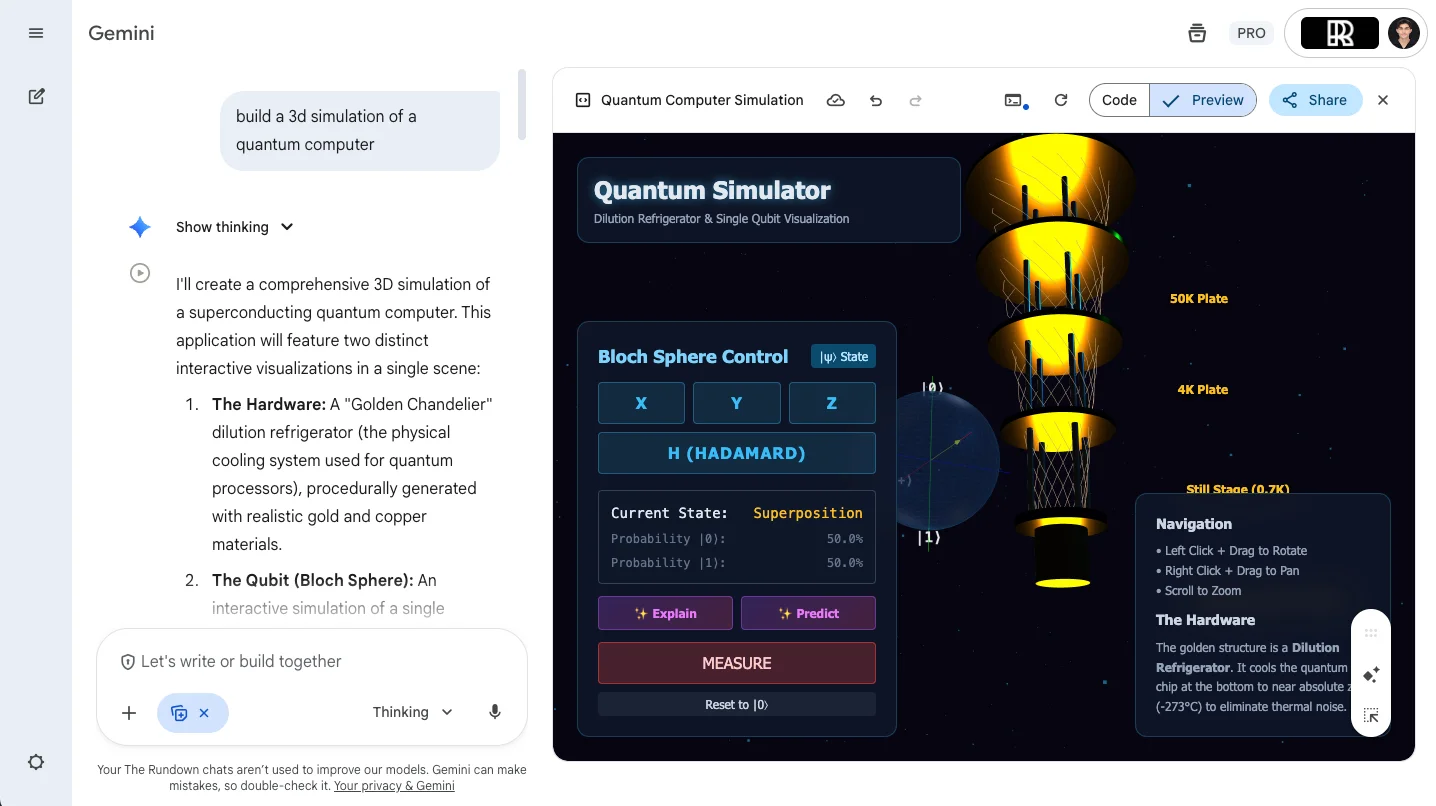
Gemini can generate simulations, tools, games, or visual learning environments in a single prompt.
Step 3: Review and Use the AI Tutor
Once generated, interact with the simulation to explore the concept.
Click “Explain” to activate an AI tutor that breaks down how the simulation works.
You can also view the underlying code and share the output.

Step 4: Explore More Projects
Experiment with different prompts to create varied outputs, including games or interactive tools.
Common use cases include:
- Internal tools (CRMs, dashboards, schedulers)
- Educational simulations
- Rapid software prototypes
Going Further
- Refine prompts to improve accuracy and interactivity
- Combine Gemini with tools like Google Sheets or APIs for more complex workflows
- Use outputs as starting points for full applications
- Iterate quickly by testing multiple variations of the same idea
Pro Tip
Gemini 3 Pro excels at visual learning, simulations, and rapid prototyping, but may be less effective for long-form writing tasks.

Emily Newton
Emily Newton is an experienced Editor-in-Chief who has spent the last decade sharing her insights on science and technology advances through platforms like IoT for All and DZone. She is deeply interested in showcasing how connected technologies and smart ecosystems transform modern businesses. When she isn’t writing, Emily enjoys walking local trails, playing video games, or curling up with a good book.



