

AI Tutorial
Create Marketing Videos with Your HeyGen Digital Twin
Learn how to use HeyGen to build a digital avatar, generate scripted videos, and scale marketing content without being on camera.
Share
This guide shows how to use HeyGen to build a digital avatar that can present scripted content, making it useful for scalable marketing and communication.
Best Suited for:
- Marketers and founders producing on-brand video content
- Social media managers scaling output
- Sales teams personalizing outreach
- Creators who prefer not to appear on camera
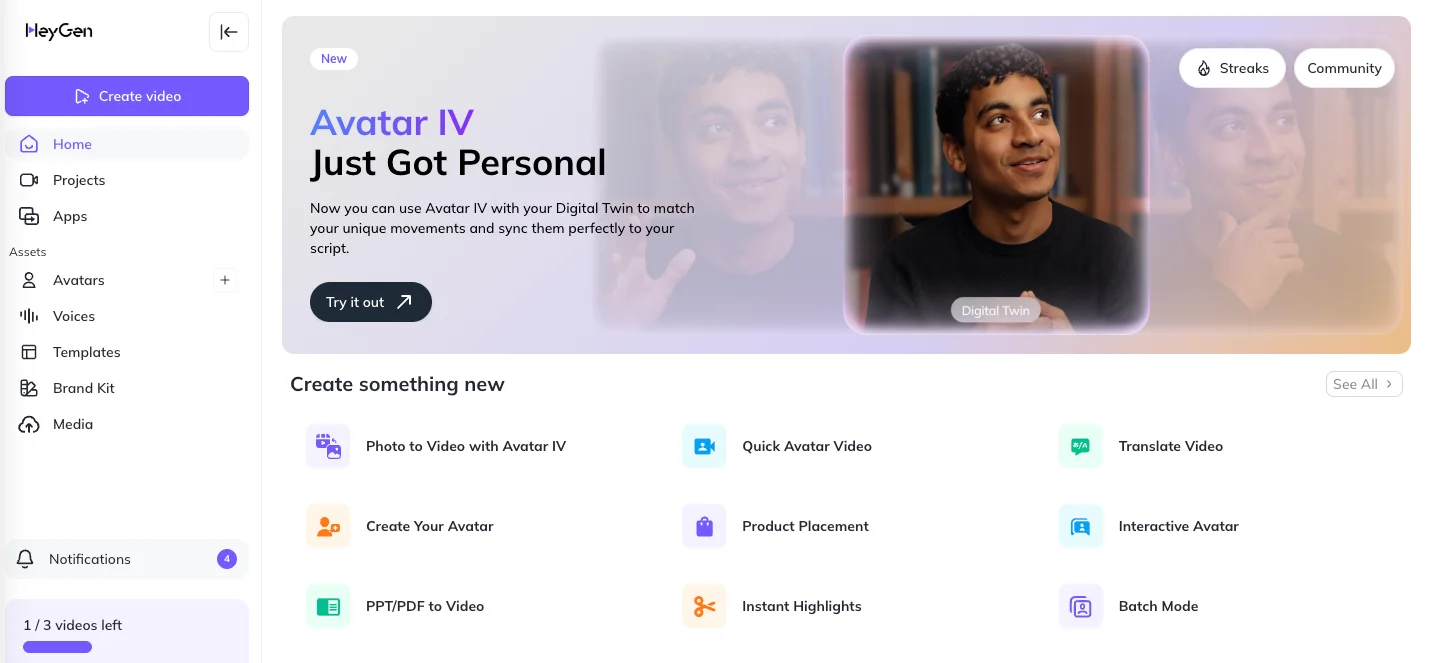
Step 1: Access HeyGen and set up your avatar
Go to HeyGen. You’ll find features like Avatar IV, photo-to-video tools, product placement, and translation options.
Navigate to the My Avatars section. Choose from existing avatars or create a new one. You can also add multiple looks for different styles and poses.
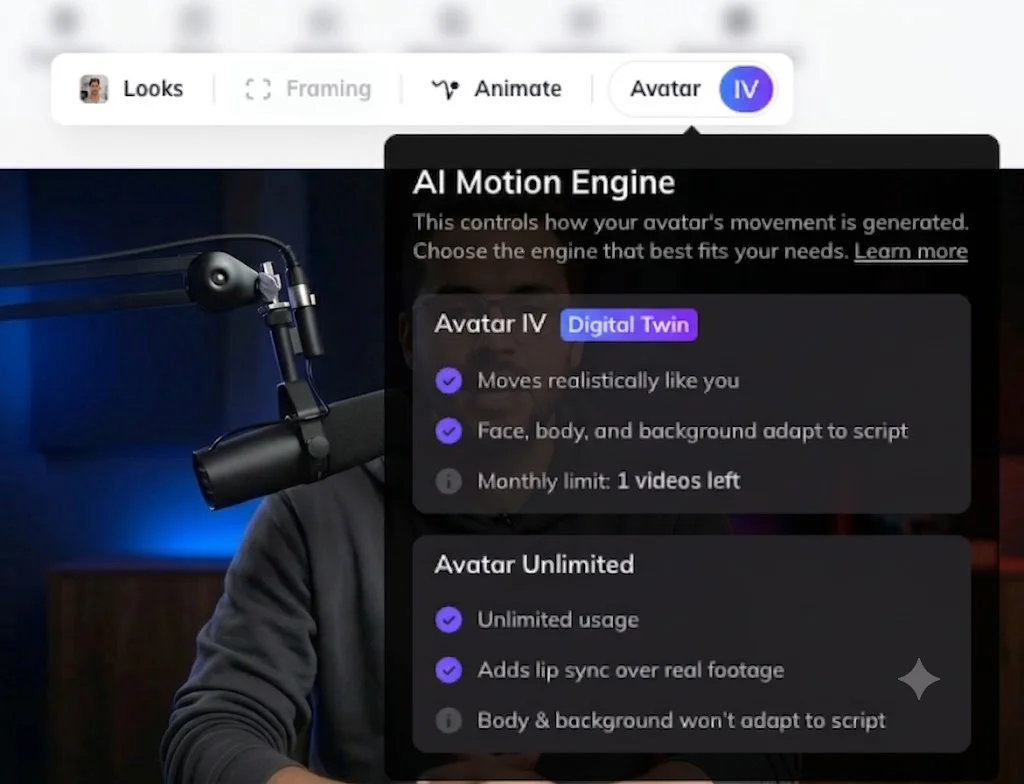
Step 2: Write your script and configure your avatar
Enter the AI Studio and enable the Digital Twin feature for your avatar.

In the Script section, write what your avatar should say or use the built-in AI to generate it.
Example:
“Write a short congratulatory message for my team after a successful year.”
Select a voice that matches your tone. Custom voice creation is available on higher plans.
Once your script and voice are ready, click Generate to produce the video.
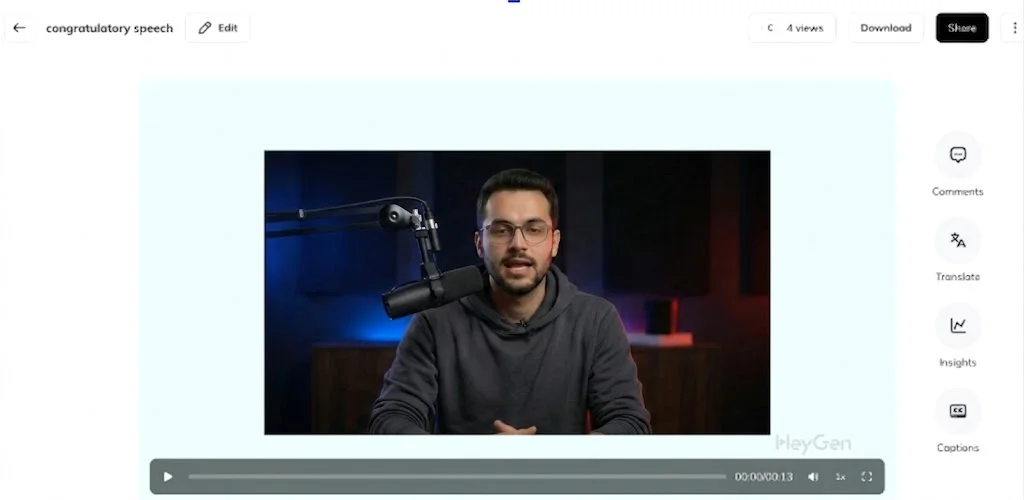
Step 3: Refine your video output
After the first version is generated, make adjustments:
- Add captions, backgrounds, or overlays
- Switch voices if needed
- Improve script clarity or tone
Free plans typically allow a limited number of videos per month, so refining early helps optimize results.
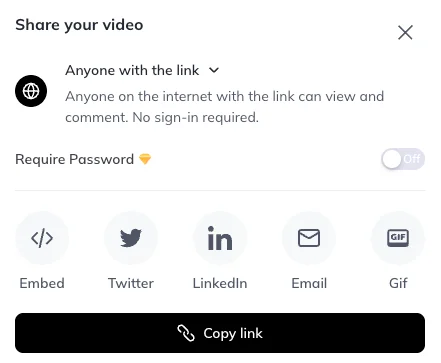
Step 4: Export and distribute your video
Once finalized, download your video or share it via a link. You can also secure it with a password or reuse templates for repeat campaigns.
Pro Tip
Explore different avatars and visual styles within HeyGen to diversify your content. Using multiple looks can improve engagement across marketing channels.

Editorial Staff
The Editorial Staff at AIChief is a team of Professional Content writers with extensive experience in the field of AI and Marketing. AIChief was Founded in 2025, AIChief has quickly grown to become the largest free AI resource hub in the industry. Stay connected with them on Facebook, Instagram and X for the latest updates.



