

AI Tutorial
Create Daily Email Summaries with Gumloop AI
Learn how to build an AI-powered workflow in Gumloop that summarizes your inbox daily using simple prompts, no manual setup required.
Share
This tutorial shows how to build an automation that reviews your emails and sends you a daily summary. With Gumloop’s AI agent (“Gummie”), you can describe what you need in plain English, and it will generate the entire workflow for you.
Best Suited For:
- Solo founders and business owners are avoiding manual automation setup
- Busy professionals needing quick inbox summaries
- Support and operations teams reviewing tickets or shared inboxes
- PMs and engineers are testing internal workflows with MCP integrations

Step 1: Start with Gumloop
Go to Gumloop and create a new workbook by clicking the “+” on the homepage.
You’ll see two options:
- Manual setup: Build workflows by adding nodes, triggers, and actions yourself
- AI builder: Describe your goal, and Gummie designs the workflow automatically
If you’re unsure where to start, the AI option is the fastest way to go from idea to a working flow. You can always edit the setup afterward.
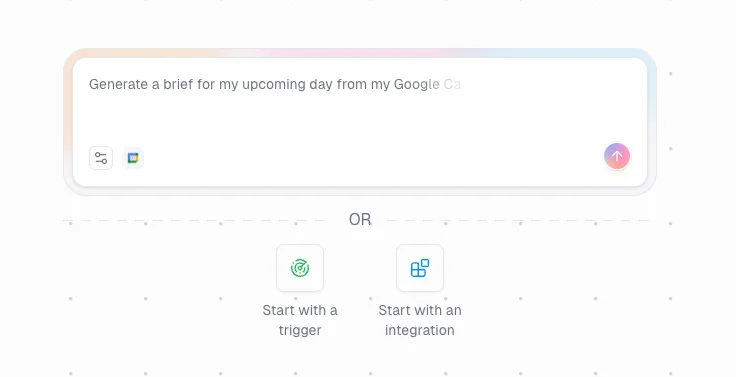
Step 2: Define your automation goal
Open the AI builder, where you’ll find preset categories like Sales, Marketing, Customer Support, Project Management, HR, Engineering, Business Owner, and more. Each includes example prompts and suggested tools.
For this example, choose Other and enter:
“Summarize my unread emails from the last 24 hours.”
This tells Gummie exactly what outcome you want without needing to configure anything manually.
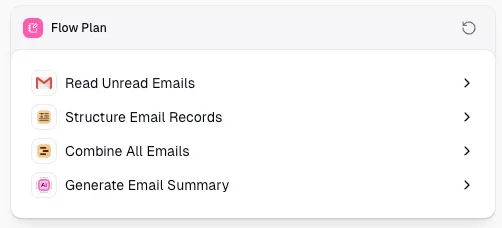
Step 3: Review the generated workflow
Gummie will create a structured plan for your automation, typically including steps like:
- Fetch unread emails
- Format the email data
- Combine all messages
- Generate a summary
It will then automatically build the corresponding nodes for each step.
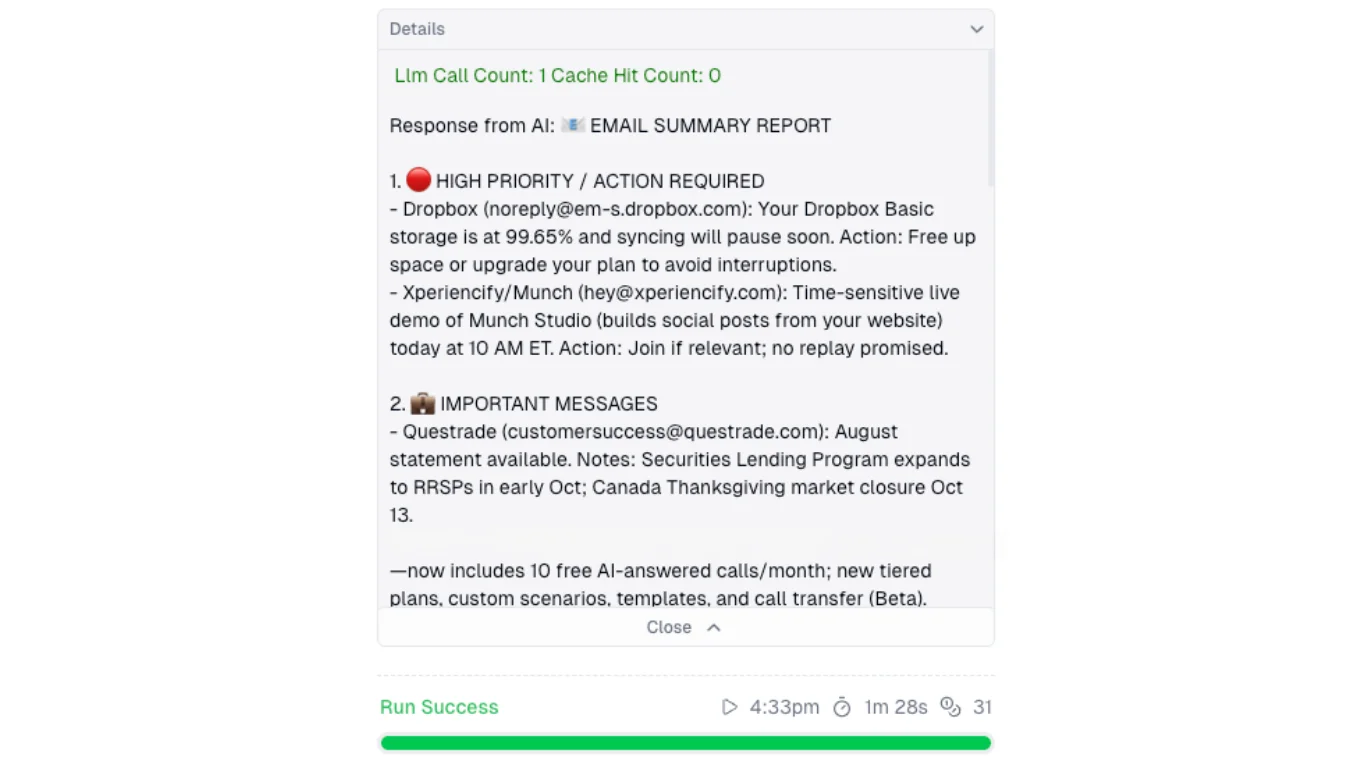
Step 4: Check and refine your summary
Run the workflow and review the generated email summary.
If needed, adjust the nodes or tweak your prompt to improve accuracy and clarity, then run it again.
Pro Tip
If you’re unsure what to automate, describe your problem to ChatGPT and ask for ideas. It can suggest multiple ways to automate your workflow using AI tools like Gumloop.

Editorial Staff
The Editorial Staff at AIChief is a team of Professional Content writers with extensive experience in the field of AI and Marketing. AIChief was Founded in 2025, AIChief has quickly grown to become the largest free AI resource hub in the industry. Stay connected with them on Facebook, Instagram and X for the latest updates.



