

AI Tutorial
Create AI Agents and Automations with Replit Agent 3
Learn how to create a no-code automation in Replit Agent 3 that sends weekly competitor news summaries using simple prompts.
Share
This tutorial shows how to use Replit’s Agent 3 to build a weekly competitor-news email automation using just a prompt, no coding required. It enables agent-based workflows with triggers, actions, and integrations inside Replit.
Best Suited for:
- Founders and marketers tracking competitor updates
- Operators needing scheduled automations without coding
- Analysts who want transparent, step-by-step workflows
- Educators demonstrating AI tools to non-technical audiences
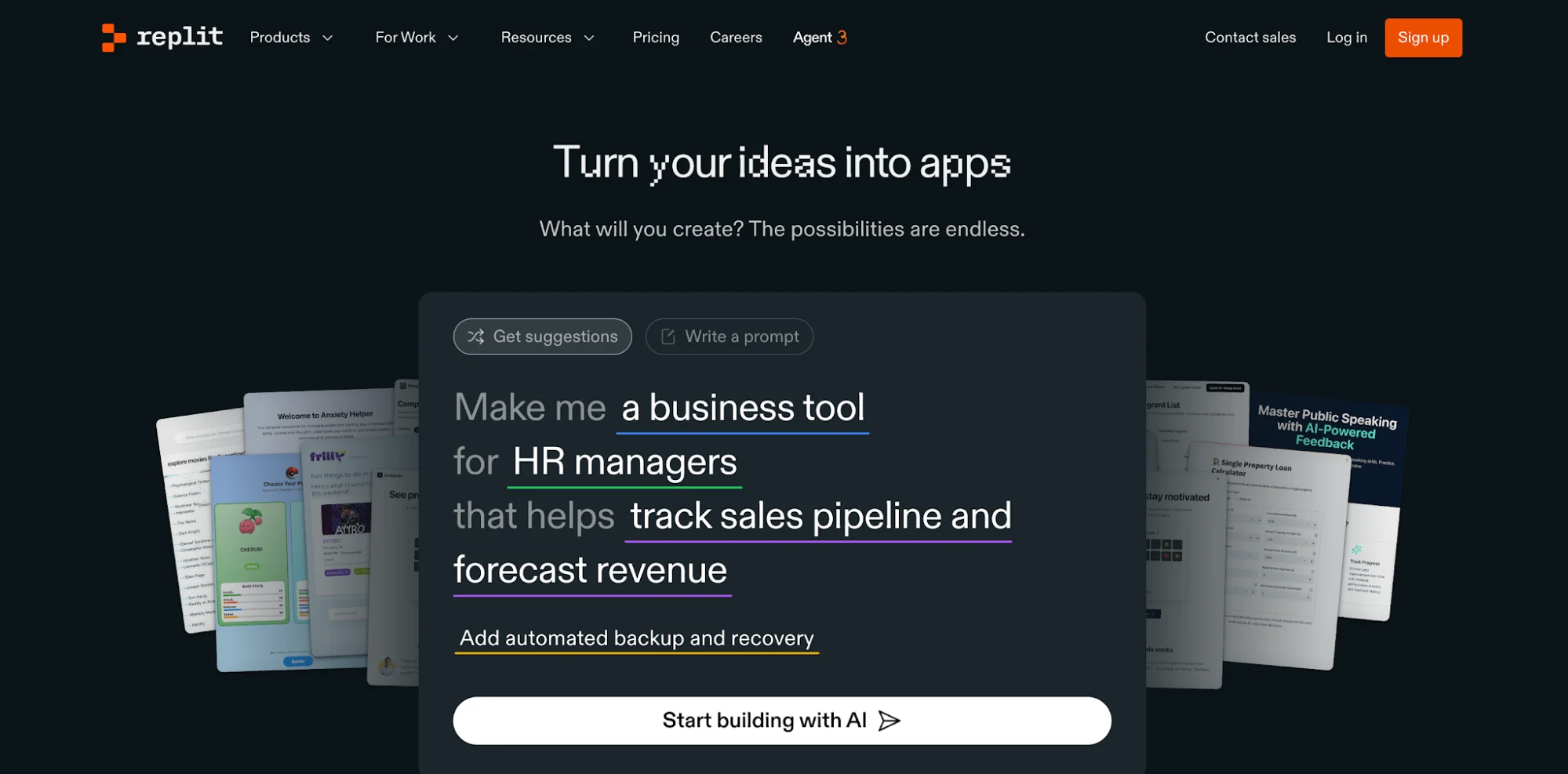
Step 1: Access Replit and choose the right mode
Go to Replit and open the main interface. You’ll see a prompt box where you can define what you want to build.
Select Agents & Automations instead of standard app-building options like web or data apps.
Replit provides free credits upon signup, which are usually enough to create and test a basic workflow.
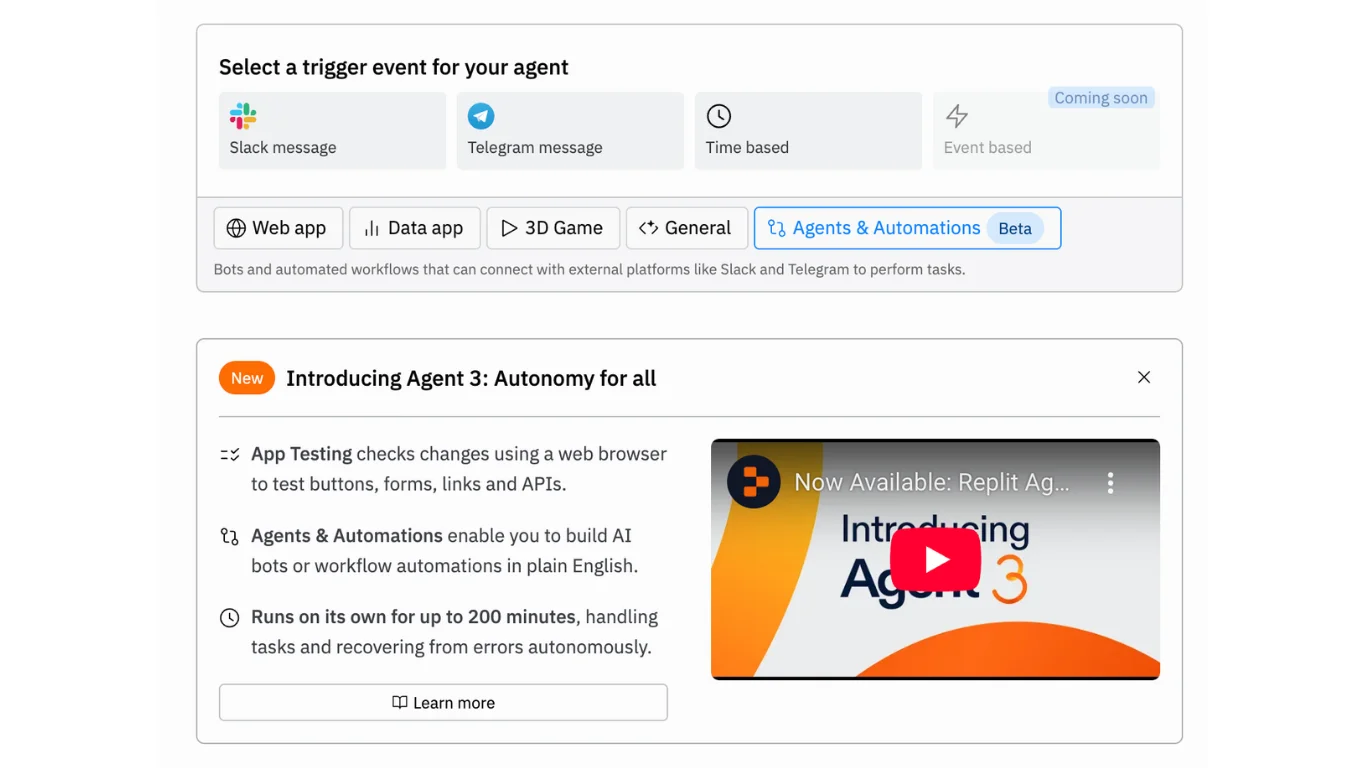
Step 2: Define your automation and triggers
Inside the builder, you can either select preset triggers or describe your workflow in plain language.
Available trigger types include:
- Slack
- Telegram
- Time-based
- Event-based (coming soon)
For this example, choose a time-based trigger and use a prompt like:
“Every Monday at 8 a.m., send me a summary of any news about my competitors using a web search. We are Rundown AI - the world’s largest AI newsletter and University. Rundown University offers AI workshops, tutorials, and courses for professionals upskilling in AI.”
Step 3: Generate the automation
Click Build the entire app to begin.
The agent will walk through its process as it sets everything up. During execution, it may:
- Automatically create a PostgreSQL database
- Request API keys
- Build components step-by-step, including logging, email handling, triggers, search, and summarization
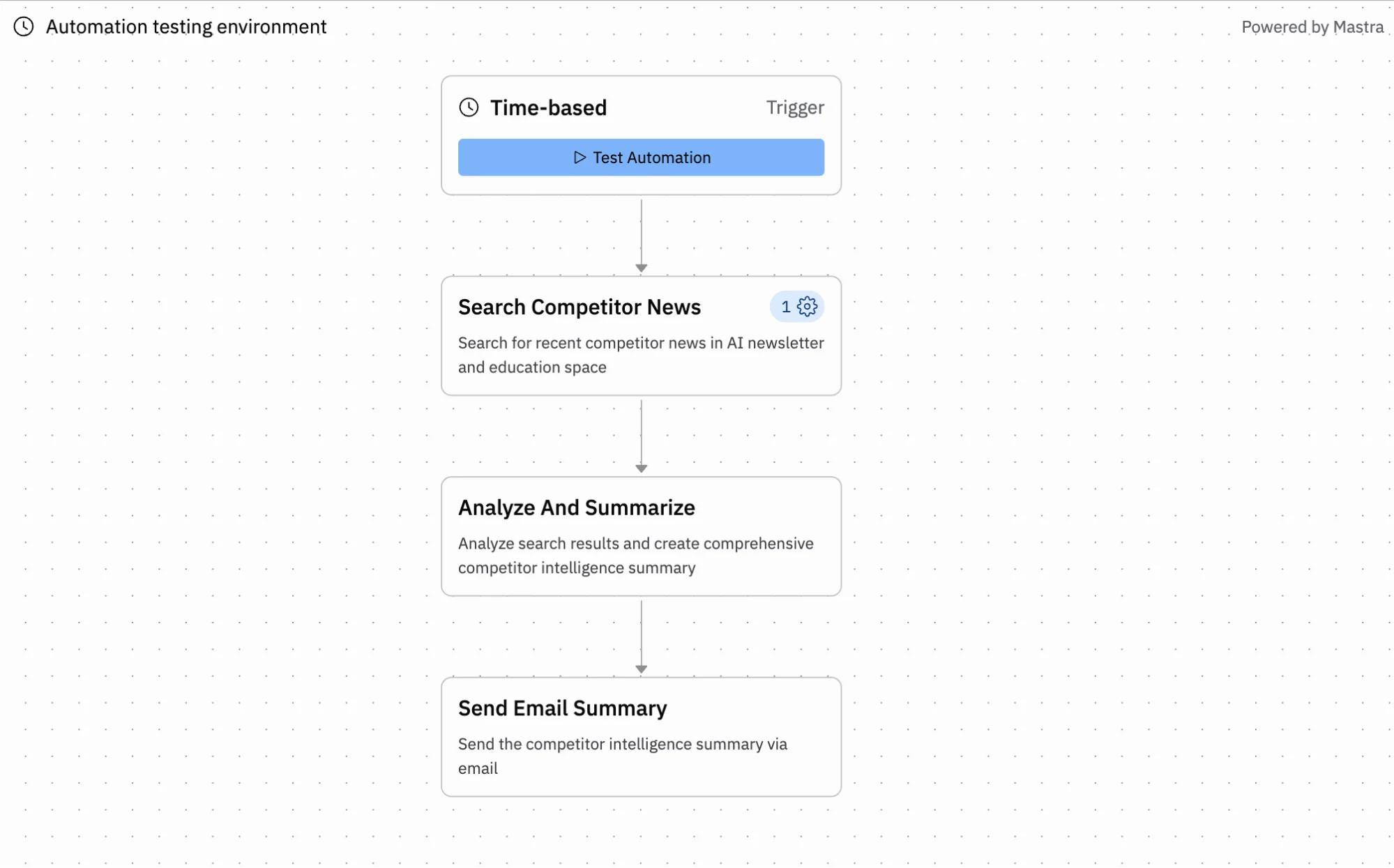
Step 4: Review, adjust, and launch
Once completed, the automation will be ready. For example, the agent may create a workflow like:
- Weekly trigger (Monday at 8 a.m.)
- Web search for competitor updates
- AI-powered analysis and summary
- Email delivery using Replit Mail
You can monitor how the workflow runs and make adjustments if needed before publishing.
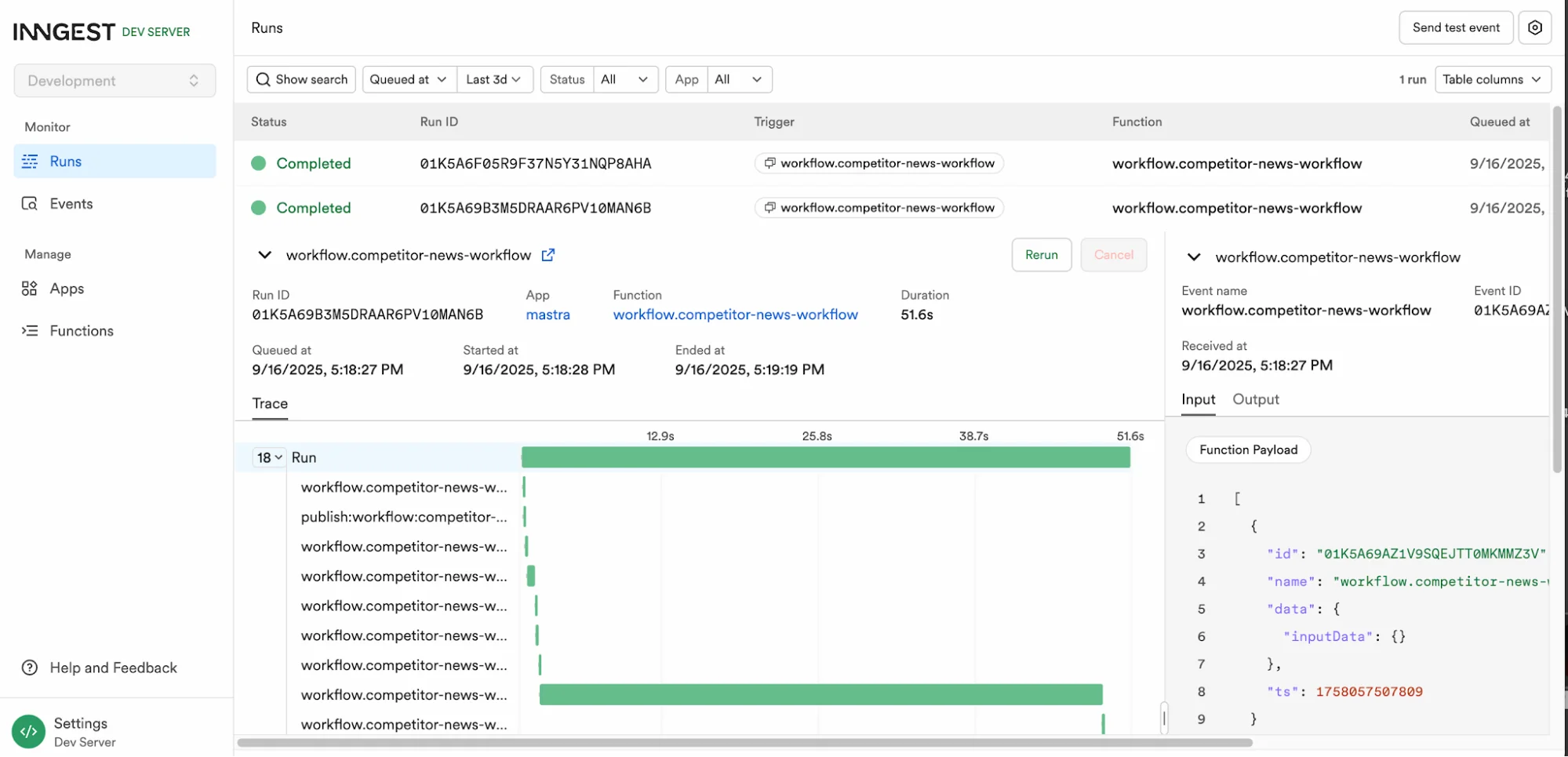
Free credits are typically enough to test a single working automation. For more runs or complex setups, you may need to upgrade.
Pro Tip
Be specific in your prompt. Include your industry and competitor focus to improve results. Store API keys in Account Secrets to avoid repeated setup steps and ensure smoother execution.

Editorial Staff
The Editorial Staff at AIChief is a team of Professional Content writers with extensive experience in the field of AI and Marketing. AIChief was Founded in 2025, AIChief has quickly grown to become the largest free AI resource hub in the industry. Stay connected with them on Facebook, Instagram and X for the latest updates.



