

AI Tutorial
Create a High Converting Landing Page in Minutes with Replit
Learn how to use Replit Design Mode to build high-converting landing pages in minutes. Step-by-step guide for founders, marketers, and creators.
Share
Many AI generated websites look the same. They follow safe patterns and fail to stand out. This leads to weak conversion rates and forgettable design.
You can break out of this pattern by using Replit Design Mode with a structured prompt. This approach helps you generate a custom landing page that matches your offer and audience.
What you need
- Access to Replit
- Any AI chat tool for prompt creation
- A clear offer and target audience
Who this workflow helps
- Founders launching quickly
- Marketers testing new ideas
- Anyone tired of generic AI layouts
What this workflow does
You define your offer, audience, and layout in detail. Then you guide the design style using real examples. Replit uses this input to generate a complete landing page with layout, content, and visuals.
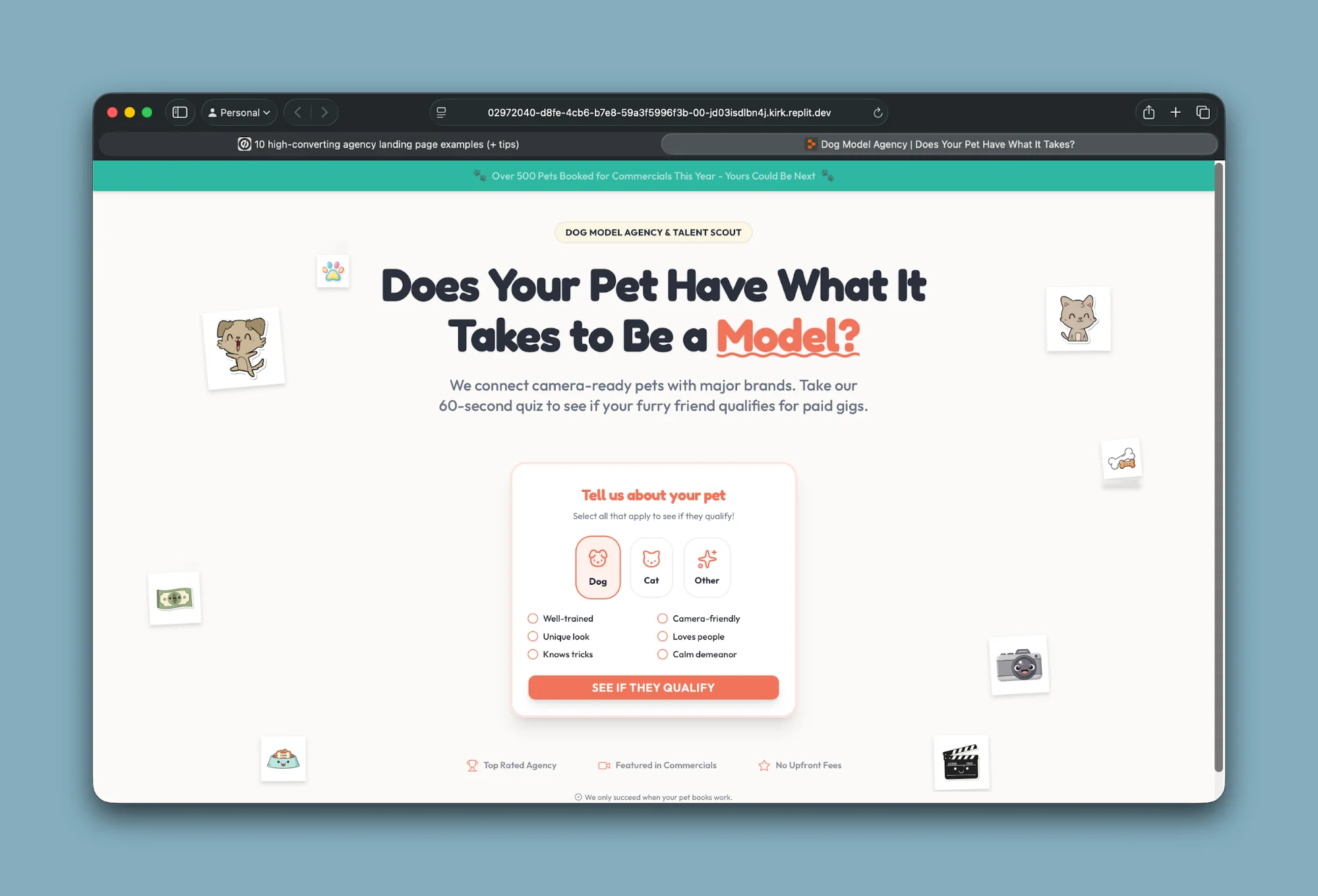
Step 1: Create your base prompt
Start by opening an AI chat tool like Claude or any similar assistant.
Use a structured prompt framework to define your landing page. Include:
1. Offer and conversion goal
- What are you offering? (product, service, event, lead magnet)
- What action should users take? (signup, purchase, book demo, etc.)
- What benefit do they get?
2. Business and audience
- Describe your business or product
- Define your target audience and their main pain point
3. Page structure
- Include sections like:
- Hero (headline, CTA, visual)
- Problem → Solution
- Features or benefits
- Social proof (testimonials, logos, stats)
- Final call-to-action
4. Visual direction
- Style (minimal, bold, modern, etc.)
- Color palette
- Overall mood (trustworthy, energetic, calm, etc.)
5. Conversion elements
- CTA text and placement
- Required form fields
- Trust signals
You only need to customize the core business details, AI can help fill in the rest.
Step 2: Add visual inspiration (the key step)
Without strong direction, AI tends to produce generic designs. To avoid this, provide visual references.
Search for high-quality landing pages on platforms like Behance or Dribbble. Choose one that matches the style you want.
Take a screenshot and upload it into your AI tool (e.g., Claude), then use a prompt like:
Rewrite my landing page prompt to match the style of this screenshot. Ensure the design includes similar layout, visuals, and aesthetic. Generate any necessary graphics or illustrations.
This step helps translate visual inspiration into actionable design instructions.
💡 Tip: Asking the AI to generate its own visuals (instead of pulling stock images) often leads to more consistent and unique designs.
Step 3: Generate your landing page in Replit
Go to Replit and open Design Mode.
- Paste your full prompt (it may upload as a text file if long)
- Enter a command like:
Generate a single-page landing website based on the provided instructions. Create assets as needed.
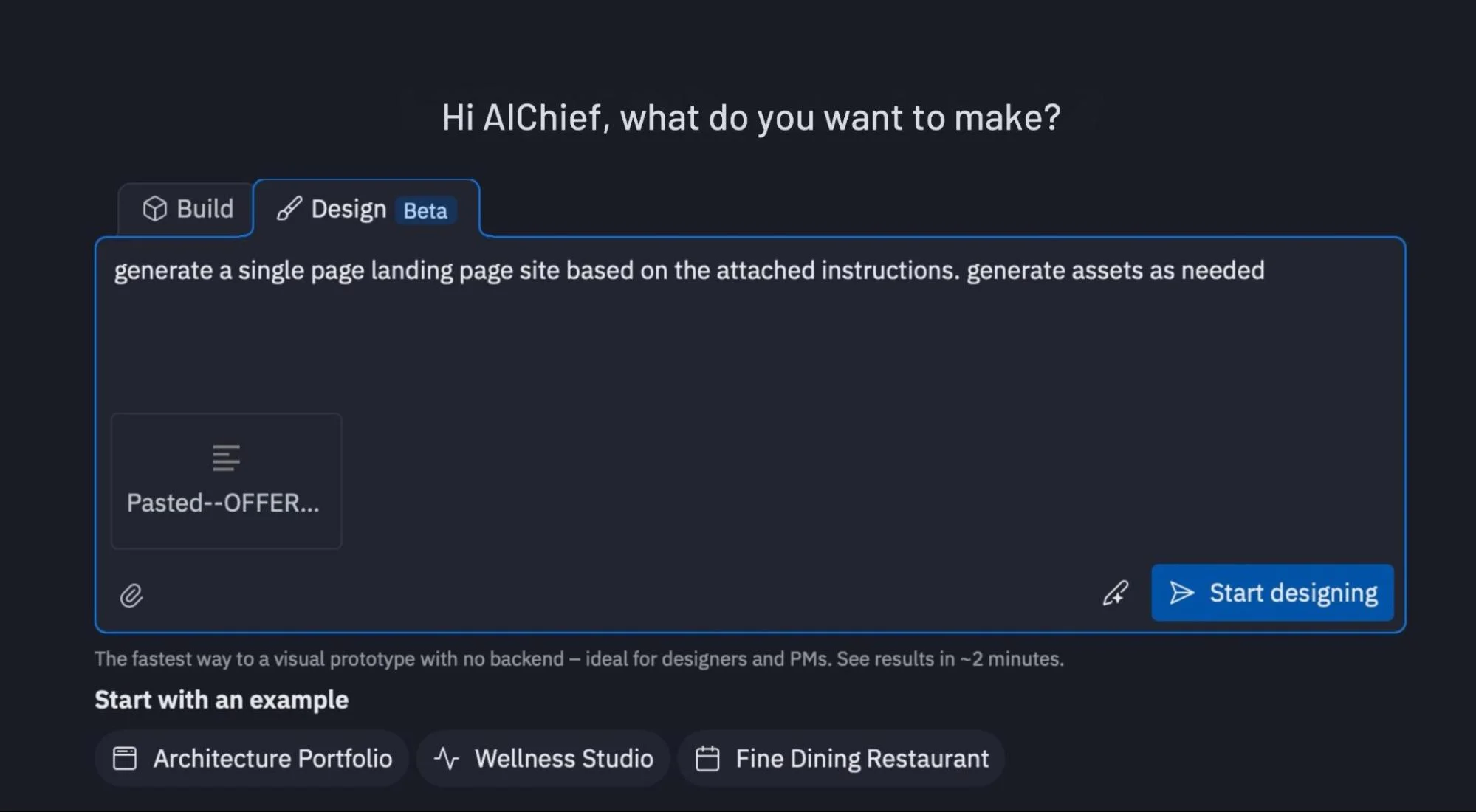
Click start, and Replit will generate a working landing page with layout, styling, and components.
💡 Tip: You don’t need to upload your reference image here, the refined prompt already contains all the necessary direction.
Step 4: Refine and launch
Once your page is generated, you can improve it further by:
- Updating testimonials, offers, and messaging
- Adding lead capture forms or CRM integrations
- Tweaking layout, CTAs, or visuals
When ready:
- Connect a custom domain
- Deploy directly from Replit
You can also host the page on a subdomain if it’s intended for campaigns or paid traffic.
Pro Tip
The quality of your landing page depends heavily on your input. Combining structured prompts with strong visual references is what separates generic AI output from something that feels professionally designed.

Editorial Staff
The Editorial Staff at AIChief is a team of Professional Content writers with extensive experience in the field of AI and Marketing. AIChief was Founded in 2025, AIChief has quickly grown to become the largest free AI resource hub in the industry. Stay connected with them on Facebook, Instagram and X for the latest updates.



