

AI Tutorial
Create a Content Brainstorming Tool with Google Opal
Learn how to create a content brainstorming app using Google Opal to generate social media ideas, hooks, outlines, and hashtags instantly.
Share
This guide shows how to build a content idea generator using Google Opal to quickly turn blank pages into ready-to-use social media ideas with hooks, outlines, and hashtags.
Best Suited For
- Content creators dealing with writer’s block under deadlines
- Social media managers need a consistent idea flow
- Marketers producing platform-specific content at scale
- Solopreneurs without dedicated content teams
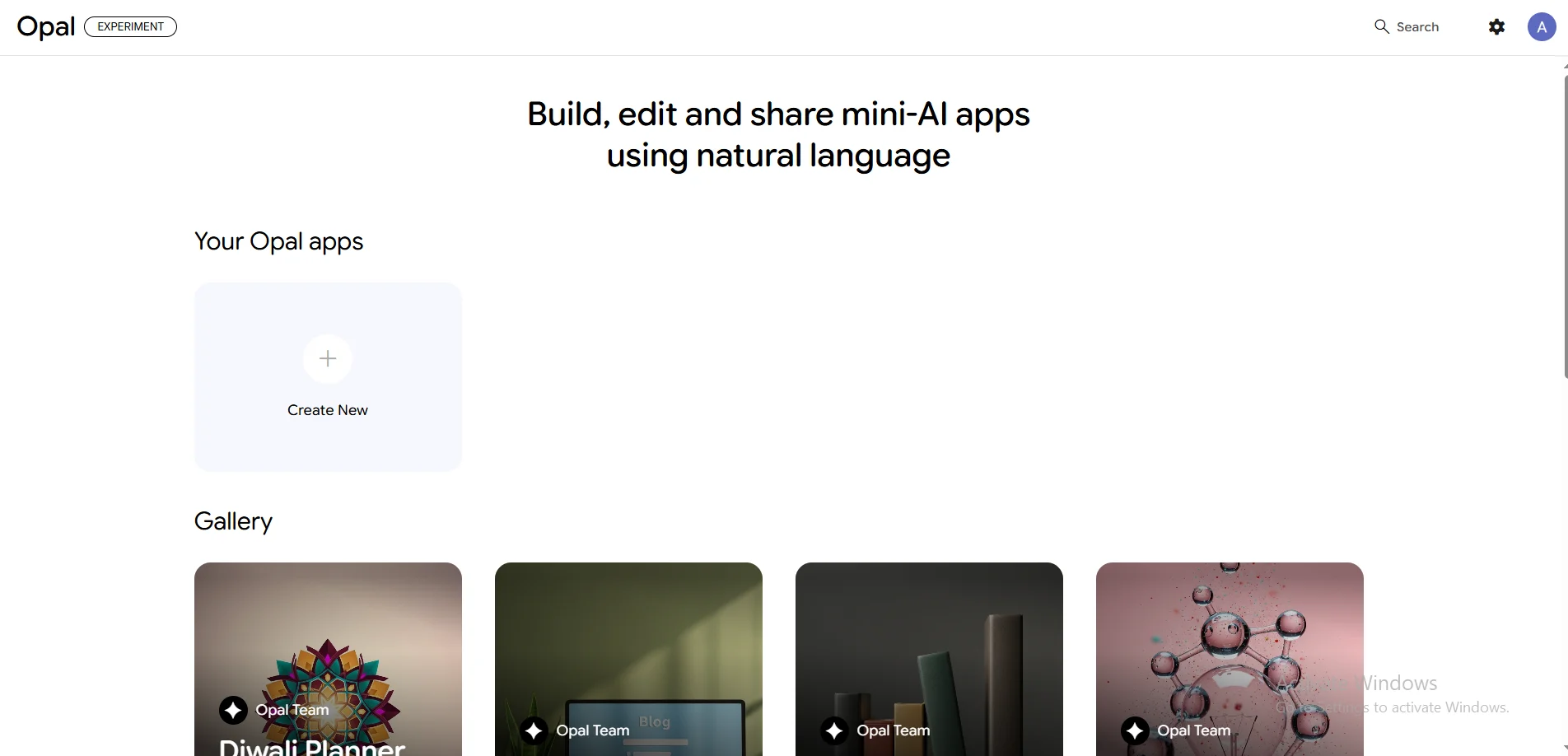
STEP 1: Open Opal and begin building
Visit the official Google Opal website and log in with your Google account. Opal is currently free in beta and allows you to create mini-apps using natural language, no coding required.
After signing in:
- Access the dashboard
- Click the “+ Create New” option
- This opens the visual canvas with a prompt bar
You’ll use this prompt bar to define your app.
STEP 2: Define your app clearly
Describe exactly what you want your app to do. Example prompt:
“Create a content idea generator. Input a topic and platform (LinkedIn or Twitter). Pull recent trends, then generate 5–10 post ideas with engaging hooks, 3-point outlines, and relevant hashtags. Display results in a formatted table with thumbnail suggestions.”
Press enter, and Opal builds the workflow within seconds.
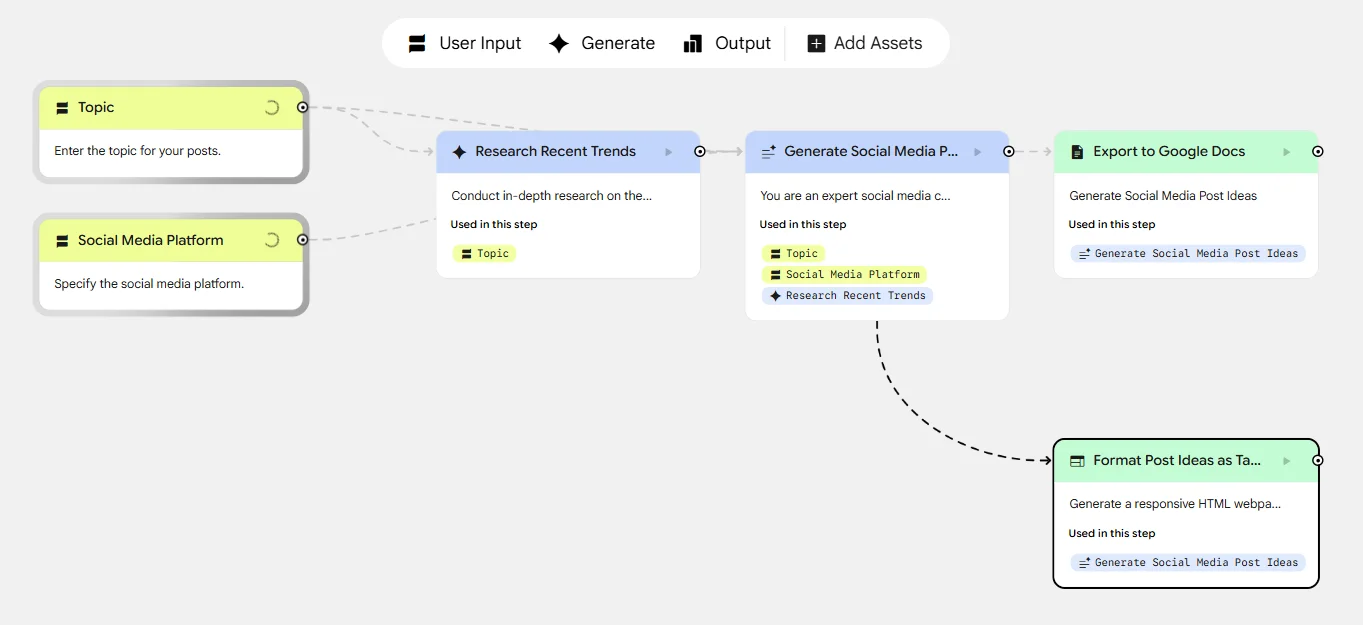
You’ll see nodes such as:
- Topic Input
- Trend Analysis
- Idea Generation
- Structured Output
The preview shows a simple form where users input a topic and platform to receive complete post ideas.
STEP 3: Improve the app using the visual editor
Click on each node to explore its function. The trend analysis step uses Gemini to fetch current platform insights.
To refine your app, simply prompt Opal again. For example:
“Add export to Google Docs for easy copying.”
A new node, like Export to Google Docs, will appear in the workflow.
STEP 4: Test and share your app
Run a test using a real example, such as a topic like “best AI tools” and a platform like LinkedIn or X.
Check that the output includes:
- 5–10 ideas
- Hooks
- Outlines
- Hashtags
If results feel too generic:
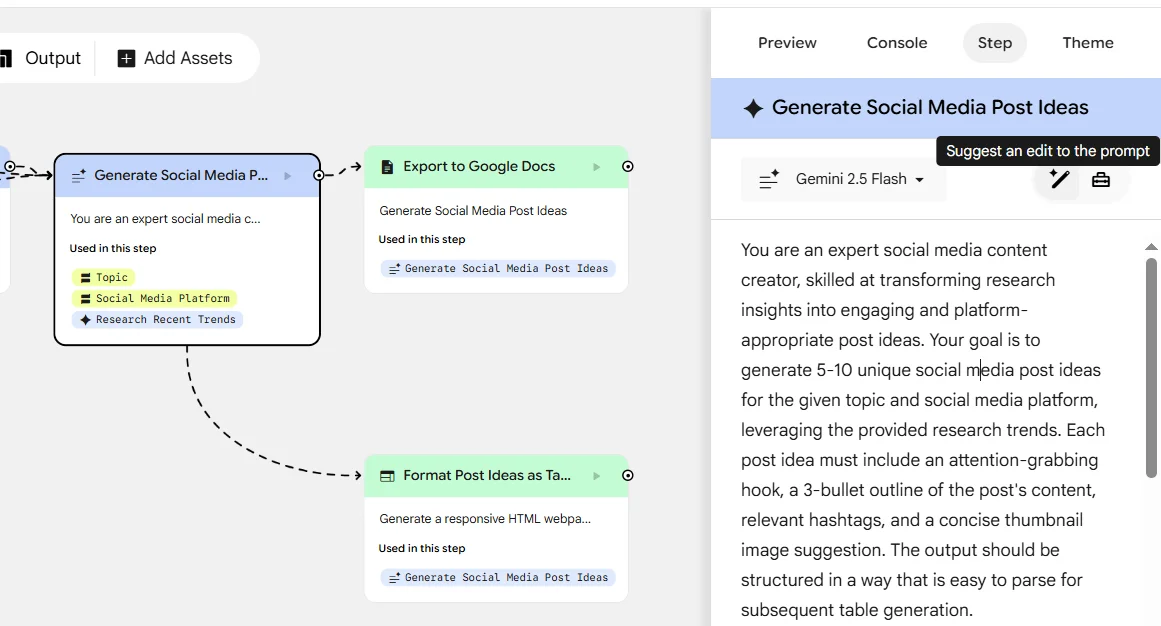
- Select the idea generation node
- Click Suggest an edit to the prompt
Refine with instructions like:
- “Make ideas more specific to SaaS marketing.”
- “Use a professional tone for LinkedIn.”
Once satisfied:
- Click Share App
- Generate a shareable link
- Set permissions to Anyone with the link for easy access
Pro Tip: Create separate versions for each platform, like a LinkedIn thought leadership generator, a Twitter thread creator, or an Instagram caption tool. Each version can be built quickly and tailored to a specific use case.

Editorial Staff
The Editorial Staff at AIChief is a team of Professional Content writers with extensive experience in the field of AI and Marketing. AIChief was Founded in 2025, AIChief has quickly grown to become the largest free AI resource hub in the industry. Stay connected with them on Facebook, Instagram and X for the latest updates.



