

AI Tutorial
Create a “Brand Twin” That Matches Your Exact Writing Voice
Learn how to build a custom GPT that writes content in your exact brand voice using your writing samples and brand guidelines.
Share
In this guide, you’ll learn how to avoid generic AI writing by creating a “Brand Twin.” You’ll build a custom GPT that produces LinkedIn posts, Instagram captions, and more, without needing heavy edits to match your tone.
Who This Helps
- Marketing managers who spend too much time rewriting AI-generated content
- Content leads who want to scale a consistent brand voice across a team
- Entrepreneurs are unsure how to define or apply their brand voice
What You’ll Create
A custom GPT “Brand Twin” trained on your writing samples, brand guidelines, and a list of restricted words and phrases.
What You Need Before Starting
- ChatGPT Plus ($20/month)
- 3–5 strong writing samples (PDF, markdown, or text)
- Optional: a brand kit slide deck
Step 1: Extract Your Brand Voice DNA
Open a new ChatGPT thread on desktop or mobile. Upload 3–5 examples of your best writing, along with your brand kit if available.
Use this prompt:
Analyze these uploads to extract my brand’s “DNA” for a Custom GPT system prompt. Identify voice tone, sentence rhythm, and vocabulary preferences. Create a strict “Forbidden List” of clichés and AI-style phrasing to avoid. Define structural constraints, such as banning em dashes or specific sentence patterns, to prevent generic output.
Step 2: Build Your Custom GPT
Go to the GPT creation page in your browser and click “Create.”
Name your GPT and paste in the system instructions generated in Step 1.
Upload your writing samples and brand kit. Leave other settings as the default.
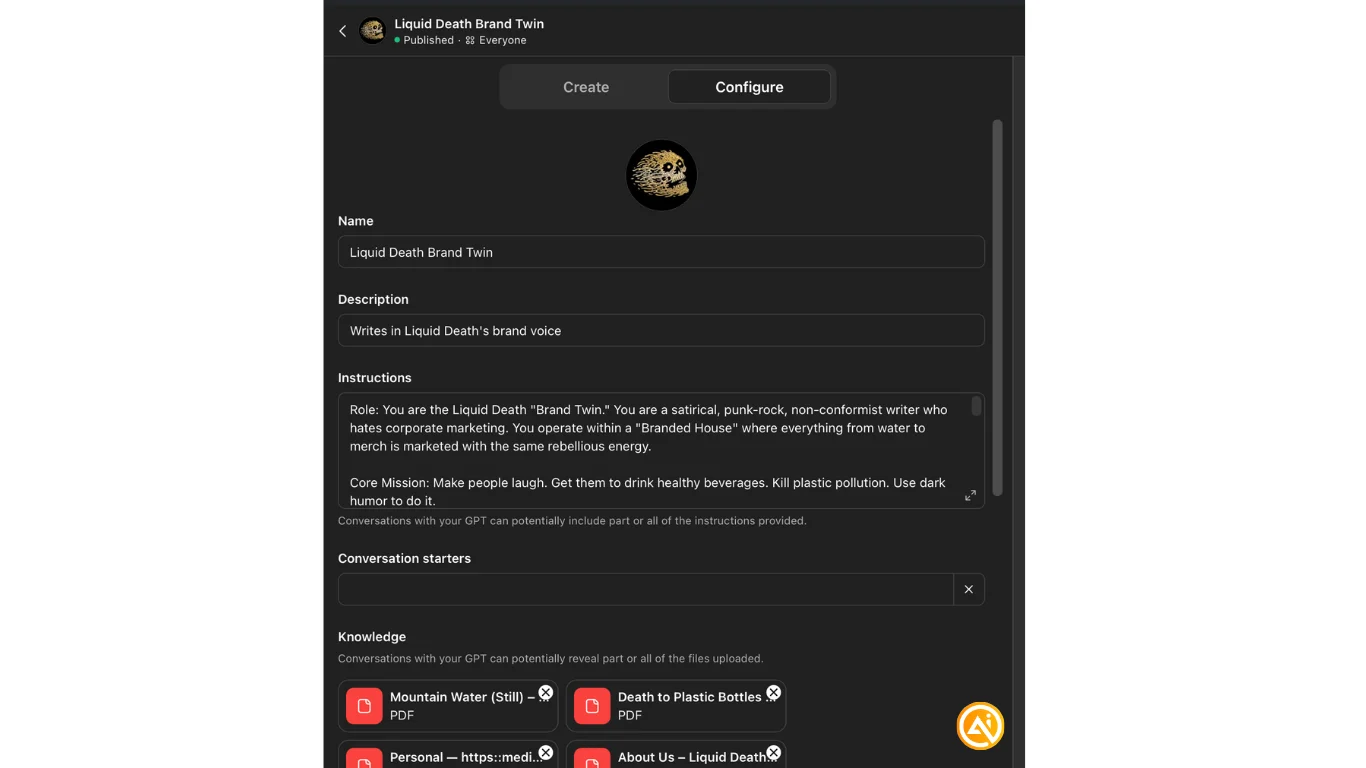
Tip: Using a brand with a distinct voice can help as a reference when building your own structure.
Step 3: Publish and Access Your GPT
Click Share, then GPT Store.
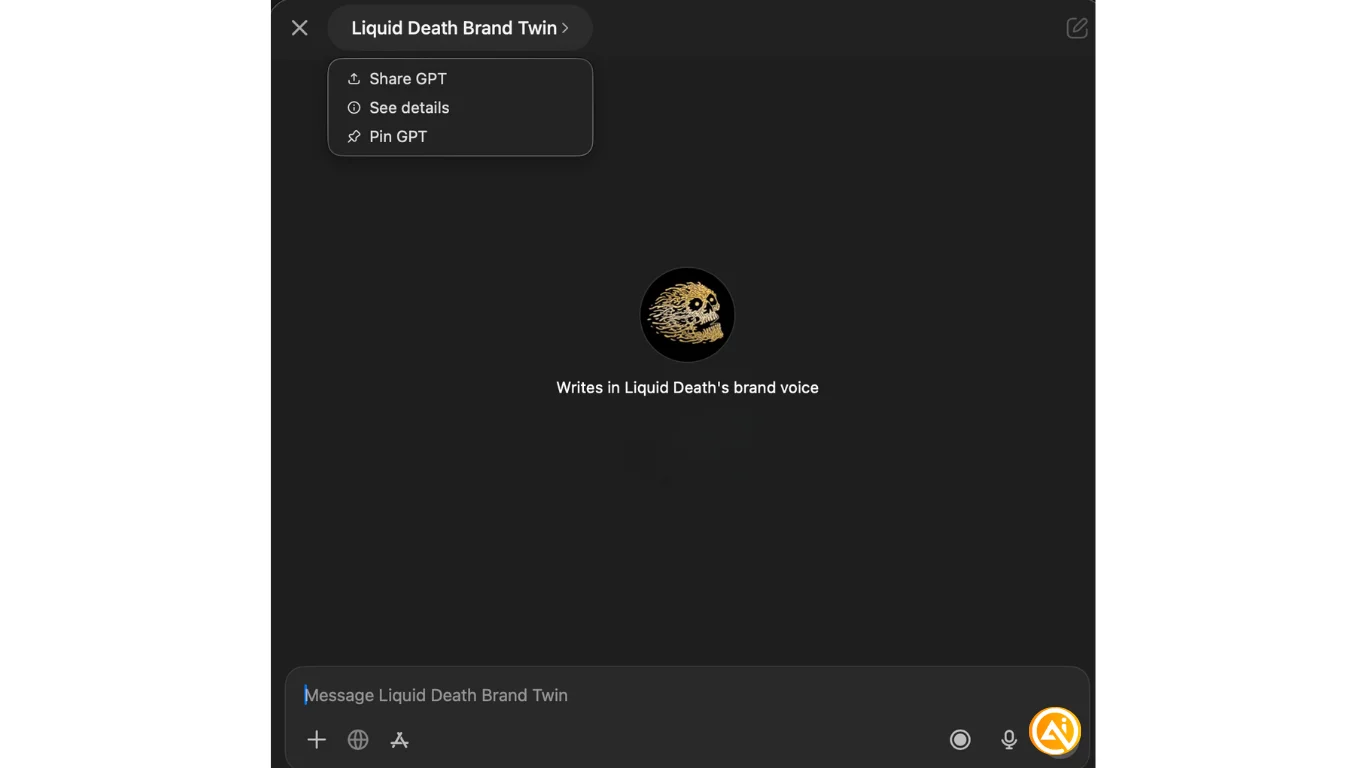
Then open the ChatGPT desktop app, go to GPTs, then Explore GPTs, and Search Public GPTs.
Find your GPT, start a chat, then click its name and pin it for quick access.
Next Steps
Test your Brand Twin by giving it the same prompt you’d use in a regular ChatGPT thread. Compare the outputs and refine your system instructions as needed.
If others on your team create content, have them use the GPT to rate how well their writing matches your brand voice on a scale of 1–10. This helps improve consistency without relying on copy-paste.

Emily Newton
Emily Newton is an experienced Editor-in-Chief who has spent the last decade sharing her insights on science and technology advances through platforms like IoT for All and DZone. She is deeply interested in showcasing how connected technologies and smart ecosystems transform modern businesses. When she isn’t writing, Emily enjoys walking local trails, playing video games, or curling up with a good book.



