

AI Tutorial
Build Professional Presentation Decks with Canva AI
Learn how to build polished, professional presentations using Canva AI. This step-by-step guide covers generating, customizing, and exporting presentation decks with ease.
Share
This tutorial explains how to create professional-looking presentations with Canva AI. After testing Gamma, Beautiful AI, and Google Slides, Canva AI stood out for being fast, flexible, and producing designs that feel less repetitive than other AI presentation tools.
Best Suited For:
- Marketing teams presenting ideas
- Operations teams creating annual plans
- Founders preparing investor pitches
- Anyone looking to avoid generic slide decks
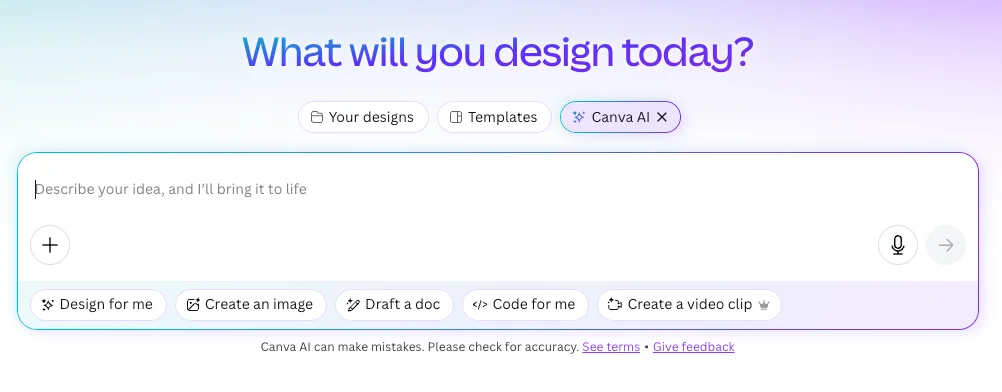
STEP 1: Launch Canva AI
Go to canva.com. On the homepage, click inside the text box to instantly open Canva AI (or select the Canva AI logo directly).
STEP 2: Enter a Presentation Prompt
Example prompt used in Canva:
“Create a 2026 business plan template that companies can customize with their own information.”
Using templates makes the process easier since placeholders are already included and can quickly be replaced with custom content.
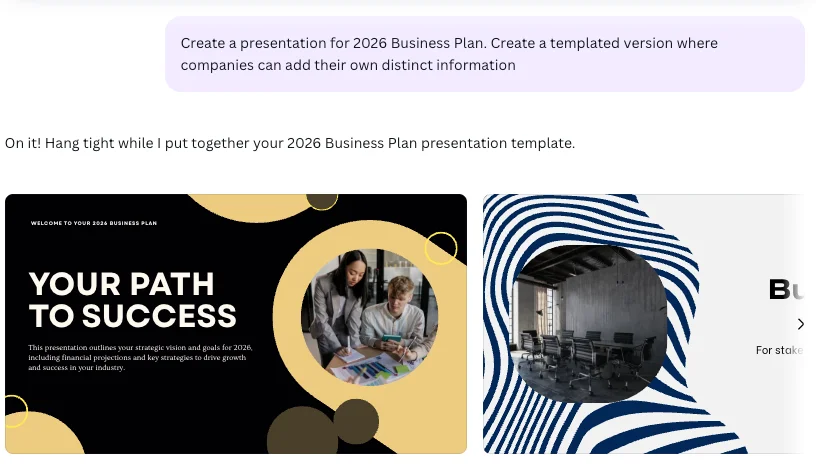
STEP 3: Select One of the Suggested Styles
Canva provides several presentation styles to choose from:
- Bright and colorful: ideal for creative teams
- Professional and polished: suitable for finance or consulting
- Clean modern layouts: a balanced and versatile option
Browse through the available designs, choose one, and continue. Every element can still be edited later.
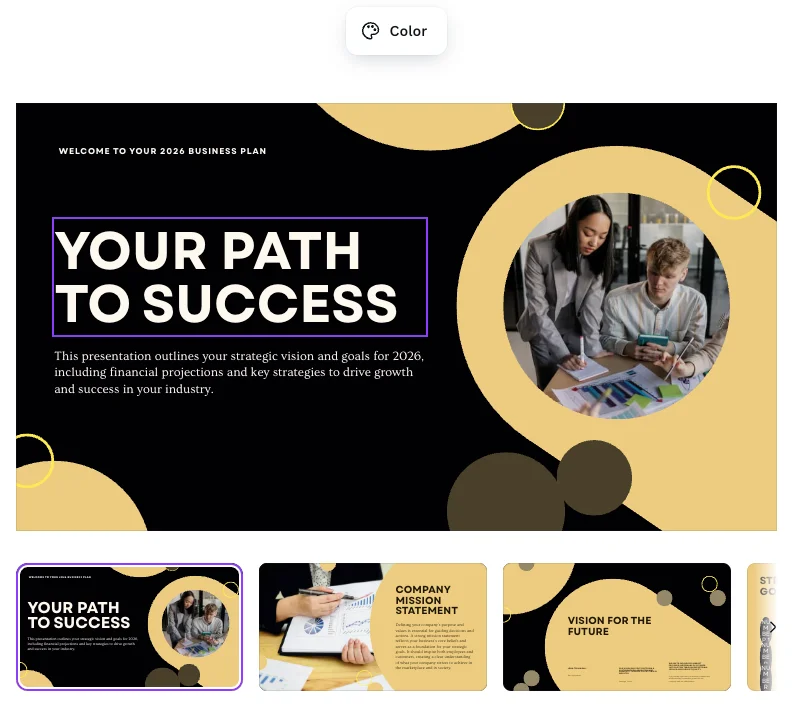
STEP 4: Edit the Presentation in Canva Editor
Click “Use Canva Editor” to customize the presentation further. This is where Canva stands out because every design element is editable. Options include:
- Replacing colors and images
- Adjusting fonts and shapes
- Adding or deleting slides
Switching stock visuals with branded images or product screenshots can instantly make the deck feel more original and personalized.
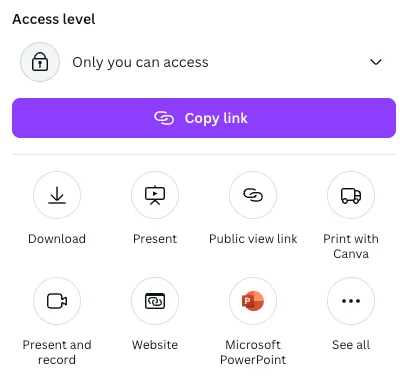
STEP 5: Export or Share the Final Design
Once the presentation is complete, it can be shared or exported in several ways:
- Collaborate with teammates
- Export as a PowerPoint presentation
- Record a narrated presentation
- Download as a PDF
Pro Tip
Canva AI feels less formulaic than Gamma while offering greater creative flexibility. It combines the speed of AI-generated content with Canva’s powerful editing tools, making it a strong option for business presentations.

Editorial Staff
The Editorial Staff at AIChief is a team of Professional Content writers with extensive experience in the field of AI and Marketing. AIChief was Founded in 2025, AIChief has quickly grown to become the largest free AI resource hub in the industry. Stay connected with them on Facebook, Instagram and X for the latest updates.



