

AI Tutorial
Build Full-Stack AI Productivity Tools with Lovable AI
Learn how to create full-stack AI productivity tools using Lovable AI with simple prompts, no coding required.
Share
In this guide, you’ll learn how to create AI-powered productivity apps using Lovable, a platform that handles UI, backend, database, and AI integration through simple prompts. This example walks through building a task prioritizer.
Who This Is Useful For
- Non-technical founders building prototypes quickly
- Product managers test ideas before development
- Entrepreneurs launching simple SaaS tools
- Anyone exploring AI app creation without coding
STEP 1: Generate your app with a single prompt
Go to lovable.dev and sign up. You’ll get free daily credits to start building.
Inside the platform, you’ll see a chat interface where you describe your app. Lovable automatically creates the UI, backend, and database.
Use a prompt like:
Build a task tracking app called TaskPrioritizer. Include a dashboard with a form to add tasks with a name and description. Display tasks as cards with a checkbox to mark them complete. Use a clean, modern design similar to Notion with light colors and soft shadows. Store all tasks in a database so they persist after refresh.
Click send and allow cloud access when prompted. The app will be generated instantly, with the interface shown on screen.
STEP 2: Add AI-powered task prioritization
Next, enhance your app with AI features.
Use a prompt like:
Add automatic task prioritization using Gemini. When a task is added, analyze its description and assign a priority level: low, medium, or high. Detect urgency words like “ASAP,” “urgent,” or “today.” Display colored badges and include a short explanation for the priority. Add a button to sort tasks by priority.
Allow AI integration when prompted. The app updates immediately.
Test it by adding tasks and observing how priorities are assigned and explained.
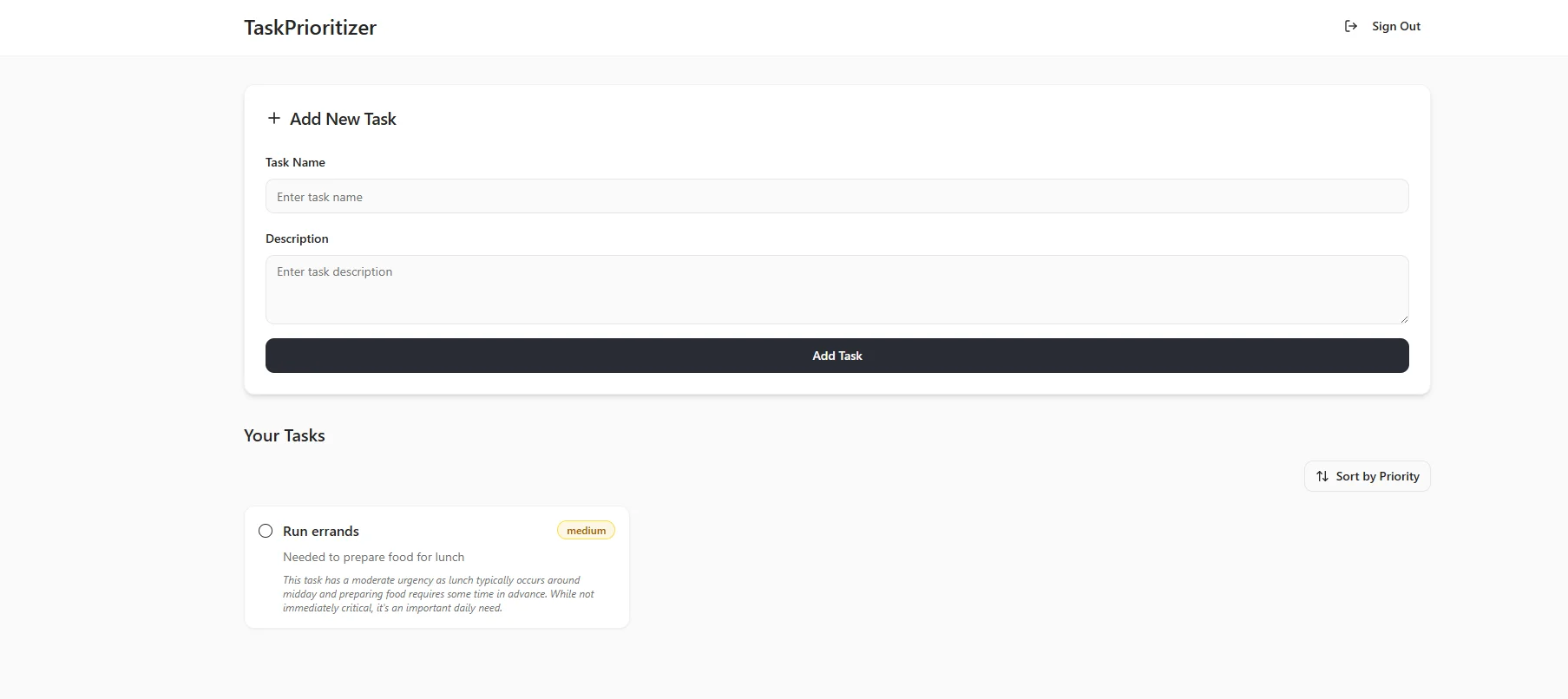
STEP 3: Add user authentication
To make the app usable for individuals, add login functionality.
Use a prompt like:
Add user account features with signup and login so users can save tasks privately. Each user should only see their own tasks.
Lovable will automatically implement authentication, including session handling and data separation.
Test by creating an account and confirming tasks are user-specific.
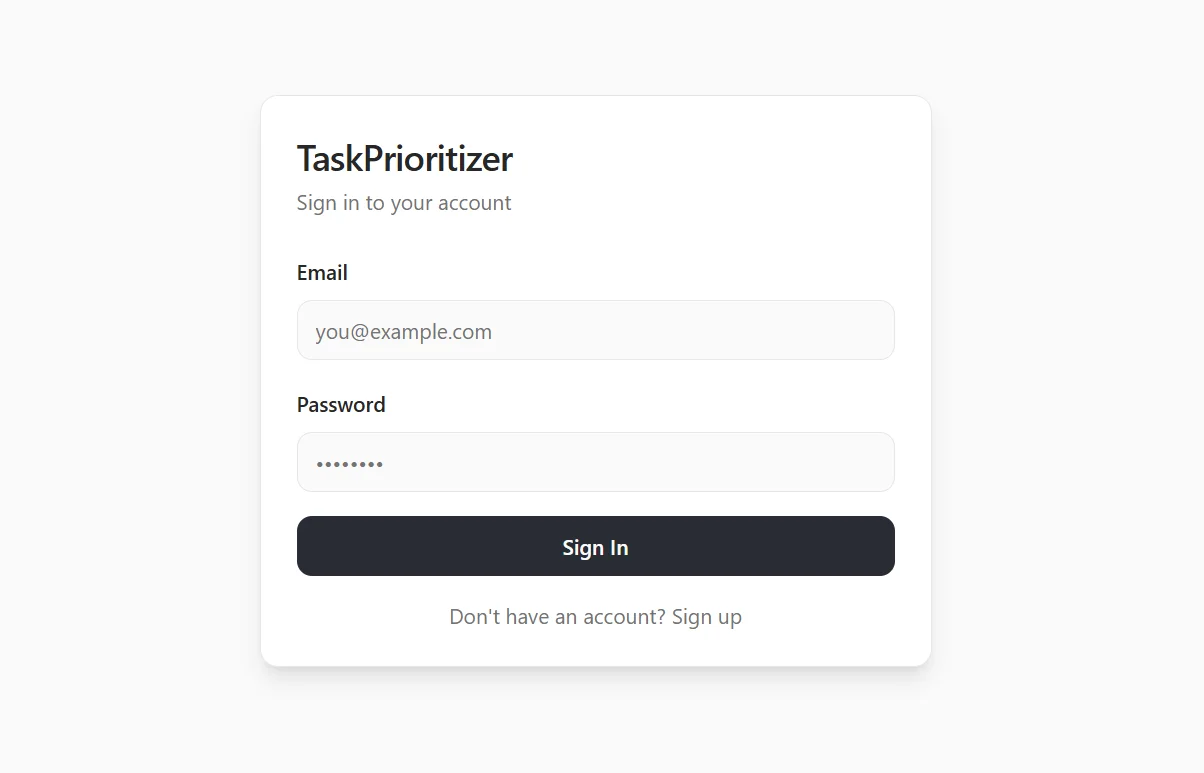
STEP 4: Test, refine, and publish
Use the app as a real user would:
- Sign up and log in
- Add tasks with varying urgency
- Check AI-generated priorities
- Mark tasks complete
- Sort tasks by priority
If changes are needed, simply prompt updates like:
“Make task cards larger,” or “Add a delete button.”
When everything works as expected, click Publish.
You’ll receive a live URL (e.g., yourapp.lovable.app) that you can use or share.
Pro Tip
Before building, use tools like ChatGPT or Claude to draft a simple product specification.
Outlining features in advance helps you build faster and avoid rework.

Editorial Staff
The Editorial Staff at AIChief is a team of Professional Content writers with extensive experience in the field of AI and Marketing. AIChief was Founded in 2025, AIChief has quickly grown to become the largest free AI resource hub in the industry. Stay connected with them on Facebook, Instagram and X for the latest updates.



