

AI Tutorial
Build an AI Customer Support Chatbot with Chatbase
Learn how to use Chatbase to build AI-powered customer support chatbots that help users instantly discover guides, tutorials, and support resources.
Share
This workflow demonstrates how to automate customer support and resource discovery using Chatbase. Instead of manually sending users links to tutorials or documentation, an AI chatbot can instantly surface the most relevant resources through a conversational interface.
Best Suited For:
- Course creators helping students locate resources faster
- SaaS businesses offering around-the-clock support
- Agencies repeatedly answering similar client questions
- Teams managing large collections of tutorials, guides, or documents
STEP 1: Set Up Your Chatbase Account
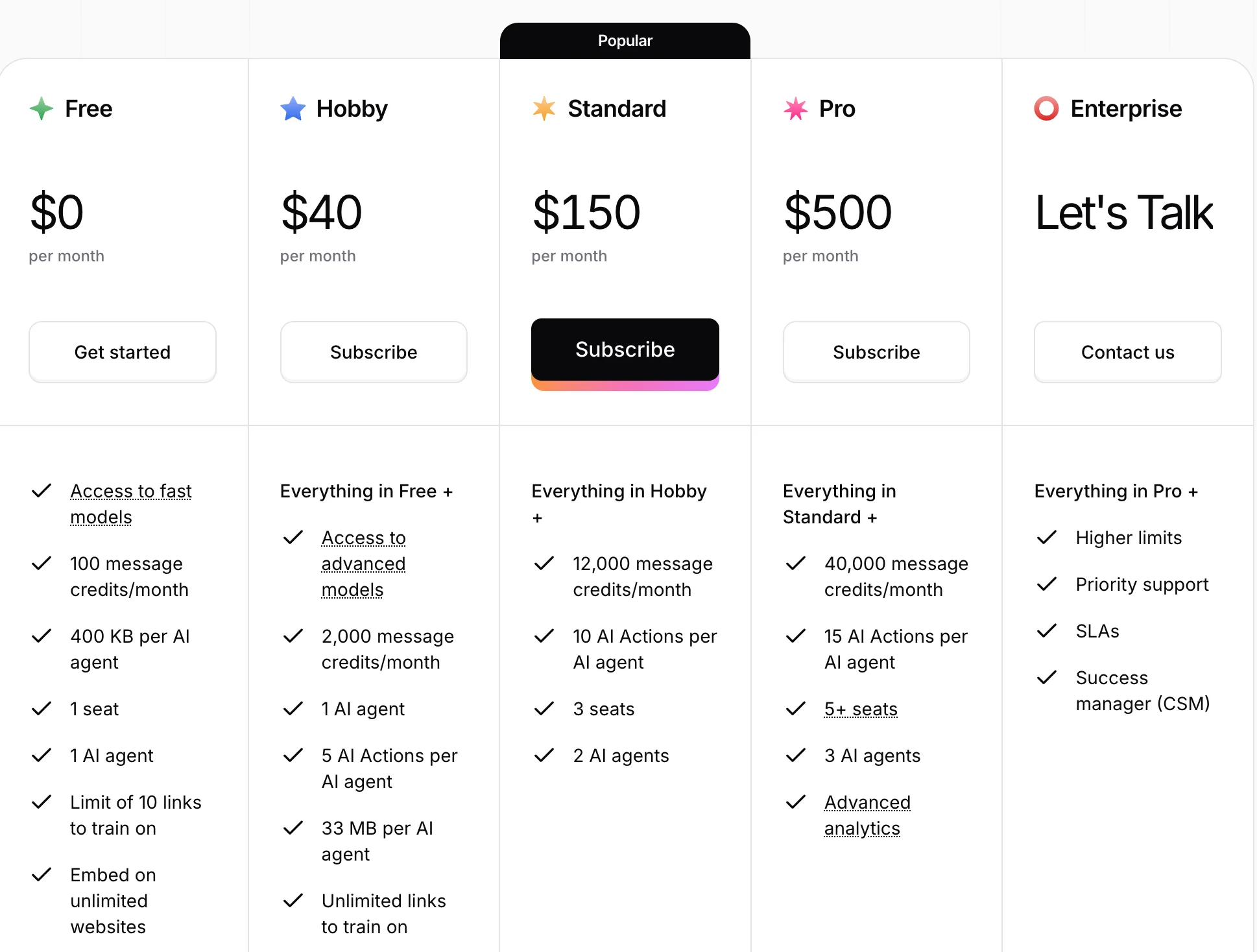
Start by visiting the Chatbase website and reviewing the available pricing plans.
Available Plan Types:
- Free Plan: Includes lightweight AI models like GPT-4o mini, Claude Haiku, and Gemini Flash for basic chatbot testing
- Paid Plans: Unlock advanced models, higher usage limits, and expanded conversation capacity
After selecting a plan, open the agent creation dashboard where the chatbot will be configured and tested.
STEP 2: Add Training Data to Your Chatbot
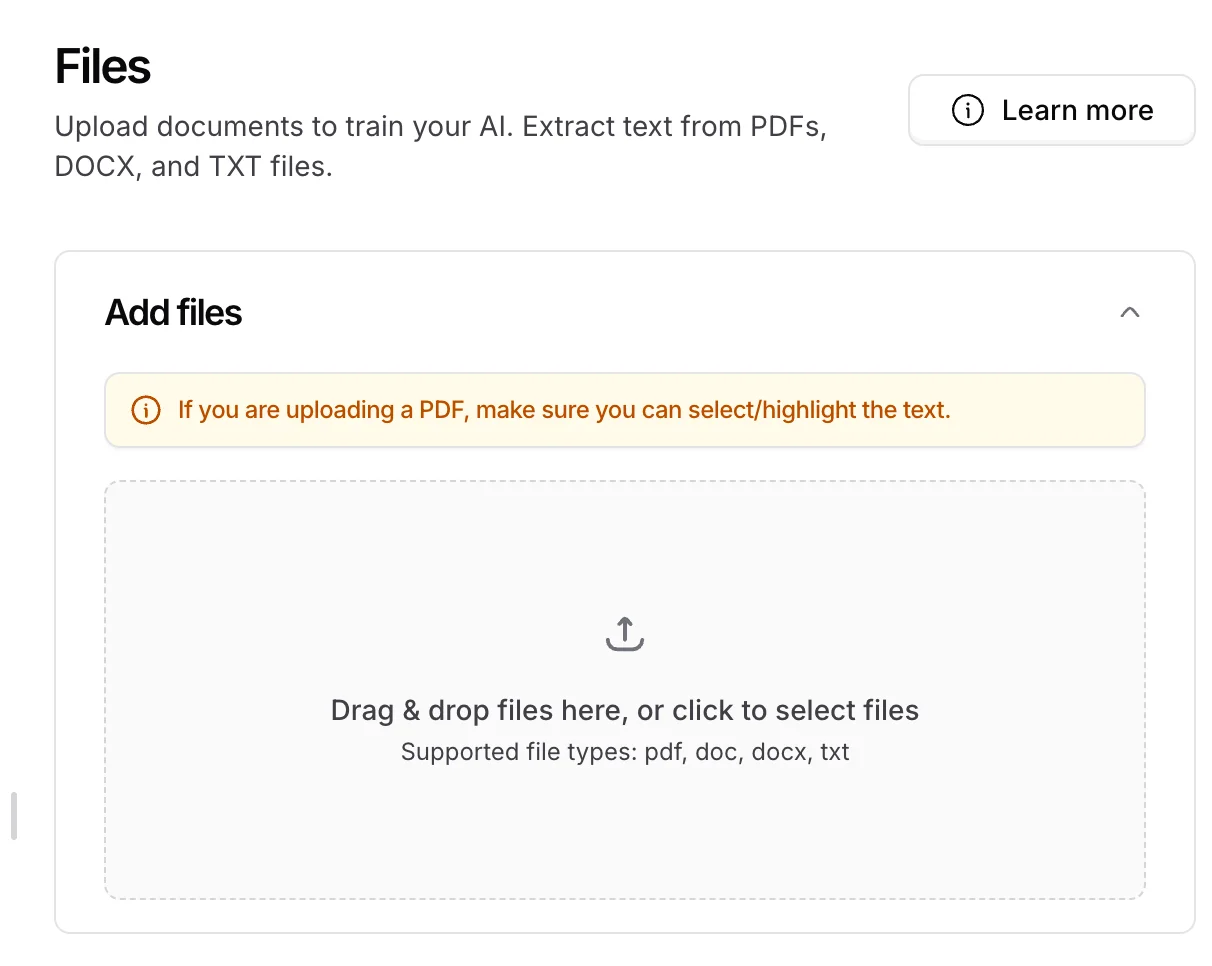
This step teaches the chatbot how to answer questions accurately.
Chatbase supports several data sources, including:
- PDF, DOC, and TXT files
- Raw pasted text
- Website URLs and crawled web pages
For example, a tutorial library page can be added directly so the chatbot only indexes relevant educational content.
Once uploaded, the data source appears inside the dashboard where it can be edited, removed, or updated later.
STEP 3: Configure and Build the Chatbot
Before creating the chatbot, several settings can be customized.
Configuration Options Include:
- Custom Q&A pairs
- Notion integrations
- AI model selection
- Temperature settings for creativity vs. accuracy
- AI actions for external tools and workflows
- System prompts controlling tone and behavior
- Role restrictions for specialized chatbot functions
Temperature Settings:
- Lower values = more accurate and predictable responses
- Higher values = more creative responses with a greater risk of hallucinations
After configuration, click “Create Agent.”
Chatbase will process the uploaded content and train the chatbot, which typically takes a few minutes.
STEP 4: Test the Chatbot Responses
Once the chatbot is trained, test it with realistic customer-style questions.
Example Queries:
- “Find the best guides for AI presentations.”
- “Show tutorials related to Claude Code.”
The chatbot should return the most relevant resources along with direct links to the matching content.
If certain responses are inaccurate or irrelevant, additional feedback can be provided to improve future results.
Example instruction:
“Exclude this resource when users ask about Claude Code.”
Over time, the chatbot improves through continued testing and refinement.
STEP 5: Deploy and Improve the Chatbot
After testing is complete, the chatbot can be:
- Embedded directly into a website
- Shared internally with customer support teams
- Expanded with additional knowledge sources
This allows users to instantly find answers and resources without manually browsing through documentation or archived content.
Pro Tip
Start by training the chatbot on a small, focused collection of high-demand resources instead of uploading everything at once. Once response quality is strong, gradually expand the knowledge base and continue refining answers based on real user interactions.

Editorial Staff
The Editorial Staff at AIChief is a team of Professional Content writers with extensive experience in the field of AI and Marketing. AIChief was Founded in 2025, AIChief has quickly grown to become the largest free AI resource hub in the industry. Stay connected with them on Facebook, Instagram and X for the latest updates.



