

AI Tutorial
Build AI-Powered Slide Decks with Manus
Learn how to use Manus AI to research topics, generate professional slide decks, update presentations automatically, and schedule recurring AI-powered reports.
Share
Manus is an advanced AI “super agent” capable of handling complex workflows such as research, data analysis, and presentation creation. Instead of generating only text, Manus can complete entire multi-step projects and produce polished slide decks automatically.
Best Suited For:
- Business owners preparing presentations for teams or investors
- Marketers and consultants creating research-driven reports
- Students and researchers organizing information visually
- Professionals looking to automate complex digital workflows
STEP 1: Assign the Task and Select a Presentation Theme
Start by opening the Manus dashboard.
Inside the main prompt field, describe the presentation project in detail. More specific prompts typically produce stronger results.
Example Prompt:
“I own a business in the hospitality industry with approximately 50 employees. Create a slide deck outlining 10 ways we can start using AI today, plus one slide covering future AI opportunities for the near term.”
After entering the prompt:
- Select Slides as the output format
- Choose a presentation theme
- Confirm the task submission
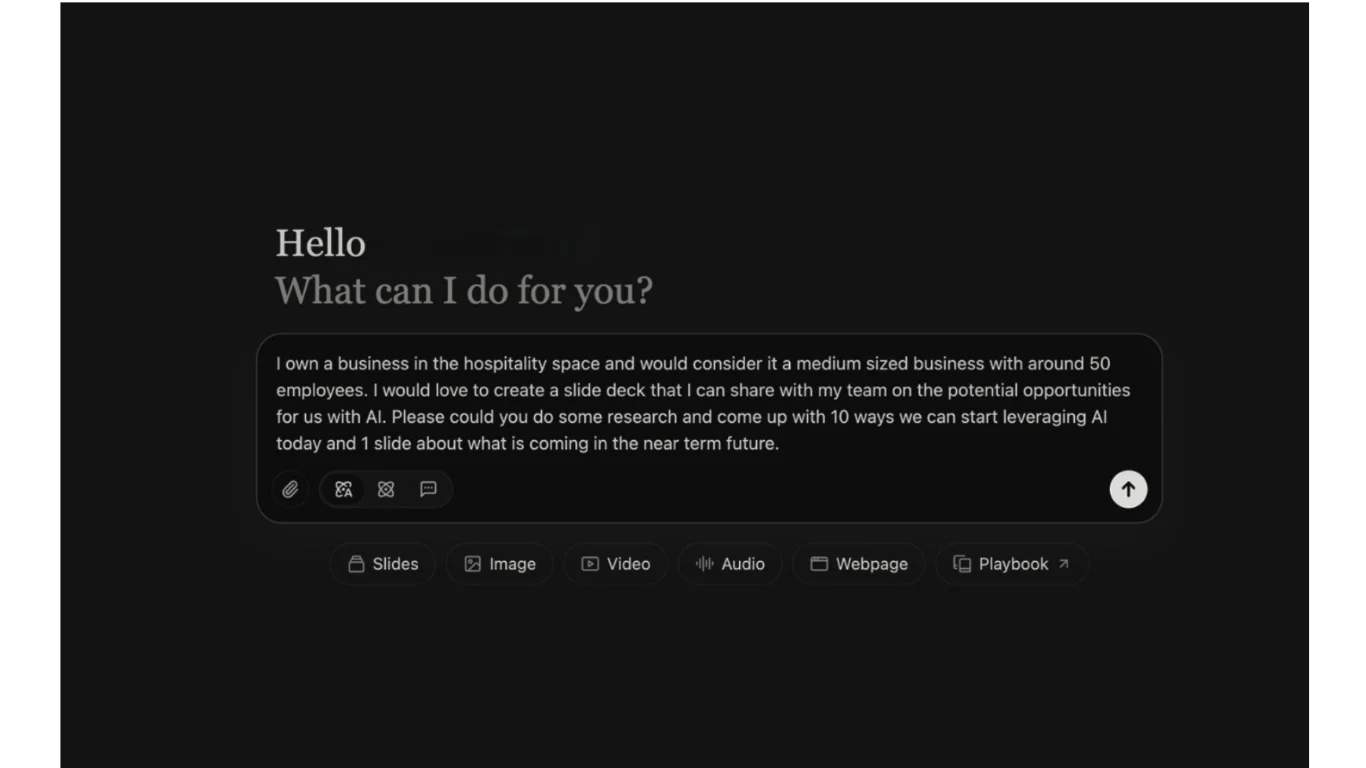
Manus will then begin the workflow automatically.
STEP 2: Monitor the AI Workflow
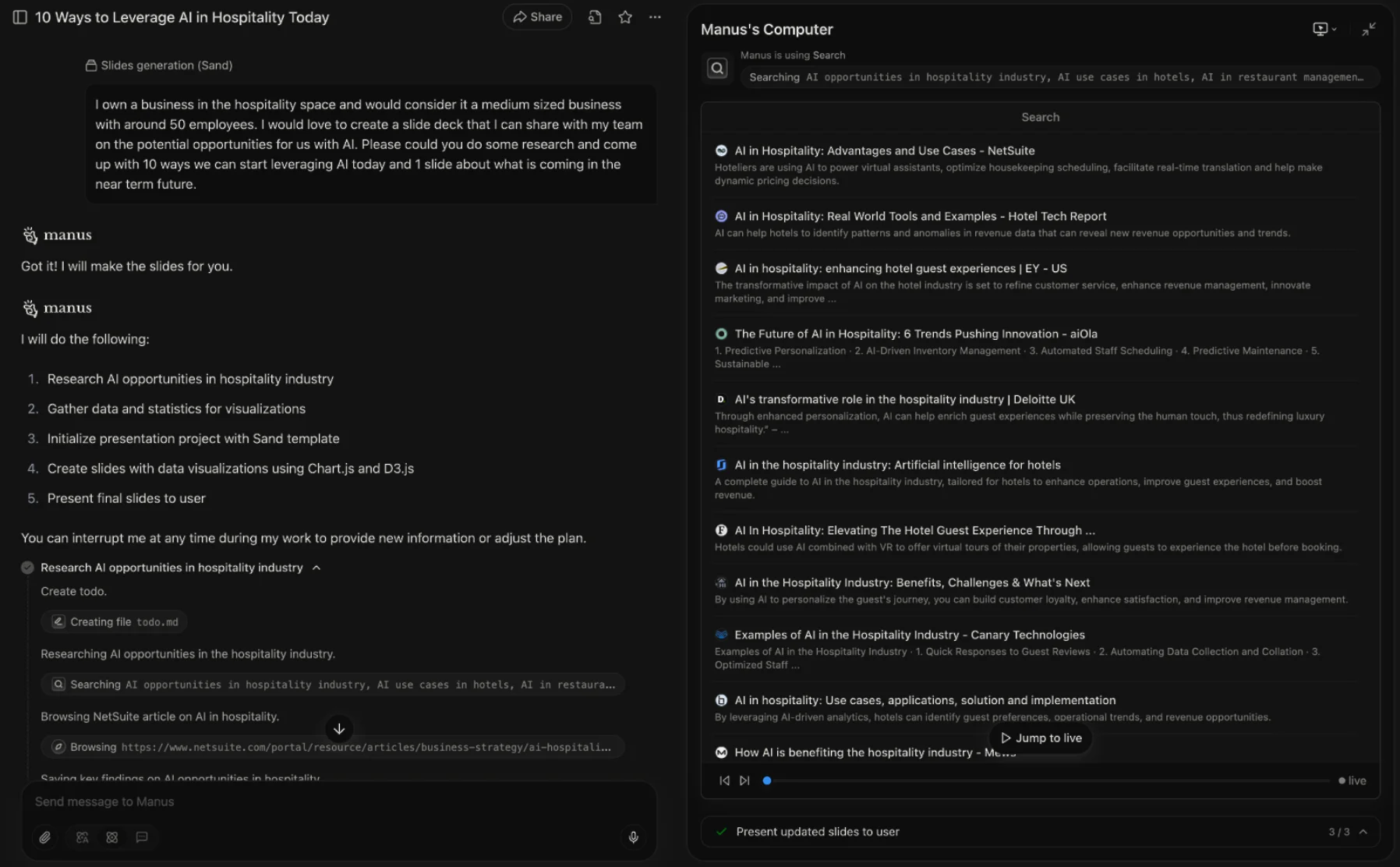
Once the task starts, the interface splits into two sections.
Left Panel:
Displays the AI’s task breakdown and execution plan, including steps such as:
- Researching AI opportunities
- Gathering supporting data
- Structuring the presentation
- Generating visual assets
Right Panel:
Shows the live “Manus Computer,” where the AI browses websites, analyzes information, and builds the presentation in real time.
Because Manus operates inside a virtual cloud environment, the task can continue even after closing the browser tab.
STEP 3: Review the Generated Presentation
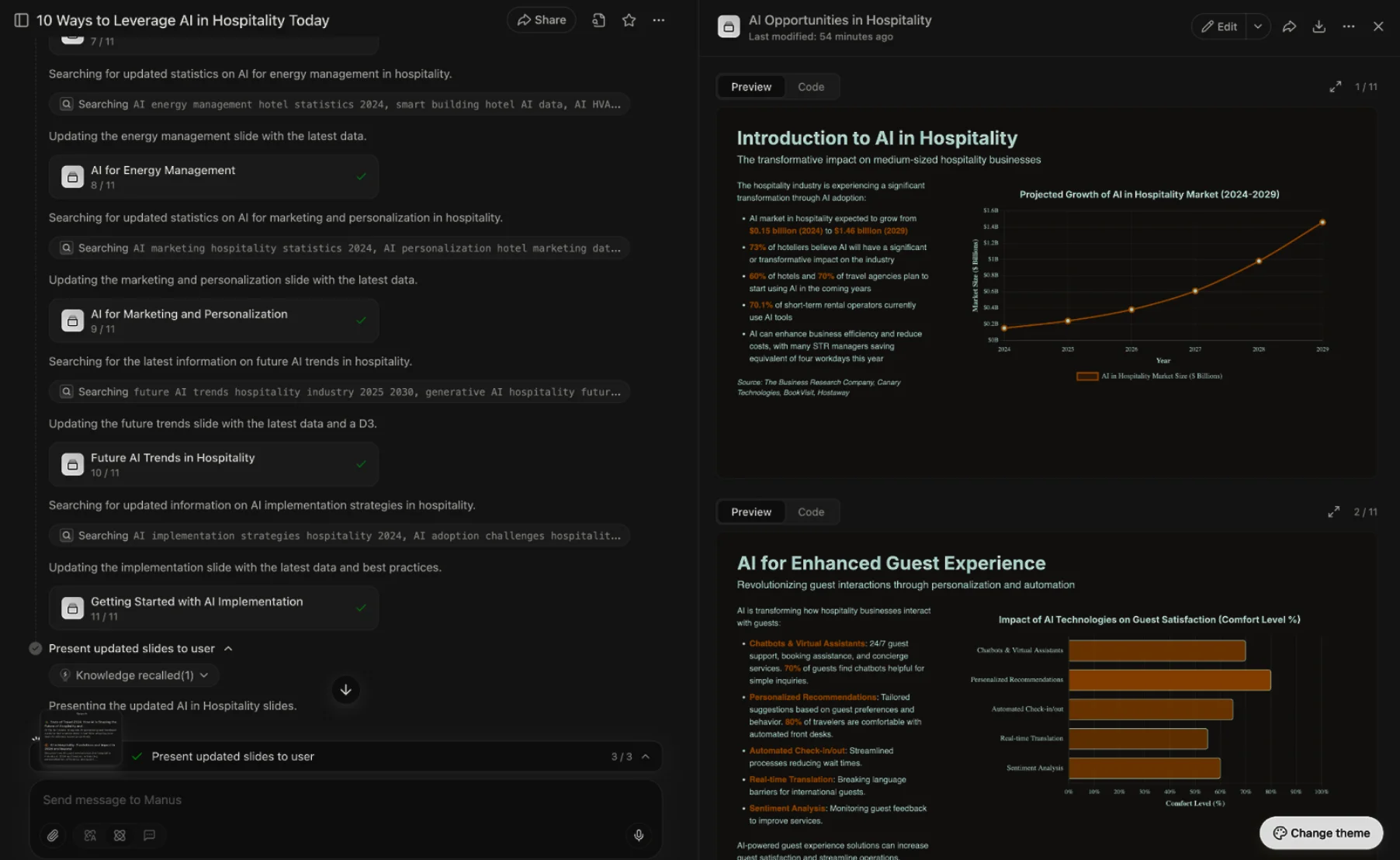
As Manus completes the workflow, it begins generating the presentation slides automatically.
The AI creates:
- Structured slide outlines
- Charts and visualizations
- Data summaries
- Professionally formatted layouts
The completed slide deck can be previewed directly inside the Manus interface before exporting.
STEP 4: Export and Edit the Slides
Once the presentation is complete, click the Edit button located in the upper-right corner of the slide preview.
Choose:
Edit in Google Slides
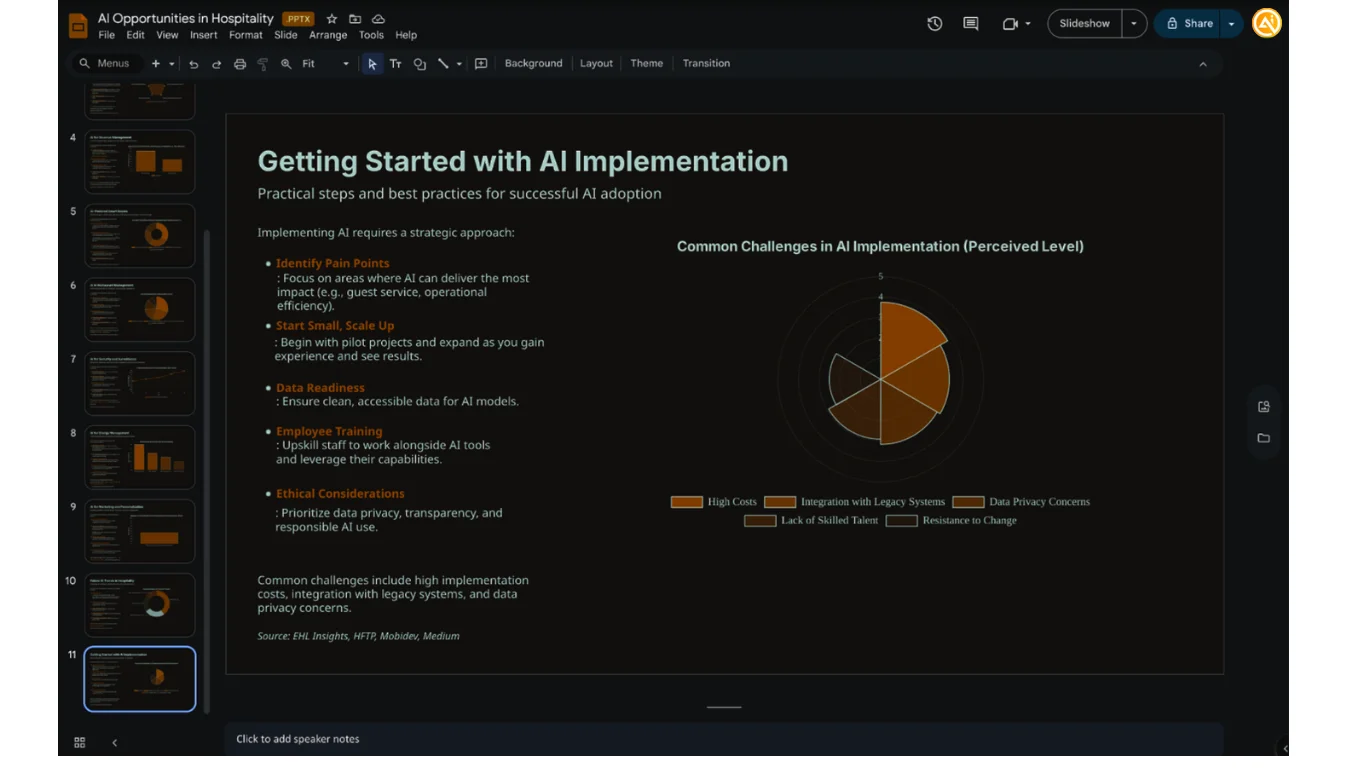
Manus will automatically create a fully formatted Google Slides presentation inside your account.
From there, the deck can be:
- Edited manually
- Shared with collaborators
- Customized further using Google Slides tools
STEP 5: Update and Schedule Presentations Automatically
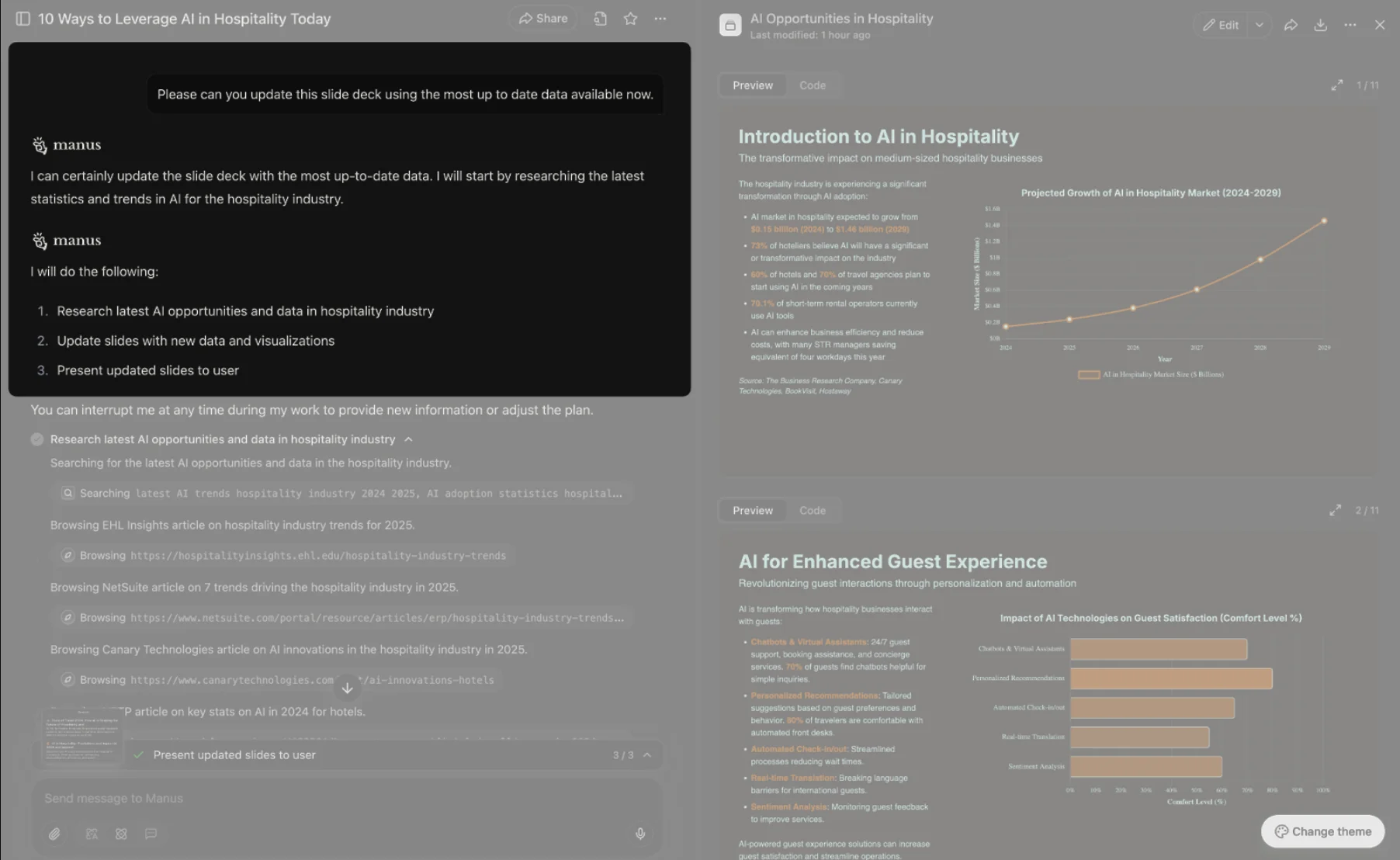
One of Manus’ most powerful features is the ability to update presentations over time.
For example, return to a completed project later and prompt:
“Update this presentation using the latest available data.”
Manus can refresh the deck with newer information while preserving the existing structure and formatting.
Schedule Recurring Tasks
Using the Scheduled tab, recurring workflows can also be automated.
Example use cases include:
- Monthly AI industry summaries
- Weekly market research updates
- Recurring analytics presentations
This allows presentations and reports to stay continuously updated with minimal manual effort.
Pro Tip
The quality of Manus outputs improves significantly with detailed prompts. Include audience type, presentation goals, desired sections, and preferred tone to generate more polished and presentation-ready slide decks from the start.

Editorial Staff
The Editorial Staff at AIChief is a team of Professional Content writers with extensive experience in the field of AI and Marketing. AIChief was Founded in 2025, AIChief has quickly grown to become the largest free AI resource hub in the industry. Stay connected with them on Facebook, Instagram and X for the latest updates.



