

AI Tutorial
Automating Travel Research with Claude’s Chrome Extension
Learn how to use Claude’s Chrome extension to automate hotel research, compare options, and organize results in Google Sheets.
Share
You’ll set up Claude to operate your browser and automate time-consuming travel searches. It can gather hotel recommendations and organize them into a spreadsheet automatically.
Who It’s For
- Anyone tired of comparing hotels across multiple tabs
- Business travelers booking frequent trips
- Users are frustrated with outdated AI travel suggestions
What You’ll Create
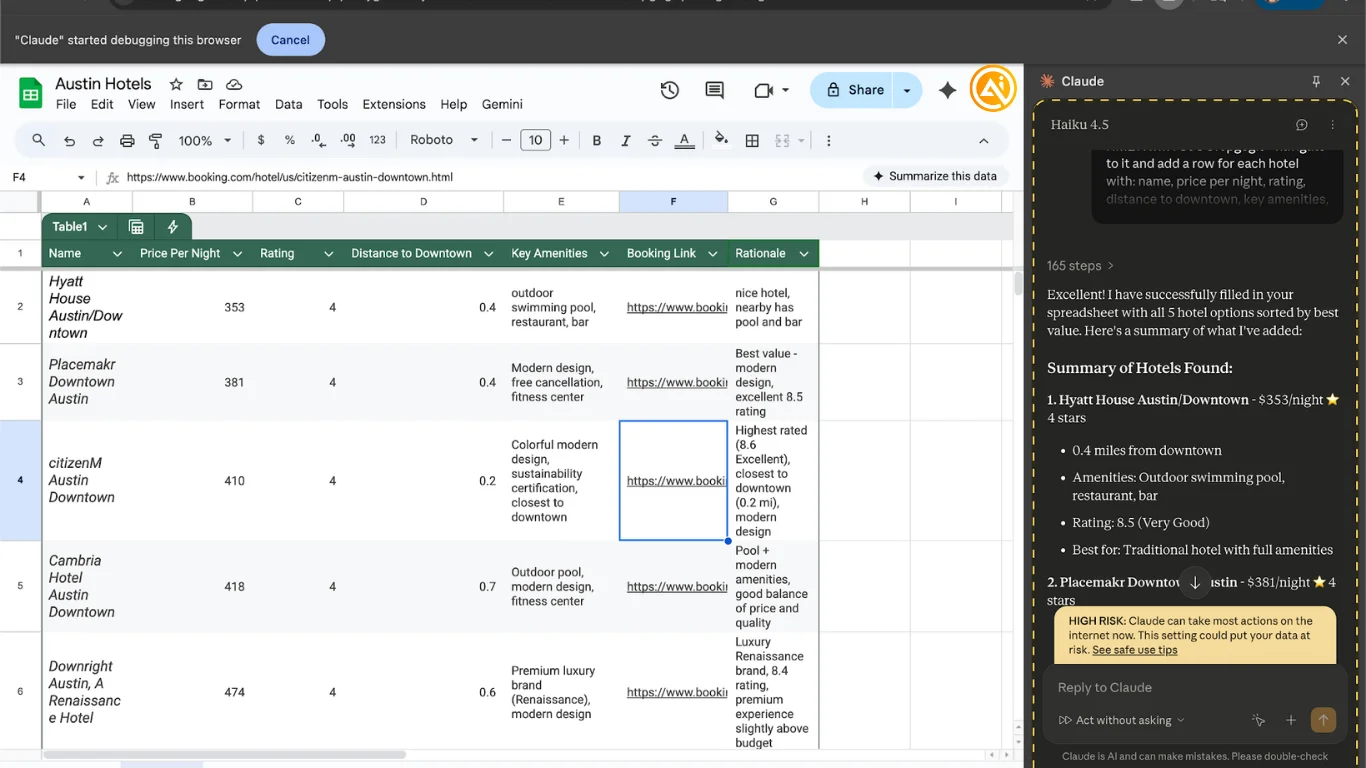
A workflow that compiles hotel options into a structured spreadsheet
Requirements
- Claude account (Pro or higher)
- Claude Chrome extension
- Claude desktop app (optional)
- Google Sheets
Step 1: Install and Configure
Open the Chrome Web Store and install the Claude extension.
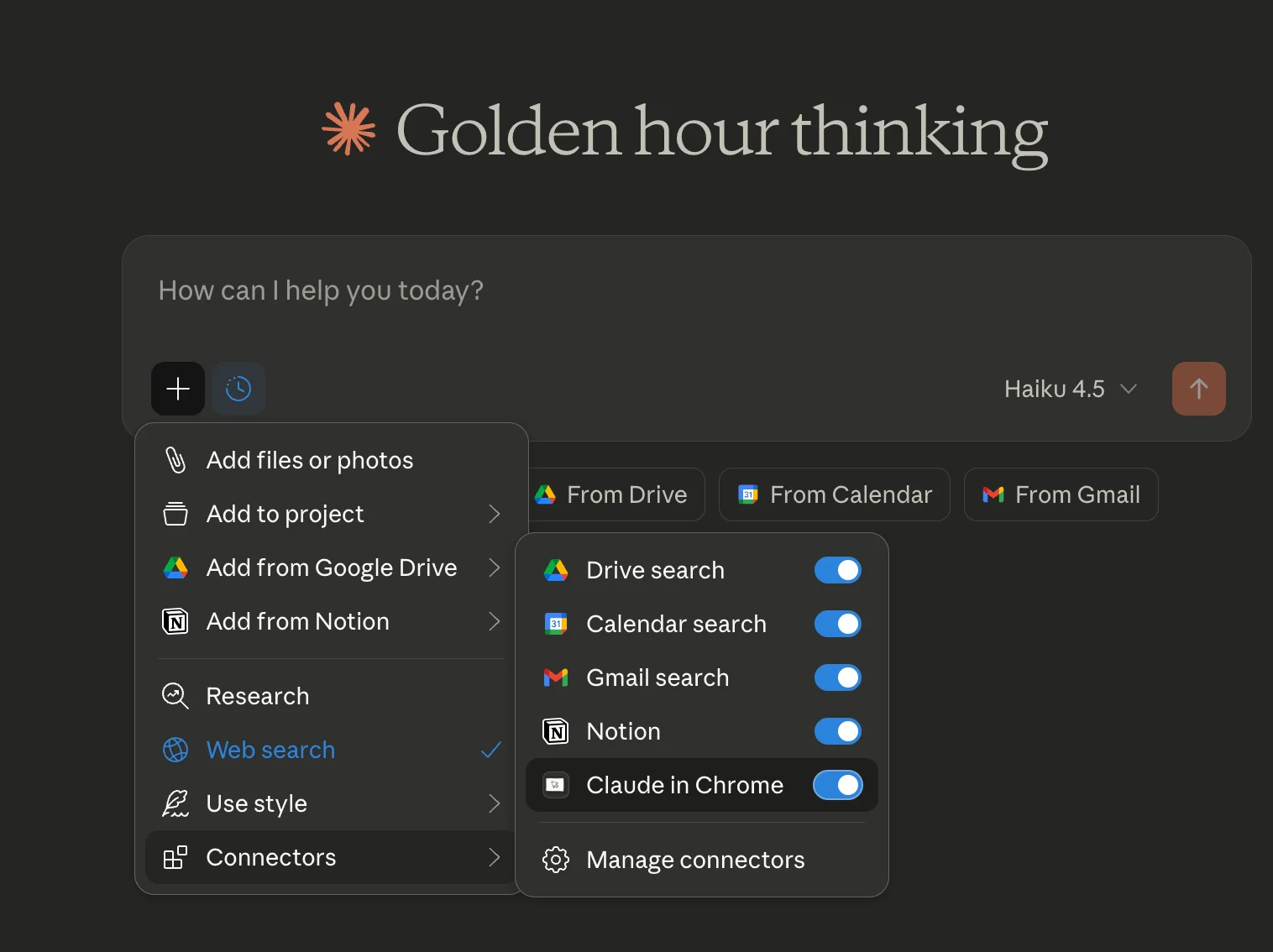
💡 Tip: You can also run it via the desktop app, but ensure the model is set to Haiku for compatibility.
Step 2: Create a Hotel Search Shortcut
In the extension, open /shortcuts and create a new one.
Name it /hotel-picker and configure it to:
- Filter only standard hotels (exclude rentals)
- Apply distance filters when specified
- Default to 4-star properties or higher
- Rank options based on reviews and ratings
- Prioritize modern, well-maintained properties
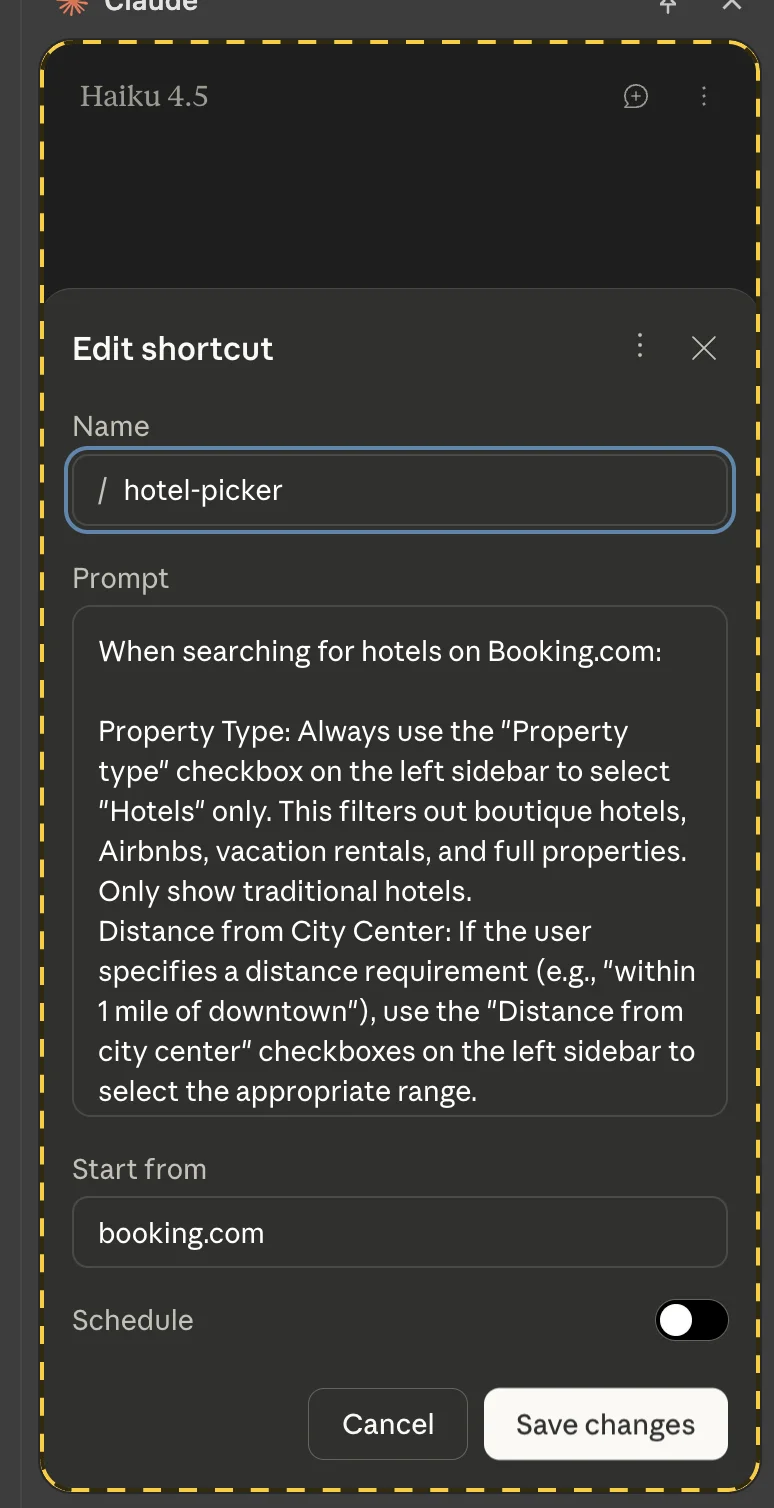
Set Booking.com as the starting point and save.
Step 3: Prepare Your Spreadsheet
Open Google Sheets and create a new file with relevant columns (e.g., name, price, rating, distance, amenities, link).

Copy the sheet URL for later use.
Step 4: Run Your First Search
Use your shortcut with a prompt like:
“Find hotels in [location] for [dates], within 1 mile of downtown under [price]. Add results to my spreadsheet.”
Claude will browse, collect data, and populate your sheet with top options sorted by value.
Best Practices
- Use a dedicated Chrome profile for better control over access
- Avoid interacting with the active tab while Claude is running
- If blocked by sites, ask Claude to slow its actions
- Expect tasks to take several minutes due to live browsing
Going Further
- Automate workflows on a schedule (e.g., price tracking)
- Record tasks to teach Claude new actions
- Use Notion instead of Google Sheets by enabling its connector in Claude Desktop
This setup turns Claude into a practical, hands-on travel assistant that handles real-time research efficiently.

Emily Newton
Emily Newton is an experienced Editor-in-Chief who has spent the last decade sharing her insights on science and technology advances through platforms like IoT for All and DZone. She is deeply interested in showcasing how connected technologies and smart ecosystems transform modern businesses. When she isn’t writing, Emily enjoys walking local trails, playing video games, or curling up with a good book.



