

AI Tutorial
Automate Vendor Research with Perplexity Comet Shortcuts
Learn how to use Perplexity Comet Shortcuts to automate vendor analysis, research business tools, uncover unbiased reviews, and streamline procurement workflows.
Share
Perplexity’s Comet Shortcuts feature allows users to create browser-based automation workflows using simple slash commands. These shortcuts can instantly analyze vendors, evaluate products, and surface unbiased research without manually searching through multiple sources.
Best Suited For:
- IT teams evaluating software platforms
- Procurement professionals researching vendors
- Business analysts reviewing enterprise tools
- Consultants comparing solutions for clients
STEP 1: Access the Comet Shortcuts Feature
Start by opening the Perplexity Comet browser and accessing the Shortcuts functionality.
The goal of this workflow is to build a shortcut that cuts through marketing material and surfaces more balanced, real-world assessments of products and services.
STEP 2: Create a Vendor Analysis Shortcut
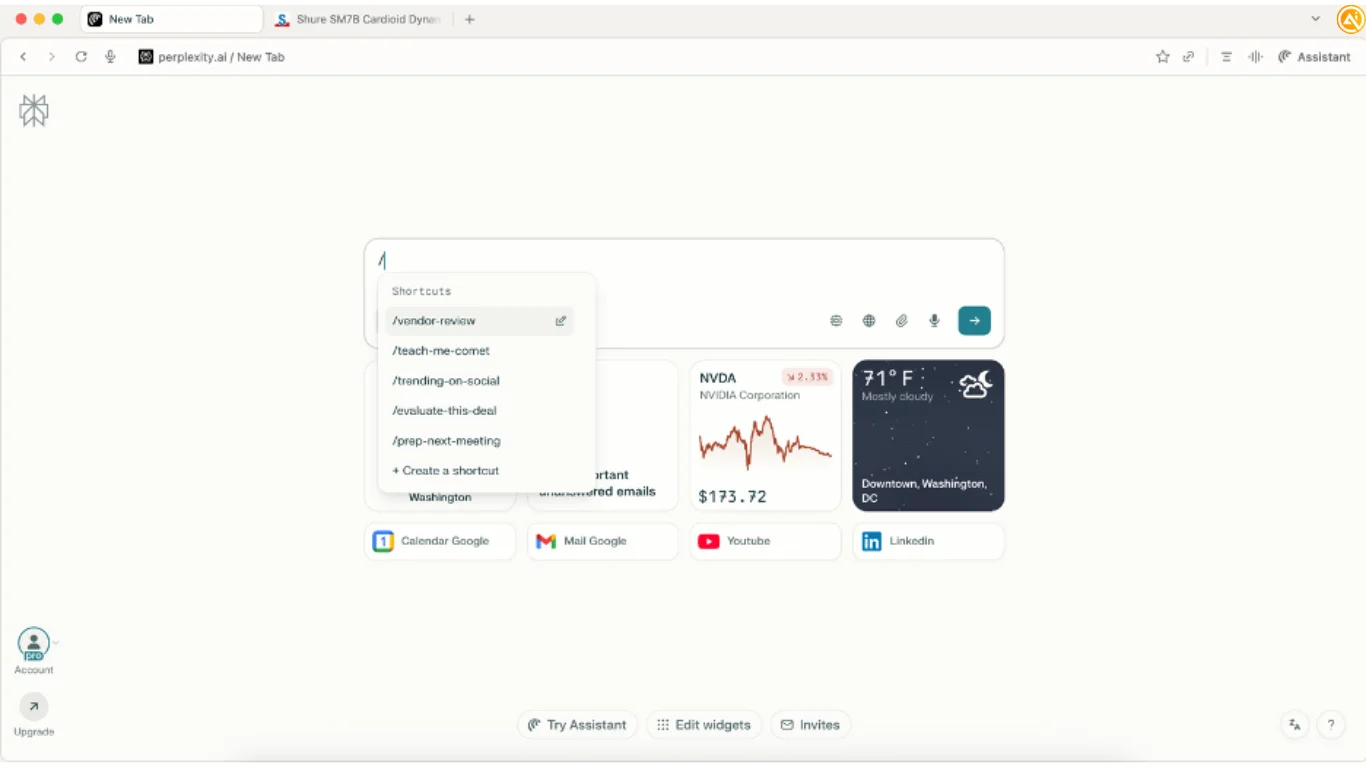
Inside Comet, type / anywhere in the browser and choose:
“+ Create a shortcut”
This opens the shortcut creation interface.
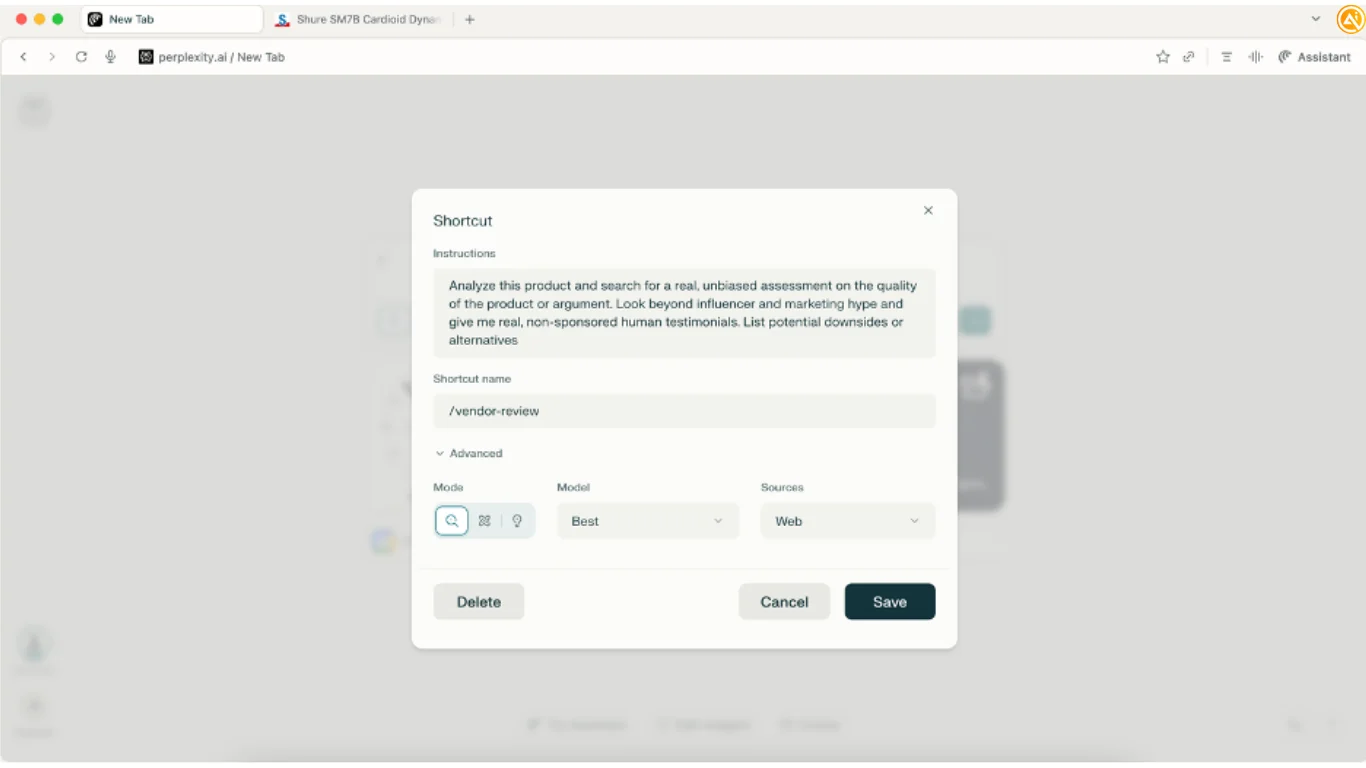
Example Instructions Prompt:
“Analyze this product and search for a real, unbiased assessment of the product or argument. Look beyond influencer and marketing hype and provide genuine, non-sponsored user testimonials. Include potential downsides and alternative solutions.”
Suggested Configuration:
- Mode: Preferred workflow mode
- Model: Best
- Sources: Web
- Shortcut Name: /vendor-review
Once saved, the shortcut becomes available anywhere inside the browser.
STEP 3: Test and Improve the Shortcut
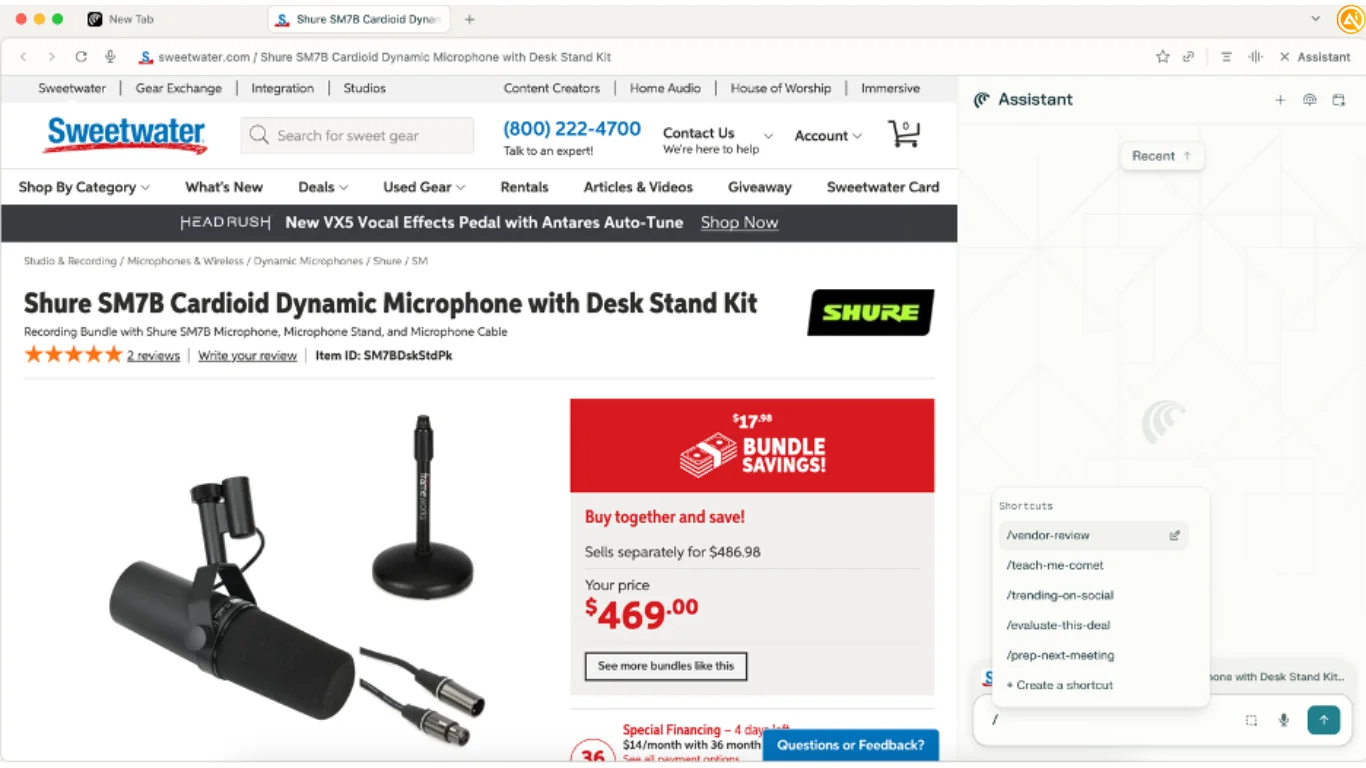
Next, visit any vendor website such as a SaaS platform, enterprise software provider, or service company.
Type:
/vendor-review
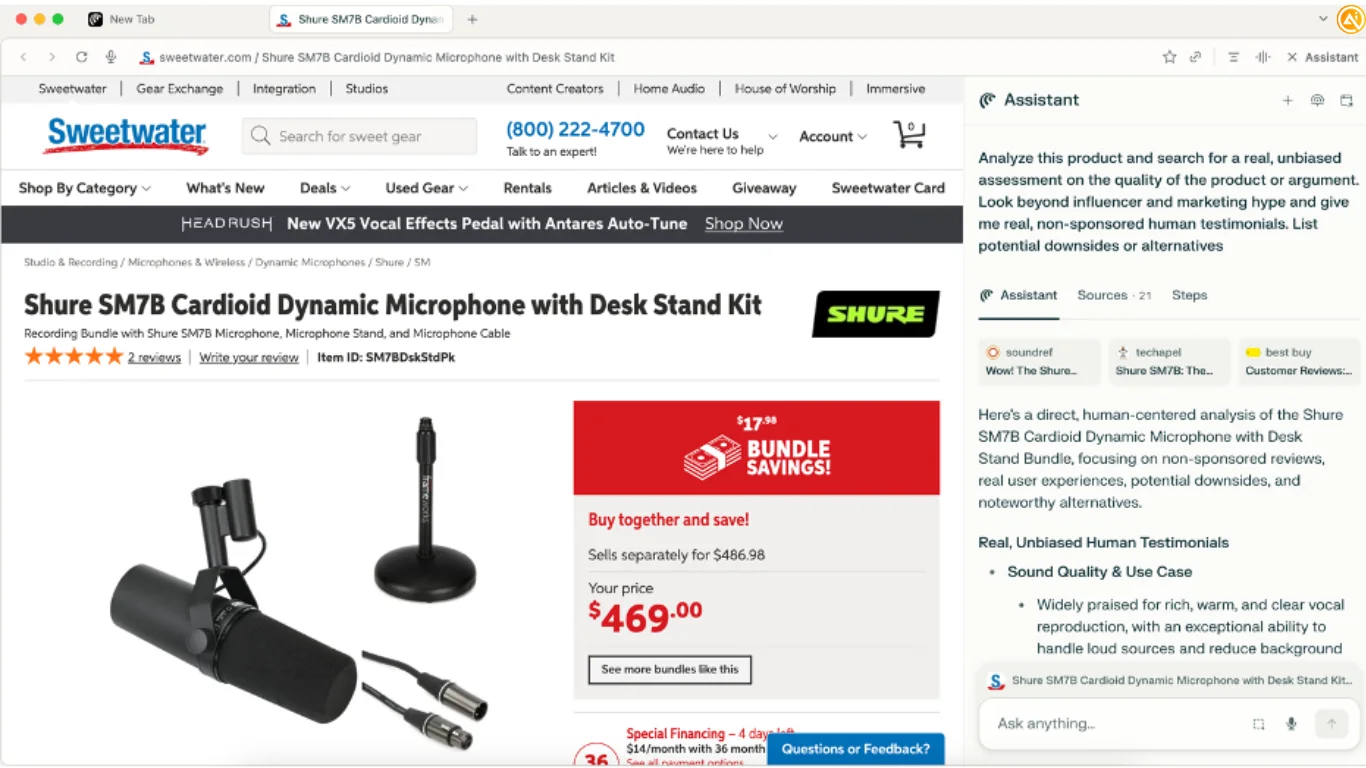
Comet will automatically:
- Search beyond promotional case studies
- Find authentic customer experiences
- Highlight implementation risks or limitations
- Suggest competing alternatives
- Analyze overall value and potential trade-offs
The shortcut works contextually, meaning it analyzes whichever product or company is currently visible in the browser.
This is especially useful during procurement reviews, vendor demos, or software evaluations.
STEP 4: Expand the Workflow with Additional Shortcuts
Once the main workflow is functioning well, additional shortcuts can be created for specialized business research tasks.
Example Shortcut Ideas:
- /security-audit — evaluate compliance and cybersecurity features
- /integration-check — analyze APIs and software compatibility
- /support-quality — review technical support reputation and service quality
- /scalability-review — assess enterprise readiness and long-term growth limitations
These workflows can significantly reduce research time while improving the quality of procurement and vendor decisions.
Pro Tip
Use Comet Shortcuts live during vendor demos or sales presentations to verify claims in real time, uncover hidden limitations, and generate stronger follow-up questions based on independent research rather than marketing materials alone.

Editorial Staff
The Editorial Staff at AIChief is a team of Professional Content writers with extensive experience in the field of AI and Marketing. AIChief was Founded in 2025, AIChief has quickly grown to become the largest free AI resource hub in the industry. Stay connected with them on Facebook, Instagram and X for the latest updates.



