

AI Tutorial
Automate Research for Free Using Grok Tasks
Use Grok Tasks to automate daily research with live X data. Set up free scheduled briefings for trends, competitors, and news.
Share
In this guide, you’ll learn how to use Grok’s Tasks feature to automate research. With a free X account, you get 2 daily tasks that can generate recurring research briefings using live X data.
Who This Is For
- Anyone with an X account who wants free automated research
- Marketers and founders tracking competitors or industry trends
- Anyone following fast-moving topics like news, sports, or markets
What You’ll Set Up
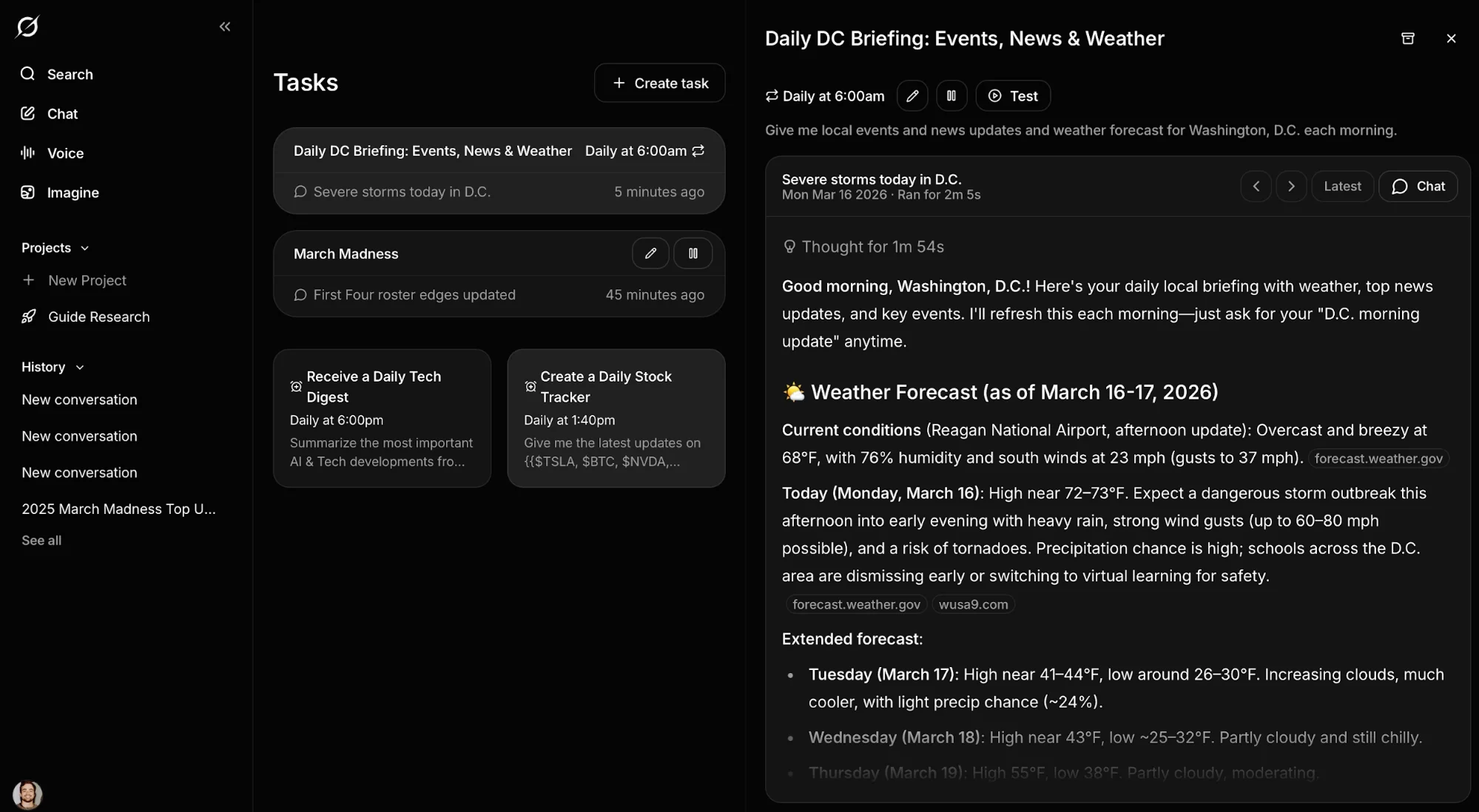
One or two scheduled Grok tasks that automatically research topics you choose and deliver updates to your email or phone.
What You Need
- A free X account
- Optional: Grok mobile app for push notifications
Step 1: Access the Tasks Page
Go to grok.com and sign in with your X account.
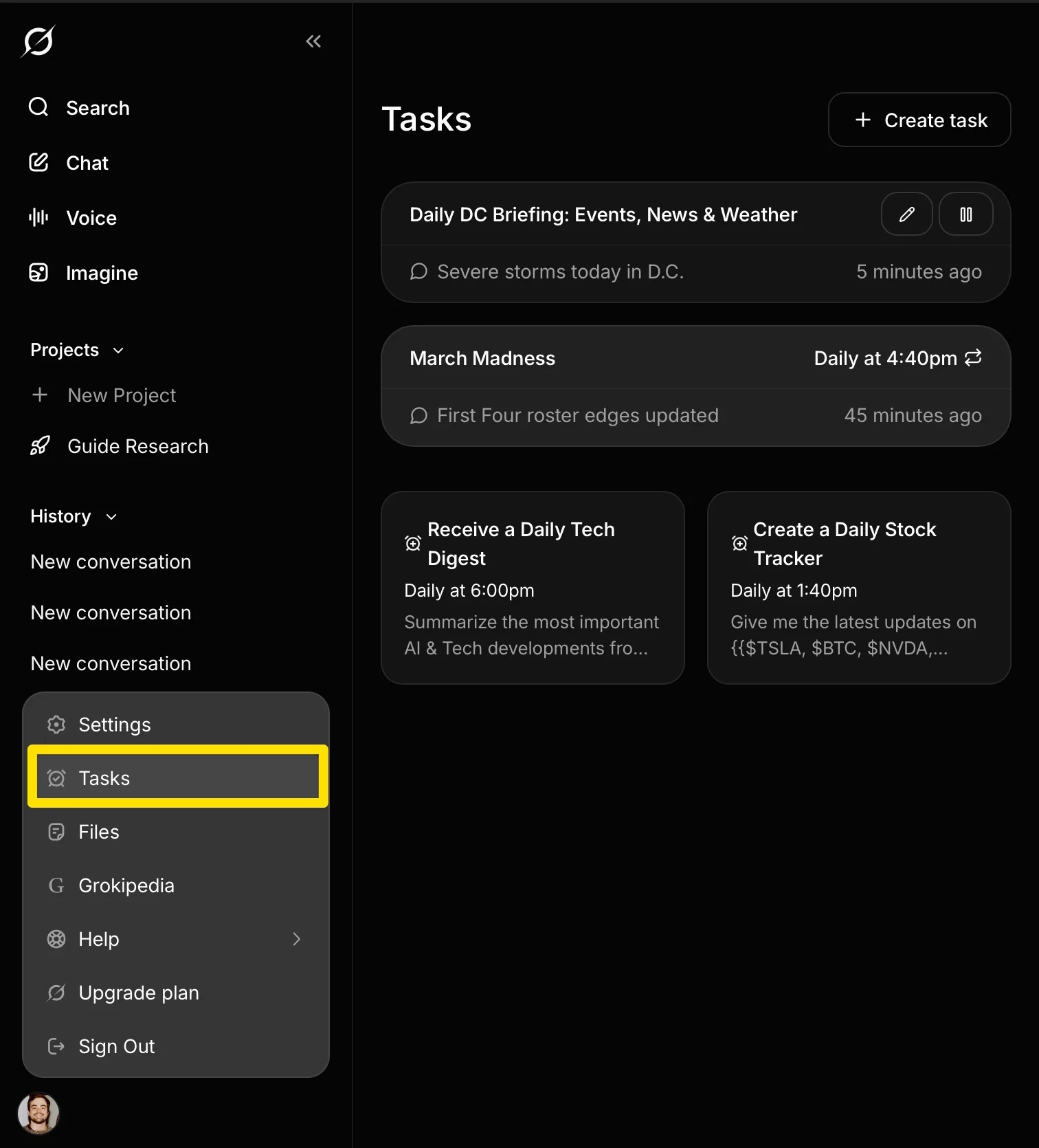
To find Tasks:
- Go directly to: grok.com/tasks
- Or click your profile (bottom left) → Tasks
Step 2: Create a Daily Research Task
Click Create Task and choose a schedule (start with daily).
Write a prompt based on what you want to track:
- Industry trends: Search X for top trends in [your niche] from the last 24 hours. Summarize the top 3 and flag anything gaining traction.
- Competitor monitoring: Search X for mentions, updates, or news about [competitor] from the past 24 hours. Summarize key findings.
- Local updates: Give a daily update on news, events, and weather in [your city].
- Sports tracking: Search X for injury updates and roster changes for [team/league] in the last 24 hours.
Focus on topics where X is strongest: real-time and breaking information.
Tip: Combine multiple keywords in one task to expand coverage.
Step 3: Test and Adjust Output
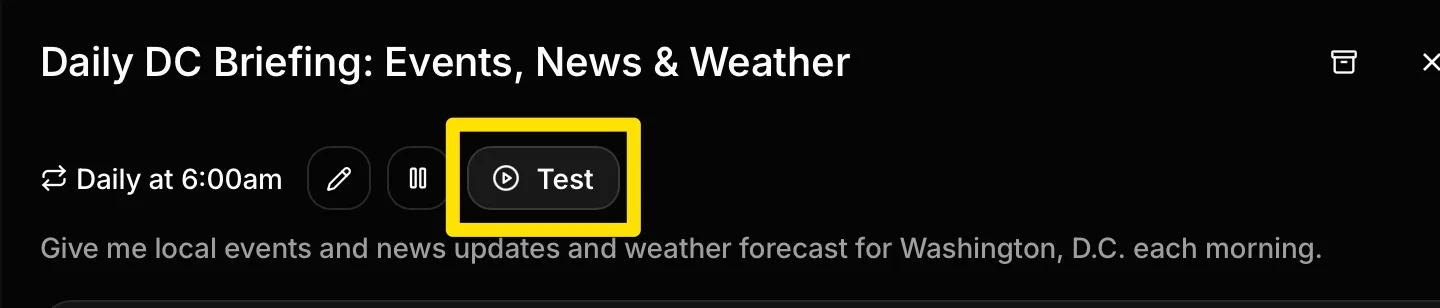
Before scheduling, open the task and click Test.
To view results:
- Return to the Tasks page
- Open the task
- Click Chat
If results are too broad or too narrow, refine your prompt and test again.
Step 4: Schedule and Receive Updates
Once active, Grok sends results via:
- Email (linked to your X account)
- Push notifications (via the mobile app)
You can toggle delivery settings as needed.
To check results anytime, go back to grok.com/tasks and open the task.
Use Free Limits More Effectively
Free accounts include:
- 2 daily tasks
- Up to 10 weekly or monthly tasks
Use them strategically:
- Daily → fast-moving topics (news, sports, markets)
- Weekly/monthly → deeper research (industry trends, competitors)
You can also stack keywords across tasks to cover more ground.
When to Upgrade
For unlimited tasks:
- SuperGrok ($30/month)
- X Premium+ ($40/month)
Most users can get solid value within the free limits.
Final Takeaway
The value here isn’t just saving time, it’s consistency. Instead of manually checking the same sources every day, you set up the system once and let Grok handle the tracking. Start with one well-written task, refine it, and reuse it across different topics. That’s enough to turn a free account into a reliable research workflow.

Editorial Staff
The Editorial Staff at AIChief is a team of Professional Content writers with extensive experience in the field of AI and Marketing. AIChief was Founded in 2025, AIChief has quickly grown to become the largest free AI resource hub in the industry. Stay connected with them on Facebook, Instagram and X for the latest updates.



