

AI Tutorial
Analyze High-Performing Ad Creatives Using Gumloop
Learn how to use Gumloop to analyze Facebook ad creatives, reverse engineer prompts, and automate competitor research in minutes.
Share
This guide shows how to use Gumloop to analyze content with AI and quickly break down top-performing ad creatives for inspiration and replication.
Who This Is For
- Users exploring Gumloop for the first time
- Those building automated content analysis systems
- Advertisers running campaigns on Facebook
What You’ll Build
This workflow analyzes ads from the Facebook Ad Library and reverse engineers prompts to recreate each creative.
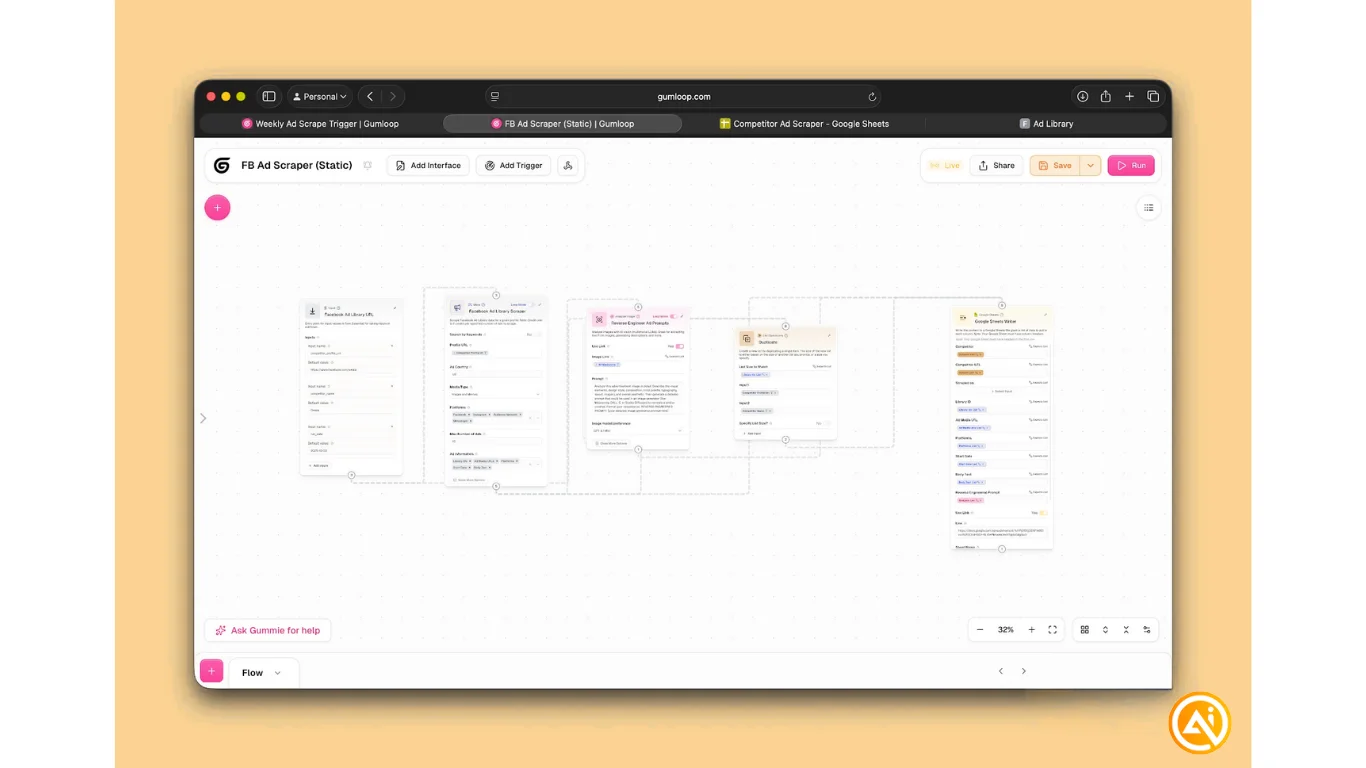
STEP 1: Create a new flow in Gumloop
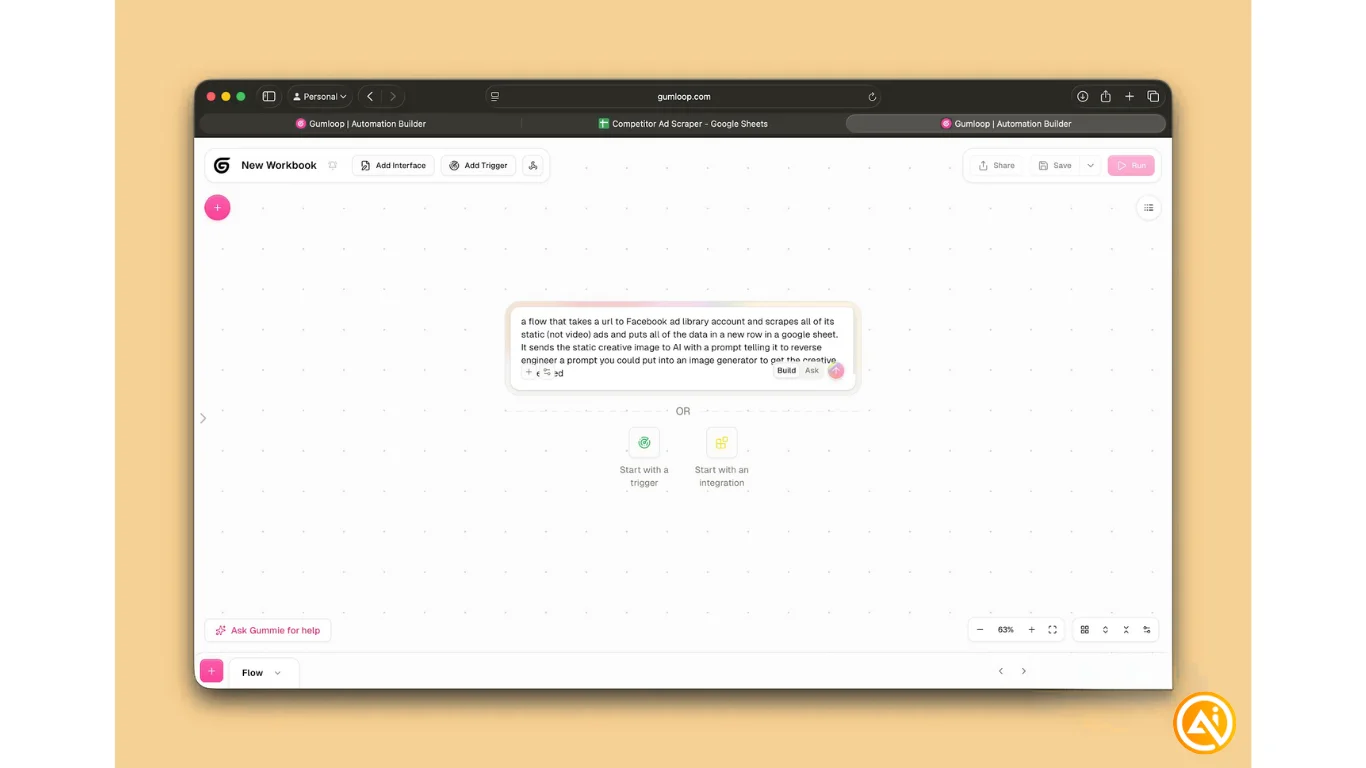
Go to Gumloop and click Create Flow. Enter this prompt:
“Build a flow that takes a Facebook Ad Library URL, extracts all static (non-video) ads, logs the data into a Google Sheet, and sends each image to AI to generate a prompt that could recreate the ad.”
Tip: You can either let Gumloop’s agent generate the workflow or build it manually using triggers and integrations.
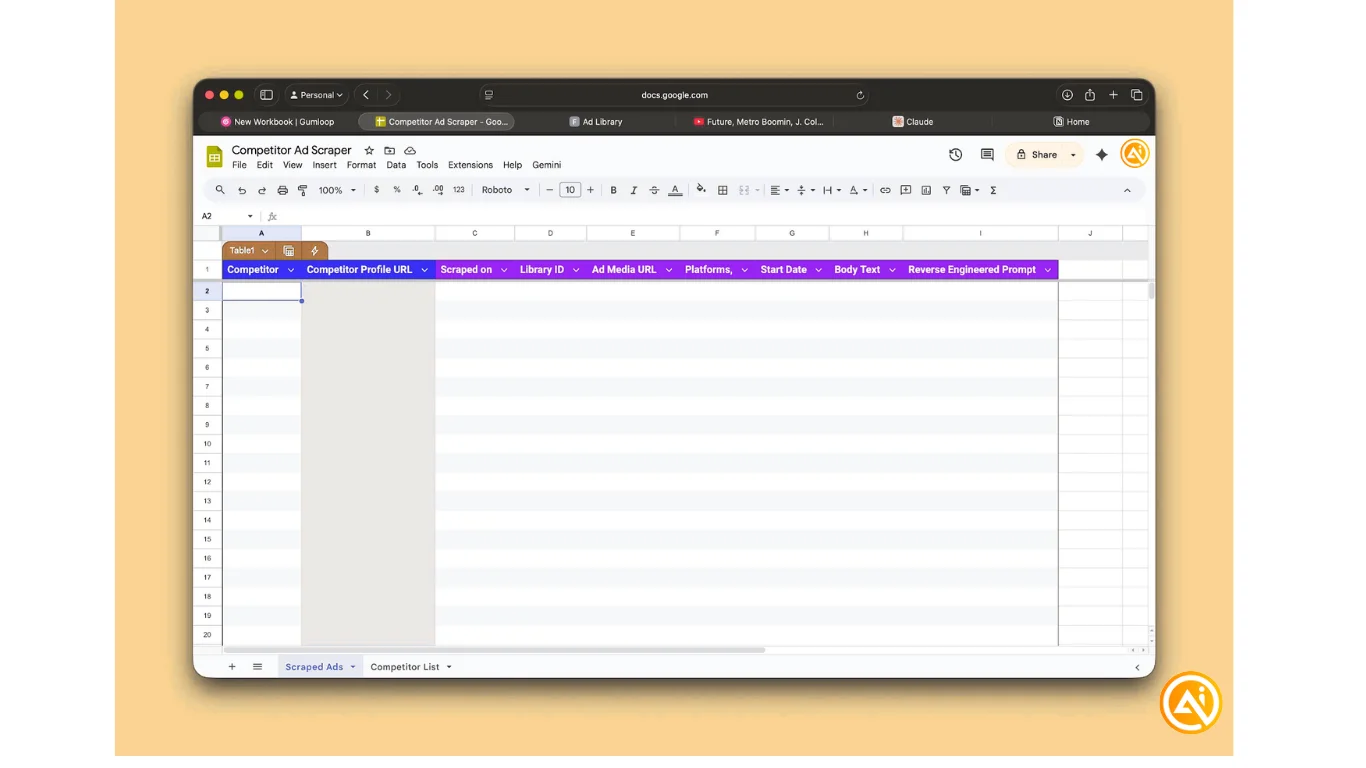
STEP 2: Prepare your Google Sheet
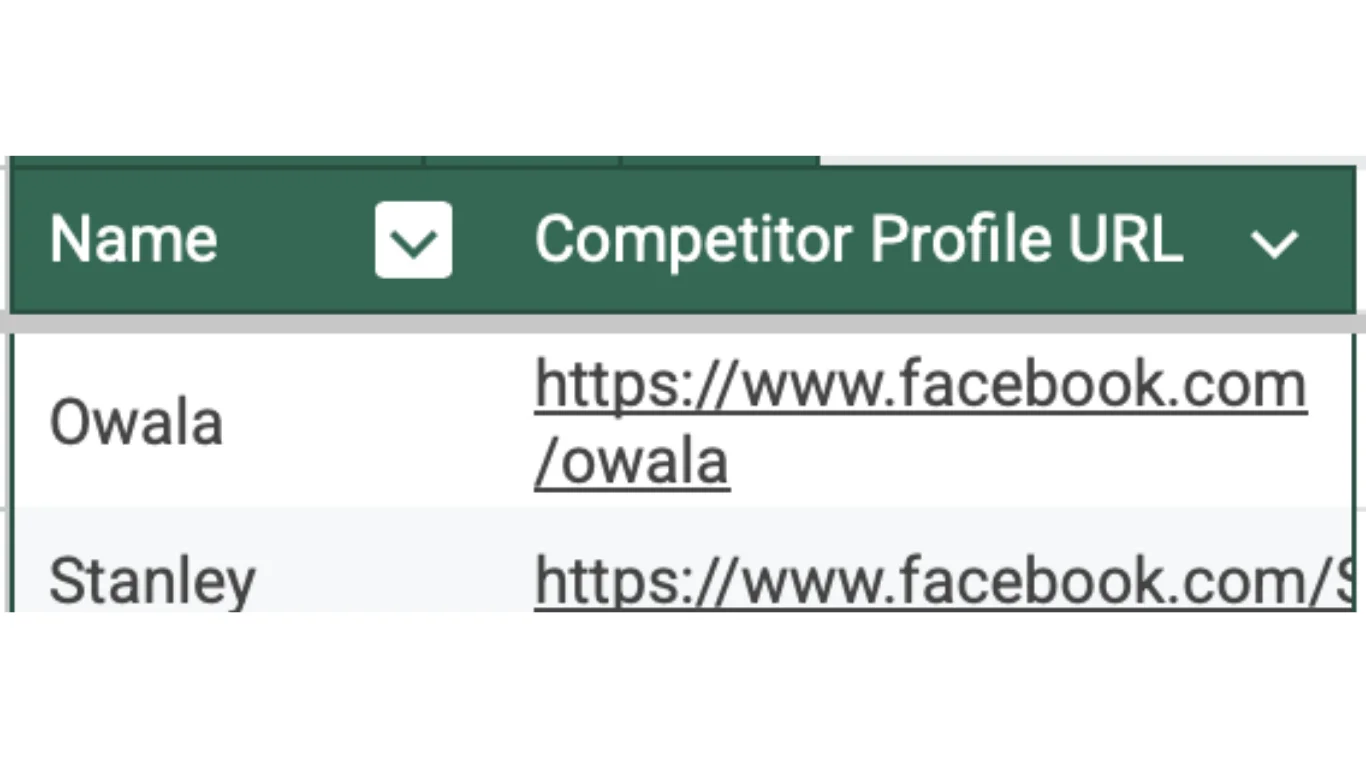
Create a new sheet structured to store ad data.
You can also duplicate a template if available.
Tip: Gumloop’s agent typically suggests the correct column headers and adjusts automatically once connected.
STEP 3: Connect Google Sheets
- Add the Google Sheets module
- Click Authenticate Credentials
- Connect your Google account
- Paste your sheet link into the module
- Continue setup in the agent panel
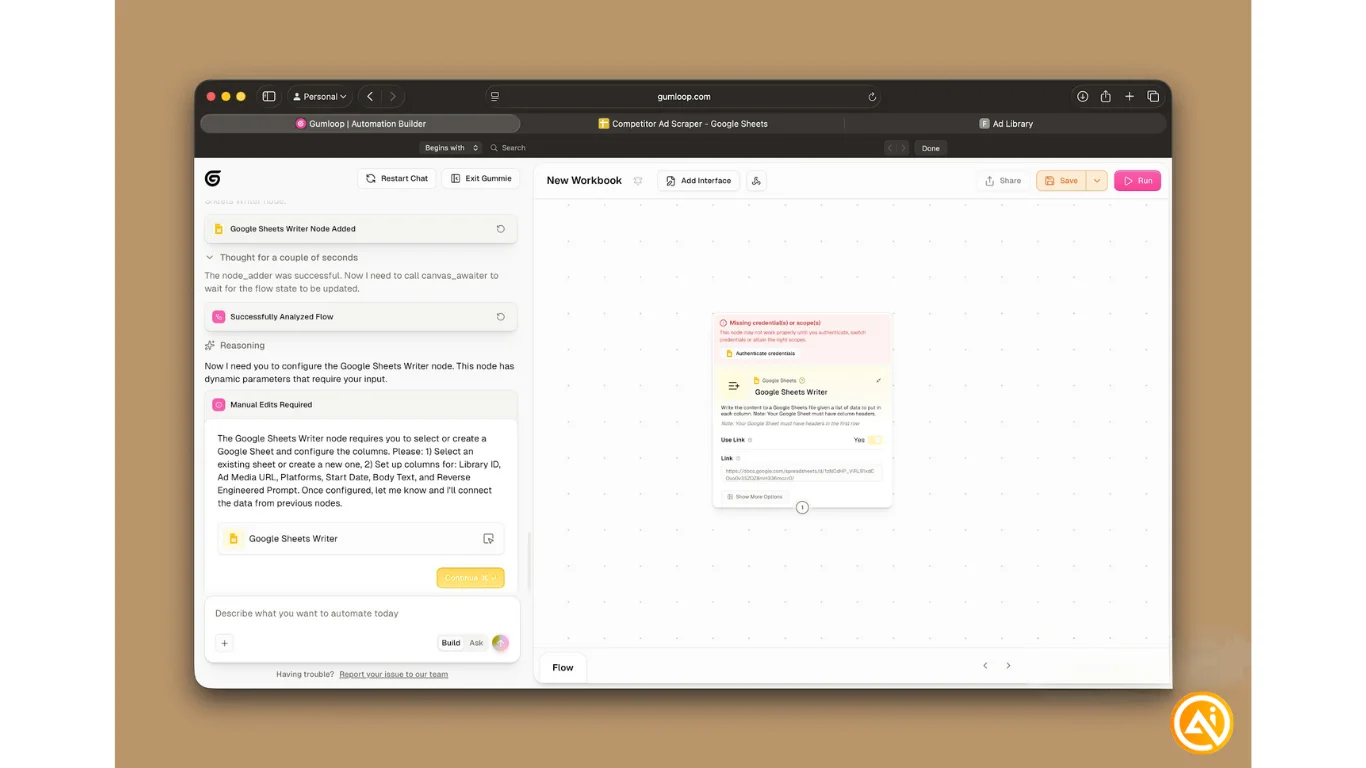
No additional credentials are required afterward.
STEP 4: Test the workflow
Go to the Facebook Ads Library and search for a competitor.
- Confirm they have static image ads
- Open their profile
- Copy the profile URL
- Paste it into your first module
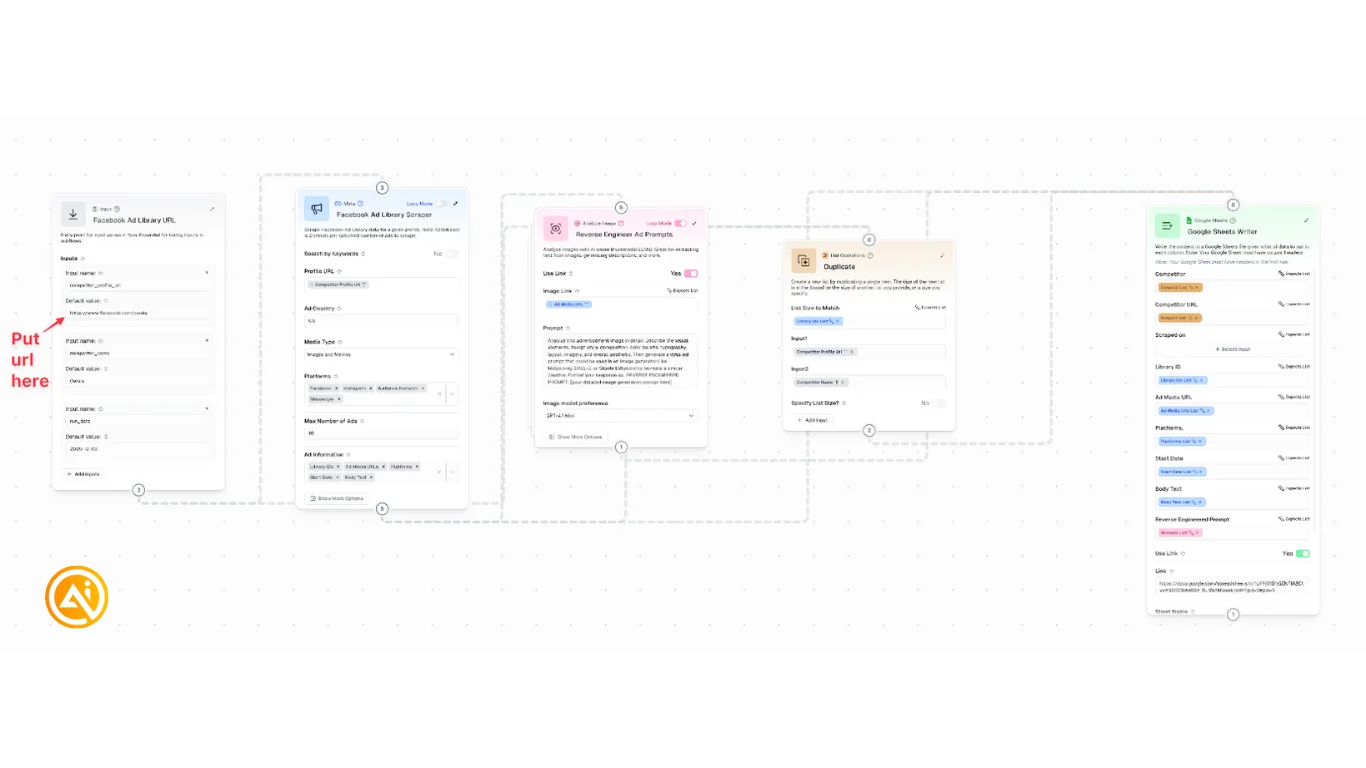
Ensure your flow is correctly connected, then click Run to test.
STEP 5: Automate the process
Set up a recurring workflow to track competitors:
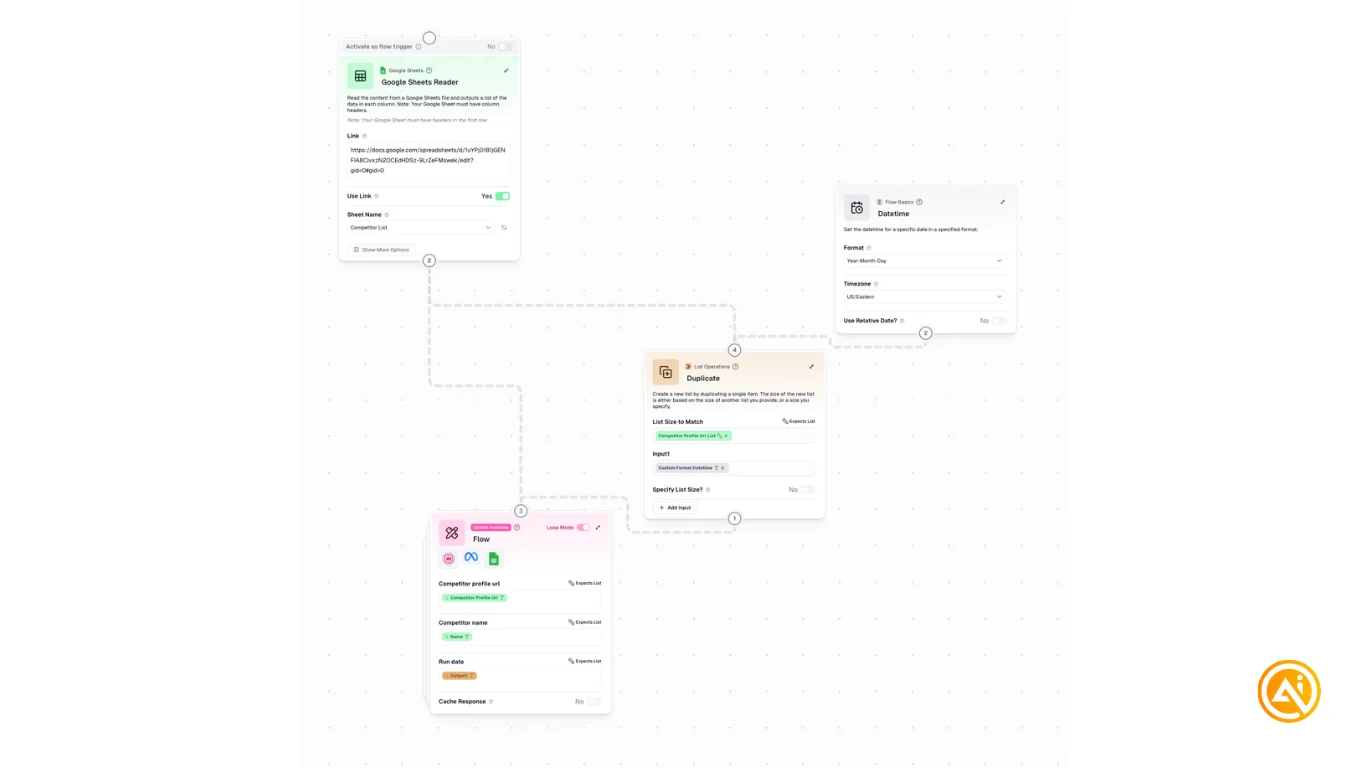
- Competitor Name
- Competitor Profile URL
In Gumloop:
- Start a new flow with Google Sheets Reader
- Link your sheet and select the new tab
- Add a Time Trigger (weekly recommended)
- Add your scraping flow as a subflow
- Map the competitor URL as input
Save and test your automation.
Going Further
- Use the Duplicate module to capture extra fields like run date or competitor name
- Explore Loop Mode in Gumloop to better understand iteration logic
- Expand the workflow to analyze video ads, Reddit posts, TikTok content, or tweets
- Add an image generation module to recreate visuals automatically
Pro Tip: Once set up, this workflow becomes a powerful system for ongoing competitor analysis and creative inspiration, saving hours of manual research.

Emily Newton
Emily Newton is an experienced Editor-in-Chief who has spent the last decade sharing her insights on science and technology advances through platforms like IoT for All and DZone. She is deeply interested in showcasing how connected technologies and smart ecosystems transform modern businesses. When she isn’t writing, Emily enjoys walking local trails, playing video games, or curling up with a good book.



