

AI Tutorial
Use AI to Find Patents, Spot Opportunities, and Avoid Infringement
Learn how to use Perplexity’s AI patent search to find existing patents, spot innovation gaps, and reduce infringement risk.
Share
This guide shows how Perplexity’s AI search can help you locate patents, identify innovation gaps, and understand how to position an invention with less infringement risk.
Who This Is For
- Solo builders validating ideas early and looking for open innovation areas
- Founders check originality before investing in development
- R&D and product leads mapping opportunities in competitive markets
- IP strategists and patent analysts are speeding up research and overlap detection

STEP 1: Open Perplexity Patent Search
Go to Perplexity.ai and enter your question naturally in the search bar.
Example:
“Are there any patents related to AI automations?”
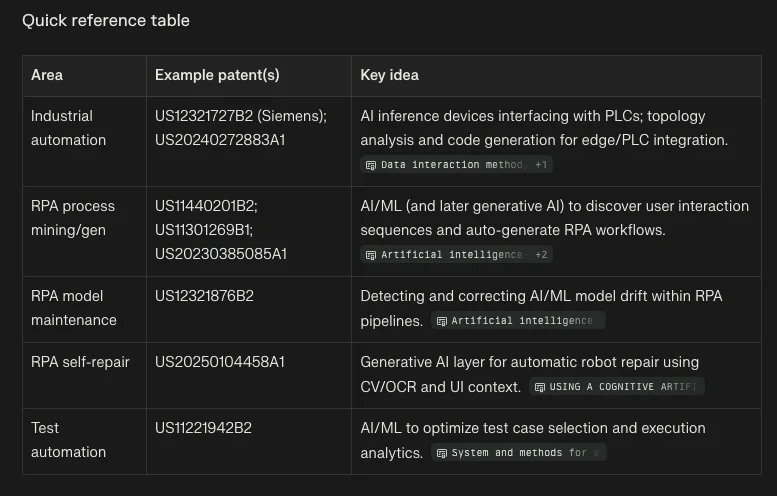
Perplexity can recognize patent-related queries and surface its Patent Research beta results, showing relevant filings, owners, and dates.
STEP 2: Narrow and Expand Your Search
After the results appear, add more detail about your invention. Use natural language instead of strict keyword strings.
Example:
“Find active patents related to AI-driven industrial automation and model drift detection.”
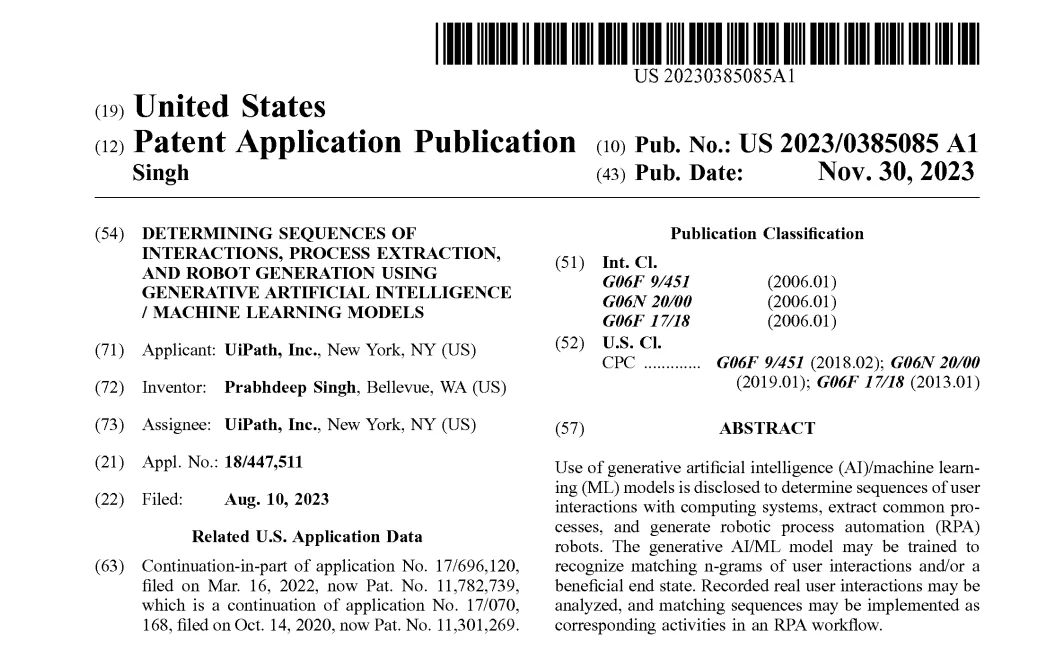
Perplexity searches semantically, helping uncover patents that may not use the exact wording you expect.
You can follow up with prompts like:
- “Summarize the main claims of these patents.”
- “Show whitespace opportunities in this field.”
- “List companies holding patents in this area.”
This turns Perplexity into a research assistant that helps reveal both existing protection and possible areas for innovation.
STEP 3: Use Agent Mode for Deeper Analysis
Enable Agent Mode in Perplexity for automated multi-step research.
The agent can:
- Pull patents from multiple jurisdictions
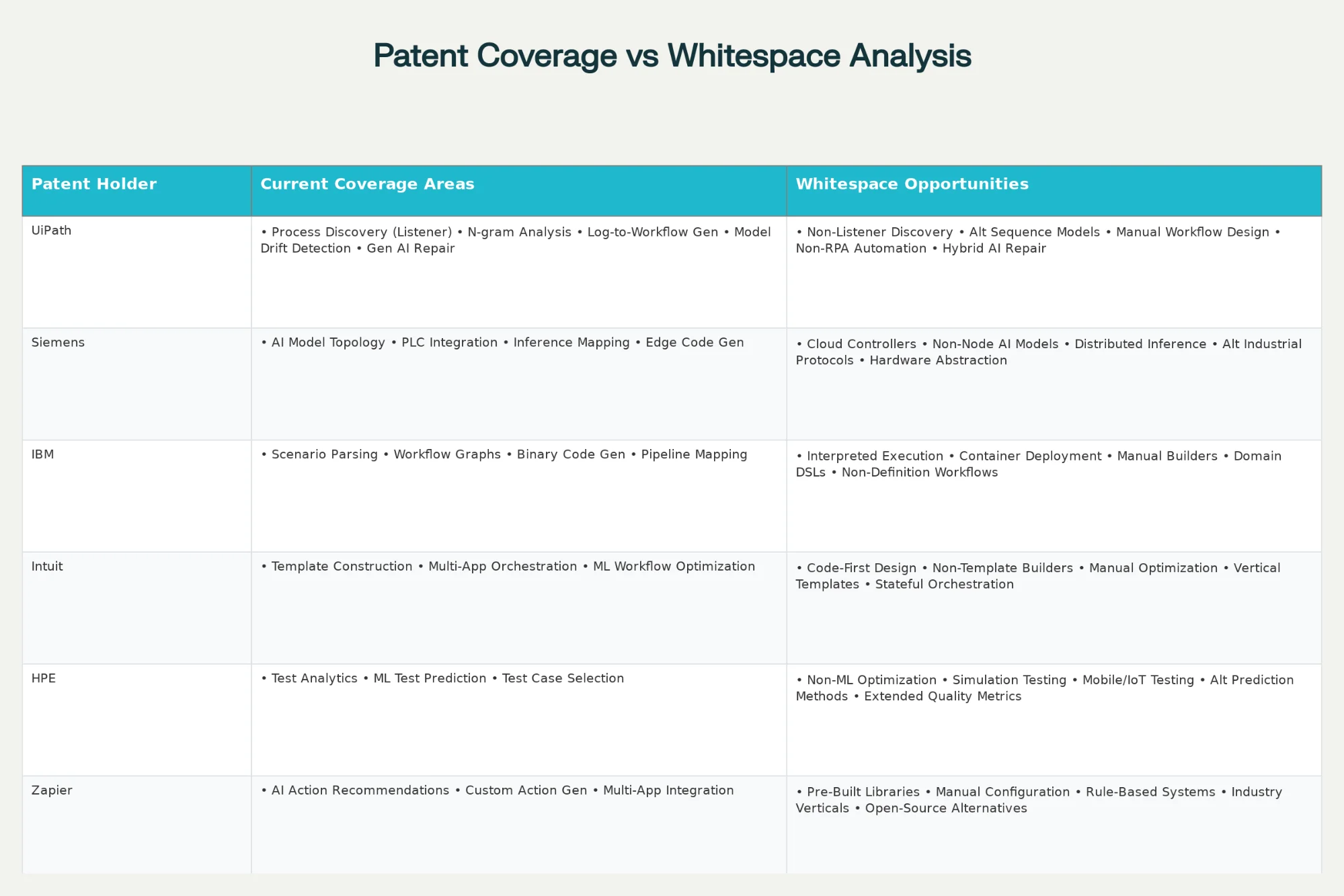
- Organize results into tables
- Create charts to visualize research areas
When finished, review the completed steps to check sources and methods.
STEP 4: Analyze the Outputs
Perplexity may generate visual charts and CSV files.
Review them closely:
- The chart may show patent clusters, open areas, and risk zones
- The CSV may include patent IDs, titles, grant dates, owners, and claims
Example findings could show dominant players such as Siemens, IBM, or Zapier in certain automation spaces, while open opportunities may exist around manual setup, prebuilt libraries, or open-source alternatives.
These insights help clarify where you may have room to build and where infringement risk may be higher.
STEP 5: Apply Insights to Product and IP Strategy
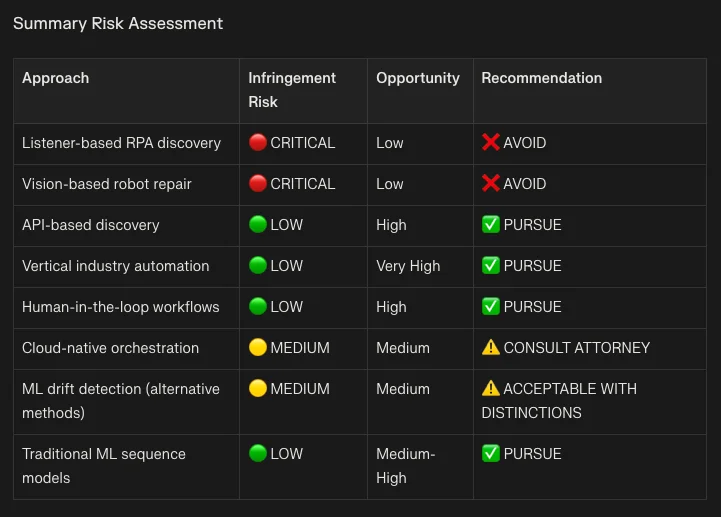
Use the tables and charts to guide product development, R&D priorities, or patent planning.
You can identify:
- Crowded areas with many existing patents
- Lower-risk opportunity zones
- Technologies or claims to avoid
Perplexity helps simplify patent discovery by making search, analysis, and interpretation faster than traditional manual research.
Pro Tip
Start broad to map the patent landscape, then refine with follow-up prompts around companies, claims, and whitespace opportunities.

Emily Newton
Emily Newton is an experienced Editor-in-Chief who has spent the last decade sharing her insights on science and technology advances through platforms like IoT for All and DZone. She is deeply interested in showcasing how connected technologies and smart ecosystems transform modern businesses. When she isn’t writing, Emily enjoys walking local trails, playing video games, or curling up with a good book.



