

AI Tutorial
Designing a High-Converting Landing Page with Claude Design
Step-by-step guide to designing landing pages in Claude Design. Create, refine, and launch pages that convert, no design tools required.
Share
This guide walks you through creating a high-converting landing page using Claude Design, without needing Figma. You’ll go from an initial idea to a fully polished, on-brand page that’s ready to deploy, all within your browser.
Who Should Use This Guide
- Marketers and growth teams who need to launch landing pages quickly without relying on a designer
- Solo founders and indie builders who want results-driven pages instead of generic templates
- Consultants and coaches creating targeted lead-generation pages for specific offers or audiences
What You’ll End Up With
By the end, you’ll have a complete landing page mockup with four variations inside Claude Design. The result is an interactive design you can share, refine, or build upon further.
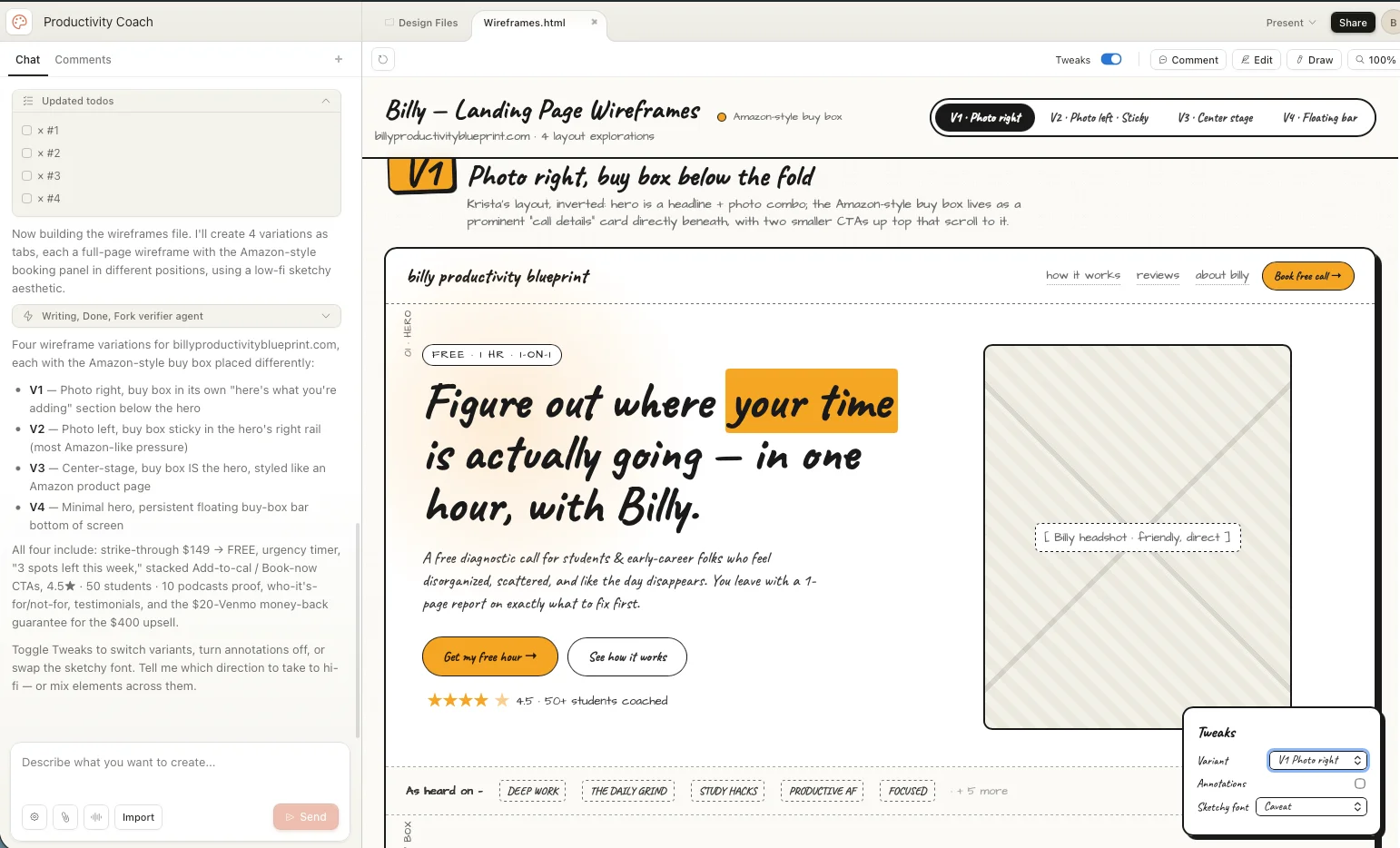
Requirements to Get Started
- A Claude Pro, Max, Team, or Enterprise account (Claude Design included)
- Access to Claude Design at claude.ai/design
Step 1: Define Your Direction with a Reference and Brief
The quality of your landing page depends heavily on your brief. A vague input leads to a generic output, while a detailed brief produces a page that actually converts.
Before opening Claude Design:
- Find a successful landing page in your niche
- Take a screenshot of it
- Write a clear brief covering:
- Audience: Who the page targets and their level of awareness
- Offer: What you’re selling, including pricing and terms
- CTA: The single action you want users to take
Pro tip: Capture a proven conversion pattern (like Amazon’s add-to-cart or YouTube’s subscribe button) and ask Claude Design to replicate it. Familiar patterns increase trust and conversions.
Step 2: Build the Structure First with a Wireframe
When starting your project in Claude Design, choose Create Wireframe instead of building the full page right away.
Why this matters:
- It uses fewer tokens
- It helps you focus on structure before visual details
Upload your reference screenshots and paste your brief. You can also include a URL of a site whose style you want to emulate. Claude Design will extract colors, fonts, and components automatically.
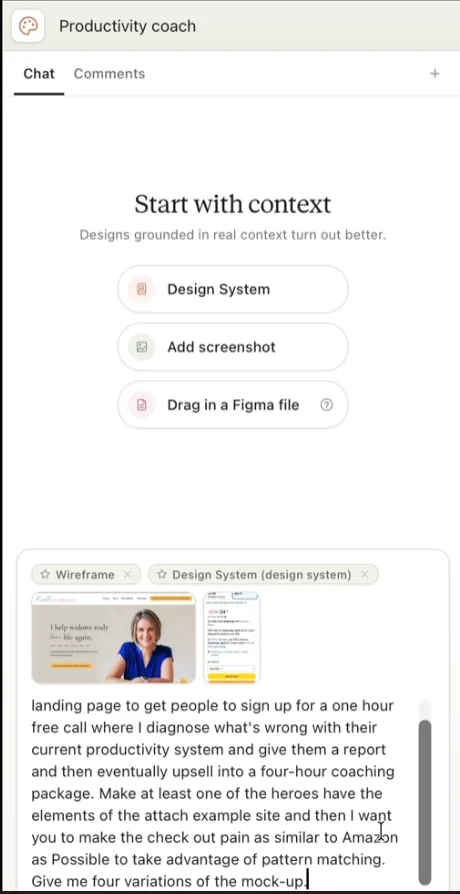
Pro tip: Claude Design doesn’t support HEIC files. Convert images to PNG or JPEG before uploading.
Step 3: Generate Options and Review Before Editing
After submitting your prompt, Claude Design will ask a few follow-up questions (pricing, testimonials, etc.). Answer them briefly.
Then:
- Generate 3–5 variations (ideal range)
- Review each version completely before making changes
Usually, the layout and structure are solid on the first pass. What needs refinement is the copy clarity and CTA messaging.
Step 4: Improve with Smart Refinements
Claude Design offers two ways to improve your design:
1. Tweaks menu (use first)
- Experiment with colors and variations globally
2. Inline comments (use second)
Click specific elements and request changes such as:
- Making CTAs more outcome-focused
- Adding testimonials
- Tightening overly wordy text
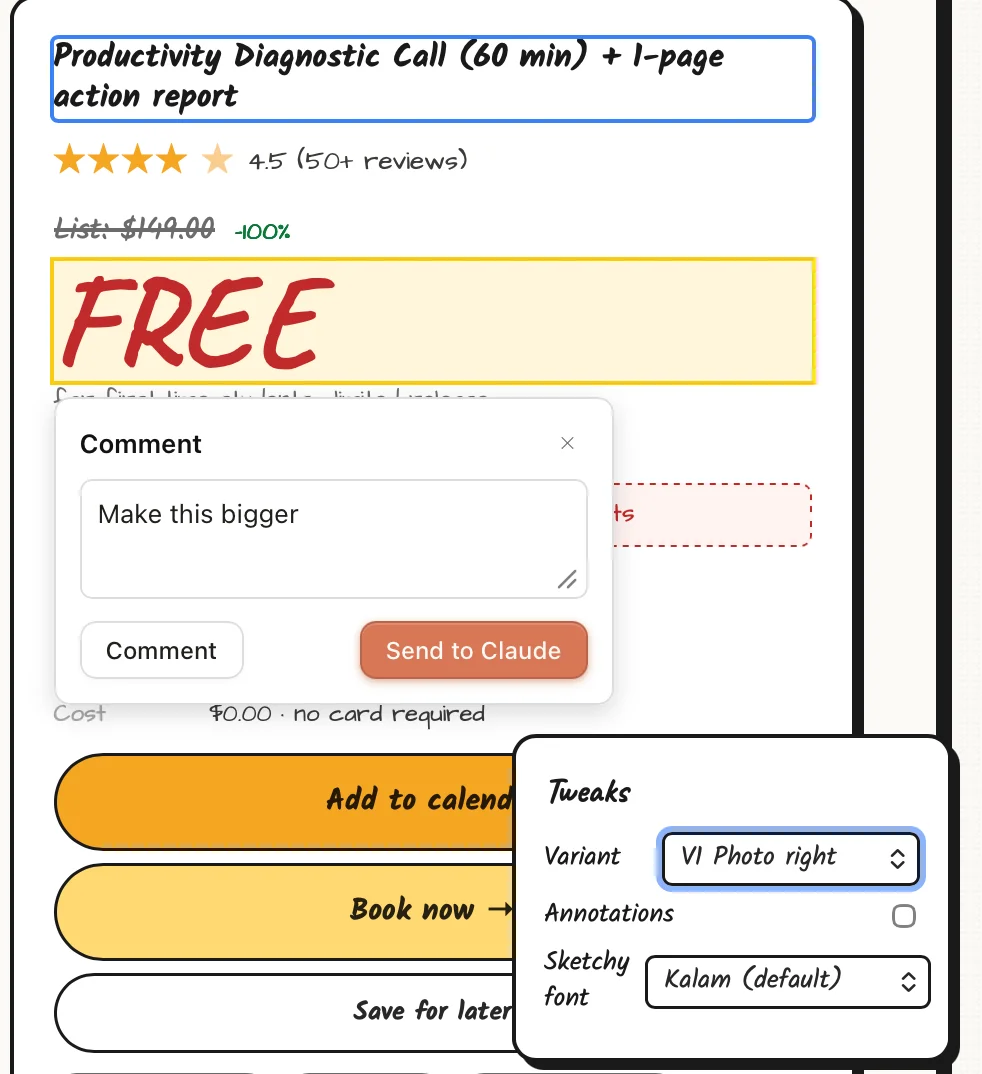
Pro tip: Use the “Grab Web Element” bookmarklet to pull design elements (like pricing sections or navigation bars) from any website directly into your project.
Step 5: Export, Launch, or Extend
Once your design is ready, you can export it in several formats:
- HTML for direct deployment
- Canva for team collaboration
- PDF for approvals
- PPTX for presentations
For more advanced functionality (like forms, payments, or booking systems), transfer the project to Claude Code. Claude Design handles visuals, while Claude Code adds real functionality.
Ways to Go Further
After creating your first page, you can:
- Test multiple hero sections through A/B experiments
- Build separate pages for different audience segments
- Add interactivity through Claude Code
Key Takeaway
Claude Design may evolve, but the core workflow remains the same:
- Clear brief
- Structured wireframe
- Thoughtful refinement
- Final export
Master this process, and you’ll consistently create landing pages that not only look good, but convert.

Editorial Staff
The Editorial Staff at AIChief is a team of Professional Content writers with extensive experience in the field of AI and Marketing. AIChief was Founded in 2025, AIChief has quickly grown to become the largest free AI resource hub in the industry. Stay connected with them on Facebook, Instagram and X for the latest updates.



